1. Ürün Bittiview
The TRUSTECH Evaporative Air Cooler (Model B085RBZ1P) is a versatile 2-in-1 appliance designed to provide both cooling and humidification. This portable tower fan features a bladeless design, three fan speeds, three operating modes, 90-degree oscillation, and an 8-hour timer for enhanced comfort and convenience.
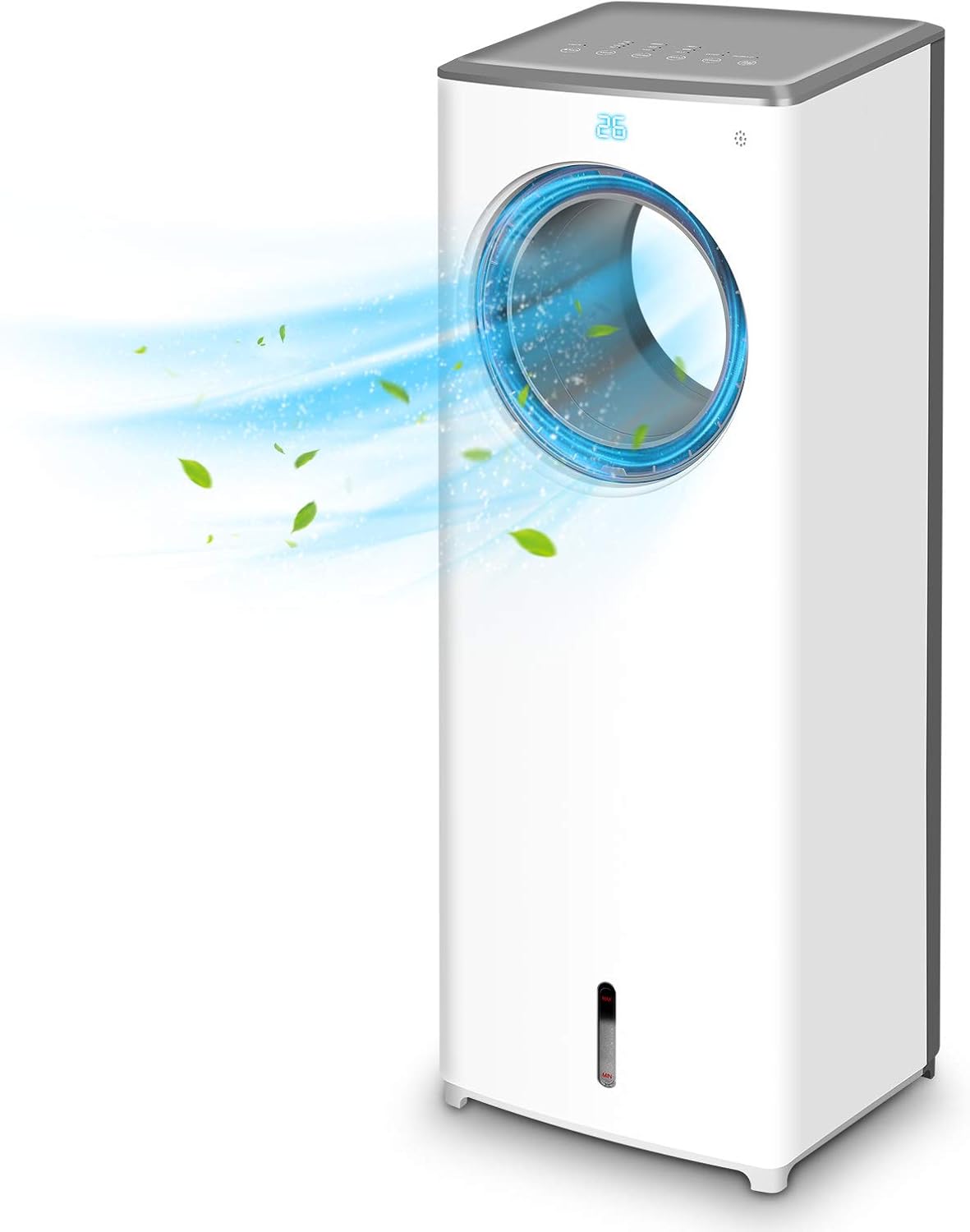
Resim 1.1: Ön view of the TRUSTECH Evaporative Air Cooler, showcasing its sleek design and air outlet.
2. Güvenlik Talimatları
- Cihazı kullanmadan önce tüm talimatları okuyun.
- Üniteyi hasarlı bir kablo veya fişle çalıştırmayın.
- Devrilmeyi önlemek için ünitenin sabit ve düz bir yüzeye yerleştirildiğinden emin olun.
- Hava giriş ve çıkışlarını kapatmayın.
- Unplug the unit before cleaning, refilling water, or performing any maintenance.
- Keep out of reach of children and pets. The bladeless design enhances safety, but supervision is always recommended.
- Do not use in excessively humid environments or near water sources to avoid electrical hazards.

Image 2.1: The bladeless design of the air cooler, highlighting its safety features for households with children and pets.
3. Kurulum ve Montaj
- Paketin açılması: Hava soğutucuyu ambalajından dikkatlice çıkarın. Ambalajı, ilerideki depolama veya nakliye için saklayın.
- Atama: Position the unit on a firm, level surface away from direct sunlight and heat sources. Ensure there is adequate space around the unit for proper airflow.
- Su Deposunun Doldurulması:
- Ünitenin alt kısmındaki su deposunu bulun.
- Su deposunu yavaşça dışarı çekin.
- Depoyu temiz ve soğuk suyla doldurun. 'MAX' dolum çizgisini aşmayın.
- For enhanced cooling, place the included ice crystal boxes (after freezing) or ice cubes into the water tank.
- Su deposunu yerine oturana kadar dikkatlice üniteye doğru kaydırın.
- Güç Bağlantısı: Güç kablosunu standart bir elektrik prizine takın.

Image 3.1: Illustration of the water tank and the process of adding ice cubes or ice crystal boxes for cooling and humidification.
4. Kullanım Talimatları
Hava soğutucu, ünitenin üst kısmındaki kontrol paneli veya birlikte verilen uzaktan kumanda kullanılarak çalıştırılabilir.
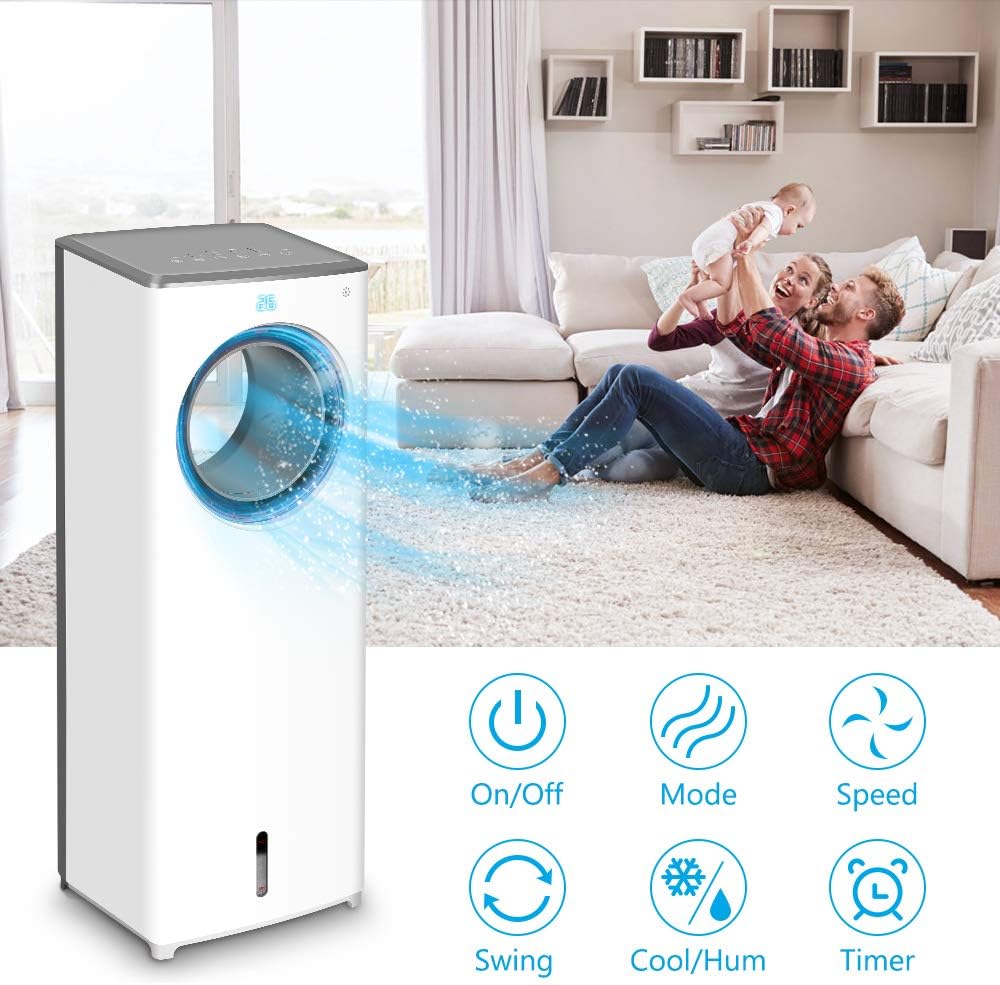
Resim 4.1: Üzeriview of the control panel buttons and remote control functions, including On/Off, Mode, Speed, Swing, Cool/Humidify, and Timer.
- Güç Açma/Kapatma: Basın Güç Üniteyi açmak veya kapatmak için düğmesine basın.
- Fan Hızı: Basın Hız button repeatedly to cycle through Low, Mid, and High fan speeds.
- Çalışma Modları: Basın Mod button to select from three distinct airflow patterns:
- Normal Mod: Tutarlı bir hava akışı sağlar.
- Doğa Modu: Farklı fan hızlarıyla doğal esintiyi simüle eder.
- Uyku modu: Operates at a lower speed and noise level for quiet operation during rest.

Image 4.2: Visual representation of the three available wind modes: Normal, Nature, and Sleep, illustrating their different airflow characteristics.
- Salınım (Salınım): Basın Sallanmak button to activate or deactivate the 90-degree oscillation feature, distributing air across a wider area.

Image 4.3: The air cooler demonstrating its 90-degree oscillation feature for comprehensive air distribution.
- Cool/Humidify Function: Basın Cool/Humidify button to activate the evaporative cooling and humidification function. Ensure the water tank is filled for this feature to operate effectively.
- Zamanlayıcı: Basın Zamanlayıcı button to set the automatic shut-off timer for up to 8 hours. Each press increases the timer setting.

Image 4.4: The 8-hour adjustable timer feature, promoting energy efficiency and convenience for extended use.
5. Bakım
Regular cleaning and maintenance will ensure optimal performance and longevity of your air cooler.
- Temizlemeden Önce: Herhangi bir temizlik veya bakım işlemi yapmadan önce mutlaka cihazın fişini prizden çekin.
- Su Deposunun Temizlenmesi:
- Su tankını üniteden çıkarın.
- Kalan suyu boşaltın.
- Depoyu yumuşak bir deterjan ve ılık suyla temizleyin. Sabun kalıntılarından kurtulmak için iyice durulayın.
- It is recommended to clean the water tank every 3 days to prevent odor and bacterial growth.
- Cleaning the Cooling Pad/Filter:
- Refer to the product diagram to locate and carefully remove the cooling pad/filter from the rear of the unit.
- Rinse the cooling pad/filter under running water to remove dust and debris. Do not use harsh chemicals.
- Allow the cooling pad/filter to air dry completely before reinserting it into the unit.
- Dış Cephe Temizliği: Ünitenin dış yüzeylerini yumuşak bir bezle silin.amp bezle silin. Aşındırıcı temizleyiciler veya çözücüler kullanmayın.
- Depolamak: If storing the unit for an extended period, ensure the water tank and cooling pad are clean and dry. Store the unit in a cool, dry place.
6. Sorun Giderme
| Sorun | Olası Neden | Çözüm |
|---|---|---|
| Ünite açılmıyor. | Güç kaynağı yok; güç kablosu güvenli bir şekilde takılı değil. | Check power outlet and ensure the power cord is firmly connected. |
| No cool air or humidification. | Water tank is empty; cooling pad is dry; Cool/Humidify function not activated. | Fill the water tank; ensure the cooling pad is moist; activate the Cool/Humidify function. |
| Üniteden hoş olmayan bir koku geliyor. | Stagnant water or dirty cooling pad/water tank. | Clean the water tank and cooling pad thoroughly. Replace water regularly. |
| Su sızıntısı. | Water tank not properly seated; obstruction in water tank (e.g., packaging material). | Ensure the water tank is correctly inserted. Check for and remove any foreign objects from the tank. |
| Uzaktan kumanda çalışmıyor. | Batteries are dead or incorrectly inserted; remote not pointed at receiver. | Replace batteries with new ones, ensuring correct polarity. Point the remote directly at the unit's receiver. |
7. Özellikler
| Özellik | Detay |
|---|---|
| Örnek | B085RBZ1P |
| Marka | GÜVENLİK |
| Ürün Ağırlığı | 14.17 pound |
| Ürün Boyutları | 10.2"D x 8.7"G x 28.7"Y |
| Güç Kaynağı | Kablolu Elektrik |
| Montaj Tipi | Taşınabilir |
| Özel Özellikler | Bladeless, Portable, Humidifier |
| Hız Sayısı | 3 |
| salınım | 90 derece |
| Zamanlayıcı | 1-8 hours adjustable |
8. Garanti ve Destek
For information regarding product warranty, technical support, or service inquiries, please refer to the warranty card included with your product packaging or visit the official TRUSTECH website. Contact details for customer support are typically provided in these resources.


