giriiş
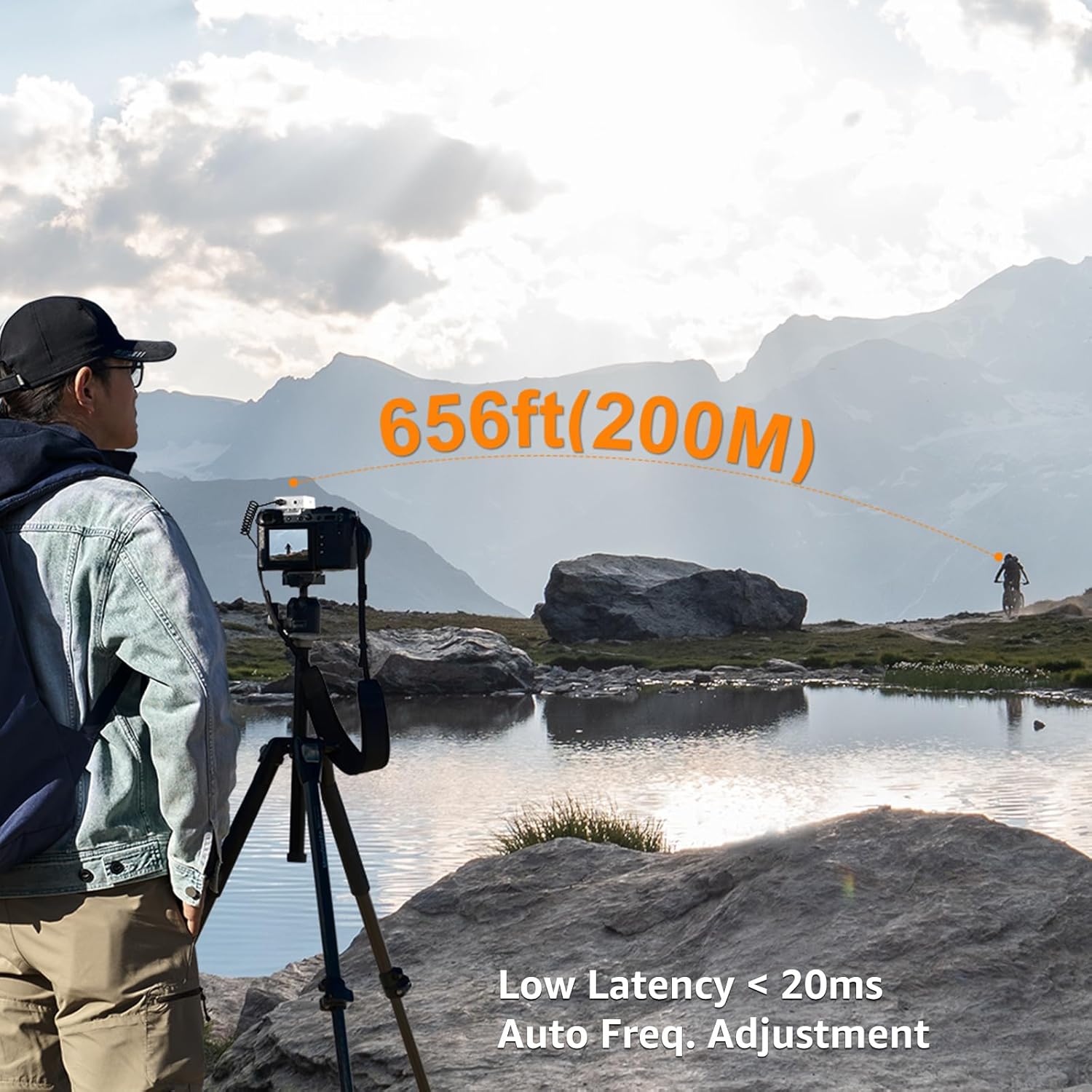
The COMICA BoomX-D1 is a compact and versatile 2.4G wireless microphone system designed for high-quality audio recording. It features one transmitter and one receiver, offering stable transmission up to 650ft (200m). This system is ideal for various applications including interviews, podcasting, YouTube videos, live streaming, and more, providing clear and reliable audio performance.
Kutuda Neler Var?
- 1 x Alıcı
- 1 x Verici
- 1 x 3.5mm Lavalier Microphone
- 1 x 3.5mm TRS Audio Output Cable (for cameras)
- 1 x 3.5mm TRRS Audio Output Cable (for smartphones)
- 1 x 3'si 1 arada USB-C Şarj Kablosu
- 1 x Taşıma Çantası
- 1 x Rüzgar Geçirmez Tulum
- 1 x Kullanım Kılavuzu
- 1 x Garanti Kartı

Image: All components included in the COMICA BoomX-D1 package.
Ürün Bittiview
Verici (TX)

Resim: Ön view of the Transmitter with its display and built-in microphone.
- Dahili Mikrofon: Omnidirectional pickup for direct audio capture.
- 3.5mm MIC IN Port: For connecting the external lavalier microphone.
- Power/Mute/Denoise Button: Short press to mute/unmute, long press for power ON/OFF, one-click to activate/deactivate noise cancellation.
- Çift Düğmesi: For pairing with the receiver.
- USB-C Şarj Portu: Cihazı şarj etmek için.
- Belt Clip/Cold Shoe Adapter: Giysiye veya kameraya takmak için.
Alıcı (RX)
Resim: Ön view of the Receiver with its display and control buttons.
- 3.5mm Audio OUT Port: For connecting to cameras, camcorders, or smartphones.
- 3.5mm Headphone Monitor Port: Gerçek zamanlı ses izleme için.
- Power/Mono/Stereo Switch: Long press for power ON/OFF, short press to switch between Mono and Stereo output modes.
- A/B Channel Gain Control: Her kanal için çıkış ses seviyesini ayarlar.
- USB-C Şarj Portu: Cihazı şarj etmek için.
- Belt Clip/Cold Shoe Adapter: Giysiye veya kameraya takmak için.
Kurmak
- Şarj Cihazları: Use the provided 3-in-1 USB-C charging cable to fully charge both the transmitter and receiver before first use. The orange cable supports charging and data transmission, while black cables are for charging only.
- Güç Açık: Long press the Power button on both the transmitter and receiver to turn them ON.
- Eşleştirme: The devices should automatically pair. If not, short press the Pair button on the transmitter. The display will indicate successful pairing.
- Mikrofonu Bağlayın:
- Dahili Mikrofon: Simply clip the transmitter to your clothing.
- External Lavalier Mic: Plug the 3.5mm lavalier microphone into the MIC IN port on the transmitter. Secure the lavalier mic to your clothing.

Image: External lavalier microphone connected to the transmitter.
- Alıcıyı monte edin: Attach the receiver to your camera's hot shoe or cold shoe mount using its belt clip.
- Connect to Recording Device:
- Kameralar için: Use the 3.5mm TRS audio output cable.
- Akıllı Telefonlar İçin: Use the 3.5mm TRRS audio output cable. (Note: For iPhone 7 and above iOS smartphones, an ORIGINAL Lightning - 3.5mm TRRS adapter cable from Apple's official website is required. Third-party adapters may affect sound quality.)
Kullanım Talimatları
Gerçek Zamanlı İzleme
Plug headphones into the 3.5mm Headphone Monitor Port on the receiver to monitor audio in real-time during recording. This helps ensure proper audio levels and quality.
Sessiz İşlevi
Short press the Power/Mute button on the transmitter to mute the microphone. This is useful for short pauses or adjustments without stopping the recording.
Mono/Stereo Output
Short press the Power/Mono/Stereo switch on the receiver to toggle between Mono and Stereo output modes. In Mono mode, audio from both transmitters (if using a dual-transmitter system) is mixed into a single channel. In Stereo mode, each transmitter's audio is recorded on a separate channel (left/right).
Çıkış Ses Düzeyi Ayarı
Use the A/B Channel Gain Control buttons on the receiver to adjust the output volume (gain) for each channel independently, according to your recording device's input sensitivity.
Video: Genel bittiview of the COMICA BoomX-D wireless microphone system and its basic operation.
Gürültü Azaltma
The new version of BoomX-D supports one-click noise cancellation. To activate or deactivate noise reduction, simply press the Pair/Denoise Button on the transmitter. This feature helps to make your video voice clear and clean by filtering out unwanted background noise.
Image: Transmitter display indicating noise reduction status.
Video: Demonstration of microphone sound quality test, highlighting noise reduction capabilities.
Ses Giriş Modları
The COMICA BoomX-D1 offers two flexible audio input modes:
- Internal Microphone: The transmitter has a built-in omnidirectional microphone. You can directly clip the transmitter to your clothing for convenient audio capture.
- Harici Yaka Mikrofonu: For more discreet placement or specific audio needs, connect the included 3.5mm lavalier microphone to the transmitter's MIC IN port.

Image: Using the internal microphone by clipping the transmitter directly.

Image: Using the external lavalier microphone.
Video: Explanation of the two input modes: built-in microphone and lavalier microphone.
Şarj ve Pil Ömrü
The BoomX-D1 system features built-in lithium batteries, providing up to 12 hours of runtime on a full charge. The included 3-in-1 USB-C charging cable allows you to charge both the transmitter and receiver simultaneously. Ensure to use the orange cable for charging and data transmission, while the black cables are for charging only.
Uyumluluk
The BoomX-D1 is widely compatible with various recording devices:
- Kameralar: Compatible with Canon, Nikon, Sony, Panasonic DSLR cameras, and camcorders using the 3.5mm TRS audio output cable.
- Akıllı telefonlar: Compatible with most smartphones using the 3.5mm TRRS audio output cable.
- Bilgisayarlar: Can be connected to PCs and laptops.
Önemli Notlar:
- For iPhone 7 and above iOS smartphones, please purchase an ORIGINAL Lightning - 3.5mm TRRS adapter cable from Apple's official website. Third-party adapter cables may be incompatible or affect sound quality.
- The gray plug output cable is dedicated to mobile phones, and the black plug output cable is dedicated to camera, camcorder, and PC.
- Maintain line-of-sight between the transmitter and receiver for optimal performance. Avoid placing your body between them to prevent signal breakpoints.
- The distance between the transmitter and receiver should be more than 15 inches to avoid interference.
Video: Explanation of output cable connections for various devices.
Sorun giderme
- Ses yok/Kalite düşük:
- Hem vericinin hem de alıcının tamamen şarj edilmiş ve açık olduğundan emin olun.
- Check that devices are properly paired.
- Verify correct audio cables are used for your recording device (TRS for camera, TRRS for smartphone).
- Adjust output volume (gain) on the receiver.
- Ensure the lavalier microphone is securely plugged into the transmitter (if used).
- Check for obstructions or excessive distance between transmitter and receiver.
- Parazit/Sinyal Kesintileri:
- Maintain line-of-sight between devices.
- Keep transmitter and receiver at least 15 inches apart.
- Avoid environments with strong 2.4Ghz interference (e.g., Wi-Fi routers, other wireless devices).
- Sesdeki Gürültü:
- Verici üzerindeki gürültü azaltma özelliğini etkinleştirin.
- Ensure the wind muff is properly installed on the microphone in windy conditions.
Özellikler
| Ses Hassasiyet | 100 Desibel |
| Ürün Ağırlığı | 218 Gram (7.7 ons) |
| Mikrofon Form Faktörü | Yakalı yaka |
| Ürün Boyutları (U x G x Y) | 4.33 x 2.76 x 5.31 inç |
| Güç Kaynağı | Pille Çalışan (2 Lityum Polimer pil dahil) |
| Malzeme | Metal |
| Sinyal-Gürültü Oranı | 86 dB |
| Kanal Sayısı | 1 |
| Frekans Tepkisi | 20 KHz |
| Bağlantı Teknolojisi | 2.4GHz (Wireless) |
| Bağlayıcı Türü | 3.5 mm Jak |
| Özel Özellikler | Clip, Mute Function, Volume Control |
| Uyumlu Cihazlar | Camcorder, Camera, Laptop, Personal Computer, Smartphone |
| Kutup Deseni | Çok yönlü |
Garanti ve Destek
The COMICA BoomX-D1 comes with a warranty card included in the package. Please refer to the warranty card for details on coverage and terms. For technical support, product inquiries, or service, please visit the official COMICA websiteye gidin veya doğrudan müşteri hizmetleriyle iletişime geçin.


