1. Giriş
The Radioddity G90-H1 is a specialized bracket holder and quiet cooling fan designed specifically for the Xiegu G90 transceiver. This 2-in-1 accessory addresses potential overheating issues during prolonged or high-duty cycle operations, ensuring optimal performance and longevity for your Xiegu G90. It also provides a stable and adjustable platform for both mobile and desktop use.
2. Kutuda Neler Var?
- 1 x Radioddity G90-H1 Bracket Holder with Cooling Fan
3. Kurulum ve Yükleme
The G90-H1 is designed for seamless integration with your Xiegu G90. Follow these steps for proper installation:
3.1 Attaching the Bracket to the Xiegu G90
The bracket features a solid structure with a compact size, perfectly designed for the Xiegu G90. It is suitable for both in-car and desktop use.

Resim: Yan view of the Radioddity G90-H1 bracket holder securely attached to a Xiegu G90 transceiver.

Görüntü: Üst ve alt views of the Radioddity G90-H1 bracket holder with the Xiegu G90 transceiver, highlighting the integrated design.
3.2 Bileşen Bittiview
Familiarize yourself with the key components of the G90-H1:

Image: Detailed diagram labeling the metal buckle, copper sheet (with digital monitor chip), cooling fan, 7 cushion pads, DC power cable connector, and Power cable connector to G90.
3.3 Güç Bağlantı Seçenekleri
The G90-H1 offers flexible power connection options to suit your setup:

Image: Illustrations demonstrating how to connect power using either Anderson Powerpole connectors or the standard power cord of the Xiegu G90.
3.4 Collapsible Metal Feet
The bracket includes collapsible metal feet that allow you to adjust the viewing angle of your Xiegu G90. This feature also helps in reducing the radio's shell temperature by improving airflow.
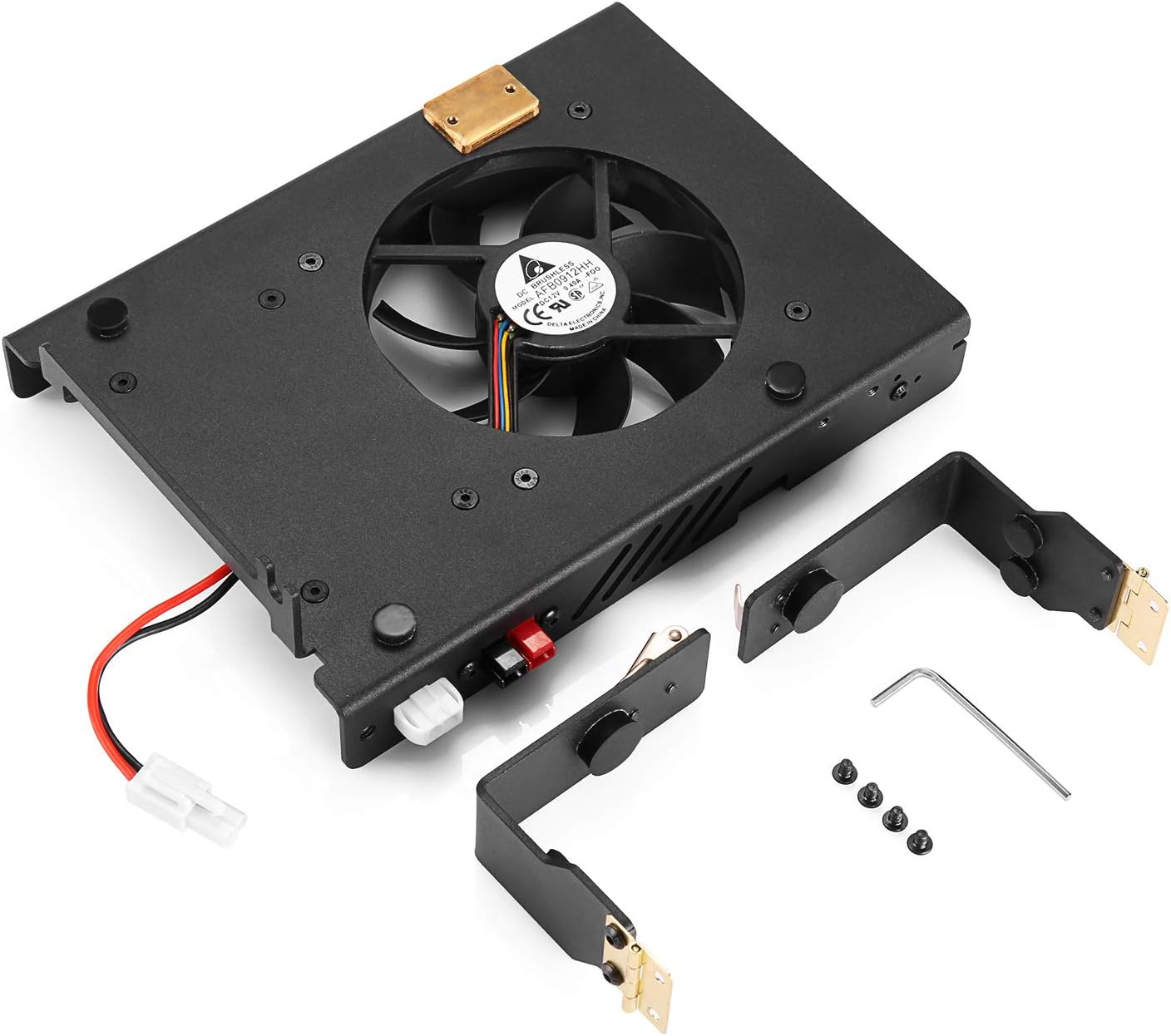
Resim: Patlamış bir view of the G90-H1, illustrating the main bracket unit, detachable side brackets, and the small Allen wrench provided for assembly.
4. Operasyon
4.1 Automatic Temperature Control
The G90-H1 features a smart temperature sensor and cooling system. The cooling fan speed will automatically adjust based on your G90's shell temperature. The fan activates and speeds up when the temperature reaches 77°F (25°C), ensuring efficient cooling only when needed.

Image: A visual representation of the automatic temperature control, showing the fan in a resting state (200-300 r/min) below 25°C and speeding up to max (3000 r/min) when the temperature rises.
4.2 Sessiz Çalışma
The cooling fan is designed to operate quietly, ensuring it performs its cooling function effectively without causing disturbance during your radio operations.
5. Bakım
To ensure the longevity and optimal performance of your G90-H1, consider the following maintenance tips:
- Temizlik: Periodically clean the fan blades and vents to prevent dust buildup, which can impede airflow and reduce cooling efficiency. Use a soft brush or compressed air.
- Denetleme: Regularly check all connections and screws to ensure they are secure. Inspect the cushion pads for wear and tear.
- Depolamak: When not in use for extended periods, store the G90-H1 in a cool, dry place away from direct sunlight and extreme temperatures.
6. Sorun Giderme
If you encounter any issues with your G90-H1, refer to the following common troubleshooting steps:
| Sorun | Olası Neden | Çözüm |
|---|---|---|
| Fan dönmüyor | No power connection or temperature below activation threshold. | Ensure power cables are securely connected. Verify the Xiegu G90's temperature is above 77°F (25°C). |
| Fan gürültülü | Dust buildup on fan blades or loose components. | Clean the fan blades and vents. Check for any loose screws or components and tighten them if necessary. |
| Radio still overheating | Blocked airflow or extreme ambient temperatures. | Ensure vents are clear and not obstructed. Use the collapsible feet to elevate the radio for better airflow. Operate in a cooler environment if possible. |
7. Özellikler
| Özellik | Detay |
|---|---|
| Marka | Radyodite |
| Örnek | G90-H1 |
| Malzeme | Metal |
| Renk | Siyah |
| Ürün Ağırlığı | 1.76 pound (800 Gram) |
| Paket Boyutları | 10 x 8.58 x 2.83 inç |
| Soğutma Yöntemi | Hava |
| Sıcaklık Kontrolü | Automatic (fan speeds up at 77°F / 25°C) |
8. Garanti ve Destek
For warranty information or technical support, please contact Radioddity customer service directly. Keep your purchase receipt as proof of purchase.


