giriiş
This manual provides essential instructions for the safe and efficient use of your Redmi 10000mAh Power Bank (Model PB100LZm). Please read this manual thoroughly before using the product and retain it for future reference.
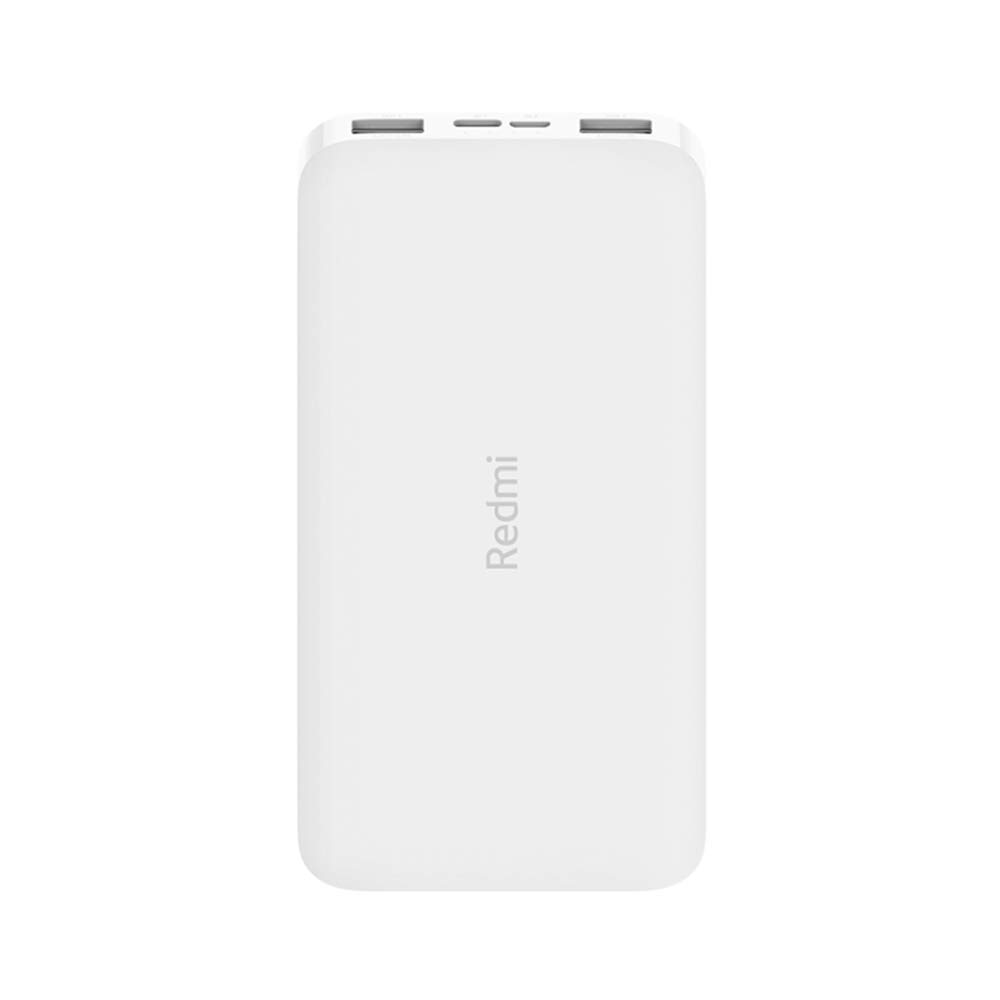
Resim: Açısal view of the white Redmi 10000mAh Power Bank.
Güvenlik Bilgileri
To prevent injury, damage to the product, or damage to property, observe the following safety precautions:
- Power bank'i sökmeyin, tamir etmeyin veya üzerinde değişiklik yapmayın.
- Do not expose the power bank to fire, high temperatures, or direct sunlight.
- Su veya diğer sıvılarla temastan kaçının.
- Powerbank'i düşürmeyin, darbelere maruz bırakmayın veya güçlü titreşimlere tutmayın.
- Çocukların erişemeyeceği yerde saklayınız.
- Yalnızca uyumlu şarj kablolarını ve adaptörlerini kullanın.
- Taşınabilir güç bankasını yerel yönetmeliklere uygun şekilde imha edin.
Ürün Bittiview
Familiarize yourself with the components of your Redmi 10000mAh Power Bank.

Image: Close-up of the power bank's top edge showing two USB-A output ports (OUT1, OUT2), one Micro-USB input port (IN1), one USB-C input port (IN2), and four LED battery level indicators.
- USB-A Output Ports (OUT1, OUT2): Used to charge external devices.
- Micro-USB Input Port (IN1): Used to charge the power bank.
- USB-C Input Port (IN2): Used to charge the power bank.
- LED Göstergeleri: Four small lights indicating the remaining battery level.
- Güç Düğmesi: Located on the side, used to check battery level or activate charging.

Resim: Yan view of the power bank highlighting the power button.
Kurmak
Power Bank'ın İlk Şarjı
Before first use, fully charge your Redmi 10000mAh Power Bank.
- Connect a compatible USB cable to either the Micro-USB (IN1) or USB-C (IN2) input port on the power bank.
- Kablonun diğer ucunu bir USB güç adaptörüne (dahil değildir) veya bir bilgisayarın USB portuna bağlayın.
- The LED indicators will light up, showing the charging progress. All four LEDs will be solid when fully charged.
Cihazları Bağlama
The power bank is compatible with mobile phones and other USB-powered devices.
- Use the appropriate charging cable for your device.
- Connect one end of the cable to one of the USB-A output ports (OUT1 or OUT2) on the power bank.
- Kablo ucunu cihazınızın şarj portuna bağlayın.
Kullanım Talimatları
Harici Cihazları Şarj Etme
Once a device is connected, the power bank should automatically begin charging. If not, press the power button once to initiate charging.

Image: The power bank connected via a USB cable to charge a mobile phone, resting on a wooden table.
- The LED indicators will show the power bank's remaining battery level during charging.
- You can charge two devices simultaneously using both USB-A output ports.
Pil Seviyesini Kontrol Etme
Press the power button once to check the remaining battery level. The LED indicators will light up for a few seconds:
- 1 LED'i: %0-25 kalan pil
- 2 LED: %25-50 kalan pil
- 3 LED: %50-75 kalan pil
- 4 LED: %75-100 kalan pil
Bakım
- Temizlik: Powerbank'i yumuşak, kuru bir bezle silin. Sert kimyasallar veya aşındırıcı malzemeler kullanmayın.
- Depolamak: Powerbank cihazınızı serin, kuru ve doğrudan güneş ışığından ve aşırı sıcaklıklardan uzak bir yerde saklayın.
- Pil Bakım: For optimal battery life, avoid fully discharging the power bank frequently. Recharge it when the battery level is low. If not used for extended periods, charge it to about 50% every three months.
Sorun giderme
| Sorun | Olası Çözüm |
|---|---|
| Powerbank şarj olmuyor. |
|
| Cihaz, power bank'ten şarj olmuyor. |
|
| Yavaş şarj. |
|
Özellikler
| Marka | Xiaomi |
| Model Numarası | PB100LZm |
| Kapasite | 10000 mAh |
| Renk | Beyaz |
| Pil Türü | Lityum Polimer |
| Giriş Portları | 1x Micro-USB, 1x USB-C |
| Çıkış Portları | 2x USB-A (5.1V=2.4A each) |
| Uyumlu Cihazlar | Mobile Phones and other USB-powered devices |
| Boyutlar | 15.8x8x2 cm |
| Ağırlık | 276 gram |
Garanti ve Destek
Based on the provided product information, this product is indicated as having garanti yok. For any product-related inquiries or technical support, please refer to the official Xiaomi support channels or your point of purchase.


