1. Giriş
This user manual provides detailed instructions for the DOOGEE S68 Pro rugged smartphone. It covers essential information regarding device setup, operation, maintenance, and troubleshooting to ensure optimal performance and longevity of your device. Please read this manual thoroughly before using your new smartphone.
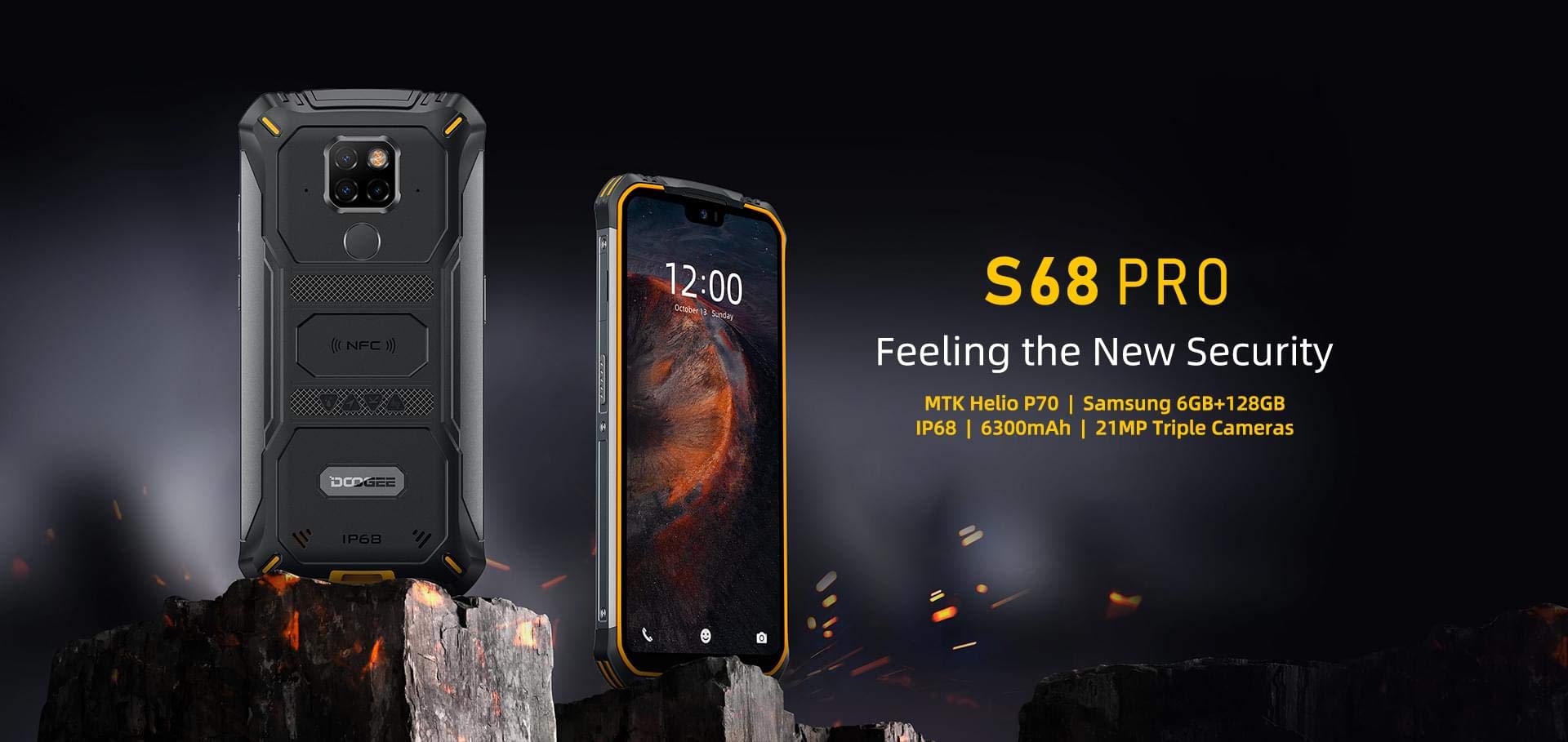
Image: The DOOGEE S68 Pro rugged smartphone, showcasinsağlam tasarımı sayesinde.
2. Ürün Bittiview
The DOOGEE S68 Pro is a rugged smartphone designed for durability and high performance. It features a 5.9-inch FHD+ display, a powerful Helio P70 Octa Core processor, 6GB RAM, and 128GB internal storage. The device is equipped with a triple rear camera system, NFC for payments, and a large 6300mAh battery with wireless charging capabilities. Its robust construction ensures resistance to water, dust, and drops.

Resim: Bir overview of the DOOGEE S68 Pro's key features, including its display, processor, memory, battery, and camera.
2.1 Fiziksel Özellikler
- Görüntülemek: 5.9-inch FHD+ Notch Screen (1080*2280 pixels, ~428 ppi density).
- Arka Kamera Sistemi: Triple camera setup including a 21MP standard lens, 8MP telephoto lens, and 8MP 130° wide-angle lens, accompanied by a dual flash.
- Ön Kamera: 16MP wide-angle lens.
- NFC: Integrated for contactless payments and data transfer.
- Şarj Portu: C tipi USB.
- Sensörler: G-sensor, Proximity sensor.
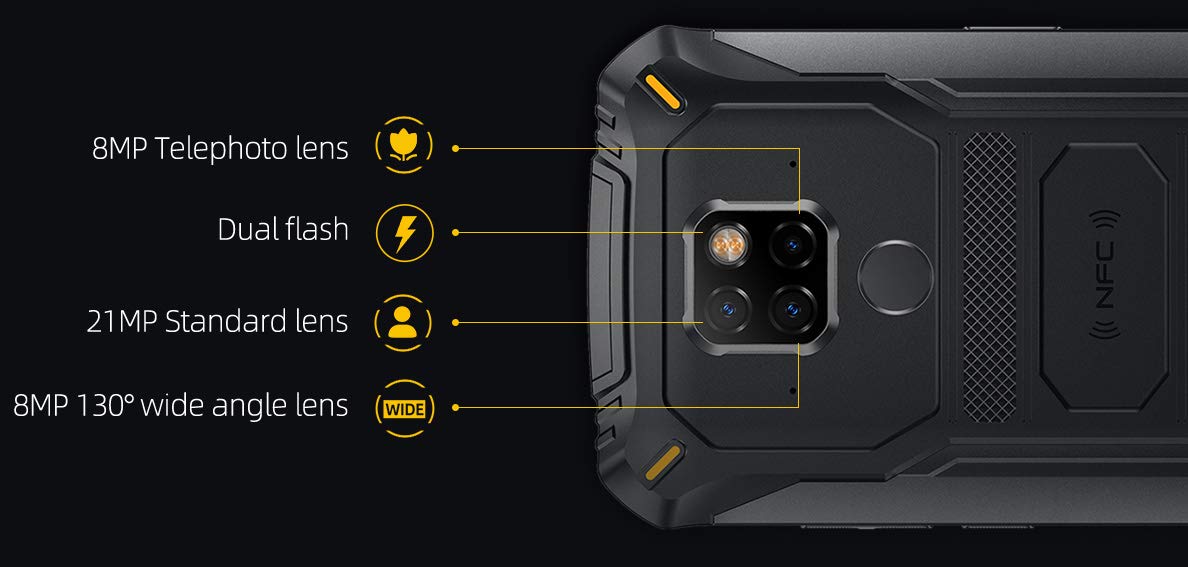
Resim: Ayrıntılı view of the DOOGEE S68 Pro's triple rear camera system, highlighting the telephoto, standard, and wide-angle lenses, along with the dual flash and NFC area.
3. Kurulum
3.1 SIM Kart ve TF Kart Kurulumu
- Cihazın yan tarafında bulunan SIM kart tepsisini bulun.
- SIM çıkarma aracını tepsinin yanındaki küçük deliğe yerleştirin ve tepsi dışarı çıkana kadar yavaşça itin.
- Place your Nano SIM card(s) and/or TF card (microSD, up to 128GB) into the designated slots on the tray. Ensure the gold contacts are facing down.
- Tepsiyi yerine oturana kadar dikkatlice telefona yeniden yerleştirin.
3.2 İlk Güç Açma
- Ekranda DOOGEE logosu görünene kadar Güç düğmesini (genellikle sağ tarafta bulunur) basılı tutun.
- Ekranda beliren yönergeleri izleyerek dil seçimi, Wi-Fi bağlantısı, Google hesabı oturum açma ve güvenlik ayarları da dahil olmak üzere ilk kurulumu tamamlayın.
4. Kullanım Talimatları
4.1 İşletim Sistemi
DOOGEE S68 Pro şu şekilde çalışır: Android 9.0 Pasta, offering a user-friendly interface and access to a wide range of applications through the Google Play Store.
4.2 Performans
Cihaz bir güç kaynağıyla çalışıyor. Helio P70 Octa Core processor (4xCortex-A53 up to 2.0GHz, 4xCortex-A73 up to 2.0GHz) and an ARM Mali-G72-MP2 700MHz GPU, providing efficient performance for multitasking and gaming.

Image: The DOOGEE S68 Pro being used for gaming, demonstrating its processing capabilities.
4.3 Bellek ve Depolama
Bununla birlikte gelir 6GB RAM for smooth operation and 128GB ROM for storing your files and applications. Storage can be expanded up to 128GB via a microSD card.
4.4 Bağlantı
- Wifi: İnternet erişimi için kablosuz ağlara bağlanın.
- Bluetooth: Kulaklık veya hoparlör gibi Bluetooth özellikli diğer cihazlarla eşleştirin.
- NFC: Use for quick pairing, data exchange, and mobile payments.
- KÜRESEL KONUMLAMA SİSTEMİ: Navigasyon ve konum hizmetleri için.
- OTG (Hareket Halindeyken): Connect USB devices such as flash drives or keyboards.
4.5 Kamera Fonksiyonları
The triple rear camera system allows for versatile photography, including standard shots, wide-angle landscapes, and telephoto close-ups. The 16MP front camera is suitable for selfies and video calls. The LED flash assists in low-light conditions.
4.6 Pil ve Şarj Etme
Cihaz bir donanıma sahiptir 6300mAh pil, providing extended usage time. It supports 12V2A fast charging Ve 10W kablosuz şarj. Additionally, it features 5W ters kablosuz şarj, allowing you to charge other compatible devices.
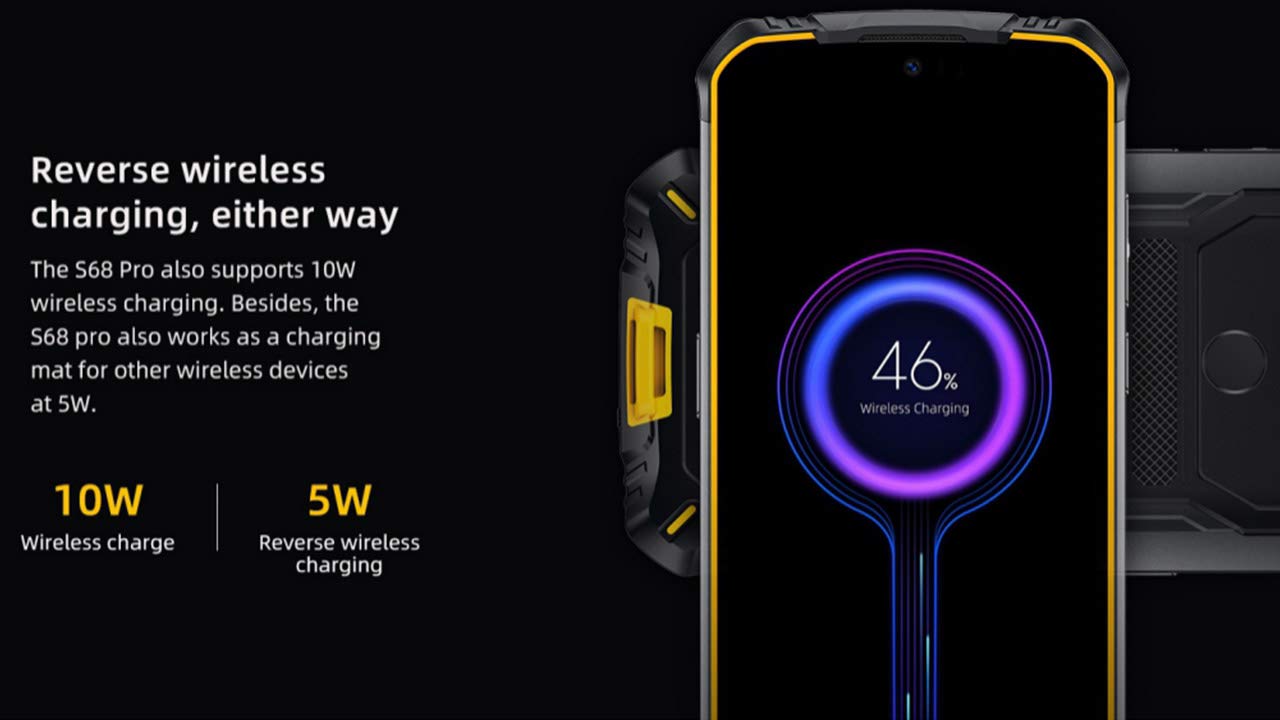
Image: The DOOGEE S68 Pro demonstrating its reverse wireless charging capability, charging another device.
4.7 Dayanıklı Özellikler
The DOOGEE S68 Pro is designed to withstand harsh environments. It boasts an IP68 derecesi for water and dust resistance and is built to be drop-proof, making it suitable for outdoor activities and demanding work conditions.

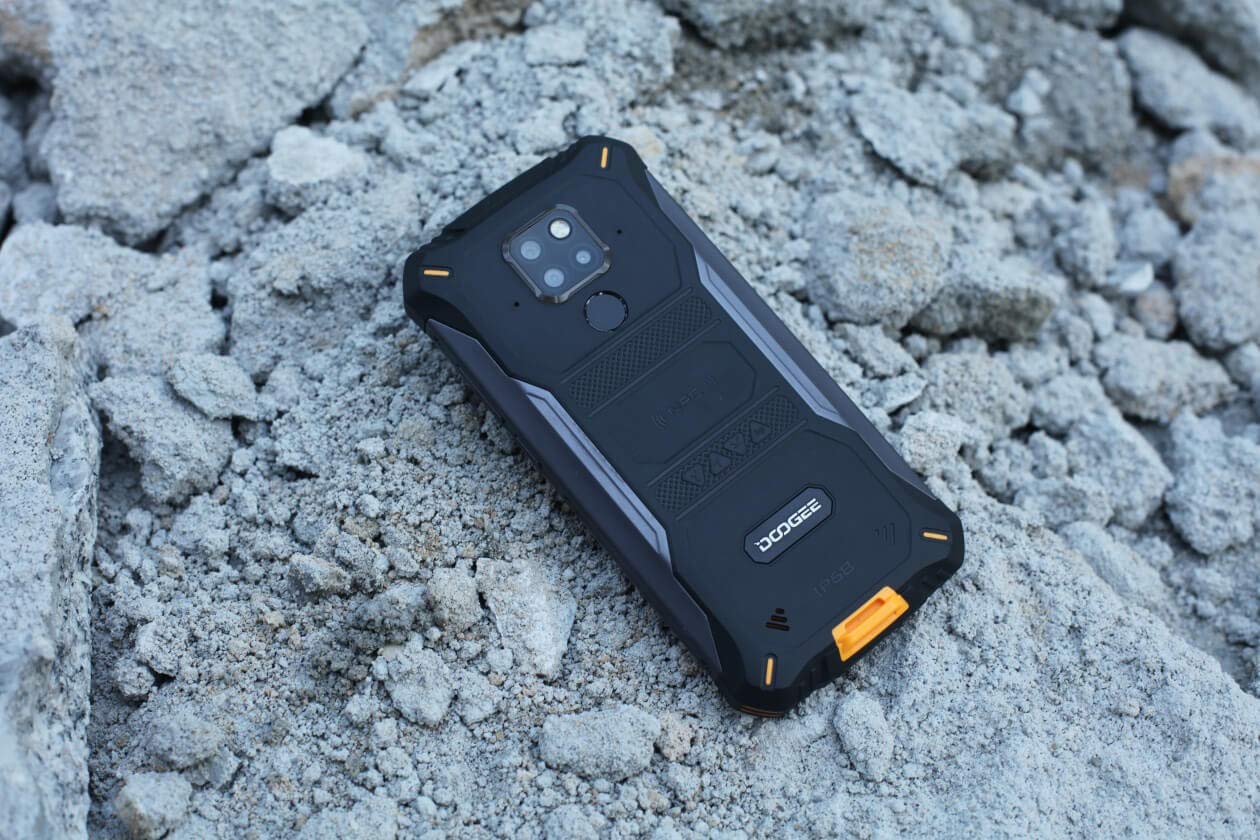
Images: The DOOGEE S68 Pro demonstrating its ruggedness by being submerged in mud and resting on rough terrain.
5. Bakım
To maintain your DOOGEE S68 Pro in optimal condition, follow these guidelines:
- Temizlik: Yumuşak bir d kullanınamp cloth to clean the device. For stubborn dirt, especially after exposure to mud or dust, rinse gently with clean water and ensure all ports are dry before charging.
- Aşırı Sıcaklıklardan Kaçının: Telefonu uzun süre aşırı yüksek veya düşük sıcaklıklara maruz bırakmayın.
- Bağlantı Noktası Koruması: Telefon suya veya toza maruz kaldığında tüm bağlantı noktası kapaklarının sıkıca kapalı olduğundan emin olun.
- Yazılım Güncellemeleri: Regularly update your device's software to benefit from the latest security patches and performance improvements.
6. Sorun Giderme
If you encounter issues with your DOOGEE S68 Pro, refer to the following common solutions:
- Cihaz Açılmıyor: Pilin şarjlı olduğundan emin olun. Telefonu şarj cihazına bağlayın ve tekrar açmayı denemeden önce birkaç dakika bekleyin.
- Şarj Sorunları: Check the charging cable and adapter for damage. Ensure the Type-C port is clean and free of debris. Try a different charger if available.
- Zayıf Ağ Sinyali: Move to an area with better network coverage. Check if your SIM card is properly inserted.
- Applications Crashing: Ayarlar > Uygulamalar bölümünden sorunlu uygulamanın önbelleğini ve verilerini temizleyin. Sorun devam ederse, uygulamayı kaldırıp yeniden yükleyin.
- Dokunmatik Ekran Tepki Vermiyor: Restart the device. If the issue continues, perform a factory reset (note: this will erase all data).
7. Özellikler
| Özellik | Şartname |
|---|---|
| İşletim Sistemi | Android 9.0 Pasta |
| İşlemci | Helio P70 Octa Core (4xCortex-A53, 4xCortex-A73) |
| Veri deposu | 6 GB |
| Dahili Depolama (ROM) | 128 GB |
| Genişletilebilir Depolama | microSD'den 128GB'a kadar |
| Ekran Boyutu | 5.9 inch FHD+ Notch Screen |
| Ekran Çözünürlüğü | 1080*2280 pixels (~428 ppi) |
| Arka Kamera | 21MP + 8MP + 8MP Üçlü Kamera |
| Ön Kamera | 16 MP |
| Pil Kapasitesi | 6300mAh |
| Şarj etme | 12V2A Fast Charge, 10W Wireless Charge, 5W Reverse Wireless Charge |
| Bağlantı | Wi-Fi, Bluetooth, NFC, GPS, OTG |
| Sağlamlık | IP68 Water & Dust Resistant, Drop-proof |
| Boyutlar | 16.35x8x1.64 cm |
| Ağırlık | 260 gr |
8. Garanti ve Destek
Your DOOGEE S68 Pro comes with a standard brand warranty. For detailed warranty information, service, and support, please refer to the official DOOGEE website or the product detail page on the retailer's webalan.
For further information, visit the product detail page: DOOGEE S68 Pro Product Page
9. Ürün Videosu Bittiview
Video: Bir yetkiliview of the DOOGEE S68 Pro Rugged Phone, highlighting its key features and specifications.