1. Giriş
This manual provides detailed instructions for the installation, operation, and maintenance of the Marshall Electronics CV420-30X-IP 8.5MP 4K UHD 30x Optical Zoom IP Camera. Please read this manual thoroughly before using the product to ensure proper and safe operation.
The CV420-30X-IP is a high-performance camera equipped with an 8.5MP sensor, capable of delivering stunning 4K Ultra High Definition (UHD) visuals. It supports resolutions up to 3840x2160p at 60 frames per second, ensuring exceptional detail and true-to-life colors across all HD formats.

Şekil 1.1: Açısal view of the Marshall CV420-30X-IP camera, showcasing its compact design and prominent lens.
2. Güvenlik Bilgileri
Always adhere to the following safety guidelines to prevent damage to the camera and ensure user safety:
- Kamerayı suya veya neme maruz bırakmayın.
- Kamerayı doğrudan güneş ışığına veya ısı kaynaklarının yakınına yerleştirmekten kaçının.
- Lütfen yalnızca bu cihaz için belirtilen güç adaptörünü kullanın.
- Kamerayı kendiniz açmaya veya bakımını yapmaya çalışmayın. Tüm bakım işlemlerini yetkili personele yaptırın.
- Aşırı ısınmayı önlemek için kamera çevresinde yeterli havalandırma olduğundan emin olun.
- Bu ürün, Kaliforniya Eyaleti tarafından kansere, doğum kusurlarına veya diğer üreme zararlarına neden olduğu bilinen kimyasallar içermektedir.
3. Paket İçeriği
Aşağıda listelenen tüm öğelerin paketinizde bulunduğunu doğrulayın:
- Marshall CV420-30X-IP Camera Unit
- Güç Adaptörü
- Montaj Braketi (varsa)
- Hızlı Başlangıç Kılavuzu
4. Ürün Bittiview
Familiarize yourself with the components of your CV420-30X-IP camera.
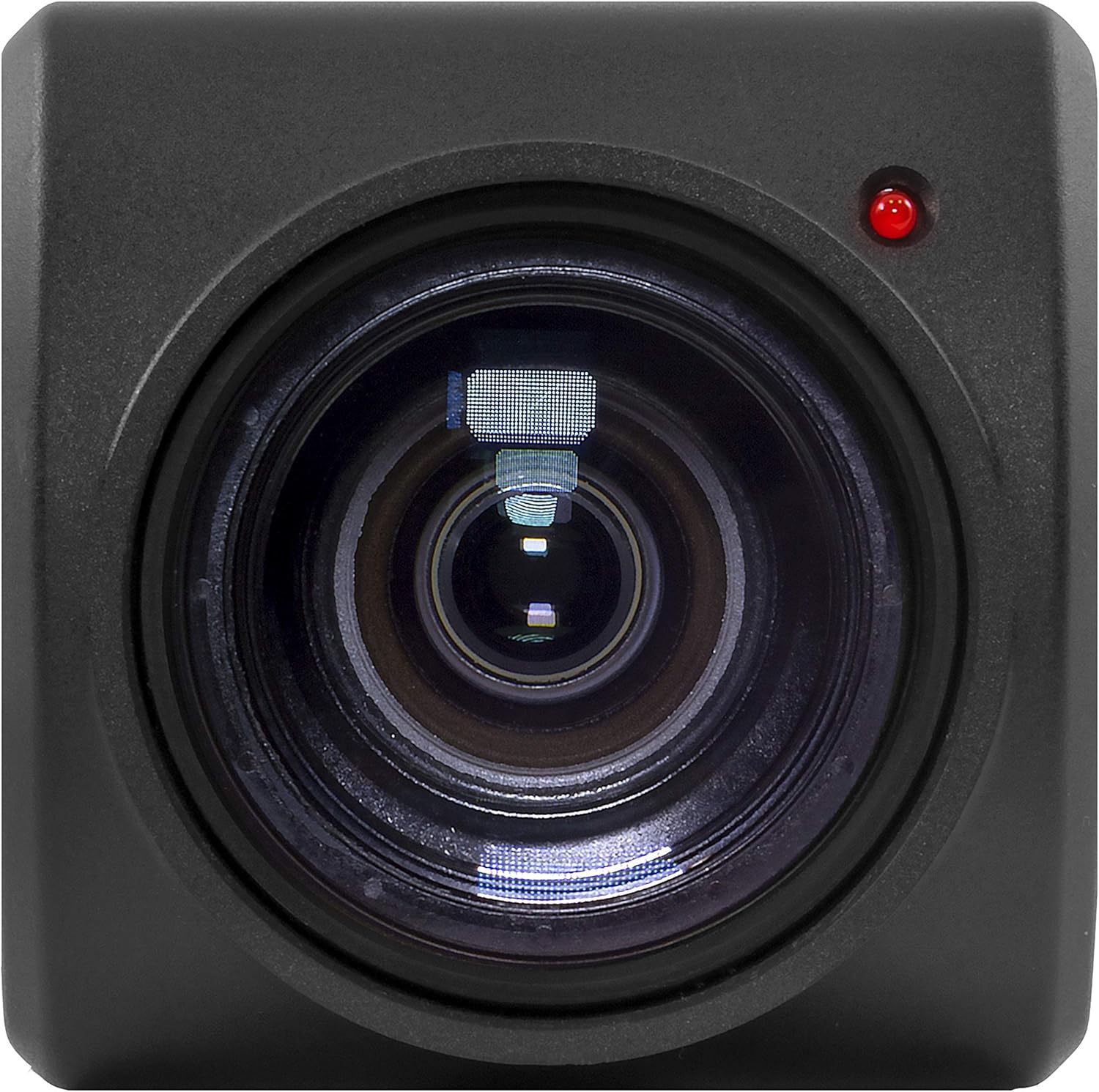
Şekil 4.1: Ön view of the camera, highlighting the 30x optical zoom lens and status indicator light.

Şekil 4.2: Üst view of the camera, showing the Marshall branding and mounting points.
4.1. Temel Bileşenler
- Mercek: 30x Optical Zoom lens with a maximum aperture of 2f and maximum focal length of 135mm.
- Durum Göstergesi: LED light indicating camera status (e.g., power, network activity).
- Montaj Noktaları: Threaded holes for secure installation.
- Bağlantı portları: (Refer to specific model for exact ports, typically Ethernet, Power, etc.)
5. Kurulum
5.1. Fiziksel Kurulum
Before installation, ensure the mounting surface is sturdy enough to support the camera's weight (approximately 2 pounds) and dimensions (11 x 6.7 x 3.7 inches).
- İstenilen alanı sağlayan uygun bir konum seçin. view and is protected from extreme environmental conditions.
- Secure the mounting bracket (if included) to the chosen surface using appropriate screws.
- Attach the CV420-30X-IP camera to the mounting bracket, ensuring it is firmly secured.
- Güç adaptörünü kameraya bağlayın ve elektrik prizine takın.
- Connect an Ethernet cable from the camera's network port to your network switch or router for IP connectivity.
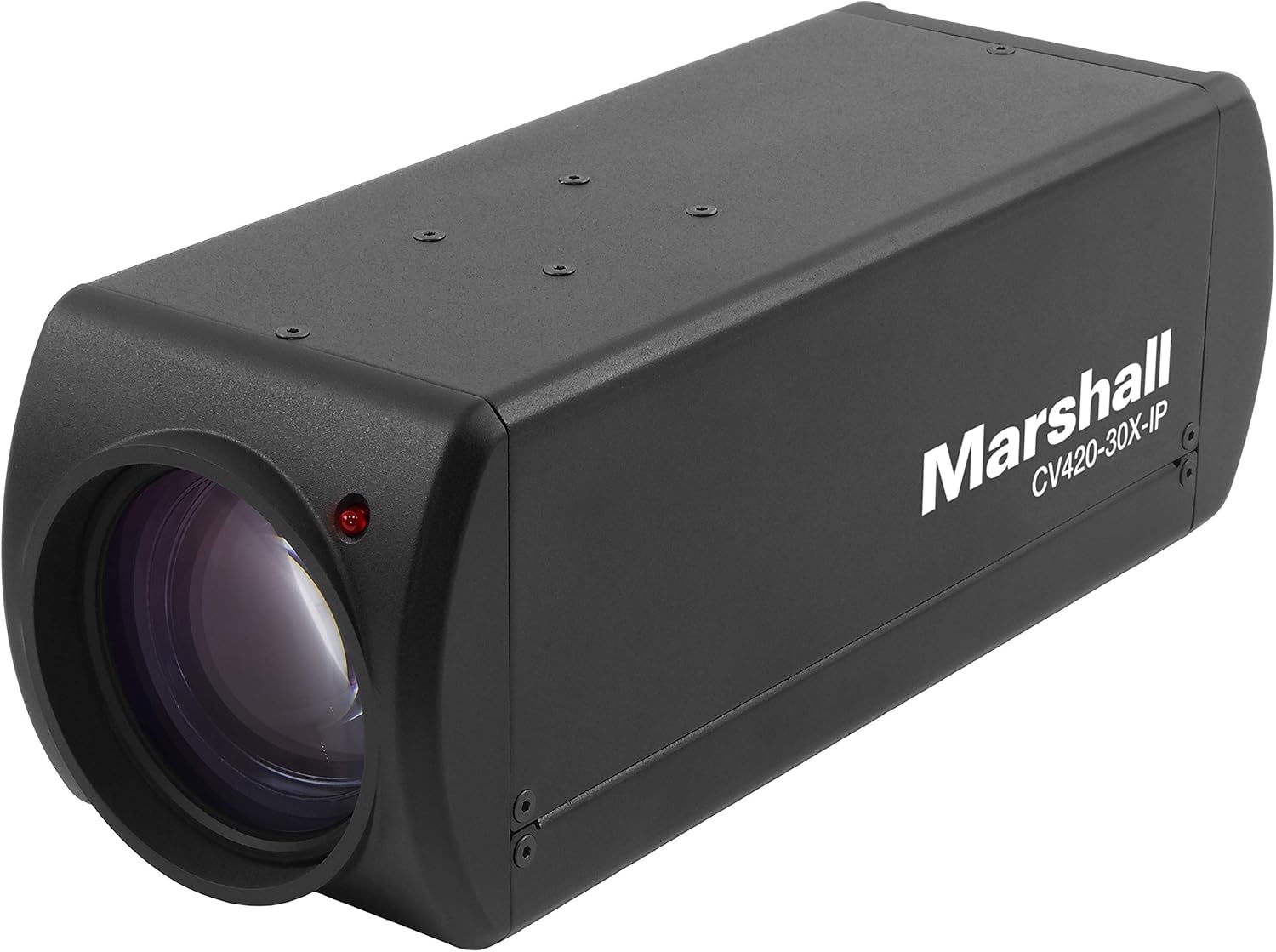
Şekil 5.1: Açısal view of the camera, illustrating its form factor for installation purposes.
5.2. Ağ Yapılandırması
The CV420-30X-IP is an IP camera, requiring network configuration for remote access and video streaming.
- Upon initial power-up, the camera will typically attempt to obtain an IP address via DHCP.
- Use the Marshall IP Camera Tool (available on the Marshall website) to discover the camera on your network and configure its IP settings (e.g., static IP, subnet mask, gateway).
- Ensure the camera's IP address is within the same subnet as your viewing device or NVR.
- Default login credentials (if any) will be provided in the Quick Start Guide or on the camera's label. Change these immediately after initial setup for security.
6. Çalıştırma
6.1. Temel İşlem
- Güç Açık: Once connected to power, the camera will automatically power on. The status indicator light will illuminate.
- Accessing Video Stream: Kameraya erişim web interface via its IP address in a web browser, or integrate it with compatible NVR/VMS software using ONVIF or RTSP protocols.
- Video Çözünürlüğü: The camera supports various resolutions including 1080p, 4K, and 720p. Adjust these settings through the camera's web interface or connected software.
6.2. Gelişmiş Özellikler
- Optik Yakınlaştırma: Utilize the 30x optical zoom feature to magnify distant subjects without loss of image quality. Control zoom via the web interface or integrated software.
- Odak: The camera typically features auto-focus. Manual focus adjustments can be made through the web interface if needed.
- Kare Hızı: Adjust the frame rate (up to 60fps at 4K) to balance video smoothness and network bandwidth usage.
- Görüntü Ayarları: Configure brightness, contrast, saturation, white balance, and other image parameters to optimize video quality for your specific environment.
7. Bakım
7.1. Temizlik
- Fotoğraf makinesinin gövdesini yumuşak, kuru bir bezle nazikçe silin.
- Objektif için objektif temizleme bezi ve özel objektif temizleme solüsyonu kullanın. Aşındırıcı malzemeler veya sert kimyasallar kullanmayın.
- Temizlemeden önce kameranın kapalı olduğundan emin olun.
7.2. Ürün Yazılımı Güncellemeleri
Periodically check the Marshall Electronics website for firmware updates. Firmware updates can improve performance, add new features, and address security vulnerabilities. Follow the instructions provided with the firmware update package carefully.
8. Sorun Giderme
| Sorun | Olası Neden | Çözüm |
|---|---|---|
| Güç Yok | Power adapter disconnected or faulty outlet. | Check power connections. Try a different outlet. Ensure power adapter is functioning. |
| No Video Stream | Network connectivity issue, incorrect IP settings, or software configuration. | Verify Ethernet cable connection. Check IP address and network settings. Ensure firewall is not blocking ports. Restart camera and viewcihaz. |
| Kötü Görüntü Kalitesi | Dirty lens, improper focus, or low light conditions. | Clean the lens. Adjust focus settings. Ensure adequate lighting or adjust camera's low-light settings. |
| Camera Not Found on Network | Incorrect network segment, DHCP issue, or camera not powered on. | Confirm camera is powered. Use the Marshall IP Camera Tool to scan for devices. Check network cable. Ensure camera and discovery tool are on the same network segment. |
9. Özellikler
| Özellik | Detay |
|---|---|
| Model Numarası | CV420-30X-IP |
| Sensör | 8.5 MP |
| Video Yakalama Çözünürlüğü | 1080p, 4K (3840x2160p), 720p |
| Kare Hızı | Up to 60 frames per second (at 4K) |
| Optik Yakınlaştırma | 30x |
| Maksimum Odak Uzaklığı | 135 Milimetre |
| Maksimum Diyafram | 2f |
| Lens Türü | Yakınlaştır |
| Bağlantı Teknolojisi | Wireless (IP) |
| Video Yakalama Formatı | MP4 |
| Ürün Boyutları | 11 x 6.7 x 3.7 inç |
| Ürün Ağırlığı | 2 pound |
| Üretici | Mareşal |
| ASIN | B07YN5LKLD |
| İlk Mevcut Tarih | 2 Ekim 2019 |
10. Garanti ve Destek
For detailed warranty information and technical support, please refer to the official Marshall Electronics website veya doğrudan müşteri hizmetleriyle iletişime geçin. Garanti talepleri için satın alma kanıtı olarak satın alma makbuzunuzu saklayın.
Webalan: www.marshall-usa.com
Temas etmek: Şuna bakın: website for contact numbers and support channels.


