giriiş
Welcome to your new TERIOS Mobile Game Controller. This manual provides detailed instructions for setup, operation, and maintenance to ensure optimal performance and an enhanced gaming experience across various platforms including Android smartphones, Windows PCs, and PlayStation 3 consoles. Please read this manual thoroughly before using the device.
Temel Özellikler
- Innovative Gaming: Designed to enrich your mobile gaming experience with precision and responsiveness.
- Geniş Uyumluluk: Connects via Bluetooth 4.0 to Android smartphones, and is compatible with Windows PC and PlayStation 3. Supports popular games like PUBG, Call of Duty, and Mobile Legends.
- Gaming Joysticks: Features dual analog sticks for comprehensive and precise control.
- Ergonomik Tasarım: Comfortable grip with an integrated smartphone holder for extended gaming sessions.
- Turbo Fonksiyonu: Allows for rapid, continuous input with a single button press.
- Responsive Active Buttons: Includes 2 quick access buttons on the back and numerous action buttons for enhanced accuracy.
- Uzun Pil Ömrü: Up to 12 hours of continuous play on a single charge.
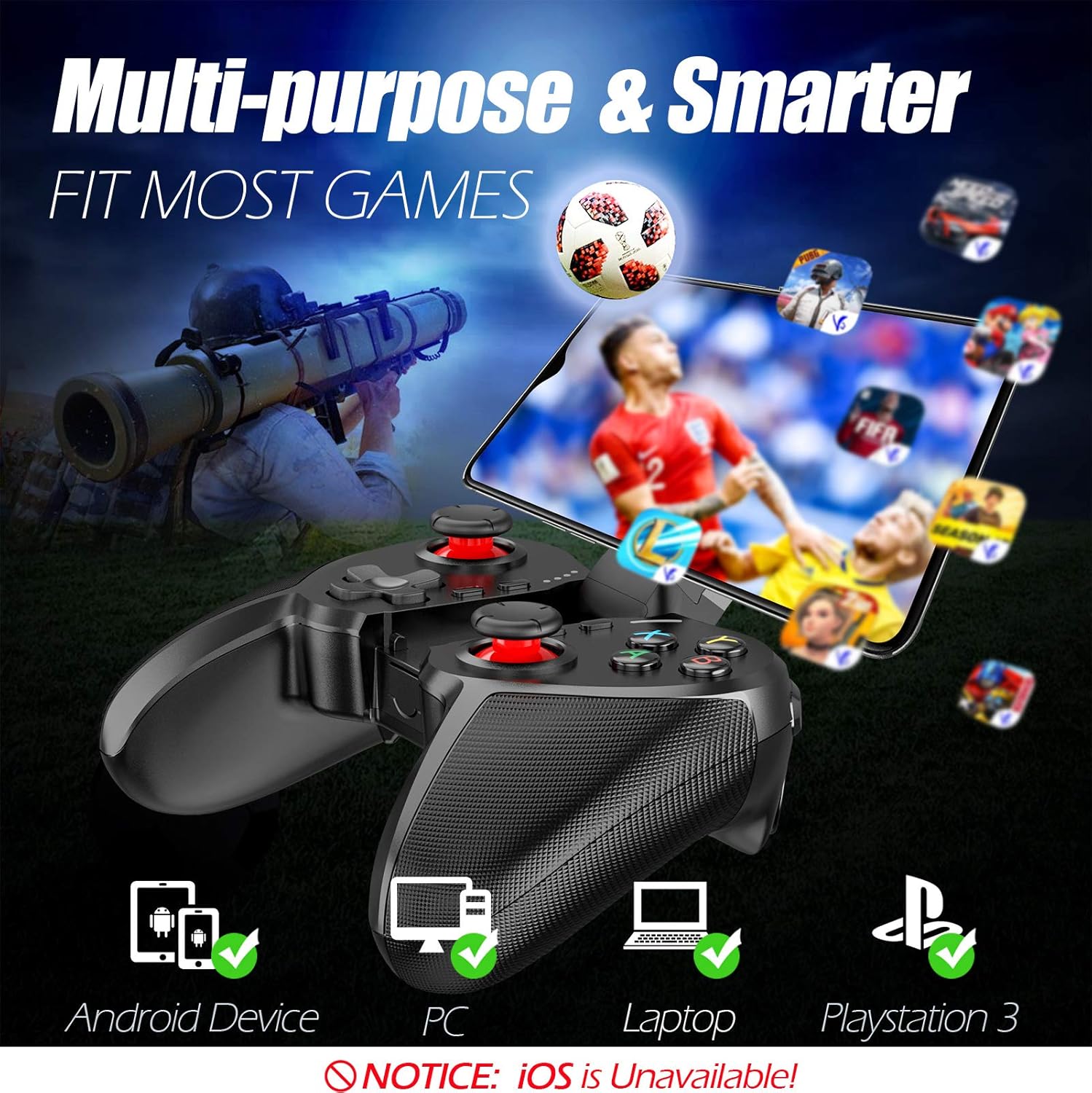
Figure 1: The TERIOS controller is compatible with Android devices, PCs, Laptops, and PlayStation 3.

Figure 2: Detail of the controller's built-in smartphone bracket, accurate buttons, and comfortable soft rubber grips.
Kurulum ve Bağlantı
1. Kontrol Cihazının Şarj Edilmesi
Before first use, fully charge the controller. Connect the provided Micro USB cable to the controller's charging port and the other end to a USB power source (e.g., computer USB port, USB wall adapter). The indicator lights will show charging status and turn off when fully charged.

Figure 3: The controller features a 400mAh battery, providing 12-14 hours of playtime with a 2-3 hour charging time.
2. Açma/Kapama
- Açmak İçin: Basılı tutun EV button for 2 seconds. The indicator lights will flash.
- Kapatmak İçin: Basılı tutun EV button for 5 seconds until the indicator lights turn off. The controller will automatically power off after 5 minutes of inactivity.
3. Bluetooth Pairing (Android Smartphones / PS3)
- Kontrol cihazının kapalı olduğundan emin olun.
- On your Android smartphone or PS3, enable Bluetooth.
- Basılı tutun EV button on the controller until the indicator lights flash rapidly, indicating pairing mode.
- On your device, search for new Bluetooth devices. Select "TERIOS Gamepad" or similar from the list.
- Bağlantı kurulduktan sonra gösterge ışığı sürekli yanacaktır.
4. Bilgisayar Bağlantısı
For PC connection, the controller typically uses a USB dongle (often included). Insert the USB dongle into an available USB port on your PC. The controller should automatically connect. If not, press the EV button to initiate connection.
5. Initial Setup and App (V3 App)
For optimal customization and compatibility with certain mobile games, it is recommended to download the V3 app from the Google Play Store. This app allows you to map virtual keys on your screen to the physical buttons of the controller.
- Download the "V3" app from the Google Play Store.
- Connect the TERIOS gamepad to your smartphone via Bluetooth.
- Open the V3 app and follow the on-screen instructions to customize key mappings for your desired games.

Figure 4: The V3 app allows for easy customization of virtual keys to match controller buttons, creating more combinations.
Kullanım Talimatları
1. Düğme Düzeni ve İşlevleri

Figure 5: The TERIOS Mobile Game Controller with a smartphone securely mounted in its integrated holder.
- Sol Analog Çubuk: Birincil hareket kontrolü.
- Sağ Analog Çubuk: Kamera kontrolü veya ikincil hareket.
- D-Pad (Yön Tuşu): Precise directional input.
- ABXY Düğmeleri: Standard action buttons (A, B, X, Y).
- L1/L2, R1/R2 Buttons: Shoulder and trigger buttons for various in-game actions.
- SEÇ Düğmesi: Genellikle menü navigasyonu veya belirli oyun işlevleri için kullanılır.
- Başlama butonu: Typically used for pausing games or accessing menus.
- Ana menü tuşu: Powers on/off, enters pairing mode, and returns to home screen on some devices.
- TURBO Düğmesi: Activates the turbo function for other buttons.
- TEMİZLE Düğmesi: Turbo fonksiyonunu devre dışı bırakır.

Figure 6: The dual analog sticks are designed for precise control and execution in games.
2. Turbo Fonksiyonu
The Turbo function allows a button to be pressed repeatedly as long as you hold it down, which is useful for rapid-fire actions in games.
- Etkinleştirmek: Basılı tutun TURBO button, then press the desired action button (e.g., A, B, X, Y, L1, R1). Release both buttons. Now, holding down the action button will activate turbo fire.
- Devre Dışı Bırakmak için: Basılı tutun TEMİZLEMEK button, then press the action button for which turbo was activated. Release both buttons.

Figure 7: The dedicated Turbo button enables rapid-fire functionality with one click.
3. Smartphone Holder Usage
The integrated smartphone holder can accommodate most smartphone sizes. Gently extend the holder and place your smartphone securely within the clamps. Ensure the phone is centered for balance.
Bakım
- Temizlik: Kumanda ünitesini temizlemek için yumuşak, kuru bir bez kullanın. Aşındırıcı temizleyiciler veya çözücüler kullanmayın.
- Depolamak: Kontrol cihazını serin, kuru ve doğrudan güneş ışığından ve aşırı sıcaklıklardan uzak bir yerde saklayın.
- Pil Bakım: Pil ömrünü uzatmak için, kontrol cihazını sık sık tamamen boşaltmaktan kaçının. Uzun süre kullanılmasa bile düzenli olarak şarj edin.
Sorun giderme
| Sorun | Olası Neden | Çözüm |
|---|---|---|
| Controller not connecting via Bluetooth. | Controller not in pairing mode; device Bluetooth off; interference. | Ensure controller is in pairing mode (rapid flashing lights). Check device Bluetooth settings. Move closer to the device. Try restarting both controller and device. |
| Düğmeler yanıt vermiyor veya gecikmeli çalışıyor. | Low battery; software glitch; interference. | Charge the controller fully. Restart the controller. Ensure no other strong wireless signals are nearby. For mobile games, check V3 app settings. |
| Kontrol cihazı sık sık bağlantısı kesiliyor. | Pil zayıf; cihazdan çok uzakta; parazit. | Charge the controller. Stay within the recommended Bluetooth range. Minimize wireless interference. |
| Turbo fonksiyonu çalışmıyor. | Incorrect activation sequence; button not supported. | Ensure you press and hold TURBO, then press the desired action button, then release both. Some games or buttons may not fully support turbo. |
Ürün Özellikleri
| Özellik | Detay |
|---|---|
| Marka | TERIOLAR |
| Örnek | T-12 |
| Bağlantı Teknolojisi | Bluetooth 4.0 |
| Uyumlu Cihazlar | Android Smartphones, Windows PC, PlayStation 3 |
| Güç Kaynağı | Pille Çalışır (Lityum Polimer) |
| Pil Kapasitesi | 400mAh (approx. 1.48 Watt Hours) |
| Oyun Zamanı | 12-14 saate kadar |
| Şarj Süresi | 2-3 saat |
| Düğme Sayısı | 16 (including ABXY, D-pad, analog sticks, L/R triggers/bumpers, Select, Start, Home, Turbo, Clear) |
| Özel Özellikler | Turbo Function, Dual Analog Sticks, In-built Smartphone Holder, Responsive Action Buttons |
| Ebatlar (Paket) | 17x12.4x7.7 cm |
| Ağırlık (Paket) | 310 gr |
Garanti ve Destek Bilgileri
The TERIOS Mobile Game Controller is designed for durability and performance. For any product-related inquiries, technical support, or warranty claims, please refer to the contact information provided with your purchase or visit the official TERIOS support webLütfen garanti işlemleri için satın alma belgenizi saklayın.


