1. Giriş
Satın aldığınız için teşekkür ederizasing the ELECTROPRIME Digital Voice Recorder. This device is designed for high-quality audio recording and playback, functioning as both a dictaphone and an MP3 music player. Please read this manual carefully to ensure proper use and optimal performance.
Paket İçeriği:
- ELECTROPRIME Digital Voice Recorder (Model: ASHA20BEBUBEB16153)
- USB kablosu
- Kullanıcı Kılavuzu
2. Ürün Bittiview
Cihazın bileşenlerini ve kontrollerini iyice öğrenin.
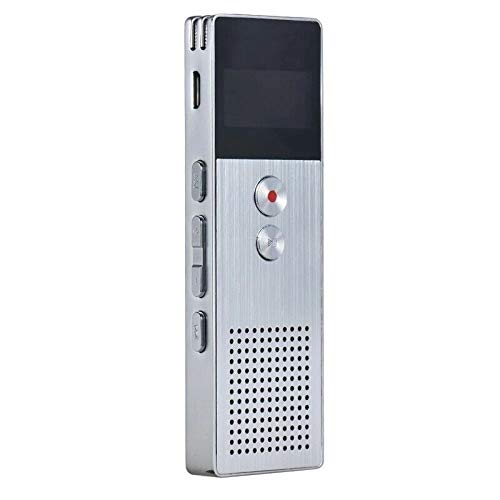
Resim 2.1: Ön view of the ELECTROPRIME Digital Voice Recorder. This image displays the device's screen, the prominent red record button, and other control buttons on the front panel, along with the speaker grille at the bottom.
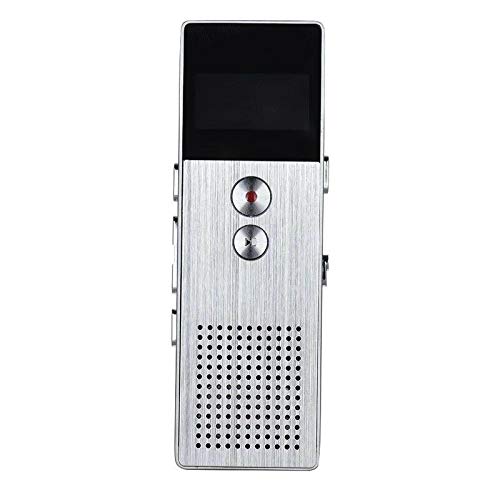
Resim 2.2: Taraf view of the ELECTROPRIME Digital Voice Recorder. This image highlights the side controls, including the power switch, volume buttons, and the USB charging/data transfer port. The device's compact design is visible.
Cihaz Bileşenleri:
- Ekran Görüntüsü: Kayıt durumunu, saati, pil seviyesini ve menü seçeneklerini gösterir.
- Kayıt Düğmesi: Initiates and stops audio recording.
- Oynat/Duraklat Düğmesi: Starts and pauses playback of audio files.
- Ses Düğmeleri (+/-): Oynatma ses seviyesini ayarlar.
- Menü/Mod Düğmesi: Navigates through menus and switches operating modes.
- USB Bağlantı Noktası: Şarj etme ve bilgisayara veri aktarma için.
- Mikrofon: Built-in stereo microphone for audio input.
- Konuşmacı: Doğrudan ses oynatımı için.
- Kulaklık girişi: Özel dinleme için.
- Güç düğmesi: Cihazı açar veya kapatır.
3. Kurulum
3.1 Cihazı Şarj Etme
Before first use, fully charge the device. Connect the recorder to a computer's USB port or a USB wall adapter (not included) using the provided USB cable. The battery indicator on the screen will show charging status. A full charge typically takes 2-3 hours.
3.2 Güç Açma/Kapatma
- Cihazı açmak için kaydırın. Güç Anahtarı ON pozisyonuna.
- Kapatmak için kaydırın. Güç Anahtarı KAPALI konumuna getirin.
3.3 Başlangıç Ayarları
Upon first power-on or after a reset, you may need to set the date, time, and language. Use the navigation buttons to select options and confirm with the Play/Pause button.
4. Kullanım Talimatları
4.1 Ses Kaydı
The device supports high-quality stereo recording in .WAV format, offering up to 23 hours of continuous recording with its 8GB internal memory.
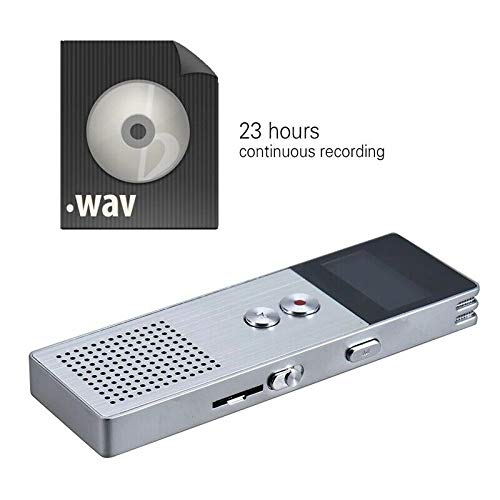
Resim 4.1: The recorder's capability to record in .WAV format and its impressive 23-hour continuous recording capacity are highlighted in this image, alongside the device itself.
- Cihazın açık olduğundan emin olun.
- Basın Kayıt Düğmesi (red circle) to start recording. The screen will display a recording indicator and elapsed time.
- Kaydı duraklatmak için tuşuna basın. Oynat/Duraklat Düğmesi. Devam etmek için tekrar basın.
- Kaydı durdurmak ve kaydetmek için file, tuşuna basın Kayıt Düğmesi tekrar. file otomatik olarak kaydedilecektir.
Uç: For best recording quality, ensure the microphone is not obstructed and the device is placed on a stable surface.
4.2 Oynatma
- In the main menu, navigate to the "Recordings" or "Music" folder using the navigation buttons.
- İstediğinizi seçin file ve tuşuna basın Oynat/Duraklat Düğmesi oynatmayı başlatmak için.
- Oynatma sırasında, Ses Seviyesi Düğmeleri (+/-) Sesi ayarlamak için.
- Basın Oynat/Duraklat Düğmesi to pause playback, and again to resume.
- Çalmayı durdurmak için Durdurma Düğmesi (if available, otherwise navigate out of playback mode).
4.3 MP3 Music Player Functionality
The device can also function as an MP3 player. Transfer MP3 files to the device via USB connection to your computer.
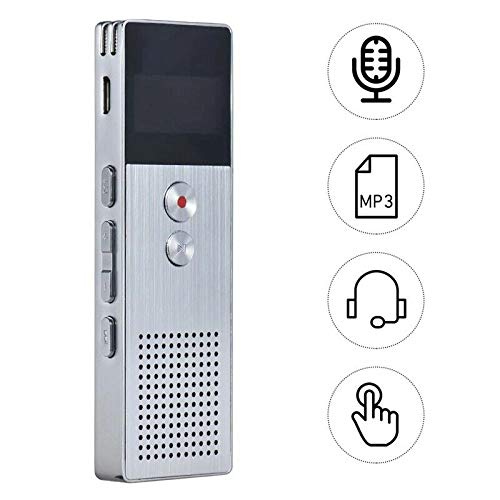
Resim 4.2: This image illustrates the multi-functional capabilities of the device, including its use as a voice recorder (microphone icon), an MP3 player (MP3 icon), and its compatibility with headphones (headphone icon). The touch icon suggests ease of interaction.
- Cihazınızı USB kablosu kullanarak bilgisayarınıza bağlayın.
- The device will appear as a removable disk. Copy your MP3 files into the "Music" folder on the device.
- Cihazı bilgisayarınızdan güvenli bir şekilde çıkarın.
- On the recorder, navigate to the "Music" menu and select your desired MP3 file oynatma için.
4.4 File Management (Connecting to PC)
To transfer, delete, or organize files, connect the recorder to your computer using the USB cable. The device will be recognized as a mass storage device. You can then drag and drop files as you would with any USB drive.
5. Bakım
- Cihazınızı kuru tutun. Nem, iç devrelere zarar verebilir.
- Aşırı sıcaklıklardan kaçının.
- Cihazı düşürmeyin veya güçlü darbelere maruz bırakmayın.
- Cihazı yumuşak, kuru bir bezle temizleyin. Sert kimyasallar veya deterjanlar kullanmayın.
- Regularly back up important recordings to your computer.
6. Sorun Giderme
Cihaz açılmıyor:
- Pilin şarjlı olduğundan emin olun. Bir güç kaynağına bağlayın ve tekrar deneyin.
- Güç Anahtarının AÇIK konumda olup olmadığını kontrol edin.
Kaydedilemiyor:
- Check available memory. If full, transfer files to a computer and delete them from the device.
- Mikrofonun üzerinin örtülmediğinden emin olun.
- Verify the device is in recording mode.
Oynatma sırasında ses yok:
- Adjust the volume using the Volume Buttons.
- Ensure headphones are properly connected if using them.
- ses olup olmadığını kontrol edin file bozulmuştur.
Cihaz bilgisayar tarafından tanınmadı:
- Try a different USB port or USB cable.
- Ensure the device is powered on when connected.
- Bilgisayarınızı yeniden başlatın.
7. Özellikler
| Marka | ELEKTROPRIME |
| Model Numarası | ASHA20BEBUBEB16153 |
| Bellek Depolama | 8 GB |
| Kayıt Biçimi | WAV |
| Oynatma Formatları | MP3, WAV |
| Mikrofon | Stereo |
| Sürekli Kayıt | 23 saate kadar |
| Bağlantı | USB |
8. Garanti ve Destek
For warranty information or technical support, please refer to the product packaging or contact ELECTROPRIME customer service through their official website or the retailer where the product was purchased. Please have your model number (ASHA20BEBUBEB16153) and purchase details ready.