1. Giriş
This manual provides detailed instructions for the setup, operation, and maintenance of your WiMiUS P21 Full HD 1080P LED Projector. Please read this manual thoroughly before using the projector to ensure proper function and longevity of the device.

Resim: Ön view of the WiMiUS P21 Projector, showing the lens and control panel.
2. Paket İçeriği
Aşağıda listelenen tüm ürünlerin paketinizde mevcut olduğundan emin olun. Eksik veya hasarlı bir ürün varsa, lütfen müşteri hizmetleriyle iletişime geçin.
- WiMiUS P21 Projeksiyon Cihazı
- Uzaktan kumanda
- Güç kablosu
- HDMI Kablosu
- VGA Kablosu
- AV Kablosu
- Lens Kapağı
- Kullanım Kılavuzu (bu belge)

Image: The WiMiUS P21 Projector displayed with its remote control, power cable, HDMI cable, VGA cable, AV cable, and user manual.
3. Ürün Özellikleri
The WiMiUS P21 Projector offers advanced features for an enhanced viewDeneyim:
- Yüksek Parlaklık ve Kontrast: 6500 Lumens brightness and an 8000:1 contrast ratio for clear and vivid images.
- Yerel 1080P Çözünürlük: Delivers a native resolution of 1920x1080 pixels, supporting 1080P at 60Hz and 4K input for detailed visuals.
- Flexible Projection Size: Adjustable projection size from 50 to 300 inches with a projection distance of 1.5 to 6.5 meters.
- Dijital Yakınlaştırma İşlevi: Allows image size reduction from 100% to 75% via remote control without moving the projector.
- Entegre Ses: Dual built-in 5W stereo speakers provide clear sound.
- Kapsamlı Bağlantı: Equipped with 2 HDMI ports, 2 USB ports, 1 VGA port, and 1 AV port for connecting various devices.
- Uzun Lamp Hayat: LED lamp designed for up to 100,000 hours of operation.

Image: Visual comparison illustrating the difference between 6500 lumens with 8000:1 contrast and lower specifications, highlighting improved clarity and color saturation.
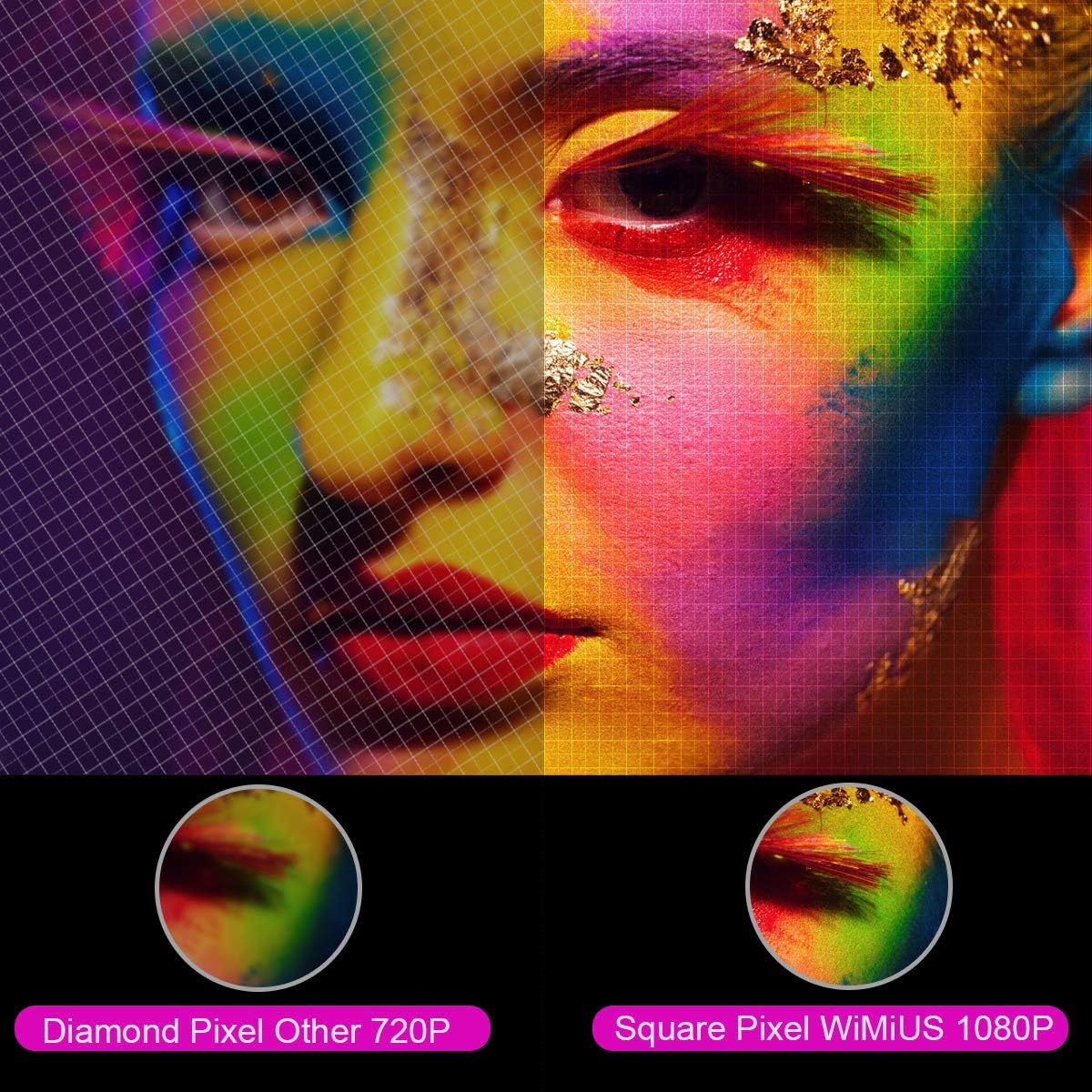
Görüntü: Büyütülmüş bir view comparing the pixel structure of a 720P projector (diamond pixel) versus the WiMiUS 1080P projector (square pixel), demonstrating higher resolution.

Image: Diagram showing the projector with sound waves emanating from it, indicating the presence of built-in dual 5W speakers.
4. Kurulum
4.1 Yerleştirme
Place the projector on a stable, flat surface or mount it to a ceiling. Ensure there is adequate ventilation around the unit. The optimum projection distance is approximately 3 meters (9.8 feet) for a balanced image size and clarity.

Image: A diagram illustrating various projection sizes (50-300 inches) and corresponding projection distances (1.5m to 6.5m), with an optimal distance of 3m highlighted.
4.2 Güç Bağlantısı
- Güç kablosunu projektörün güç girişine bağlayın.
- Güç kablosunun diğer ucunu elektrik prizine takın.
- Cihazı açmak için projektördeki veya uzaktan kumandadaki güç düğmesine basın.
4.3 Harici Cihazların Bağlanması
The P21 projector supports multiple input sources. Refer to the diagram below for port locations.

Image: A detailed diagram highlighting the various connection ports on the projector, including HDMI (x2), USB (x2), AV, Audio Out, Y/Pb/Pr, and PC-RGB (VGA).
- HDMI: Connect devices like laptops, Blu-ray players, gaming consoles (PS3, PS4, Xbox), Chromecast, or Fire TV Stick using an HDMI cable.
- USB BAĞLANTI: Medya dosyalarını oynatmak için bir USB sürücü takın. filedoğrudan s.
- VGA (PC-RGB): Connect to a computer using a VGA cable.
- AV: Eski cihazları bağlamak için birlikte verilen AV kablosunu kullanın.
- Ses çıkışı: Connect external speakers or headphones if desired.
Note: If connecting a device and experiencing no sound, ensure that Dolby Digital output is turned off on the connected device, as the projector may not support it directly.
5. Kullanım Talimatları
5.1 Güç Açma/Kapatma
Projeksiyon cihazını açmak veya kapatmak için projektör üzerindeki güç düğmesine veya uzaktan kumandaya basın.
5.2 Kaynak Seçimi
Use the "Source" button on the remote control or projector panel to select the desired input source (HDMI1, HDMI2, USB1, USB2, VGA, AV).
5.3 Odak ve Trapez Düzeltme
- Odak: Rotate the focus ring near the lens until the image is clear.
- Keystone Düzeltmesi: Adjust the keystone ring or use the menu settings for vertical ±15° keystone correction to correct distorted images.
5.4 Yakınlaştırma İşlevi
The digital zoom function allows you to adjust the image size without moving the projector. Use the zoom controls on the remote control to reduce the image size from 100% down to 75%.

Image: A visual representation of the zoom function, showing a projected image shrinking from 100% to 75% on a screen, controlled by the projector.
5.5 Menü Ayarları
Press the "Menu" button on the remote to access settings for picture mode, sound mode, aspect ratio (4:3/16:9), and other advanced options.
6. Bakım
6.1 Lensin Temizlenmesi
Use a soft, lint-free cloth specifically designed for optical lenses to gently clean the projector lens. Avoid using abrasive cleaners or excessive force.
6.2 Hava Filtresi Temizliği
Regularly check and clean the air filter to prevent dust buildup, which can affect performance and lamp life. Refer to the projector's exterior for the air filter location and cleaning instructions.
6.3 Lamp Hayat
LED lamp in your WiMiUS P21 projector has an estimated lifespan of up to 100,000 hours. No user replacement is typically required during the product's operational life. If the lamp stops working, please contact customer support.
7. Sorun Giderme
| Sorun | Olası Neden | Çözüm |
|---|---|---|
| Resim görüntülenmiyor | Güç kablosu bağlantısı kesilmiş, yanlış giriş kaynağı, objektif kapağı takılı. | Güç bağlantısını kontrol edin, doğru giriş kaynağını seçin, objektif kapağını çıkarın. |
| Görüntü bulanık | Odak ayarı yapılmamış, projektör ekrana çok yakın/uzak. | Adjust the focus ring, ensure optimal projection distance. |
| Görüntü bozuk (yamuk şeklinde). | Projeksiyon cihazı ekrana dik açıda değil. | Adjust keystone correction. |
| Projektörden ses gelmiyor. | Volume too low, incorrect audio settings, Dolby Digital enabled on source device. | Increase volume, check audio settings, turn off Dolby Digital on the connected device. |
| Uzaktan kumanda çalışmıyor | Batteries depleted, obstruction between remote and projector. | Replace batteries, ensure clear line of sight to IR receiver. |
8. Özellikler
| Özellik | Detay |
|---|---|
| Marka | WiMiUS |
| Örnek | P21 |
| Parlaklık | 6500 Lümen |
| Kontrast Oranı | 8000:1 |
| Yerel Çözünürlük | 1920x1080 (Tam HD) |
| Maksimum Çözünürlük Desteği | 4K Ultra HD |
| Ekran Teknolojisi | NEDEN OLMUŞ |
| LED Solamp Hayat | 100,000 Saat |
| Projeksiyon Boyutu | 50-300 İnç |
| Projeksiyon Mesafesi | 1.5 - 6.5 metre |
| Yakınlaştırma İşlevi | 100% - 75% (Reduced) |
| En Boy Oranı | 4:3 / 16:9 |
| Anahtar Ebatı Düzeltme | Dikey ± 15 ° |
| Konuşmacılar | Dual built-in stereo (2 x 5W) |
| Bağlantı | 2x HDMI, 2x USB, 1x VGA, 1x AV, Audio Out |
| Gürültü Seviyesi | 30 Desibel |
| Güç Tüketimi | 140 watt |
| Ürün Boyutları | 32x24x11 cm |
| Ağırlık | 2.5 kilo |
9. Garanti ve Destek
The WiMiUS P21 HD Projector comes with a lifetime warranty. If the LED lamp stops functioning or any other issues arise with the projector, please contact WiMiUS customer support for assistance or replacement. A repair center is available in the USA for service needs.
For further support, please refer to the official WiMiUS websitesine bakın veya müşteri hizmetleri departmanıyla iletişime geçin.