1. Giriş
This manual provides essential information for the safe and efficient operation of your TCL 55P8 55-inch AI 4K UHD Android Smart LED TV. Please read it thoroughly before using the product and retain it for future reference. This television combines advanced display technology with smart features for an enhanced viewDeneyim.

Resim 1.1: Ön view of the TCL 55P8 TV displaying a vibrant image.
2. Güvenlik Bilgileri
Güvenli çalışma sağlamak ve hasarı önlemek için aşağıdaki önlemlere uyun:
- Güç Kaynağı: Televizyonu yalnızca belirtilen voltaj aralığındaki bir AC güç kaynağına bağlayın.tage aralığı. Güç kablosunun hasarlı veya sıkışmış olmadığından emin olun.
- Havalandırma: Do not block ventilation openings. Maintain adequate space around the TV for proper airflow to prevent overheating.
- Su ve Nem: Televizyonu yağmura, neme maruz bırakmayın ve üzerine veya yakınına sıvı dolu nesneler koymayın.
- Temizlik: Temizlemeden önce televizyonun fişini çekin. Yumuşak, kuru bir bez kullanın. Sıvı veya aerosol temizleyiciler kullanmayın.
- Atama: Televizyonu sağlam, düz bir yüzeye yerleştirin veya duvara güvenli bir şekilde monte edin. Doğrudan güneş ışığına veya ısı kaynaklarının yakınına koymaktan kaçının.
- Servis: Televizyonunuzu kendiniz tamir etmeye çalışmayın. Tüm servis işlemlerini yetkili servis personeline yaptırın.
3. Kutuda Neler Var?
Upon unpacking your TCL 55P8 TV, verify that all the following components are included:
- 1 x TCL 55P8 LED TV
- 1 x Table Top Stand (set)
- 1 x Wall Mount Bracket (Note: Wall mount is provided, but installation service is separate for TVs above 55 inches.)
- 1 x Kullanım Kılavuzu
- 1 x Garanti Kartı
- 1 x Uzaktan Kumanda
- 2 x AAA Pil (uzaktan kumanda için)
- 1 x AV-RCA Adapter
4. Kurulum
4.1 Fiziksel Kurulum
You can install your TV using the included tabletop stand or a wall mount bracket.
Masaüstü Stand Kurulumu:
- Ekran hasarını önlemek için televizyonu dikkatlice, yüzü aşağıya gelecek şekilde yumuşak ve düz bir yüzeye yerleştirin.
- Attach the stand bases to the designated slots at the bottom of the TV.
- Standları birlikte verilen vidalarla sabitleyin.
- Televizyonu sabit ve düz bir zemine dik olarak yerleştirin.

Image 4.1: The TCL 55P8 TV securely placed on its tabletop stand.
Duvara Montaj Kurulumu:
If you choose to wall mount the TV, use the provided wall mount bracket. For TVs above 55 inches, professional installation is recommended. Ensure the wall can support the TV's weight (approximately 12 kg). Refer to the wall mount bracket's specific instructions for detailed steps.
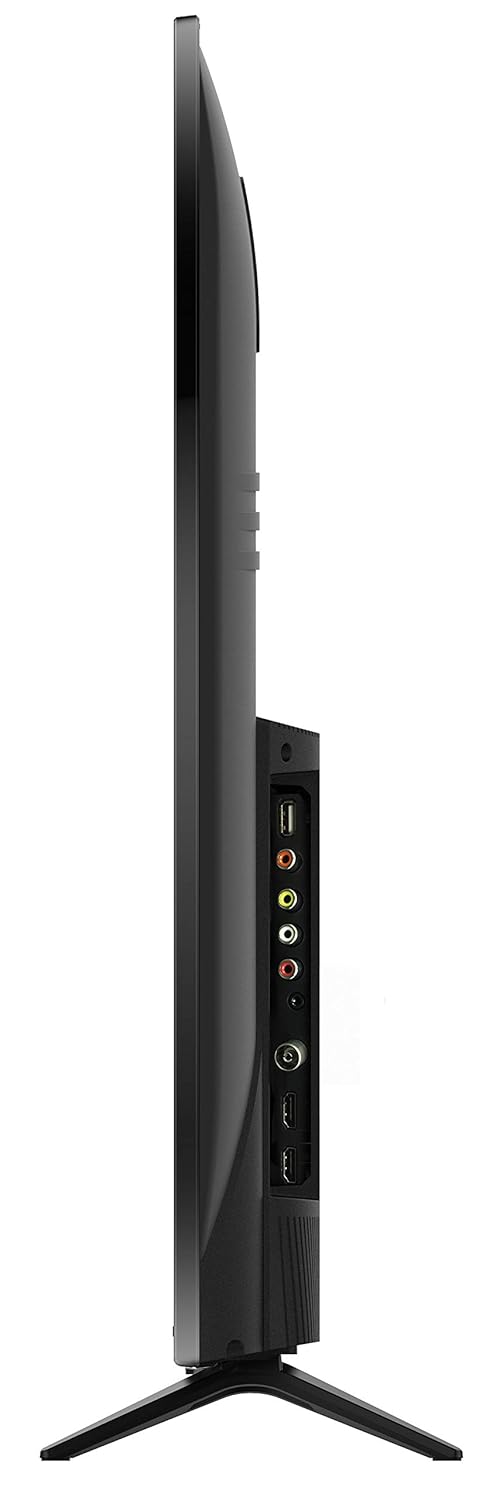
Resim 4.2: Arka view of the TCL 55P8 TV, indicating VESA mounting points for wall installation.
4.2 Harici Cihazların Bağlanması
Your TCL 55P8 TV offers various ports for connecting external devices:
- HDMI Bağlantı Noktaları (x3): Set üstü kutuları, Blu-ray oynatıcıları, oyun konsollarını veya HDMI özellikli diğer cihazları bağlayın.
- USB Bağlantı Noktaları (x2): Connect USB flash drives or external hard drives for media playback.
- LAN Bağlantı Noktası: Kablolu internet bağlantısı için bir Ethernet kablosu bağlayın.
- AV Girişi: Use the provided AV-RCA adapter to connect older devices with composite video and stereo audio outputs.
- Kulaklık girişi: Özel dinleme için kulaklıkları bağlayın.
- Dijital Ses Çıkışı: Daha iyi ses deneyimi için bir soundbar veya ev sinema sistemine bağlayın.

Image 4.3: Diagram illustrating the various connectivity ports available on the TCL 55P8 TV.
5. Kullanım Talimatları
5.1 Güç Açma/Kapatma
Press the power button on the remote control or on the TV to turn it on or off. The TV may take a few moments to boot up due to its Android operating system.
5.2 Uzaktan Kumanda
The included remote control allows you to navigate the TV's features. It supports both IR and Bluetooth technology. Insert the two AAA batteries into the remote control, ensuring correct polarity.
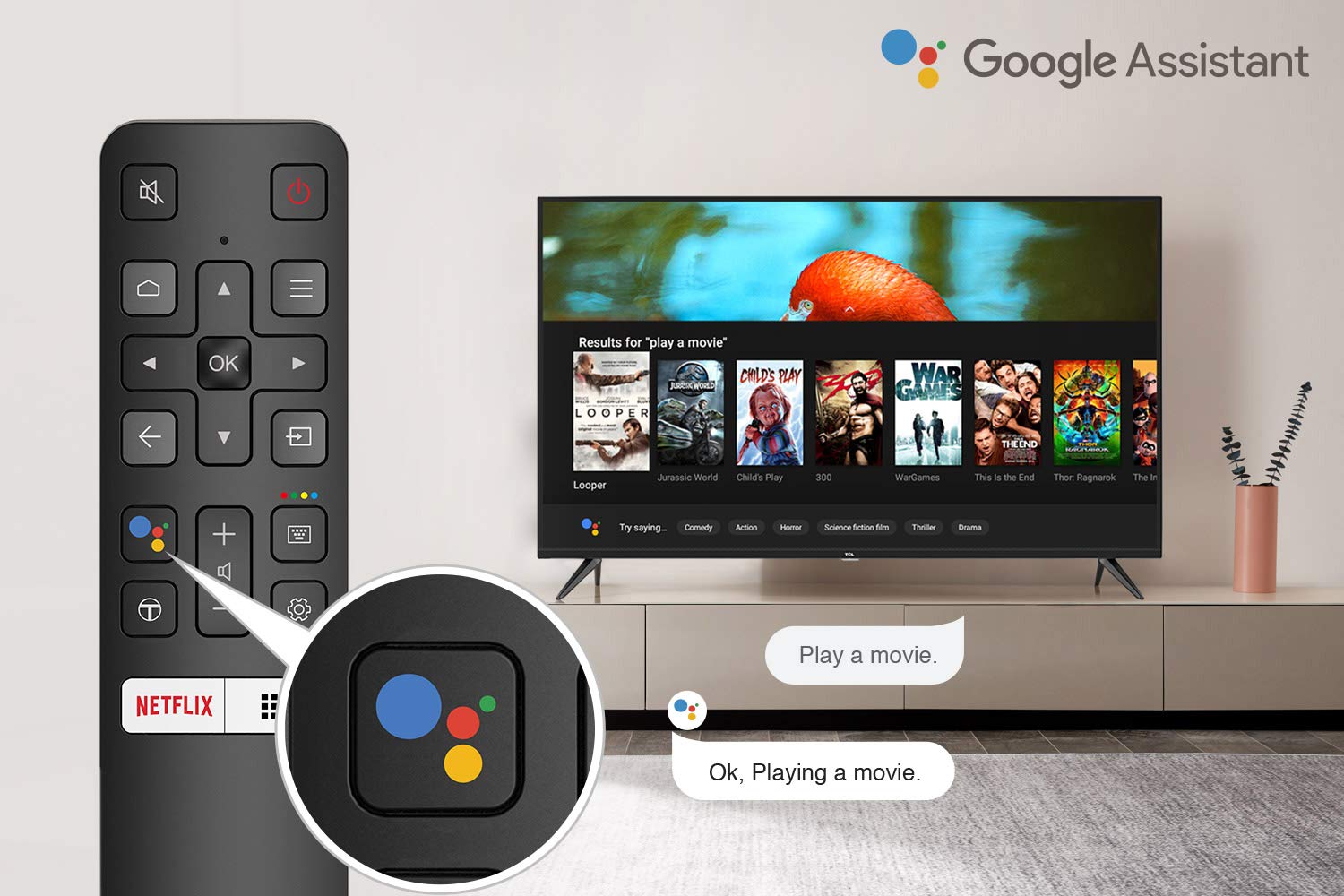
Image 5.1: The remote control for the TCL 55P8 TV, highlighting the Google Assistant button for voice commands.
5.3 Akıllı TV Özellikleri (Android TV 9.0)
Your TCL 55P8 TV runs on Android TV 9.0, offering a wide range of smart functionalities:
- AI-Google Assistant: Uzaktan kumandayı kullanarak sesli komutları kullanın, içerik arayın, akıllı ev cihazlarını kontrol edin ve bilgi alın.
- Google Cast (Chromecast yerleşik): Cast content from your compatible smartphone, tablet, or computer directly to the TV screen.
- T-cast: Utilize the T-cast app for additional smart features and screen mirroring.
- Bluetooth: Connect Bluetooth-enabled devices such as headphones or game controllers.
- Uygulama Erişimi: Download and install various applications from the Google Play Store, including streaming services like Netflix, Amazon Prime Video, YouTube, Hotstar, Sony Liv, and Zee5.
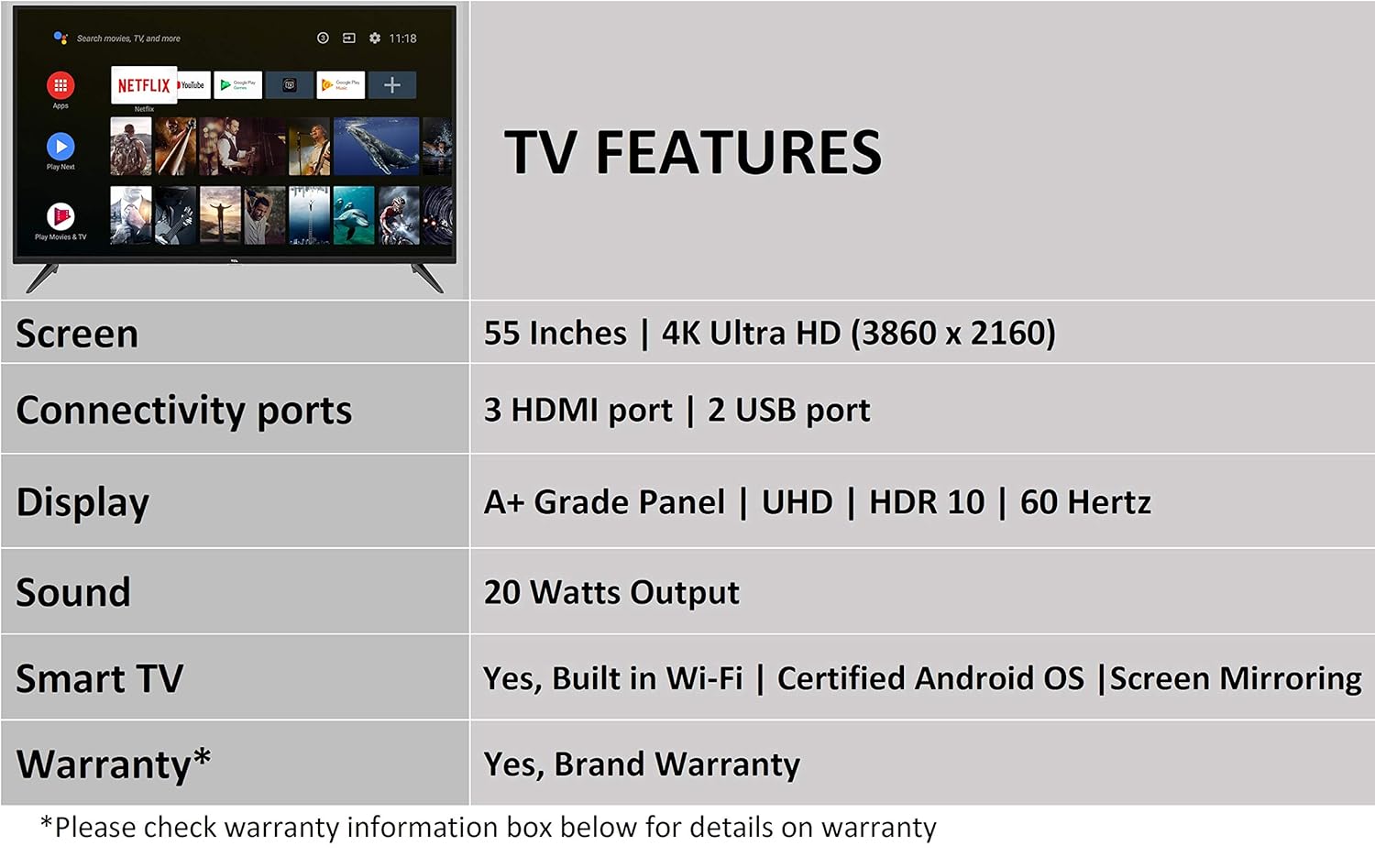
Image 5.2: The Android TV home screen on the TCL 55P8, displaying icons for popular streaming applications.
5.4 Görüntü ve Ses Ayarları
- Resim: Navigate to the picture settings menu to adjust brightness, contrast, color, and sharpness. The TV supports 4K Ultra HD resolution, HDR10, and features Micro Dimming for enhanced contrast.
- Ses: Access sound settings to adjust volume, equalizer, and select audio output modes. The TV provides 20 Watts of audio output and supports Dolby Audio.
6. Bakım
6.1 TV'nin temizlenmesi
- Ekran: Ekranı yumuşak, tüy bırakmayan, kuru bir bezle nazikçe silin. İnatçı lekeler için, hafifçe silin.ampBezi suyla nemlendirin (doğrudan ekrana püskürtmeyin).
- Vücut: TV çerçevesini ve sehpasını yumuşak ve kuru bir bezle silin.
- Dikkat: Do not use abrasive cleaners, alcohol, benzene, or thinners, as these can damage the TV's surface.
6.2 Yazılım Güncellemeleri
Your Android TV may receive periodic software updates. Ensure your TV is connected to the internet to receive these updates, which can improve performance and add new features. You can usually check for updates in the TV's settings menu.
7. Sorun Giderme
Televizyonunuzda sorunlarla karşılaşırsanız aşağıdaki yaygın çözümlere başvurun:
| Sorun | Olası Çözüm |
|---|---|
| Güç Yok | Güç kablosunun televizyona ve duvar prizine sağlam bir şekilde takılı olduğundan emin olun. Elektrik prizinin çalışır durumda olduğundan emin olun. |
| Görüntü yok, ancak ses var. | Verify the correct input source is selected. Check HDMI/AV cable connections. Try restarting the TV. |
| Ses yok, ancak görüntü mevcut. | Check the volume level and ensure the TV is not muted. Verify audio cable connections if using external speakers. Check audio output settings. |
| Uzaktan Kumanda Çalışmıyor | Replace batteries. Ensure there are no obstructions between the remote and the TV's IR sensor. Re-pair the Bluetooth remote if necessary. |
| Ağ Bağlantı Sorunları | Check Wi-Fi password. Restart your router. Ensure the TV is within range of the Wi-Fi signal or the Ethernet cable is properly connected. |
| Yavaş Performans / Uygulama Çökmeleri | Close unused applications. Clear cache for problematic apps. Restart the TV. Consider a factory reset if issues persist (note: this will erase all data). |
Bu çözümleri denedikten sonra sorun devam ederse, lütfen TCL müşteri desteğiyle iletişime geçin.
8. Özellikler
Detailed technical specifications for the TCL 55P8 55-inch AI 4K UHD Android Smart LED TV:
| Özellik | Şartname |
|---|---|
| Örnek | 55P8 |
| Ekran Boyutu | 55 İnç (138.78 cm) |
| Çözünürlük | 4K Ultra HD (3840 x 2160 piksel) |
| Yenileme Hızı | 60 Hz |
| ViewAçı | 178 Derece |
| Görüntü Türü | LED, A+ Kalite Panel |
| HDR Desteği | HDR10 |
| İşletim Sistemi | Android 9.0 |
| İşlemci | Quad-core A55 (1.1GHz) |
| Grafik Eş İşlemcisi | Mali470x3 (600MHz-800MHz) |
| Veri deposu | 2 GB |
| Dahili Depolama | 16 GB |
| Ses Çıkışı | 20 Watt |
| Ses Teknolojisi | AI Sound Engine, Dolby Audio |
| HDMI Bağlantı Noktaları | 3 (HDMI 2.0, HDCP2.2, ARC on Port 1) |
| USB Bağlantı Noktaları | 2 (USB 2.0) |
| Bağlantı | Wi-Fi (2x2 b/g/n 2.4GHz), Ethernet, Bluetooth 5.0 |
| Özel Özellikler | AI-Google Assistant, Google Cast, T-cast, Micro Dimming |
| Ürün Boyutları (UxGxY) | 124.4 x 23.9 x 77.5 cm (standlı) |
| Ürün Ağırlığı | 12 kilo |

Image 8.1: Dimensional diagram of the TCL 55P8 TV, showing height, width, and depth measurements.
9. Garanti ve Destek
9.1 Garanti Bilgileri
Your TCL 55P8 TV comes with an 18 ay garanti provided by TCL from the date of purchase. Please retain your purchase receipt and warranty card for any warranty claims.
9.2 Installation and Customer Support
For requesting installation, wall mounting, or a product demonstration after delivery, please contact TCL customer service:
- Ücretsiz Çağrı Numaraları: 18004190622 veya 18001020622
For any other technical assistance or support, please refer to the contact information provided on your warranty card or the official TCL webalan.
9.3 İade Politikası
This product is eligible for replacement or refund within 10 days of delivery in case of any product defects, damage, or features not matching the description provided. Please refer to the retailer's return policy for detailed terms and conditions.


