giriiş
Thank you for choosing the Edifier TWS1 True Wireless Stereo Earbuds. This manual provides essential information for the proper use and maintenance of your device. The TWS1 earbuds offer a wire-free audio experience with dynamic stereo sound. They feature an impressive 32-hour total playtime with the charging case and are designed with an IPX5 rating for splash and sweat resistance, making them suitable for various activities.
Please read this manual thoroughly before operating the earbuds to ensure optimal performance and longevity.
Paket İçeriği
Aşağıda listelenen tüm öğelerin paketinizde bulunduğunu doğrulayın:
- Edifier TWS1 True Wireless Stereo Earbuds (Left and Right)
- Şarj Kutusu
- USB Şarj Kablosu
- Çeşitli boyutlarda kulak uçları (Küçük, Orta, Büyük)
- Kullanıcı Kılavuzu
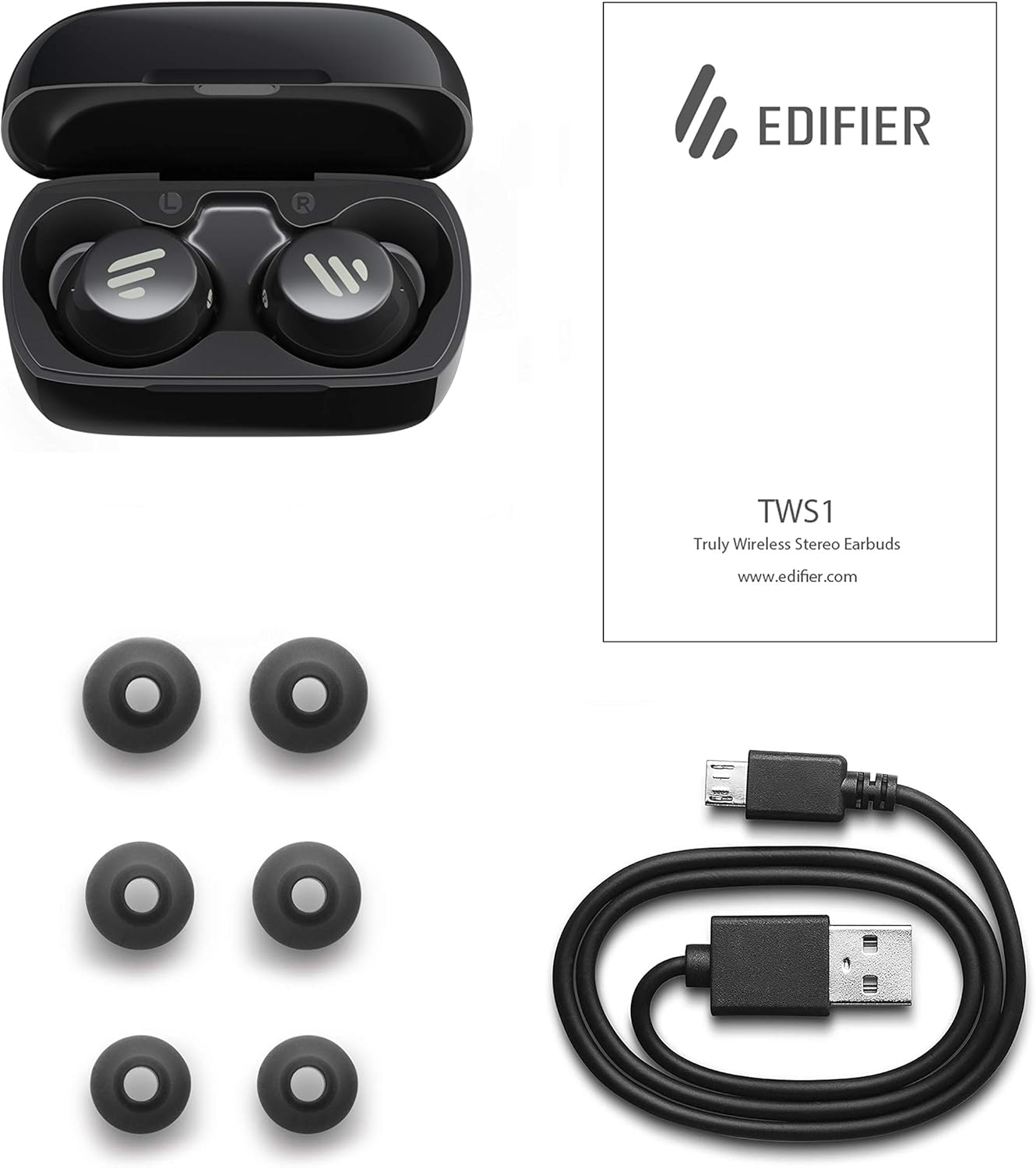
Image: The Edifier TWS1 earbuds, charging case, USB charging cable, and various sizes of ear tips are displayed alongside the user manual, illustrating the complete package contents.
Kurmak
1. Kulaklıkları ve Kutuyu Şarj Etme
Before first use, fully charge the earbuds and the charging case. Place the earbuds into the charging case. Connect the USB charging cable to the charging port on the case and a power source. The indicator light on the case will show charging status. Once fully charged, the indicator will change or turn off.
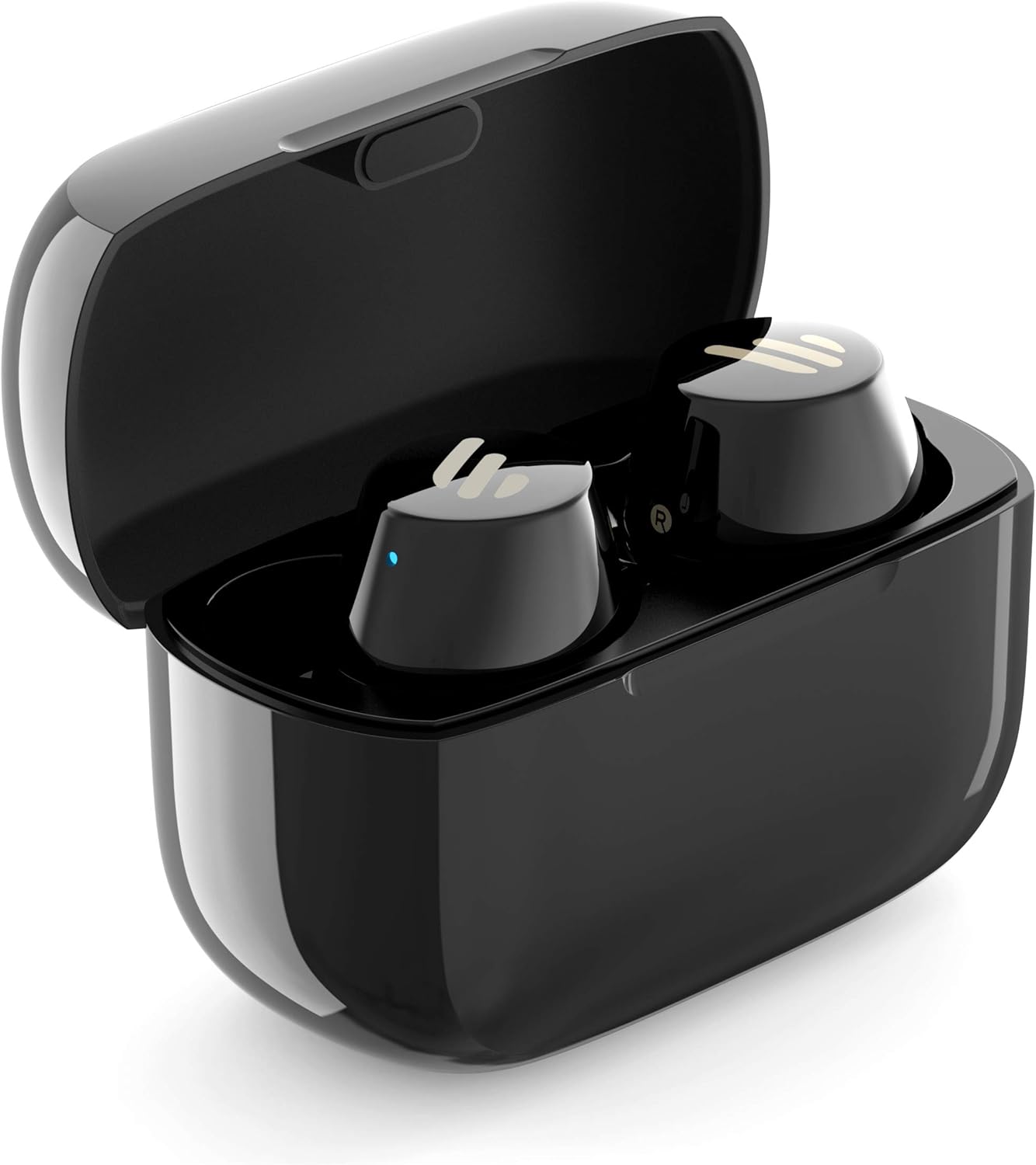
Image: The Edifier TWS1 earbuds are shown nestled within their open charging case, with a blue indicator light visible, signifying charging or power status.
2. Bir Cihazla Eşleştirme
- Kulaklıkların şarj edildiğinden emin olun.
- Open the charging case. The earbuds will automatically enter pairing mode, and the indicator light on one earbud will flash rapidly.
- Cihazınızda (akıllı telefon, tablet, dizüstü bilgisayar) Bluetooth'u etkinleştirin ve yeni cihazları arayın.
- Select "EDIFIER TWS1" from the list of available devices.
- Bağlantı kurulduktan sonra kulaklıklardaki gösterge ışığı yanıp sönmeyi bırakacaktır.
3. Kulaklıkların Takılması
Choose the ear tips that provide the most comfortable and secure fit for your ears. Insert the earbuds into your ear canals and gently twist them until they feel snug and stable. A proper fit is crucial for optimal sound quality and noise isolation.
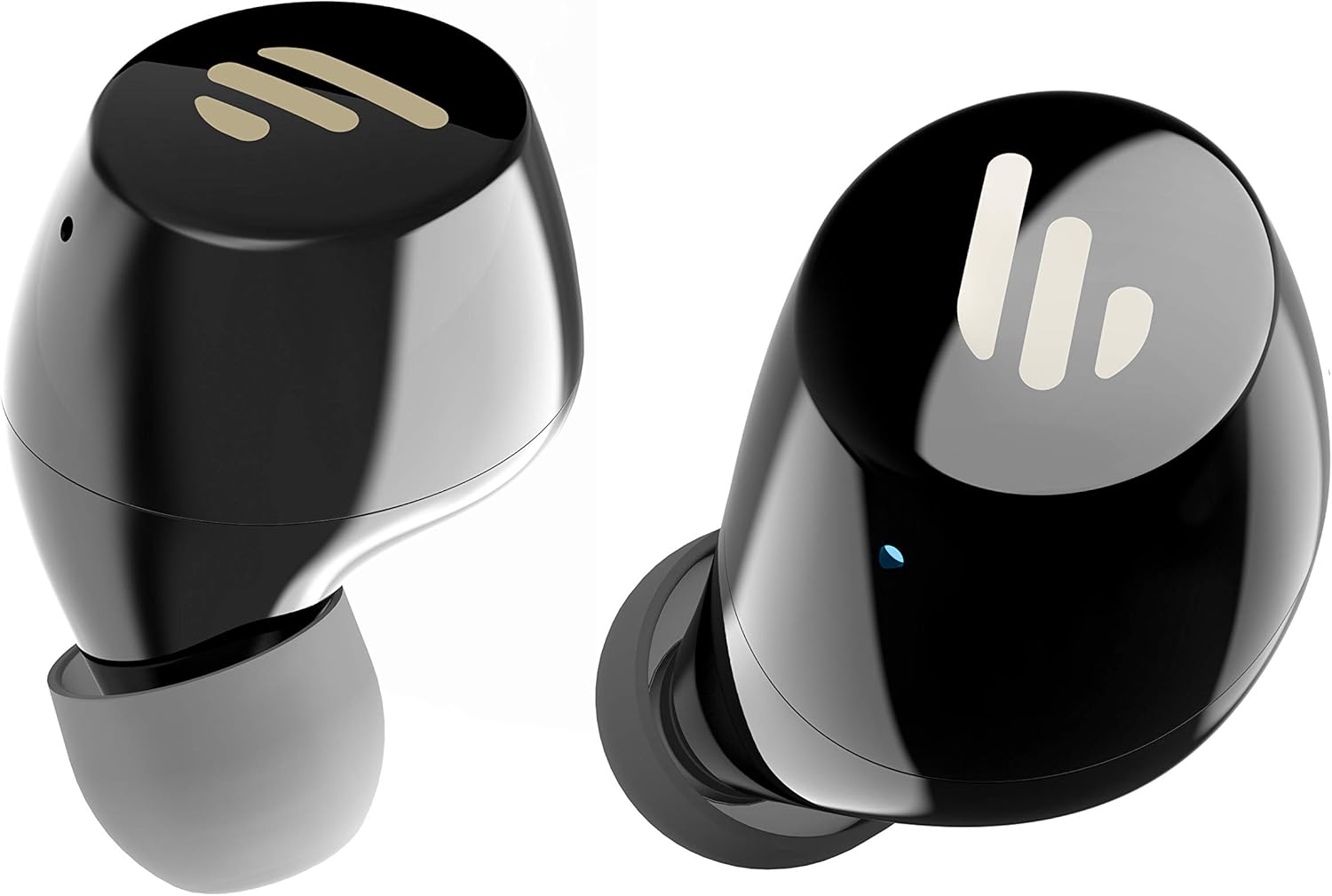
Resim: Ayrıntılı view of the Edifier TWS1 earbuds, highlighting their ergonomic shape and the silicone ear tips designed for a comfortable and secure in-ear fit.
Kullanım Talimatları
The Edifier TWS1 earbuds feature touch controls for easy operation.
- Güç Açık: Earbuds power on automatically when removed from the charging case.
- Kapat: Place earbuds back into the charging case to power off automatically.
- Oynat/Duraklat: Kulaklıkların üzerindeki dokunmatik panele iki kez dokunun.
- Sonraki Parça: Triple-tap the touch panel on the right earbud.
- Önceki parça: Triple-tap the touch panel on the left earbud.
- Çağrıyı Cevapla/Sonlandır: Kulaklıkların üzerindeki dokunmatik panele iki kez dokunun.
- Çağrıyı Reddet: Press and hold the touch panel on either earbud for 2 seconds.
- Voice Assistant'ı etkinleştirin: Press and hold the touch panel on the left earbud for 2 seconds.
Bakım
- Temizlik: Kulaklıkları ve şarj kutusunu düzenli olarak yumuşak, kuru bir bezle temizleyin. Aşındırıcı temizleyiciler veya çözücüler kullanmayın.
- Suya Dayanıklılık: The earbuds are IPX5 rated, meaning they are resistant to splashes and sweat. Do not submerge them in water or expose them to heavy rain. Ensure the charging port is dry before charging.
- Depolamak: Kullanmadığınız zamanlarda, kulaklıklarınızı korumak ve şarjlı tutmak için şarj kutusunda saklayın. Serin, kuru ve aşırı sıcaklıklardan uzak bir yerde saklayın.
- Pil Bakım: Pil ömrünü korumak için kulaklıklarınızı ve şarj kutusunu sık sık tamamen boşaltmaktan kaçının. Sürekli kullanımda olmasalar bile düzenli olarak şarj edin.
Sorun giderme
If you encounter issues with your Edifier TWS1 earbuds, please refer to the following common solutions:
| Sorun | Çözüm |
|---|---|
| Kulaklıklar açılmıyor. | Ensure the earbuds and charging case are fully charged. Place earbuds in the case and close it, then open to power on. |
| Cihazla eşleştirilemiyor. | Make sure Bluetooth is enabled on your device. Ensure earbuds are in pairing mode (flashing indicator). Try forgetting the device in your Bluetooth settings and re-pairing. |
| Sadece bir kulaklık çalışıyor. | Place both earbuds back into the charging case, close the lid, and then open it again. This should re-sync them. If the issue persists, try resetting the earbuds. |
| Ses yok veya ses seviyesi düşük. | Check the volume level on both your device and the earbuds. Ensure earbuds are properly seated in your ears. Try cleaning the ear tips and speaker mesh. |
| Şarj sorunları. | Ensure the charging cable is securely connected. Try a different USB port or power adapter. Clean the charging contacts on the earbuds and inside the case. |
Fabrika Ayarlarına Sıfırlama
If problems persist, a factory reset may resolve them:
- Her iki kulakiçi de şarj kutusuna yerleştirin.
- Press and hold the touch panel on both earbuds simultaneously for approximately 8 seconds until the indicator lights flash rapidly, then release.
- Kulaklıkları kutusundan çıkarın ve cihazınızla yeniden eşleştirmeyi deneyin.
Özellikler
| Özellik | Detay |
|---|---|
| Marka Adı | Eğitici |
| Model Adı | TWS1 BK |
| Ürün Model Numarası | TWS1_BK |
| Renk | Siyah |
| Malzemeler | Plastik |
| Bağlantı Teknolojisi | Kablosuz |
| Kablosuz İletişim Teknolojisi | Bluetooth |
| Kulaklık Form Faktörü | Kulakta |
| Kulak Yerleşimi | Kulakta |
| Kulaklık girişi | Jack yok |
| Kontrol Yöntemi | Dokunmak |
| Su Direnç Seviyesi | Suya Dayanıklı (IPX5) |
| Uyumlu Cihazlar | Akıllı Telefonlar, Tabletler, Dizüstü Bilgisayarlar, Masaüstü Bilgisayarlar |
| Ürünün Belirli Kullanımları | İletişim |
| Ürün Boyutları | 2.32 x 1.72 x 2.04 cm; 130 gram |
| Dahil Bileşenler | TWS1 Earbuds |
| Yaş Aralığı Açıklaması | Yetişkin |
Garanti ve Destek
Edifier products are designed and manufactured to the highest quality standards. For information regarding warranty coverage, please refer to the warranty card included with your product or visit the official Edifier website. For technical support or further assistance, please contact Edifier customer service through their official channels.


