1. Giriş
This manual provides comprehensive instructions for the TIDRADIO CP200 CP110 Speaker Microphone with Earpiece. It is designed to enhance communication for users of compatible Motorola two-way radios by offering a convenient and robust external microphone and speaker solution, along with a private listening earpiece. Please read this manual thoroughly before use to ensure proper operation and maintenance.
2. Paket İçeriği
Aşağıda listelenen tüm öğelerin paketinizde bulunduğunu doğrulayın:
- 1 x TIDRADIO Speaker Microphone
- 1 x Acoustic Tube Earpiece (3.5mm jack)

Image 2.1: Contents of the TIDRADIO Speaker Microphone package, showing the speaker mic unit and the acoustic tube earpiece.
3. Özellikler
The TIDRADIO Speaker Microphone with Earpiece offers several key features for reliable communication:
- Compact & Rugged Construction: Designed for heavy-duty use with high impact strength.
- Omni-Directional Microphone & Electret Speaker: Ensures high-quality sound transmission and reception, even in noisy environments.
- Dayanıklı Kablo: Features a PU cable reinforced by Kevlar fiber and a durable coil cord for high tensile strength and long life.
- 360 Derece Dönebilen Klips: Allows for flexible attachment to clothing or gear.
- Private Communication: Includes a 3.5mm jack for connecting the receive-only earpiece.
- Hava Koşullarına Dayanıklılık: Built with an impact-resistant PVC casing (IP54 rated) for shock, wind, dust, and splash resistance.

Image 3.1: Visual representation of the speaker microphone's key features, including the rotating clip and earpiece jack.
4. Uyumluluk
This speaker microphone and earpiece are specifically designed for use with Motorola two-way radios. It is not compatible with Kenwood plug radios.
Compatible Motorola Radio Series:
- CLS Series: CLS446, CLS1110, CLS1410, CLS1413, CLS1450, CLS1450C, CLS1453CH
- CP Series: CP88, CP040, CP100, CP110, CP125, CP150, CP185, CP200, CP250, CP300, CP200D, XiR P3688, DP1400, DEP450, EP350 MX
- GP Serisi: GP2000, GP2100, GP300, GP308, GP68, GP88, GP88S, GP3688, GP3188, GP2000S, GP68
- RDX Series: RDV-5100, RDV2020, RDU2020, RDU2080D, RDU4100, RDU4160D, RDV2080D, RDV5100
- XTN Series: XTN446, XTN500, XTN600 XTN
- XTN XV Series: XV1100, XV2100, XV2600, XV4100
- XTN XU Series: XU1100, XU2100, XU2600, XU4100
- AX Series: AXV5100, AXU4100
- Motorola Spirit Series: SV10, SV11, SV11D, SV21, SV22, SV22C, SU210, SU22, SU22C, SU220 VHF/UHF Spirit, Spirit Pro, Spirit Pro+, Spirit HP 10
- Spirit MU Series: MU11, MU11C, MU11CV, MU12, MU12C, MU12CV, MU21C, MU21CV, MU22CVS, MU24CV, MU24CVST
- Spirit MV Series: MV11, MV11C, MV11CV, MV12, MV12CV, MV21C, MV21CV, MV22CVS, MV24CVS
- SP Series: SP10, SP21, SP50+, SP50
- HYT Models: TC-300, TC-446S, TC-500, TC500S, TC-508, TC-518, TC-580, TC585, TC-600, TC-610, TC-618, TC-620, TC-700, TC-700EX, TC-700EXplus, TC-850, TC-900, TC-2100, TC-2100H, TC2110, TC2100, PD405, OD406, PD415, PD505, PD565, PD-502, PD-562
- Other Series: Mag One, GTI, LTS2000, VL130, PMR446, ECP100, BPR400, EP450, AU1200, AV1200

Resim 4.1: Örn.amples of Motorola radios compatible with the TIDRADIO speaker microphone.
Video 4.1: This video demonstrates the TIDRADIO shoulder speaker microphone and earpiece, showcasing its components, 360-degree rotating clip, and compatibility with various Motorola two-way radio models.
5. Kurulum
Follow these steps to set up your TIDRADIO Speaker Microphone and Earpiece:
- Hoparlör Mikrofonunu Bağlayın: Locate the two-pin audio jack on your compatible Motorola two-way radio. Align the two-pin connector of the speaker microphone with the radio's jack and firmly insert it until it clicks into place.
- Kulaklığı Takın (Opsiyonel): If private listening is desired, insert the 3.5mm plug of the acoustic tube earpiece into the dedicated earpiece jack located on the side of the speaker microphone.
- Güvenli Mikrofon: Use the 360-degree rotating clip on the back of the speaker microphone to attach it securely to your collar, lapel, or other convenient location on your clothing or gear.
- Position Earpiece: Adjust the acoustic tube earpiece for a comfortable and secure fit in your ear. Use the small clip on the earpiece cable to manage excess cable and prevent snagging.

Image 5.1: Close-up of the two-pin connector, illustrating the dimensions for proper connection to Motorola radios.

Image 5.2: The speaker microphone's 360-degree rotating clip for versatile attachment.

Image 5.3: The acoustic tube earpiece, showing its design for discreet and comfortable listening.
6. Kullanım Talimatları
Once connected, the speaker microphone functions as an extension of your two-way radio.
- Ses Alınıyor: Incoming transmissions will be heard through the speaker on the microphone unit. If the earpiece is connected, audio will be routed to the earpiece for private listening.
- Ses İletimi (Bas-Konuş - PTT): To transmit, press and hold the large Push-to-Talk (PTT) button located on the side of the speaker microphone. Speak clearly into the microphone grille. Release the PTT button to stop transmitting and return to receive mode.
- Ses Kontrolü: Adjust the volume directly on your two-way radio. The speaker microphone and earpiece do not have independent volume controls.

Image 6.1: The TIDRADIO speaker microphone in use, demonstrating its ergonomic design for easy PTT operation.
7. Bakım
Proper care will extend the life and performance of your speaker microphone and earpiece:
- Temizlik: Üniteyi yumuşak, damp cloth. Do not use harsh chemicals or abrasive cleaners. Ensure the unit is dry before storage or next use.
- Depolamak: Store the microphone and earpiece in a cool, dry place away from direct sunlight and extreme temperatures.
- Kablo Bakımı: Avoid sharp bends or excessive pulling on the cables to prevent internal damage.
- Earpiece Hygiene: Regularly clean the acoustic tube and replace the earbud as needed for hygiene and optimal sound quality.
8. Sorun Giderme
If you encounter issues with your speaker microphone or earpiece, refer to the following common problems and solutions:
| Sorun | Olası Neden | Çözüm |
|---|---|---|
| No audio from speaker/earpiece | Loose connection; Radio volume too low; Faulty unit. | Ensure the two-pin connector is fully inserted. Increase radio volume. Test with another radio or accessory if possible. |
| Bozuk veya net olmayan ses | Loose connection; Microphone/speaker obstruction; Radio interference. | Check connections. Ensure microphone grille and speaker are clear of debris. Move away from potential interference sources. |
| Earpiece not working | Loose 3.5mm connection; Damaged earpiece cable/unit. | Ensure the 3.5mm earpiece jack is fully inserted into the speaker mic. Inspect earpiece cable for damage. Replace earpiece if necessary. |
| İletim yapılamıyor (PTT çalışmıyor) | Loose connection; Faulty PTT button. | Verify the two-pin connector is secure. Ensure the radio is powered on and functioning correctly. |
9. Özellikler
| Şartname | Detay |
|---|---|
| Ürün Ağırlığı | 6.7 ons |
| Paket Boyutları | 5.47 x 2.99 x 2.95 inç |
| Bağlayıcı Türü | Motorola 2-pin (Former pin diameter: 2.5 mm, After pin diameter: 3.5 mm) |
| Kulaklık Girişi | 3.5mm (for receive-only earpiece) |
| Mikrofon Türü | Omni-Directional Electret |
| Hoparlör Tipi | dielektrik madde parçası |
| Kablo Malzemesi | PU Reinforced by Kevlar Fiber |
| Klip | 360-Degree Rotating Clip |
| Su Direnç Seviyesi | IP54 (Shock, wind, dust, and splash resistant) |
| Renk | Siyah |
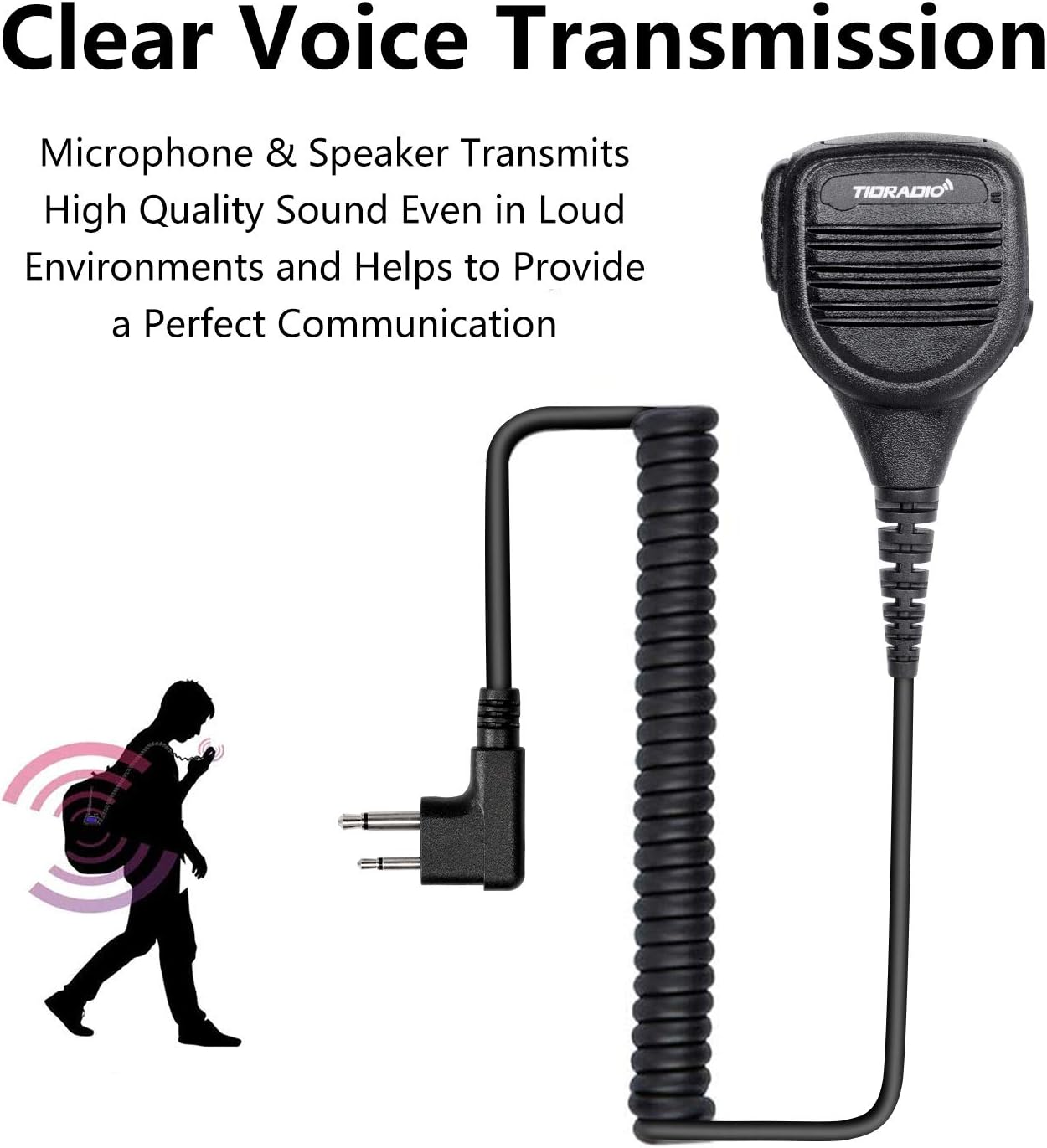
Image 9.1: Cable length specifications for the speaker microphone and earpiece.
10. Garanti ve Destek
For warranty information or technical support, please contact TIDRADIO customer service through their official webÜrünü satın aldığınız site veya perakendeciden satın alma belgesini saklayın. Satın alma belgesi olarak fişinizi muhafaza edin.


