giriiş
The Vantrue S1 4K Dash Cam is a high-performance dual-channel recording system designed to provide comprehensive coverage and security for your vehicle. Featuring advanced recording capabilities, built-in GPS, and intelligent parking surveillance, the S1 ensures critical moments on the road are captured with exceptional clarity and reliability. This manual provides detailed instructions for setup, operation, and maintenance to help you maximize your dash cam's potential.
Kutuda Neler Var?
Lütfen kurulum işlemine başlamadan önce tüm bileşenlerin mevcut olduğundan emin olun.
- 1X Front dash cam
- 1X Rear car camera with 20ft rear cable
- Araba Şarj Cihazı
- 1X 3ft mini USB cable
- Front and rear camera bracket/ adhesive stickers

Image: All components included in the Vantrue S1 Dash Cam package.
Kurulum ve Yükleme
Proper installation ensures optimal performance and discreet placement of your dash cam.
Dash Cam'in Montajı
The Vantrue S1 is designed for discreet placement behind your rearview ayna, görüşünüzü engelleme olasılığını en aza indirir. view. Use the provided adhesive mounts for secure attachment to the windshield.

Image: The Vantrue S1 Dash Cam installed for discreet operation.
Connecting Power and Rear Camera
Connect the front dash cam to your vehicle's 12V power outlet using the provided car charger. Route the 20ft rear camera cable discreetly along the vehicle's interior trim to the rear window and connect the rear camera. Ensure cables do not interfere with airbags or vehicle controls.
MicroSD Kartın Takılması
The Vantrue S1 supports up to a 256GB MicroSD card (not included). Insert the MicroSD card into the designated slot on the dash cam until it clicks into place. Ensure the card is inserted correctly to avoid damage.

Image: Inserting the MicroSD card into the Vantrue S1 Dash Cam.
Kullanım Talimatları
Familiarize yourself with the various recording modes and features of your Vantrue S1 Dash Cam.
Kayıt Modları
Single 4K Recording
When operating in single front camera mode, the S1 captures video at an exceptionally clear 4K (2880x2160P) resolution at 24 frames per second (FPS). This ensures crucial details like road signs and license plates are highly legible.

Image: Comparison of 4K vs. 1080P clarity for license plate capture.
Dual 1080P Recording
For comprehensive coverage, the front (170° wide-angle) and rear (160° wide-angle) cameras simultaneously record in Full HD 1920x1080P at 30fps. This ensures no details are missed from both the road ahead and behind your vehicle.
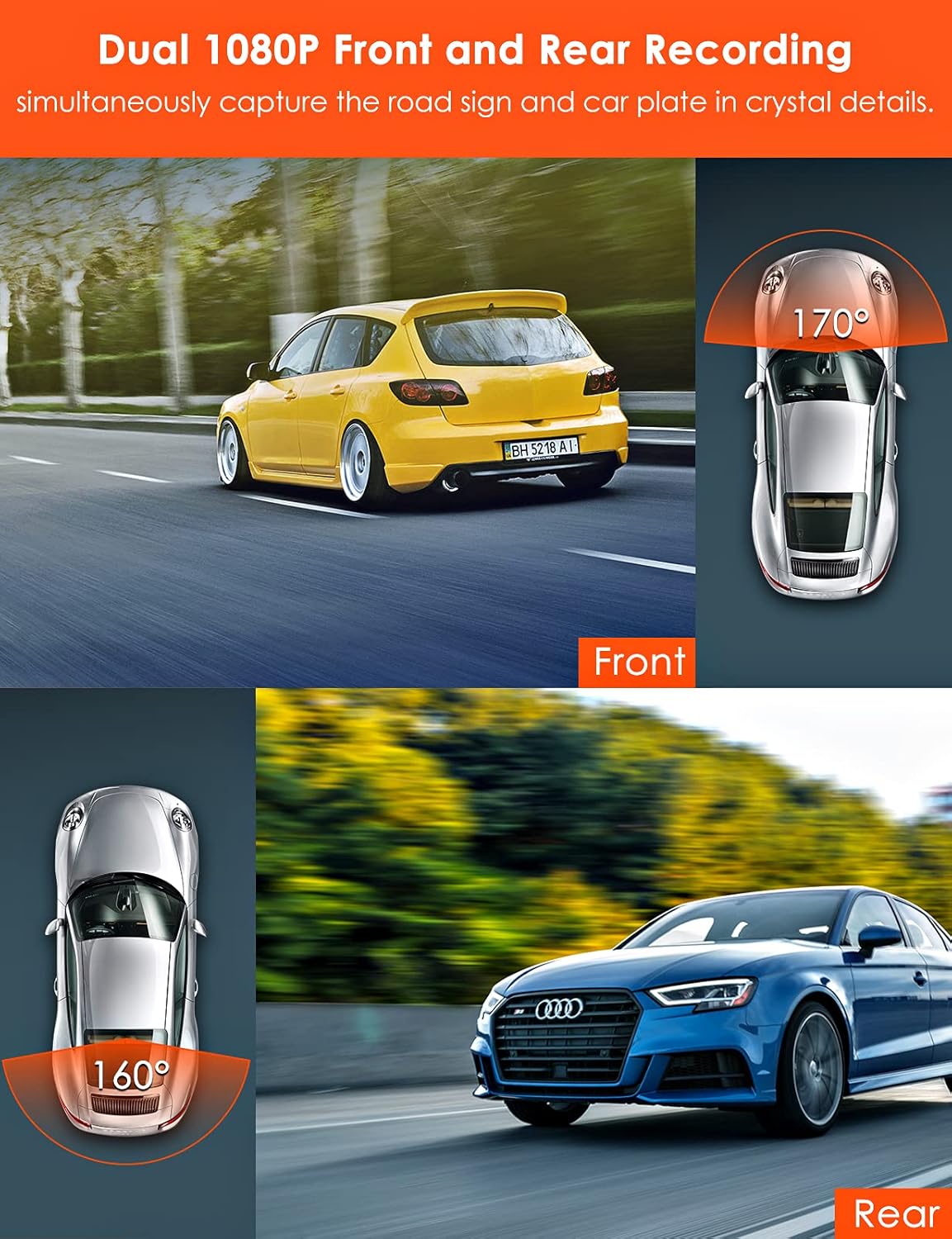
Image: Visual representation of dual 1080P front and rear recording angles.
Built-in GPS & Live Speed Display
The integrated GPS module allows for real-time monitoring of your driving speed and location. You can track your route, speed (in KMH or MPH), and location on Google Maps using the Vantrue GPS player software on your computer. This data can be crucial evidence in case of an incident.

Image: Live speed display on the dash cam and GPS tracking on a computer.
24/7 Parking Mode
The parking mode feature provides continuous surveillance when your vehicle is parked. In motion detection mode, both cameras will automatically record and save important events when the front dash cam detects movement. Low bitrate recording mode allows for continuous 720P+720P@15fps recording for 24 hours, conserving memory space. For continuous 24/7 parking mode, a hardwire kit (ASIN: B07HQ6D8RG) or an external battery is required.
Resim: Yukarıdan view showing 170° front and 160° rear coverage in parking mode.
G-Sensörü
The variable sensitivity G-sensor automatically detects sudden shakes or collisions. Upon detection, it emergency locks the current video footage to an "event file" to prevent it from being overwritten by loop recording, ensuring critical evidence is preserved.
Döngü Kaydı
The dash cam records video in seamless loops. When the MicroSD card is full, the oldest unlocked files, yeni foo tarafından otomatik olarak üzerine yazılır.tage, ensuring continuous recording without manual intervention.
Zaman Atlamalı
Time-lapse recording allows the dash cam to capture photos at set time intervals and then automatically compile them into a video clip. This feature is particularly useful for monitoring long periods, such as during extended parking or road trips, and helps save memory card space.
Bakım
Regular maintenance helps prolong the lifespan and ensure optimal performance of your Vantrue S1 Dash Cam.
Heat Resistant Super Capacitor
The S1 utilizes a super capacitor instead of a lithium battery, allowing it to withstand extreme temperatures from -4°F to 158°F. This design enhances reliability and extends the camera's lifespan by mitigating the risk of overheating and explosions.

Image: The super capacitor ensures reliable operation in extreme temperatures.
Temizlik
Regularly clean the camera lenses with a soft, lint-free cloth to ensure clear video quality. Avoid using abrasive materials or chemical cleaners that could damage the lens coating.
MicroSD Kart Biçimlendirme
It is recommended to format the MicroSD card regularly (e.g., once every 1-2 weeks) to maintain optimal recording performance and prevent data corruption. This can typically be done through the dash cam's menu settings.
Sorun giderme
If you encounter issues with your Vantrue S1 Dash Cam, refer to the following common solutions. For more detailed troubleshooting, please consult the full online manual or contact customer support.
- Camera Freezes/Unresponsive: Try resetting the device using the reset button (if available) or disconnecting and reconnecting the power. Ensure the MicroSD card is properly inserted and formatted.
-
İlgili Belgeler - OnDash S1

Vantrue E360 Kullanım Kılavuzu: Kurulum, Özellikler ve Destek
Vantrue E360 5.2K 360° panoramik araç içi kamera için kapsamlı kullanım kılavuzu. Kurulum, bileşenler ve daha fazlası hakkında bilgi edinin.viewMenü işlevleri, sürüş ve elde taşınabilir kayıt modları, WiFi bağlantısı, uygulama özellikleri, park modları, ürün yazılımı güncellemeleri ve destek.
Vantrue Nexus 5S Dash Cam User Manual: Installation, Features, and Operation
Comprehensive user manual for the Vantrue Nexus 5S 4-channel dash cam. Learn about installation, features like 360° recording, STARVIS 2 night vision, buffered parking mode, WiFi, voice control, and GPS. Includes technical specifications and troubleshooting.
VANTRUE N5 4 Kanallı Ses Kontrollü Akıllı Araç Kamerası Kullanım Kılavuzu
VANTRUE N5 4 kanallı akıllı araç içi kamera için kapsamlı bir kılavuz; kurulum, ayar, ses kontrolü ve GPS gibi özellikler, kullanım, teknik özellikler, güvenlik uyarıları ve garanti bilgilerini kapsamaktadır.
VANTRUE OnDash N2 Pro Dual Dash Cam Kullanım Kılavuzu
VANTRUE OnDash N2 Pro Çift Kameralı Araç İçi Kamera için kurulum, kullanım, ayarlar, teknik özellikler ve garanti bilgilerini kapsayan kapsamlı kullanım kılavuzu. Araç içi kameranızın en iyi performansı için nasıl kurulacağını ve kullanılacağını öğrenin.
Vantrue N5 Dash Cam User Manual - 4K 360° Recording, GPS, Parking Mode
Comprehensive user manual for the Vantrue N5 dash cam. Learn about installation, features like 4K 360° recording, GPS, parking mode, app connectivity, specifications, safety, and support.
VANTRUE OnDash N2S Çift Kameralı Araç İçi Kamera Kullanım Kılavuzu
Comprehensive user manual for the VANTRUE OnDash N2S Dual Dash Cam, detailing installation, operation, settings, features, specifications, and support. Learn how to use your dash cam effectively for road safety and documentation.