giriiş
This manual provides essential information for the safe and effective operation of your N-Gear NGS828-BT Karaoke System. Please read it thoroughly before use and retain it for future reference.
The N-Gear NGS828-BT karaoke system is designed to provide an immersive entertainment experience. It features two integrated speakers with a total power output of 30 watts, mounted on a sturdy stand that includes an integrated lighting system. The system comes complete with two wired microphones, allowing for duets and interactive performances. Music playback is versatile, supporting connections via Bluetooth, auxiliary audio input, or directly from a USB flash drive. A unique feature of this system is the ability to record your vocal performances directly onto a USB stick. Enhance your party atmosphere with two distinct light animations: one integrated into the stand and the second on the main unit, creating a dynamic disco-style effect. The system also offers convenient controls for microphone volume and an echo function to add professional vocal effects.

Resim: Ön view of the N-Gear NGS828-BT Karaoke System, showcasing its stand, main unit with controls, and integrated multi-color LED lights.
Güvenlik Bilgileri
- Güç adaptörünün yerel güç kaynağınızla uyumlu olduğundan emin olun.
- Elektrik çarpmasını önlemek için cihazı yağmur veya neme maruz bırakmayın.
- Cihazı ısı kaynaklarından, doğrudan güneş ışığından ve aşırı tozdan uzak tutun.
- Havalandırma açıklıklarını kapatmayın.
- Sadece üretici tarafından belirtilen aparatları/aksesuarları kullanın.
- Şimşekli fırtınalarda veya uzun süre kullanılmadığında ünitenin fişini çekin.
- Tüm bakımları yetkili servis personeline yaptırın.
Paket İçeriği
Lütfen tüm ürünlerin mevcut ve iyi durumda olduğundan emin olun:
- N-Gear NGS828-BT Karaoke System Main Unit
- Karaoke System Stand
- 2 x Kablolu Mikrofon
- Power Adapter (Cable included)
- Kullanım Kılavuzu (Bu belge)
Ürün Özellikleri
- Entegre Stereo Hoparlörler: Two speakers with 30W total power output.
- Çift Mikrofon Girişi: Comes with two wired microphones for duets.
- Çok Yönlü Bağlantı: Bluetooth for wireless streaming, Auxiliary input, and USB port for MP3 playback.
- Kayıt Fonksiyonu: Record your vocal performances directly to a USB stick.
- Dinamik Işık Gösterileri: Integrated LED lights on the stand and a disco-style light on the main unit.
- Ses Efektleri: Adjustable microphone volume and echo function.
- LED ekran: For easy navigation and status indication.

Resim: Ayrıntılı view of the main unit's control panel, highlighting the two microphone inputs, speaker grilles, and the display indicating 120W PMPO output.
Kurulum Kılavuzu
- Standı Birleştirin: Carefully attach the main unit to the stand base. Ensure all connections are secure.
- Mikrofonları bağlayın: Plug the two wired microphones into the designated microphone input jacks on the main unit.
- Güç Bağlantısı: Connect the power adapter to the DC input port on the unit, then plug the adapter into a suitable power outlet.
- İlk Güç Açma: Press the Power button to turn on the system. The LED display should illuminate.
Kullanım Talimatları
1. Güç Açma/Kapatma
Basın Güç button located on the control panel to turn the system on or off.
2. Mod Seçimi
Kullanın Mod button to switch between available input sources: Bluetooth, Auxiliary (AUX), and USB.
3. Bluetooth Bağlantısı
- Seçme Bluetooth mode using the Mode button. The LED display will show "BT" and a pairing indicator will flash.
- On your mobile device (phone, tablet, computer, laptop), enable Bluetooth and search for available devices.
- Seçme "N-Gear Karaoke" or similar from the list.
- Once connected, the pairing indicator will stop flashing, and you can play music from your device wirelessly.
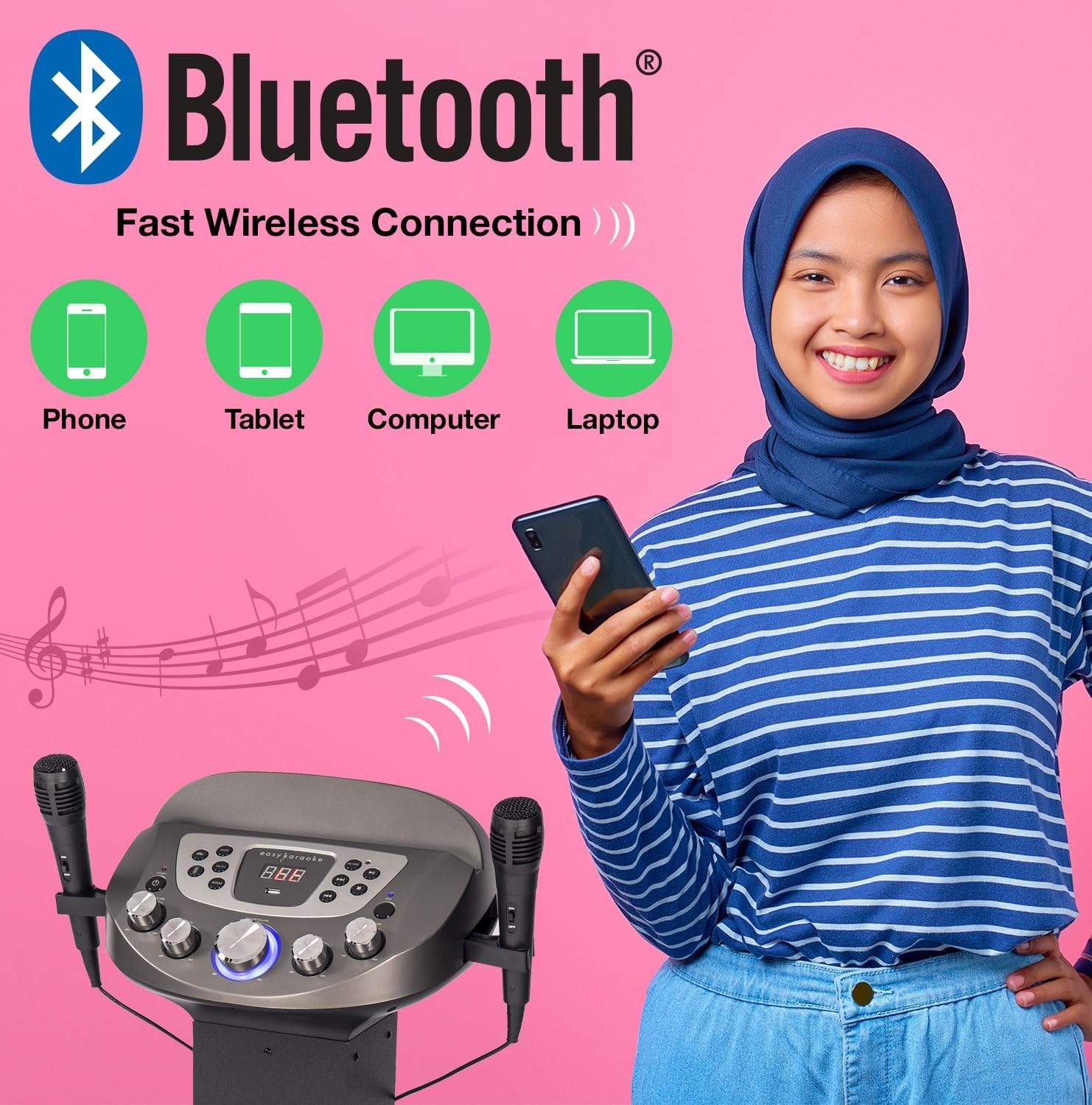
Image: Diagram illustrating various devices (phone, tablet, computer, laptop) that can connect to the karaoke system via Bluetooth for wireless music streaming.
4. USB Oynatma ve Kayıt
- USB flash sürücüyü USB bağlantı noktasına takın.
- Seçme USB mode using the Mode button. The system will automatically detect and play compatible audio files (örneğin, MP3).
- Kullanın Oynat/Duraklat, Sonraki, Ve Öncesi oynatmayı kontrol etmek için düğmeler.
- İle Kayıt your singing: While playing music from USB or AUX, press the Kayıt button. Sing into the microphones. Press Record again to stop. Your recording will be saved on the USB drive.
5. Yardımcı Giriş (AUX)
Connect an external audio device (e.g., smartphone, MP3 player) to the AUX input jack using a 3.5mm audio cable (not included). Select Yardımcı mode to play audio from the connected device.
6. Mikrofon Kullanımı
- Mikrofonların güvenli bir şekilde takılı olduğundan emin olun.
- Adjust microphone volume using the dedicated MİKROFON SESİ Kontrol panelindeki düğme.
- Kullanın Yankı knob to add vocal echo effects.

Image: A group of people enjoying the karaoke system, with visual cues pointing to the LED lights, disco ball, echo effect, and microphone volume control features.
7. Light Show Control
The system features integrated LED lights on the stand and a disco-style light on the main unit. These lights activate automatically when the system is powered on, enhancing the party atmosphere.
Bakım
- Temizlik: Cihazın dış yüzeyini temizlemek için yumuşak, kuru bir bez kullanın. Aşındırıcı temizleyiciler veya çözücüler kullanmayın.
- Depolamak: Kullanılmadığı zaman sistemi serin ve kuru bir yerde, doğrudan güneş ışığından ve aşırı sıcaklıklardan uzakta saklayın.
- Mikrofon Bakımı: Handle microphones carefully. Avoid dropping them or exposing them to moisture.
Sorun giderme
| Sorun | Olası Neden | Çözüm |
|---|---|---|
| Güç yok | Güç adaptörü bağlı değil veya priz arızalı. | Güç bağlantılarını kontrol edin. Farklı bir priz deneyin. |
| Hoparlörlerden ses gelmiyor | Volume too low; incorrect input mode; device not connected properly. | Increase master volume. Select correct input mode (Bluetooth, USB, AUX). Ensure external device is playing. |
| Mikrofon çalışmıyor | Microphone not plugged in; MIC VOL too low; faulty microphone. | Ensure microphone is fully plugged in. Increase MIC VOL. Test with the other microphone if available. |
| Bluetooth eşleştirme sorunları | Device too far; system not in Bluetooth mode; previously paired device connected. | Ensure device is within range (approx. 10m). Select Bluetooth mode. Disconnect from other Bluetooth devices. |
| USB playback error | Uyumsuz file format; corrupted USB drive; USB drive not inserted correctly. | Emin olmak files are MP3 format. Try a different USB drive. Reinsert the USB drive. |
Özellikler
| Özellik | Detay |
|---|---|
| Model Adı | NGS828-BT |
| Model Numarası | EKS828/9-BT |
| Marka | N-Gear (EASY KARAOKE) |
| Renk | Siyah |
| Hoparlör Çıkışı | 30 Watts Total (2 Speakers) / 120W PMPO |
| Bağlantı | Bluetooth, Yardımcı (3.5 mm), USB |
| USB Bağlantı Noktaları | 1 (for playback and recording) |
| Mikrofonlar | 2 x Wired Microphones included |
| Özel Özellikler | Integrated LED Light Show (Stand & Disco Ball), Echo Function, Microphone Volume Control, LED Display |
| Güç Kaynağı | Güç Adaptörü |
| Önerilen Kullanım | Family gatherings, parties, events, personal use with tablet-based karaoke apps |
Garanti ve Destek
For warranty information and technical support, please refer to the contact details provided with your purchase or visit the official N-Gear / EASY KARAOKE webSite. Satın alma belgenizi herhangi bir garanti talebi için saklayın.
While specific warranty details are not provided in this manual, N-Gear products typically come with a standard manufacturer's warranty covering defects in materials and workmanship. Please consult the packaging or the manufacturer's webEn güncel garanti şartları ve koşulları için siteyi ziyaret edin.