1. Giriş
Thank you for choosing the Cshidworld G33Pro-W Wireless Earbuds. This manual provides detailed instructions on how to set up, operate, and maintain your earbuds to ensure optimal performance and longevity. Please read this manual carefully before using the product and keep it for future reference.
2. Paket İçeriği
- Cshidworld G33Pro-W Wireless Earbuds (Left and Right)
- Taşınabilir Şarj Kutusu
- USB Şarj Kablosu
- Kullanıcı Kılavuzu
3. Ürün Bittiview

Image: The Cshidworld G33Pro-W Wireless Earbuds resting inside their open charging case, showcasinkompakt tasarımları ve beyaz kaplamalarıyla.
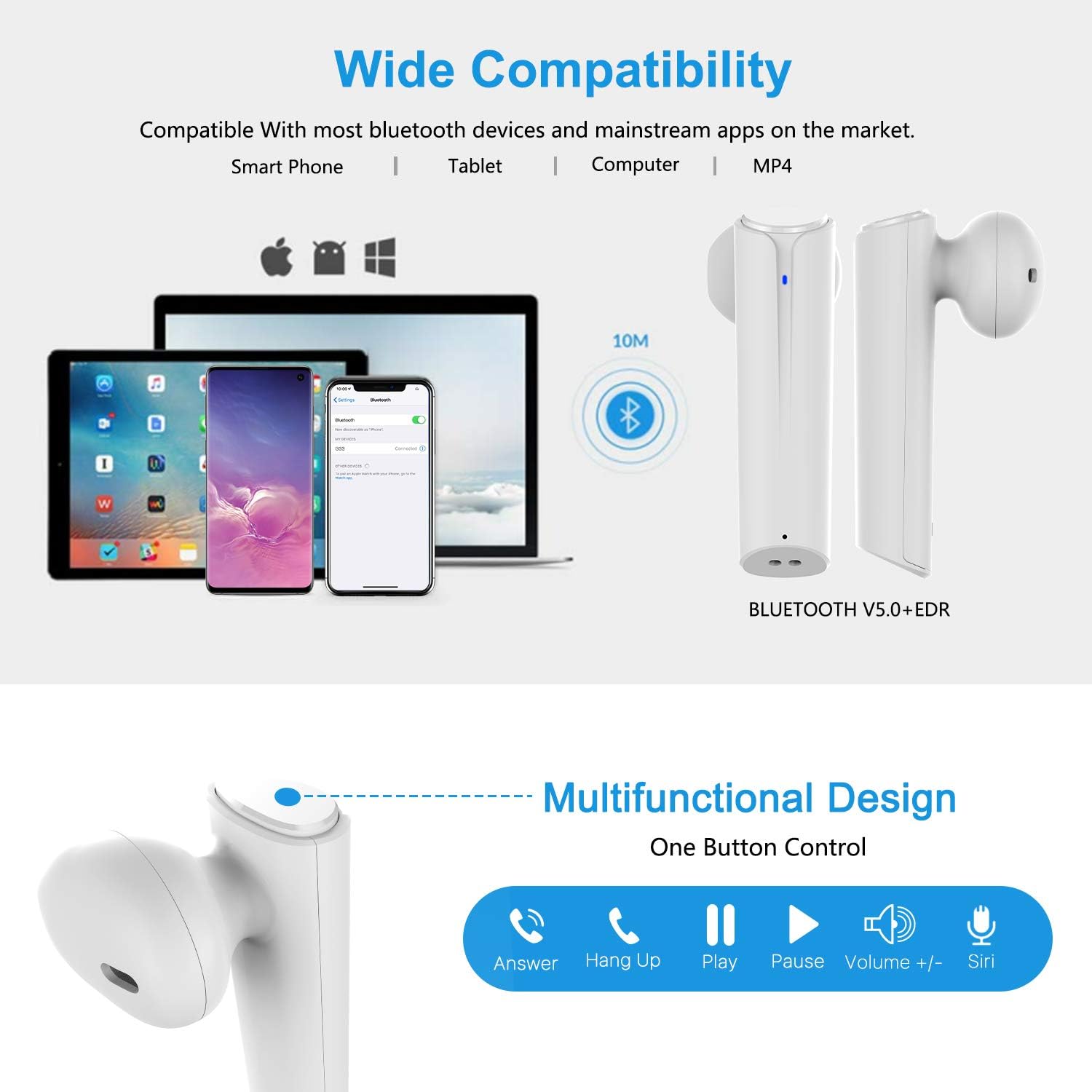
Image: A visual representation of the multi-function button on the earbud, detailing its various controls for answering calls, playing music, and activating voice assistants.
Kulaklık Bileşenleri:
- Çok Fonksiyonlu Düğme: Oynatmayı, aramaları ve sesli asistanı kontrol eder.
- LED Göstergesi: Eşleştirme durumunu ve pil seviyesini gösterir.
- Mikrofon: Eller serbest görüşmeler için.
Şarj Kutusu Bileşenleri:
- Şarj Bağlantı Noktaları: For charging the case and earbuds.
- LED Göstergeleri: Show charging status of the case.
4. Kurulum
4.1 Kulaklıkları ve Kutuyu Şarj Etme
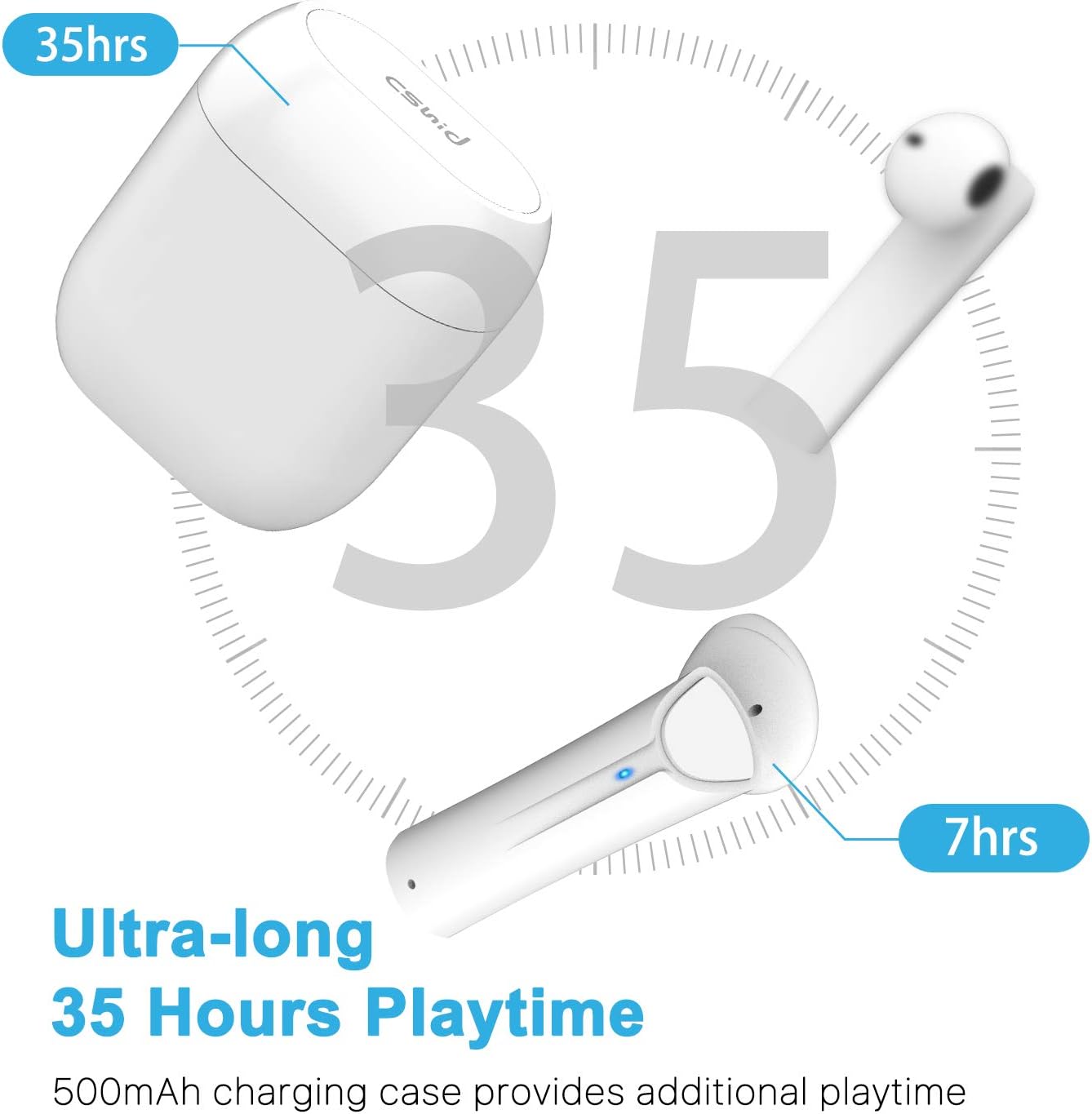
Image: An illustration highlighting the ultra-long 35 hours of total playtime, with 7 hours from a single earbud charge and additional charges from the case.
Before first use, ensure both the earbuds and the charging case are fully charged. The earbuds provide up to 7 hours of playtime on a single charge, and the charging case can provide an additional 5 full charges, extending the total playtime to up to 35 hours.
- Kulaklıkları şarj kutusuna yerleştirin. Yerlerine doğru şekilde oturduğundan emin olun.
- USB şarj kablosunu kasanın üzerindeki şarj portuna ve bir güç kaynağına bağlayın.
- Kılıf üzerindeki LED göstergeler şarj durumunu gösterecektir. Tamamen şarj olduğunda göstergeler değişecek veya sönecektir.
4.2 Initial Pairing (One-Step Pairing)

Image: A step-by-step guide showing how to pair the earbuds: simply take them out of the case and select 'G33' on your device's Bluetooth settings.
The G33Pro-W earbuds feature one-step pairing technology for quick and easy connection.
- Take both earbuds out of the charging case. They will automatically power on and enter pairing mode. The LED indicator on one earbud will flash, indicating it's ready to pair.
- Cihazınızda (akıllı telefon, tablet vb.) Bluetooth’u etkinleştirin.
- Arama "G33"i mevcut Bluetooth cihazları listesinden seçin ve bağlantı kurun.
- Once connected, the LED indicators on both earbuds will stop flashing. You are now ready to use your earbuds.
4.3 Tek Kulaklık Kullanımı
You can use either the left or right earbud independently. Simply take one earbud out of the charging case, and it will automatically enter pairing mode. Connect to "G33" on your device. To use both again, take the second earbud out, and they will automatically reconnect.
5. Kullanım Talimatları
The G33Pro-W earbuds are controlled via a multi-function button on each earbud.
| İşlev | Aksiyon |
|---|---|
| Güç Açık | Take earbuds out of charging case (automatic) |
| Güç Kapalı | Place earbuds back into charging case (automatic) |
| Müzik Çal/Duraklat | Press the multi-function button once on either earbud |
| Sonraki Parça | Double-press the multi-function button on the Right earbud |
| Önceki Parça | Double-press the multi-function button on the Left earbud |
| Cevapla/Çağrıyı Sonlandır | Press the multi-function button once on either earbud |
| Çağrıyı Reddet | Press and hold the multi-function button for 2 seconds on either earbud |
| Sesli Asistanı Etkinleştir (Siri/Google Asistan) | Her iki kulaklıktaki çok işlevli düğmeye üç kez basın |
| Sesi Aç | Press and hold the multi-function button on the Right earbud |
| Sesi Azalt | Press and hold the multi-function button on the Left earbud |
6. Bakım

Image: Two scenarios demonstrating earbud use: one person driving safely with hands-free calling, and another person working out, highlighting the sweat-proof and cable-free design.
6.1 Temizlik
Düzenli temizlik ses kalitesinin ve hijyenin korunmasına yardımcı olur.
- Kulaklıklarınızı ve şarj kutusunu silmek için yumuşak, kuru ve tiftiksiz bir bez kullanın.
- İnatçı kirler için hafifçeampBezi suyla veya yumuşak, aşındırıcı olmayan bir temizleyiciyle silin.
- Sert kimyasallar veya aşındırıcı malzemeler kullanmayın.
- Ensure the charging contacts on both the earbuds and case are clean and dry.
6.2 Depolama
Kullanmadığınız zamanlarda, kulaklıklarınızı korumak ve şarjlı tutmak için şarj kutusunda saklayın. Serin, kuru ve aşırı sıcaklıklardan uzak bir yerde saklayın.
6.3 Suya Dayanıklılık
The earbuds are designed to be waterproof, making them suitable for workouts and light rain. However, they are not intended for swimming or submersion in water. Ensure earbuds are dry before placing them back into the charging case to prevent damage.
7. Sorun Giderme
If you encounter issues with your earbuds, please refer to the following common problems and solutions:
- Kulaklıklar cihazla eşleşmiyor:
Ensure Bluetooth is enabled on your device. Place earbuds back in the case, then take them out again to re-enter pairing mode. Try forgetting "G33" from your device's Bluetooth list and re-pairing. - Sadece bir kulaklık çalışıyor:
Place both earbuds back into the charging case. Close the lid for a few seconds, then open it and take both earbuds out simultaneously. They should automatically connect to each other. - Ses yok:
Cihazınızın ve kulaklıklarınızın ses seviyesini kontrol edin. Kulaklıkların cihazınıza doğru şekilde bağlı olduğundan emin olun. Farklı ses kaynakları çalmayı deneyin. - Kulaklıklar şarj olmuyor:
Şarj kablosunun hem kutuya hem de güç kaynağına güvenli bir şekilde bağlı olduğundan emin olun. Kulaklıkların ve kutunun içindeki şarj temas noktalarının temiz ve tozdan arındırılmış olup olmadığını kontrol edin. - Kötü ses kalitesi:
Ensure the earbuds are properly seated in your ears. Check for any obstructions in the earbud speakers. Move closer to your connected device to avoid signal interference.
8. Özellikler
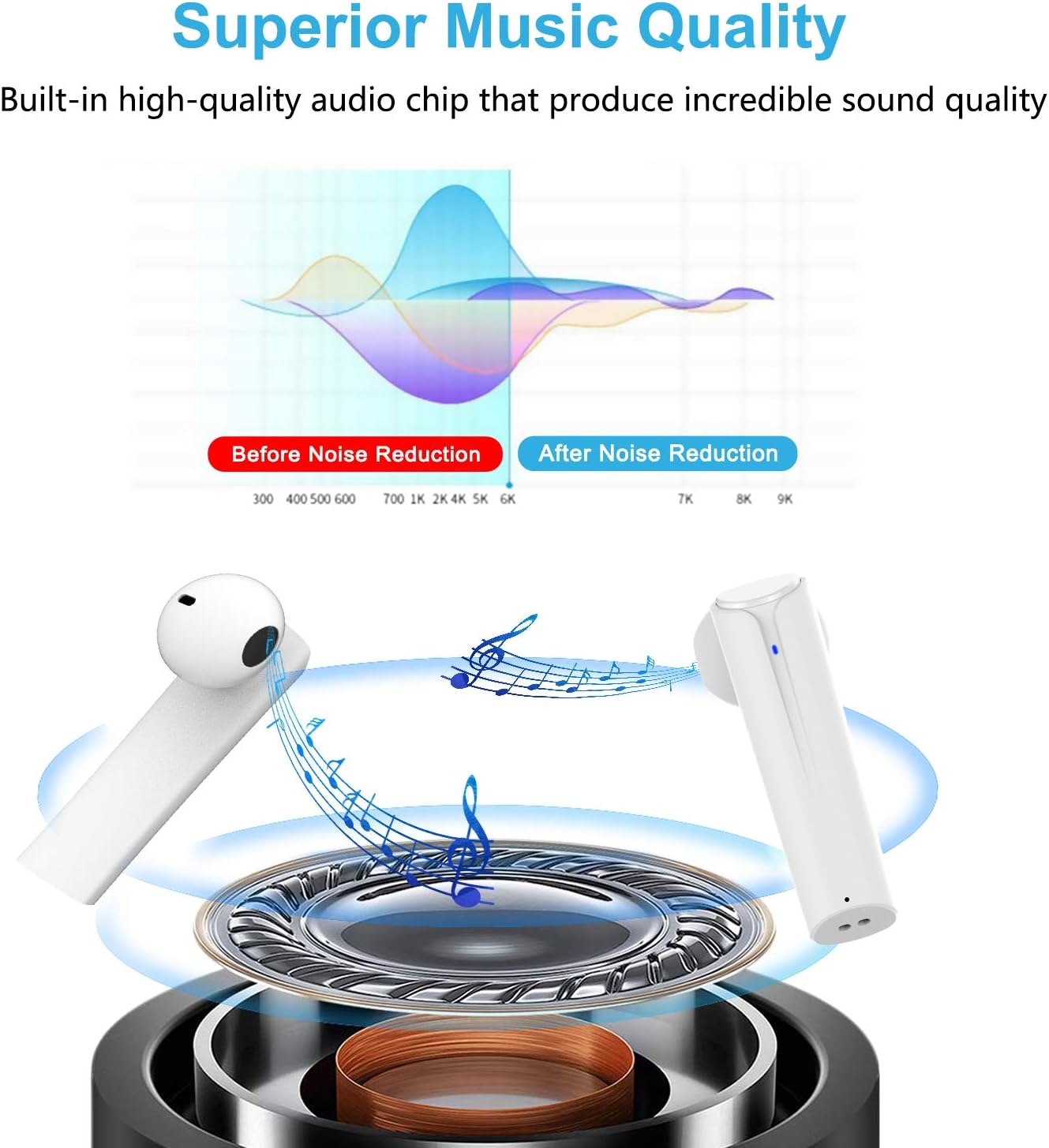
Image: A graph illustrating the effect of noise reduction on sound quality, accompanied by a detailed diagram of the earbud's internal audio components.
- Modeli: G33Pro-W
- Bağlantı: Bluetooth 5.0
- Playtime (Earbuds): Şarj başına 7 saate kadar
- Toplam Oynatma Süresi (Şarj Kutusuyla Birlikte): 35 saate kadar
- Mikrofon: Built-In Dual Microphones
- Kontrol Türü: Çok Fonksiyonlu Düğme
- Malzeme: Plastik
- Suya Dayanıklılık: Su geçirmez
- Renk: Beyaz
9. Güvenlik Bilgileri
Kulaklıklarınızı güvenli ve doğru şekilde kullanmak için lütfen aşağıdaki güvenlik yönergelerine uyun:
- Kulaklıklarınızı veya şarj kutusunu aşırı sıcaklıklara, doğrudan güneş ışığına veya yüksek neme maruz bırakmayın.
- Avoid dropping, hitting, or disassembling the product.
- Kulaklıkları uzun süre aşırı yüksek ses seviyesinde kullanmayın, çünkü bu işitme kaybına neden olabilir.
- Ürünü çocuklardan ve evcil hayvanlardan uzak tutunuz.
- Ürünü ve bileşenlerini yerel yönetmeliklere uygun şekilde, sorumlu bir biçimde imha edin.
10. Garanti ve Destek
Cshidworld provides a 30 günlük sorunsuz iade politikası ve bir bir yıllık garanti for the G33Pro-W Wireless Earbuds. For any product-related inquiries, technical support, or warranty claims, please contact Cshidworld customer service through the platform where you purchased the product or refer to the contact information provided with your purchase.