1. Giriş
The ARGO Iro Plus is a versatile portable air conditioner designed for year-round comfort, featuring both cooling and heating capabilities. Its minimalist design and intuitive controls make it a perfect addition to any living space. This manual provides essential information for the safe and efficient operation, setup, and maintenance of your ARGO Iro Plus unit.
Temel Özellikler:
- Portable air conditioner with heat pump, Energy Class A.
- Four operating modes: Cooling, Heating, Ventilation, and Dehumidification.
- Three fan speeds for customized airflow.
- Motorized top flap with Swing function for wide air distribution.
- Digital 24-hour timer for scheduled operation.
- Sleep function for enhanced comfort during rest.
- Memory function for automatic restart with previous settings after power interruption.
- Çevre dostu R290 soğutucu akışkan.
- Equipped with practical handles and multi-directional wheels for easy portability.
2. Güvenlik Bilgileri
Yaralanma veya hasarı önlemek için lütfen cihazı kullanmadan önce tüm güvenlik uyarılarını ve talimatlarını dikkatlice okuyun. Bu kılavuzu ileride başvurmak üzere saklayın.
- Cihazı daima doğru voltaj değerine sahip topraklı bir elektrik prizine bağlayın.tage.
- Üniteyi hasarlı bir güç kablosu veya fişiyle çalıştırmayın.
- Hava giriş ve çıkışlarını engellemeyin. Uygun hava akışı için ünitenin etrafında yeterli boşluk olduğundan emin olun.
- Hava çıkışlarına parmaklarınızı veya herhangi bir nesneyi sokmayın.
- Keep the unit away from water and other liquids. Do not use in bathrooms or very humid environments.
- Herhangi bir temizlik veya bakım işlemi yapmadan önce cihazın fişini çekin.
- Üniteyi kendiniz onarmaya veya değiştirmeye çalışmayın. Onarım için kalifiye servis personeliyle iletişime geçin.
- Bu cihaz, fiziksel, duyusal veya zihinsel yetenekleri kısıtlı olan veya deneyim ve bilgi eksikliği bulunan kişiler (çocuklar dahil) tarafından, güvenliklerinden sorumlu bir kişi tarafından cihazın kullanımıyla ilgili olarak gözetim veya talimat sağlanmadığı sürece kullanılmak üzere tasarlanmamıştır.
- Çocukların cihazla oynamamalarını sağlamak için gözetim altında tutulmaları gerekir.
3. Ürün Bileşenleri
Familiarize yourself with the main parts of your ARGO Iro Plus portable air conditioner.

Şekil 3.1: Ön view of the ARGO Iro Plus portable air conditioner, showcasinŞık beyaz tasarımı ve kompakt yapısıyla dikkat çekiyor.

Şekil 3.2: Başka bir cephe view of the ARGO Iro Plus, highlighting the minimalist design.

Şekil 3.3: Yukarıdan aşağıya view of the control panel with digital display and touch-sensitive buttons for various functions like Swing, Timer, Speed, Temperature Up/Down, Mode, Sleep, and Power.

Şekil 3.4: Arka view of the unit, showing the exhaust air outlet, power cord storage, and air intake grilles.

Şekil 3.5: Yan view of the ARGO Iro Plus, highlighting the integrated handle for easy lifting and portability.

Şekil 3.6: Yan view of the ARGO Iro Plus, showing the exhaust port and side grilles.

Figure 3.7: Technical diagram illustrating the dimensions of the ARGO Iro Plus unit: 770mm height, 470mm width, and 382mm depth.
Dahil Aksesuarlar:
- Esnek Egzoz Hortumu
- Pencere Adaptörü
- Kit for Fixed Glass Installation
- Uzaktan kumanda
4. Kurulum ve Kurulum
4.1 Yerleştirme
Place the ARGO Iro Plus on a flat, stable surface. Ensure there is at least 30 cm (12 inches) of clearance around the unit for proper air circulation. Do not place the unit near heat sources or in direct sunlight.
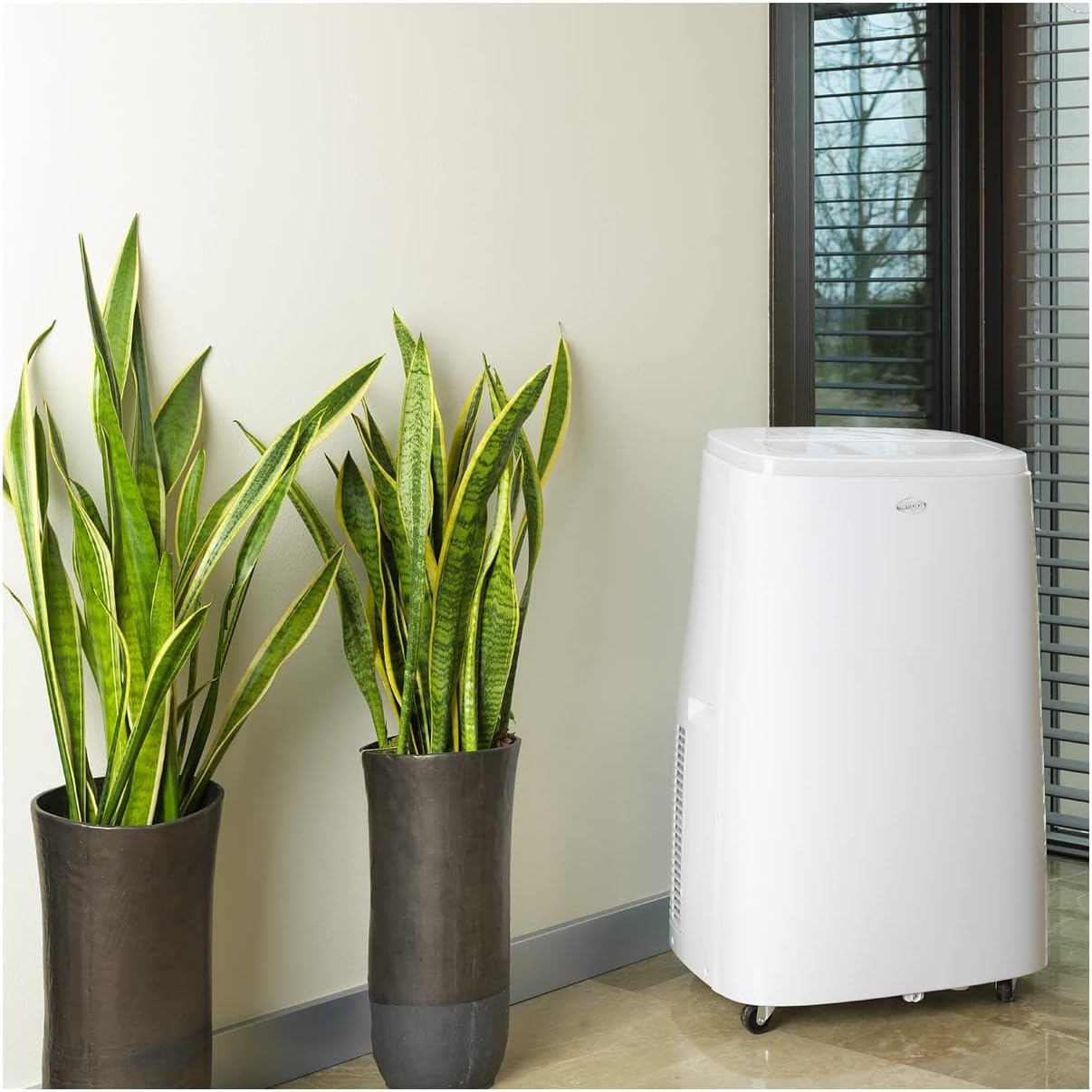
Figure 4.1: The ARGO Iro Plus unit positioned in a room, demonstrating suitable placement near a window for exhaust hose connection.
4.2 Egzoz Hortumu Montajı
- Attach one end of the flexible exhaust hose to the air outlet on the back of the unit. Twist clockwise until securely fastened.
- Pencere adaptörünü egzoz hortumunun diğer ucuna takın.
- Open a window or sliding door and place the window adapter firmly in the opening. Ensure the opening is sealed as much as possible to prevent outside air from entering.
- For fixed glass installations, use the provided kit according to its specific instructions.
Önemli: The exhaust hose must be as short and straight as possible to ensure optimal performance. Bends or excessive length will reduce efficiency.
5. Kullanım Talimatları
Your ARGO Iro Plus can be operated using the control panel on the top of the unit or the included remote control.
5.1 Kontrol Paneli Üstüview
Refer to Figure 3.3 for the layout of the control panel buttons.
- Güç düğmesi: Üniteyi AÇIK veya KAPALI konuma getirir.
- MOD Düğmesi: Çalışma modları arasında geçiş yapar: Soğutma, Isıtma, Fan, Nem alma.
- YUKARI/AŞAĞI Düğmeleri: Adjust temperature settings or timer duration.
- HIZ Düğmesi: Fan hızını seçer (Düşük, Orta, Yüksek).
- ZAMANLAYICI Düğmesi: Otomatik açma veya otomatik kapatma zamanlayıcısını ayarlar.
- SALINIM Düğmesi: Activates or deactivates the automatic swing function of the top flap.
- Uyku düğmesi: Activates Sleep mode for quiet operation and optimized temperature control during sleep.
5.2 Çalışma Modları
- Soğutma Modu: For cooling the room. Set desired temperature using UP/DOWN buttons.
- Isıtma Modu: For heating the room (Heat Pump function). Set desired temperature.
- Fan Modu: Soğutma veya ısıtma yapmadan havayı dolaştırır. İstediğiniz fan hızını seçin.
- Nem Alma Modu: Removes moisture from the air. The unit will operate at a low fan speed. Continuous drainage is recommended in this mode.
5.3 Zamanlayıcı İşlevi
The 24-hour timer allows you to set the unit to turn on or off automatically after a specified period.
- ZAMANLAYICI düğmesine basın.
- Use the UP/DOWN buttons to set the desired delay time (in hours).
- The timer will activate after a few seconds.
6. Bakım
Regular maintenance ensures optimal performance and extends the lifespan of your ARGO Iro Plus. Always unplug the unit before cleaning.
6.1 Hava Filtresinin Temizlenmesi
Hava filtresi iki haftada bir temizlenmelidir; cihaz tozlu bir ortamda kullanılıyorsa daha sık temizlenmelidir.
- Cihazınızı kapatın ve fişini çekin.
- Locate the air filter panel (usually on the side or back).
- Filtreyi çıkarın.
- Filtreyi elektrikli süpürgeyle temizleyin veya ılık su ve hafif deterjanla nazikçe yıkayın.
- Filtreyi tekrar takmadan önce tamamen kurumasını bekleyin.
6.2 Suyun Boşaltılması
The unit automatically evaporates most condensation. However, in high humidity conditions or during dehumidification mode, the internal water tank may fill up. The unit will stop operating and display an indicator when the tank is full.
- Cihazınızı kapatın ve fişini çekin.
- Drenaj çıkışının altına (genellikle ünitenin alt arka tarafına) sığ bir tava veya kap yerleştirin.
- Suyun dışarı akmasını sağlamak için tahliye tapasını çıkarın.
- Once drained, replace the drain plug firmly.
- For continuous drainage in dehumidification mode, connect a suitable drain hose (not included) to the continuous drainage outlet.
7. Sorun Giderme
Müşteri desteğiyle iletişime geçmeden önce lütfen aşağıdaki yaygın sorunlara ve çözümlerine bakın.
| Sorun | Olası Neden | Çözüm |
|---|---|---|
| Ünite açılmıyor. | No power, power cord loose, circuit breaker tripped. | Güç bağlantısını kontrol edin, prizin çalıştığından emin olun, devre kesiciyi sıfırlayın. |
| Unit is running but not cooling/heating. | Exhaust hose blocked/disconnected, room too large, windows/doors open, air filter dirty, temperature setting too high/low. | Ensure exhaust hose is properly installed and unblocked. Close windows/doors. Clean air filter. Adjust temperature setting. |
| Birim gürültülü. | Unit not on a flat surface, fan speed too high, internal components loose. | Place unit on a flat surface. Reduce fan speed. If noise persists, contact support. |
| Su sızıntısı. | Drain plug loose, continuous drainage hose not properly connected, unit tilted. | Ensure drain plug is secure. Check continuous drainage hose connection. Place unit on a level surface. |
| "Full Tank" indicator (or similar) is on. | İç su deposu dolu. | Drain the water tank as described in Section 6.2. |
If the problem persists after trying these solutions, please contact ARGO customer support.
8. Özellikler
| Model Numarası | İRO PLUS |
| Marka | ARGO |
| Ürün Boyutları (Y x G x D) | 77x47x38 cm |
| Ürün Ağırlığı | 31.5 kilo |
| Form Faktörü | Taşınabilir |
| Soğutma Kapasitesi | 13000 BTU/saat |
| Cilttage | 216.67V |
| Enerji Kaynağı | Kablolu Elektrik |
| Enerji Verimliliği Derecelendirmesi | A |
| Özel Özellikler | Automatic shutdown, Cooling, Dehumidification, Fan, Heating, Air filter |
| İlk Mevcut Tarih | 15 Ocak 2020 |
9. Garanti ve Destek
9.1 Garanti Bilgileri
The ARGO Iro Plus portable air conditioner comes with a 2-year supplier warranty Satın alma tarihinden itibaren geçerlidir. Bu garanti, normal kullanım koşullarındaki malzeme ve işçilik kusurlarını kapsar. Garanti talepleriniz için lütfen satın alma belgenizi saklayın.
Garanti, aşağıdakilerden kaynaklanan hasarları kapsamaz:
- Yanlış kurulum veya bu kılavuza uygun olmayan kullanım.
- Accidents, abuse, neglect, fire, water, lightning, or other acts of nature.
- Yetkisiz onarımlar veya değişiklikler.
- Normal aşınma ve yıpranma.
9.2 Müşteri Desteği
For technical assistance, troubleshooting beyond this manual, or warranty claims, please contact ARGO customer support through their official website or the retailer where you purchased the product. Have your model number (IRO PLUS) and purchase date ready.


