1. Giriş
Thank you for choosing the TIGERKING 1.2 Cu Ft LK-WHITE Digital Security Safe Box. This safe is designed to provide secure storage for your valuables, documents, and personal items. It features a robust construction with an electronic combination lock, dual anti-theft locking bolts, and a removable shelf for organized storage. Please read this manual carefully before operating your safe to ensure proper setup and usage.
Text Description: This video provides a general overview of the TIGERKING Digital Security Safe Box, highlighting its features and design.
2. Güvenlik Bilgileri
- Acil durum anahtarlarını kasanın içinde saklamayın. Onları güvenli, ayrı bir yerde muhafaza edin.
- Ensure the safe is mounted securely to prevent unauthorized removal.
- Keep the safe away from moisture and direct sunlight.
- Replace batteries promptly when the low battery indicator appears to ensure continuous operation.
- This safe is not fireproof or waterproof. Do not store items that require fire or water protection.
3. Paket İçeriği
Paketinizde tüm öğelerin bulunduğunu doğrulayın:
- 1 x TIGERKING 1.2 Cu Ft Digital Security Safe Box
- 2 adet Acil Durum Anahtarı
- 4 x Expansion Bolts (for mounting)
- 1 x Harici Pil Kutusu
- 1 x Kullanım Kılavuzu

Text Description: An image showing all components included with the TIGERKING safe: the safe itself, a user manual, an emergency battery box, two emergency keys, and four expansion bolts for installation.
4. Özellikler
| Özellik | Detay |
|---|---|
| Marka | KAPLANLANMA |
| Model Numarası | E25LK |
| Ürün Boyutları | 9.9"D x 13.8"G x 9.9"Y |
| Kapasite | 1.2 Kübik Ayak |
| Kilit Tipi | Elektronik Şifreli Kilit |
| Malzeme | Alaşımlı Çelik |
| Özel Özellikler | Alarm System, Anti-Theft, Combination Lock, Removable Shelf, Sensor Light |
| Montaj Tipi | Duvara Montaj |
| Ürün Ağırlığı | 20.1 pound |
| Su Direnç Seviyesi | Suya dayanıklı değil |
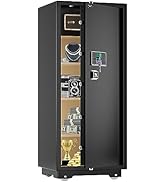
Text Description: A visual representation of the safe's exterior and interior dimensions, highlighting its 1.2 cubic feet capacity.
5. Kurulum
5.1 Initial Opening with Emergency Key
- Locate the emergency lock cover on the front panel.
- Remove the cover to reveal the keyhole.
- Acil durum anahtarlarından birini takın ve saat yönünün tersine çevirin.
- While holding the key turned, rotate the handle clockwise to open the safe door.
- Once the safe is open, remove the emergency key and store it in a safe place outside the safe.
Text Description: This video demonstrates the first-time operation of the safe using the emergency keys to open the door.
5.2 Pil Kurulumu
The safe requires 4 x AA batteries (not included) for the electronic keypad to function.
- Open the safe door using the emergency key (if not already open).
- Kasanın iç kapağında bulunan pil bölmesini bulun.
- 4 adet AA pili, doğru kutuplara (+/-) dikkat ederek takın.
- Pil bölmesinin kapağını kapatın.

Text Description: A detailed view of the safe's digital keypad and the internal battery compartment, illustrating where to insert the AA batteries.
5.3 Kasanın Montajı
For enhanced security, the safe can be mounted to a wall or floor.
- Montaj için uygun bir yer seçin.
- The safe has 4 pre-drilled holes on the back and bottom.
- Position the safe and mark the drilling points on the wall or floor.
- İşaretli noktalara delikler açın.
- Align the safe with the drilled holes and secure it using the provided expansion bolts.

Text Description: A step-by-step visual guide on how to install the safe by mounting it to a wall, showing the drilling and securing process.
5.4 Setting User Code
You can set a personal user code (1 to 8 digits) for daily access.
- With the safe door open, press the red reset button located on the inside of the door.
- The yellow indicator light on the keypad will flash, and you will hear a beep.
- Enter your desired user code (1-8 digits) on the keypad.
- Press the "#" button to confirm. The safe will emit 2 beeps, and the yellow light will turn off.
Text Description: This video demonstrates the first method to set up a user code for the digital safe, guiding through the steps of pressing the reset button and entering a new code.
Text Description: This video illustrates a second method for setting up a user code on the digital safe, providing an alternative approach to programming your personal access code.
5.5 Setting Master Code
A master code provides an additional layer of security and can be used to open the safe or reset user codes.
- With the safe door open, press the "0" button twice, then press the red reset button.
- The yellow indicator light will flash, and you will hear a beep.
- Enter your desired master code (1-8 digits) on the keypad.
- Press the "#" button to confirm. The safe will emit 2 beeps, and the yellow light will turn off.
Text Description: This video demonstrates the first method to set up a master code for the digital safe, guiding through the steps of pressing specific buttons and entering a new master code.
Text Description: This video illustrates a second method for setting up a master code on the digital safe, providing an alternative approach to programming your master access code.
6. Kullanım Talimatları
6.1 Opening the Safe with Code
- Enter your user code or master code on the keypad.
- Press the "#" button to confirm.
- The green indicator light will illuminate, and you will hear a beep.
- Within 5 seconds, rotate the handle clockwise to open the door.
Text Description: This video demonstrates how to open the TIGERKING safe using a programmed code on the digital keypad.
6.2 Acil Durum Anahtarıyla Kasayı Açma
Follow the steps in section 5.1 if the batteries are dead or you forget your code.
6.3 Çift Alarm Sistemi
Kasa, gelişmiş güvenlik için çift alarm sistemiyle donatılmıştır:
- Hatalı Giriş Alarmı: If an incorrect code is entered three consecutive times, the alarm will sound for 20 seconds, and the keypad will lock for 3 minutes.
- Titreşim Alarmı: If the safe experiences violent vibration or tampering, the alarm will sound.

Text Description: A visual explanation of the safe's dual warning system, illustrating how the alarm activates upon violent vibration or multiple incorrect code entries.
6.4 Sessiz Mod
For discreet access, the safe features a silent mode:
- To activate silent mode, press the "*" button before entering your code.
- The safe will operate without sound, allowing for quiet access when needed.
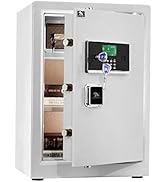
Text Description: A visual guide to the safe's alarm and silent mode features, showing how to activate silent mode for discreet operation.
6.5 Çıkarılabilir Raf
The interior of the safe includes a removable shelf to customize storage space.
- To remove the shelf, simply lift it from its supports.
- To re-install, align the shelf with the desired supports and lower it into place.

Text Description: A visual demonstration of the safe's removable shelf, highlighting its flexibility for organizing various items.
7. Bakım
7.1 Pil Değişimi
When the batteries are low, the keypad indicator light will flash red. Replace all four AA batteries promptly.
- Kasa kapısını aç.
- Pil bölmesinin kapağını çıkarın.
- Replace old batteries with new 4 x AA batteries, observing correct polarity.
- Pil bölmesinin kapağını kapatın.
7.2 Temizlik
Kasanın dış yüzeyini yumuşak bir bezle temizleyin.amp Bez. Cilaya zarar verebilecek aşındırıcı temizleyiciler veya çözücüler kullanmaktan kaçının.
8. Sorun Giderme
| Sorun | Olası Neden | Çözüm |
|---|---|---|
| Kasa şifreyle açılmıyor. | Incorrect code entered; low batteries. | Re-enter correct code; replace batteries; use emergency key. |
| Tuş takımı yanıt vermiyor. | Bitmiş piller. | Use the external battery box or emergency key to open, then replace internal batteries. |
| Alarm beklenmedik bir anda çalar. | Tampering detected; multiple incorrect entries. | Ensure safe is stable; enter correct code to disarm. |
9. Garanti ve Destek
TIGERKING offers a 1-year warranty on this product against defects in materials and workmanship. For customer service, technical support, or warranty claims, please contact TIGERKING customer service. Our responsive customer service team is available to assist you.
- Müşteri Hizmetleri: Refer to the contact information provided in your purchase documentation or visit the official TIGERKING webalan.
- Memnuniyet Garantisi: Your satisfaction is important to us. If you encounter any issues, please reach out for assistance.
İlgili Belgeler - E25LK
 |
TIGERKING E-LK Serisi Kullanım Kılavuzu - Ev ve Ofis Kasası TIGERKING E-LK Serisi Ev ve Ofis Kasası için kapsamlı kullanım kılavuzu. Kurulum, kullanım, güvenlik özellikleri, montaj talimatları ve müşteri destek bilgilerini içerir. |
 |
TigerKing XH-1 Ev/Ofis Kasası Kullanım Kılavuzu TigerKing XH-1 Ev/Ofis Kasası için kullanım kılavuzu, yapı, paketleme listesi, açılış prosedürleri, kod ayarı, tarih ayarı, kayıt kontrolü, alarm ayarları, montaj ve müşteri hizmetlerini kapsamaktadır. |
 |
Tigerking FPSD Series Fireproof Safe User Manual - FPSD40, FPSD50, FPSD66 Comprehensive user manual for the Tigerking FPSD Series fireproof safes (models FPSD40, FPSD50, FPSD66), detailing setup, operation, security features, alarm system, and customer support. |
 |
TigerKing XH-1 Ev/Ofis Kasası Kullanım Kılavuzu TigerKing XH-1 Ev/Ofis Kasası için yapı, paketleme listesi, açma prosedürleri, kod ayarı, kapatma, tarih ayarı, kayıt kontrolü, alarm ayarları, montaj ve müşteri hizmetlerini kapsayan kullanıcı kılavuzu. |
 |
TigerKing E-FED Safe Kullanım Kılavuzu: Çalıştırma ve Montaj Kılavuzu TigerKing E-FED Safe serisi için ilk açılış, pil montajı, parmak izi ve kod programlama, güvenli kullanım, montaj talimatları ve müşteri hizmetleri bilgilerini kapsayan kapsamlı kullanıcı kılavuzu. |
 |
TigerKing FPSD96-PULS Yangına Dayanıklı Ev Kasası Kullanım Kılavuzu ve Kullanım Kılavuzu Bu kılavuz, TigerKing FPSD96-PULS yangına dayanıklı ev kasasının çalıştırılması, kurulumu ve bakımı hakkında ayrıntılı talimatlar sağlar. Özellikleri, güvenlik ayarları ve müşteri desteği hakkında bilgi edinin. |