1. Giriş
The Edifier W860NB are Active Noise Cancelling (ANC) Over-Ear Bluetooth aptX Headphones designed to provide an immersive audio experience by reducing external noise. Featuring smart touch controls and a comfortable over-ear design with 40mm neodymium drivers, these headphones offer extended battery life for continuous playback. This manual provides detailed instructions for setup, operation, maintenance, and troubleshooting to ensure optimal performance and longevity of your device.
2. Paket İçeriği
Lütfen pakette tüm öğelerin mevcut olduğundan emin olun:
- Edifier W860NB Kulaklıklar
- Ses kablosu
- Clamshell Travel Case

Image: Edifier W860NB headphones neatly stored inside their protective clamshell travel case, ready for transport.
3. Ürün Bittiview
Familiarize yourself with the various components and controls of your Edifier W860NB headphones.

Resim: Şeffaf bir ön yüz view of the Edifier W860NB headphones, highlighting their elegant gold finish and over-ear design.
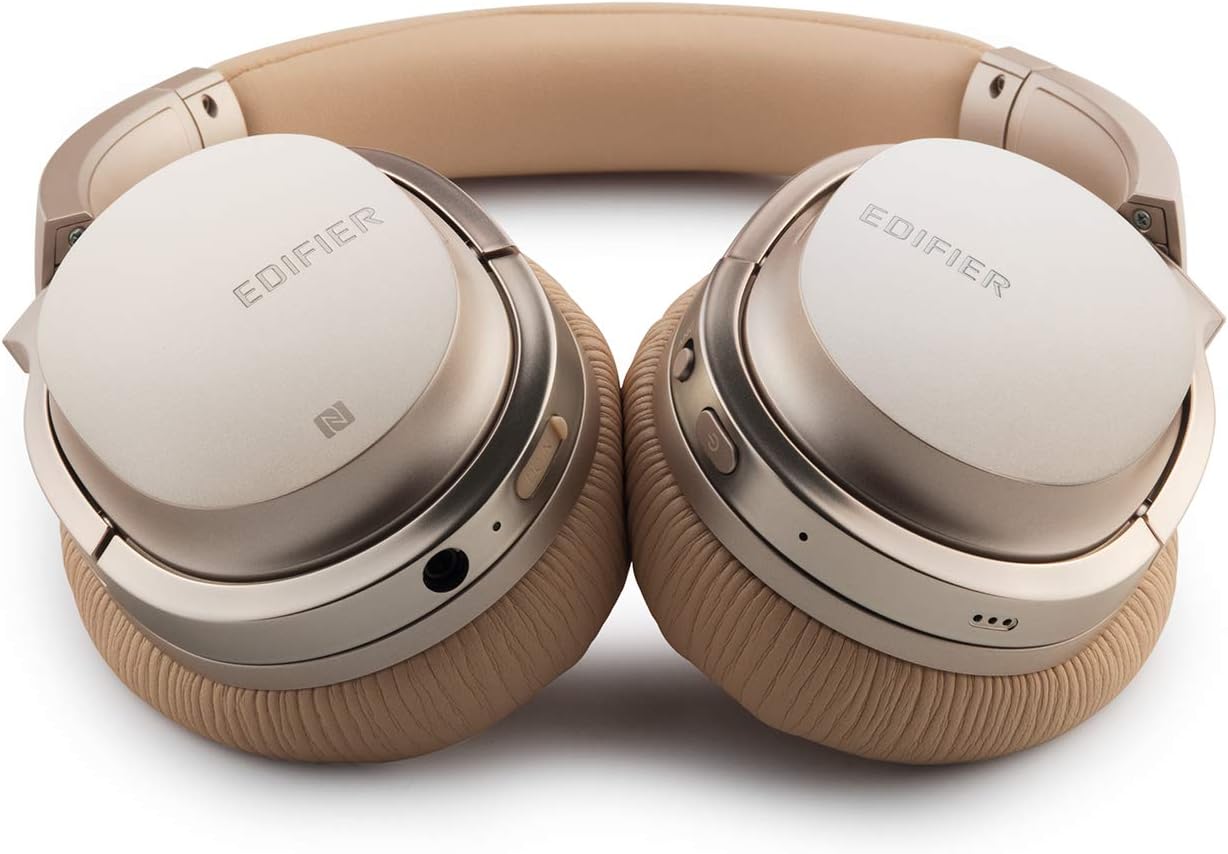
Image: A detailed shot of the right earcup, showing the power button, volume controls, and audio jack.

Image: A close-up on the plush, faux leather earcup, emphasizing the comfort-oriented design.

Image: The adjustable headband mechanism, showing the model designation 'W860NB' on the side.
4. Kurulum
4.1 Kulaklıkların Şarj Edilmesi
Before first use, fully charge your headphones. Connect the provided USB charging cable to the charging port on the headphones and to a USB power source (e.g., computer USB port or wall adapter). The LED indicator will show charging status and turn off when fully charged. A full charge provides approximately 25 hours of playback with both Bluetooth and ANC active, or 45 hours with only wireless use.
4.2 Güç Açma/Kapatma
- Açmak İçin: LED göstergesi yanana kadar güç düğmesini basılı tutun.
- Kapatmak İçin: LED göstergesi kapanana kadar güç düğmesini basılı tutun.
4.3 Bluetooth Eşleştirme
- Kulaklıkların kapalı olduğundan emin olun.
- Güç düğmesini yaklaşık 5 saniye basılı tutun; LED göstergesi mavi ve kırmızı renklerde dönüşümlü olarak yanıp sönmeye başlayacak ve eşleştirme moduna geçecektir.
- Cihazınızda (akıllı telefon, tablet vb.) Bluetooth'u etkinleştirin ve kullanılabilir cihazları arayın.
- Select "Edifier W860NB" from the list of found devices.
- Eşleştirme tamamlandığında, LED göstergesi yavaşça mavi renkte yanıp sönecektir.
NFC Bağlantısı: If your device supports NFC, simply tap your NFC-enabled phone against the NFC area on the left earcup to pair instantly.
4.4 Kablolu Bağlantı
To use the headphones with a wired connection, connect one end of the included 3.5mm audio cable to the audio jack on the headphones and the other end to your audio source. The headphones can be used passively in wired mode even if the battery is depleted.
5. Kullanım Talimatları
5.1 Akıllı Dokunmatik Kontroller
The right earcup features smart touch controls for convenient operation:
- Sesi aç: Kulaklığın üzerinde yukarı doğru kaydırın.
- Sesi kıs: Kulaklığın üzerinde aşağı doğru kaydırın.
- Oynat/Duraklat: Double-tap the earcup.
- Sonraki Parça: Swipe forward (towards the front of the earcup).
- Önceki parça: Swipe backward (towards the back of the earcup).
5.2 Aktif Gürültü Önleme (ANC)
The W860NB headphones feature Active Noise Cancelling technology to reduce ambient noise.
- ANC'yi etkinleştirin: Press the ANC button located on the earcup. The ANC indicator light will illuminate.
- ANC'yi devre dışı bırak: ANC düğmesine tekrar basın. ANC gösterge ışığı sönecektir.
5.3 Çağrı Yönetimi
When connected to a smartphone, you can manage calls using the headphones:
- Çağrıyı Cevapla/Sonlandır: Double-tap the earcup.
- Çağrıyı Reddet: Press and hold the earcup for 2 seconds.
6. Bakım
- Temizlik: Kulaklığınızı temizlemek için yumuşak ve kuru bir bez kullanın. Aşındırıcı temizleyiciler veya çözücüler kullanmayın.
- Depolamak: When not in use, store the headphones in the provided clamshell case to protect them from dust and damage. Avoid storing in extreme temperatures.
- Pil Bakım: Pil ömrünü uzatmak için pili sık sık tamamen boşaltmaktan kaçının. Kulaklığınızı, uzun süre kullanmasanız bile düzenli olarak şarj edin.
- Suya Dayanıklılık: Bu kulaklıklar suya dayanıklı değildir. Sıvılara maruz bırakmaktan kaçının.
7. Sorun Giderme
| Sorun | Olası Neden | Çözüm |
|---|---|---|
| Kulaklık açılmıyor. | Pil zayıf veya bitmiş. | Kulaklığı tam şarj edin. |
| Cihazla eşleştirilemiyor. | Headphones not in pairing mode; device Bluetooth off; too many paired devices. | Ensure headphones are in pairing mode (flashing blue/red). Turn device Bluetooth off/on. Clear Bluetooth list on device or headphones. |
| Ses yok. | Ses çok düşük; ses kaynağı yanlış; kulaklık bağlı değil. | Increase volume on headphones and device. Ensure headphones are properly paired or wired. Check audio output settings on device. |
| ANC etkili bir şekilde çalışmıyor. | Aktif gürültü engelleme (ANC) etkinleştirilmemiş; ortam gürültüsü çok yüksek. | Ensure ANC is activated (indicator light on). ANC is most effective for low-frequency, constant noise. |
| Dokunmatik kontroller tepkisiz. | Temporary software glitch; dirty earcup surface. | Power off and on the headphones. Clean the earcup surface with a soft, dry cloth. |
8. Teknik Özellikler
| Özellik | Şartname |
|---|---|
| Model Adı | ed-w860nb-gold-us-fbm |
| Bağlantı Teknolojisi | Kablosuz (Bluetooth) |
| Kablosuz İletişim Teknolojisi | Bluetooth 4.0 |
| Kulaklık Girişi | 3.5 mm Jak |
| Gürültü Kontrolü | Aktif Gürültü Önleme |
| Kontrol Yöntemi | Dokunmak |
| Ses Sürücüsü Türü | Dinamik Sürücü |
| Frekans Aralığı | 20 Hz - 20,000 Hz |
| Kulaklık Şekli | Kulak Üstü |
| Form Faktörü | Kulak Üstü |
| Malzeme | Plastik |
| Renk | Altın |
| Ürün Ağırlığı | 1.76 pound (800 Gram) |
| Ürün Boyutları | 10 x 4 x 11 inç |
| Piller | 1 Pil gerekli |
| UPC | 875674004438 |
| Üretici | Eğitici |
| İlk Mevcut Tarih | 27 Mart 2019 |
9. Garanti ve Destek
9.1 Garanti Bilgileri
The Edifier W860NB headphones come with a 1-year US and Canada Warranty. Please retain your proof of purchase for warranty claims. For specific terms and conditions, refer to the warranty card included with your product or visit the official Edifier webalan.
9.2 Müşteri Desteği
For further assistance, technical support, or inquiries regarding your Edifier W860NB headphones, please visit the official Edifier support website or contact their customer service department. Contact details can typically be found on the Edifier webSitede veya ürün ambalajında.


