1. Giriş
This manual provides essential information for the proper use and maintenance of your Speedlink Competition Pro Extra USB Joystick (Model SL-650212-BKRD). This joystick is designed for use with PCs and Android devices, offering a retro arcade gaming experience. Please read these instructions carefully before using the product.
2. Önemli Güvenlik Talimatları
Failure to observe these instructions can cause product damage, explosion, fire, and/or electric shock.
- Use this device only as indicated in the user guide. Do not open or repair it.
- Cihazı sıvılara, sıcağa veya soğuğa maruz bırakmayın.
- Cihazı reklam amaçlı kullanmayınamp çevre.
- Cihazı kuru bir bezle temizleyin.
- Cihazı ve tüm gevşek parçalarını çocuklardan, evcil hayvanlardan ve yetkisiz kişilerden uzak tutun.
- Use only with the appropriate provided accessories/cables.
- Disconnect the charging cable from the device if it will not be used for a long time. When disconnecting the cable, don't pull on the cable but on the plug.
- Don't use the cables in any way other than mentioned in the user guide; don't bend, cut, extend, or knot up them.
- Cihazın deliklerine yabancı cisimler sokmayınız.
- Cihaz herhangi bir şekilde hasar görürse veya çok ısınırsa hemen kullanmayı bırakın.
- Kalp pili kullanıyorsanız veya başka hassas elektronik cihazlara bağımlıysanız, cihaz radyo sinyalleri yaydığı için cihazı kullanırken dikkatli olun.
Safety instructions in further languages can be found at www.speedlink.com.
3. Paket İçeriği
The Speedlink Competition Pro Extra USB Joystick package includes:
- Speedlink Competition Pro Extra USB Joystick (Model SL-650212-BKRD)
- Entegre USB kablosu
- Information on how to download the included 20 retro games
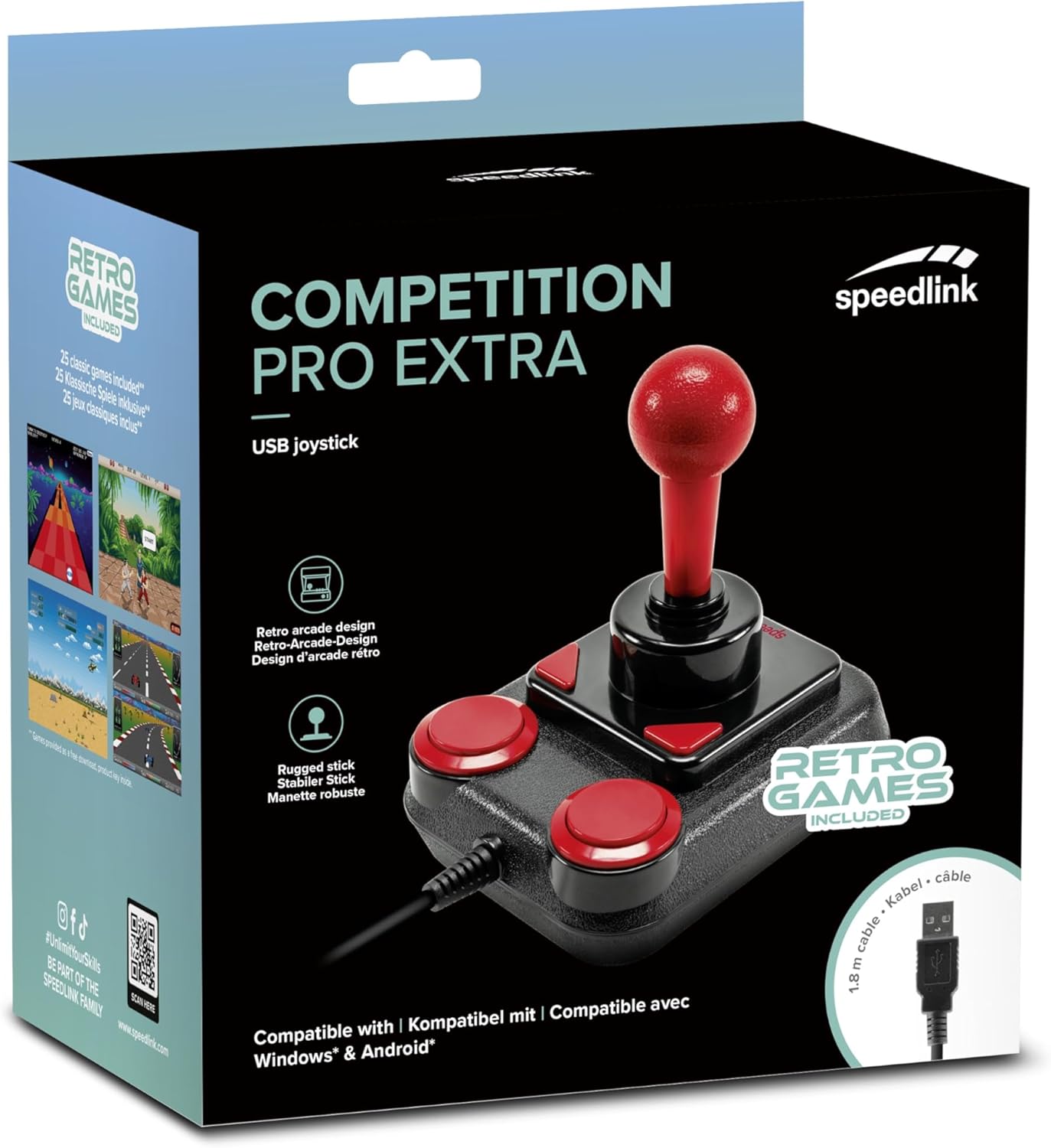
Image: Retail packaging for the Speedlink Competition Pro Extra USB Joystick, showing the product and "Retro Games Included" label.
4. Ürün Bittiview
The Competition Pro Extra USB Joystick features a classic arcade design with a robust stick and responsive buttons.

Resim: Yukarıdan aşağıya view of the joystick, highlighting the red ball-top stick and red circular fire buttons.

Resim: Açısal view showing the joystick's main stick, two circular fire buttons, and two triangular fire buttons.
The joystick includes:
- Arcade Stick: A classic red ball-top joystick for directional control.
- Fire Buttons: Two large circular red buttons and two smaller triangular red buttons for in-game actions.
- Rapid-Fire Switch: A switch located on the underside of the joystick to enable or disable rapid-fire functionality for the main fire buttons.

Image: Underside of the joystick, showing the "ON" and "OFF" positions for the rapid-fire switch.
5. Kurulum
5.1 PC'ye bağlanma
- Bilgisayarınızda kullanılabilir bir USB bağlantı noktası bulun.
- Plug the USB connector of the Competition Pro Extra joystick into the USB port.
- The operating system (Windows 7 or later) will automatically detect and install the necessary drivers. No manual driver installation is typically required.
- Once installed, the joystick is ready for use with compatible games and emulators. You may need to configure joystick settings within individual game or emulator software.
5.2 Bir Android Cihaza Bağlanma
For Android devices, an OTG (On-The-Go) adapter is required (not included).
- Connect the USB connector of the joystick to an OTG adapter.
- Plug the OTG adapter into the USB port of your Android device.
- The Android device should recognize the joystick. Compatibility may vary depending on the Android device and game/application.
6. Kullanım Talimatları
6.1 Temel Kontrol
- Oyun kolu: Use the main stick for directional movement (up, down, left, right, and diagonals).
- Fire Buttons: Press any of the four red buttons to perform in-game actions such as firing, jumping, or selecting.
6.2 Rapid-Fire Mode
The joystick features a rapid-fire function for enhanced gameplay in certain titles.
- To activate rapid-fire, locate the switch on the underside of the joystick and slide it to the "ON" position.
- To deactivate rapid-fire, slide the switch to the "OFF" position.
6.3 Included Games
The Anniversary Edition includes a collection of 20 retro games available for download. Refer to the instructions provided with your product for details on how to access and download these games.

Image: Screenshot of the game launcher interface, displaying a list of classic games such as Bomberwarrior, Summer Games, and River Attack.
7. Bakım
- Temizlik: Use a soft, dry cloth to clean the surface of the joystick. Do not use liquid cleaners or abrasive materials.
- Depolamak: Store the joystick in a dry place away from direct sunlight and extreme temperatures.
- Kablo Bakımı: Avoid bending or twisting the USB cable excessively. Do not pull on the cable to disconnect it; always grasp the plug.
8. Sorun Giderme
- Joystick not recognized by PC:
- USB kablosunun çalışan bir USB bağlantı noktasına güvenli bir şekilde takılı olduğundan emin olun.
- Farklı bir USB portu deneyin.
- Bilgisayarınızı yeniden başlatın.
- Check Device Manager (Windows) to see if the device is listed and if there are any driver issues.
- Joystick not recognized by Android device:
- Ensure your Android device supports USB OTG functionality.
- Verify the OTG adapter is functioning correctly.
- Try a different OTG adapter or Android device if possible.
- Buttons or stick unresponsive:
- Ensure the joystick is properly connected.
- Test the joystick in a different game or application to rule out software-specific issues.
- Calibrate the joystick through your operating system's game controller settings if available.
- Rapid-fire not working:
- Check that the rapid-fire switch on the underside of the joystick is set to "ON".
9. Özellikler
| Özellik | Detay |
|---|---|
| Model Adı | SL-650212-BKRD |
| Marka | Hızlı bağlantı |
| Bağlantı Teknolojisi | USB |
| Uyumlu Cihazlar | PC (Windows 7 or later), Android (via OTG adapter) |
| Denetleyici Türü | Joystick |
| Renk | Siyah, Kırmızı |
| Ürün Ağırlığı | 3.53 ons (yaklaşık 100g) |
| Ürün Boyutları (UxGxY) | 4.65 x 3.78 x 5.12 inç (yaklaşık 11.8 x 9.6 x 13 cm) |
| Güç Kaynağı | Kablolu Elektrikli (USB ile çalışan) |
| Cilttage | 5 Volt |
10. Uyumluluk Bilgileri
10.1 FCC Beyanı
Bu cihaz FCC Kuralları Bölüm 15'e uygundur. Çalışma aşağıdaki iki koşula tabidir: (1) Bu cihaz zararlı girişime neden olamaz ve (2) bu cihaz istenmeyen çalışmaya neden olabilecek girişim de dahil olmak üzere alınan her türlü girişimi kabul etmelidir.
Bu ekipman test edilmiş ve FCC Kuralları'nın 15. bölümüne göre Sınıf B dijital cihaz için sınırlara uyduğu bulunmuştur. Bu sınırlar, konut kurulumunda zararlı girişime karşı makul koruma sağlamak üzere tasarlanmıştır. Bu ekipman radyo frekansı enerjisi üretir, kullanır ve yayabilir ve talimatlara uygun şekilde kurulmaz ve kullanılmazsa radyo iletişimlerinde zararlı girişime neden olabilir. Ancak, belirli bir kurulumda girişimin olmayacağına dair bir garanti yoktur. Bu ekipman radyo veya televizyon alımında zararlı girişime neden olursa, bu durum ekipmanı kapatıp açarak belirlenebilir, kullanıcının aşağıdaki önlemlerden bir veya daha fazlasıyla girişimi düzeltmeye çalışması önerilir:
- Alıcı anteni yeniden yönlendirin veya yerini değiştirin.
- Ekipman ile alıcı arasındaki mesafeyi artırın.
- Ekipmanı, alıcının bağlı olduğu devreden farklı bir devre üzerindeki prize bağlayın.
- Yardım için satıcınıza veya deneyimli bir radyo/TV teknisyenine danışın.
Note: Modifications to this product will void the user's authority to operate this equipment.
10.2 CE, UKCA, EAC Compliance
Ürün aşağıdaki direktiflere uygundur:
- EMC: 2014/30/AB
- RoHS: 2011/65/AB
Tam bir uygunluk beyanı, en son kullanıcı kılavuzu, SSS veya daha fazla bilgi için lütfen şu adresi ziyaret edin: www.speedlink.com.

Image: Excerpt from the product manual showing safety instructions, warnings, FCC statement, and conformity information in multiple languages.
11. Garanti ve Destek
For warranty information, technical support, and frequently asked questions, please visit the official Speedlink webalan:
Lütfen bu bilgileri gelecekte referans olması açısından saklayın.


