giriiş
The Nyko Wireless Core Controller is designed to enhance your gaming experience across multiple platforms, including Nintendo Switch, Android devices, and PC. This controller features an ergonomic design, reliable Bluetooth connectivity, and a programmable turbo function. Please read this manual thoroughly to ensure proper setup and operation of your new controller.
Neler Dahil?
Paketin içinde tüm öğelerin mevcut olduğundan emin olun:
- 1 adet Nyko Kablosuz Çekirdek Kontrol Cihazı
- 1x USB Type-C Şarj Kablosu

Resim: Nyko Kablosuz Çekirdek Kontrol Cihazı paketinin içeriği, kontrol cihazı ve USB Type-C şarj kablosu gösterilmektedir.
Özellikler
The Nyko Wireless Core Controller offers a range of features for an optimized gaming experience:
- Kablosuz bağlantı: Utilizes Bluetooth for a responsive, lag-free connection.
- Ergonomik Tasarım: Full-sized controller with comfortable grips for extended gameplay sessions.
- Turbo Fonksiyonu: Programmable turbo button for any face buttons or triggers, allowing for rapid, automatic inputs.
- Şarj Edilebilir Pil: Internal battery provides up to 20 hours of playtime, recharged via the included USB Type-C cable.
- Hareket Kontrolleri: Integrated gyroscope supports games requiring motion control.
- Titreşimli geribildirim: Oyun sırasında sürükleyici dokunsal geri bildirim sağlar.
- Çoklu Platform Uyumluluğu: Works with Nintendo Switch, Android, and PC.
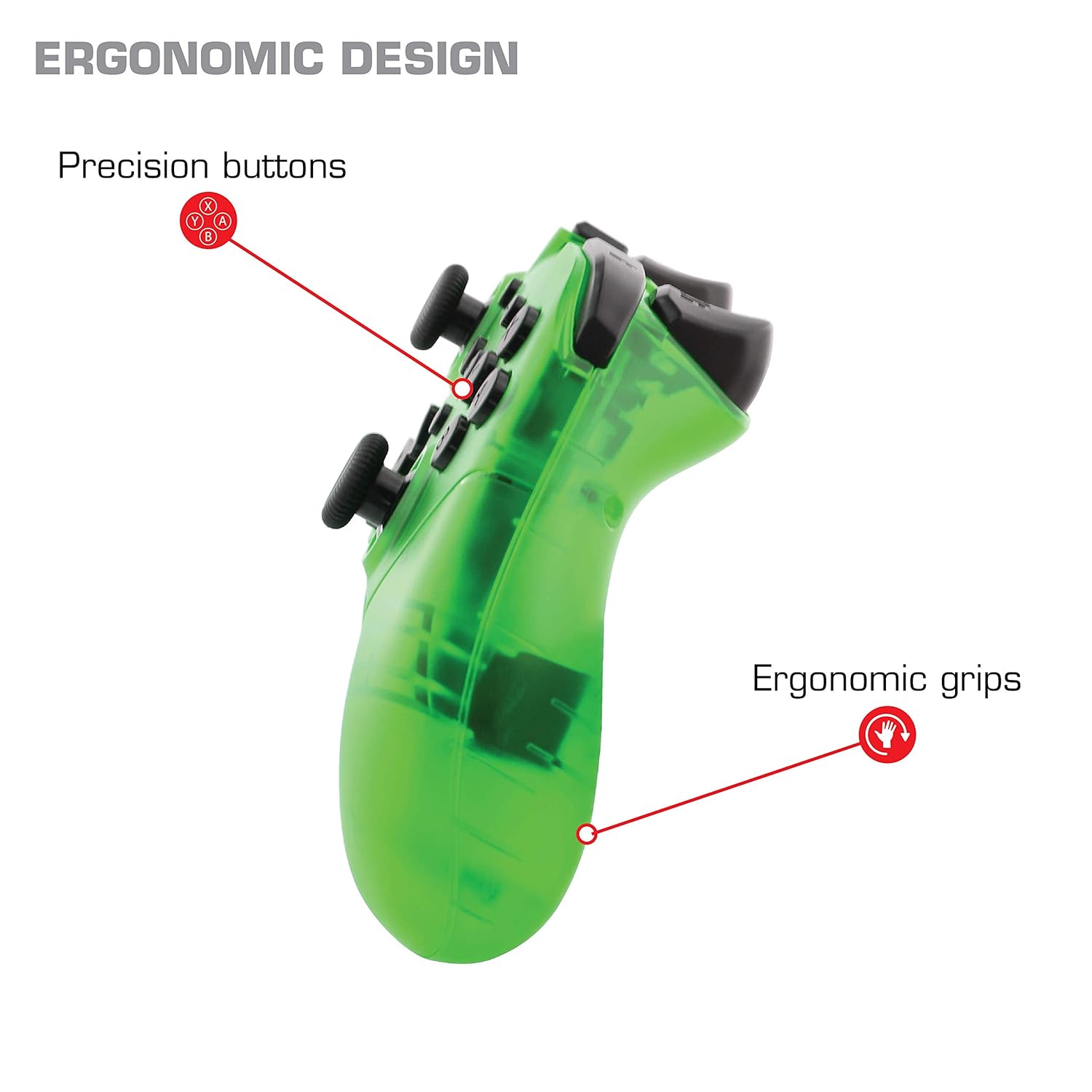
Resim: Yakın çekim view of the Nyko Wireless Core Controller highlighting its ergonomic design and precision buttons.

Resim: Ön view of the Nyko Wireless Core Controller, indicating its compatibility with PC, the turbo feature, and LED player indicators.
Video: A comparison between the Nyko Wireless Core Controller and a standard Nintendo Switch Pro Controller, showcasing their similar layouts and features.
Kurmak
İlk Şarj
Before first use, fully charge the controller using the included USB Type-C cable. Connect the small end of the cable to the controller's USB-C port and the larger end to a USB power source (e.g., Nintendo Switch dock, PC, or USB wall adapter).
Pairing with Nintendo Switch
- Nintendo Switch konsolunuzun açık olduğundan ve sistem yazılımının en son sürüme güncellendiğinden emin olun.
- Ana Menü'den "Kontrolcüler" > "Tutuş Şeklini/Sırasını Değiştir" seçeneğini seçin.
- While on this screen, press and hold the SYNC button on the top of the Nyko controller for a few seconds until the player indicator LEDs begin to flash.
- Once the controller is recognized and paired, the player indicator LED(s) will light up solid.
- Not: For the first connection, it may be necessary to connect the controller physically to the Switch dock via the USB-C cable to initiate pairing.
Pairing with Android/PC
- Android cihazınızda veya bilgisayarınızda Bluetooth'un etkinleştirildiğinden emin olun.
- Cihazınızda Bluetooth ayarlarına gidin ve yeni cihazları arayın.
- Press and hold the SYNC button on the top of the Nyko controller until the player indicator LEDs begin to flash, indicating it's in pairing mode.
- Select "Nyko Core Controller" (or similar name) from the list of available devices on your Android/PC.
- Once paired, the player indicator LED(s) will light up solid.
Kullanım Talimatları
Temel Kontroller
The controller features standard button layouts including A, B, X, Y buttons, D-Pad, Left and Right Analog Sticks, L/R and ZL/ZR shoulder buttons, HOME, +, -, and Screenshot buttons. Refer to your game's instructions for specific button functions.
Programmable Turbo Functionality
The turbo function allows for rapid, repeated input of a button press. This can be set for multiple buttons simultaneously.

Image: Diagram of the Nyko Wireless Core Controller indicating which buttons are programmable for turbo functionality and which are not.
Enabling Turbo and Auto-Fire
- To enable Turbo: Basılı tutun Turbo düğmesi, then press any face button (Y, X, B, A) or trigger (L, R, ZL, ZR) you wish to have turbo functionality. While holding the assigned button, it will rapidly input.
- To enable Auto-Fire: Basılı tutun Turbo düğmesi, then press the desired button iki kere. The button will now continuously input without needing to be held down.
Disabling Turbo and Auto-Fire
- To disable Turbo/Auto-Fire for a specific button: Basılı tutun Turbo düğmesi, then press the assigned button iki kere.
- To reset all Turbo/Auto-Fire settings: Basılı tutun Turbo düğmesi ve (-) buton Aynı anda.
Changing the Speed of Turbo and Auto-Fire
This setting affects the speed of all active turbo/auto-fire enabled buttons.
- Basılı tutun Turbo düğmesi.
- To increase speed, tilt the right analog stick up.
- To decrease speed, tilt the right analog stick down.
- Serbest bırak Turbo düğmesi when your desired speed is set.
Bakım
Temizlik
Kumanda ünitesini temizlemek için yumuşak, kuru bir bez kullanın. İnatçı kirler için hafifçe kuru bir bez yeterli olacaktır.ampen the cloth with water. Avoid using harsh chemicals, solvents, or abrasive cleaners, as these can damage the controller's finish and internal components.
Pil Bakımı
The controller contains a built-in Lithium Ion battery. To prolong battery life:
- Pilin sık sık tamamen boşaltılmasından kaçının.
- Uzun süre kullanılmayacaksa kontrol cihazını serin ve kuru bir yerde saklayın.
- Kontrol cihazını aşırı sıcaklıklara maruz bırakmayın.
Sorun giderme
Controller Not Connecting/Losing Connection
- Pili Kontrol Edin: Ensure the controller is fully charged. A completely drained battery may prevent initial connection.
- Kontrol Ünitesini Yeniden Onarın: Follow the pairing instructions in the "Setup" section. For Nintendo Switch, try connecting via USB-C to the dock first.
- Mesafe ve Girişim: Ensure the controller is within range of the console/device and there are no major obstructions or sources of wireless interference.
- Sistem güncellemesi: Ensure your Nintendo Switch console or PC operating system is up to date.
Düğmeler Yanıt Vermiyor
- Re-sync: Try re-syncing the controller with your device.
- Tekrar başlat: Power off and on both the controller and the console/device.
- Temiz: Düğmelerin etrafında herhangi bir kalıntı birikmediğinden emin olun.
Rumble is Too Strong
The controller's vibration feature is designed to provide strong feedback. If the rumble intensity is too high, check the in-game settings of the specific game you are playing, as some games allow for rumble intensity adjustment. The controller itself does not have a direct setting to adjust rumble strength.
Özellikler
- Model Numarası: 87264
- Bağlantı: Bluetooth Kablosuz
- Şarj Portu: USB Tip-C
- Pil Tipi: Lityum İyon (dahil)
- Approximate Playtime: 20 saate kadar
- Ürün Ölçüleri: 6.3 x 2.76 x 5.91 inç
- Ürün Ağırlığı: 10.6 ons
- Üretici: Nyko
- Uyumluluk: Nintendo Switch, Android, PC
Garanti ve Destek
Nyko products are manufactured to high-quality standards. For specific warranty information, please refer to the warranty card included with your product or visit the official Nyko website. For technical support, troubleshooting assistance, or to inquire about replacement parts, please contact Nyko Customer Support through their official channels.
Çevrimiçi destek: www.nyko.com/support


