giriiş
The GoHawk TJ4-Q is a powerful 1000W 4-channel amplifier system paired with 4-inch full-range waterproof Bluetooth motorcycle stereo speakers. This system is designed to provide high-quality audio for your motorcycle, ATV, UTV, or other powersports vehicles. It features multiple audio input options including Bluetooth 5.0, AUX, USB, SD card, and FM Radio, all controllable via a convenient wired remote. The speakers are built with durable, waterproof materials for outdoor use, ensuring your music accompanies you on every adventure.
Kutuda Neler Var?
Upon opening your GoHawk TJ4-Q package, you will find the following components:
- 1x Amplifer Ünitesi
- 4 x Speakers (4-inch full range)
- 1 x Wired Control Unit
- 1 x DC Güç Kablosu
- 4 x Montaj Clamps (for 1 to 1.5 inch handlebars)
- 2 x External Antennas (for Bluetooth and FM Radio)
- 1 x AUX Kablosu
- Necessary Hardware (screws, fuses)
- 1 x Kullanım Kılavuzu
Below is an illustration of all components included in the package:

Figure 1: GoHawk TJ4-Q System Components
For a visual guide on unboxing and reviewing the components, please watch the official video below:
Video 1: GoHawk TJ4-Q Motorcycle ATV Speakers Open Box Video. This video provides an unboxing and review of the GoHawk TJ4-Q amplified stereo speakers, demonstrating the contents of the package and initial setup steps.
Kurulum ve Yükleme
Hoparlörlerin Montajı
The GoHawk TJ4-Q speakers are designed for easy installation on handlebars ranging from 1 to 1.5 inches in diameter. The included X-Large Mounting Clamps ensure a secure fit. Follow these steps to mount your speakers:
- Attach the larger bracket of the mounting clamp to the speaker, ensuring the loop faces outwards.
- Secure the smaller screws into the four designated slots on the bracket.
- Place the other side of the mounting bracket into position.
- Insert the longer screws through the back, ensuring the screws face outwards, and tighten them to secure the bracket to the speaker.
- Attach the assembled speaker and bracket to your motorcycle's handlebar using the appropriate clamp size. The clamps are 360-degree adjustable for optimal positioning.
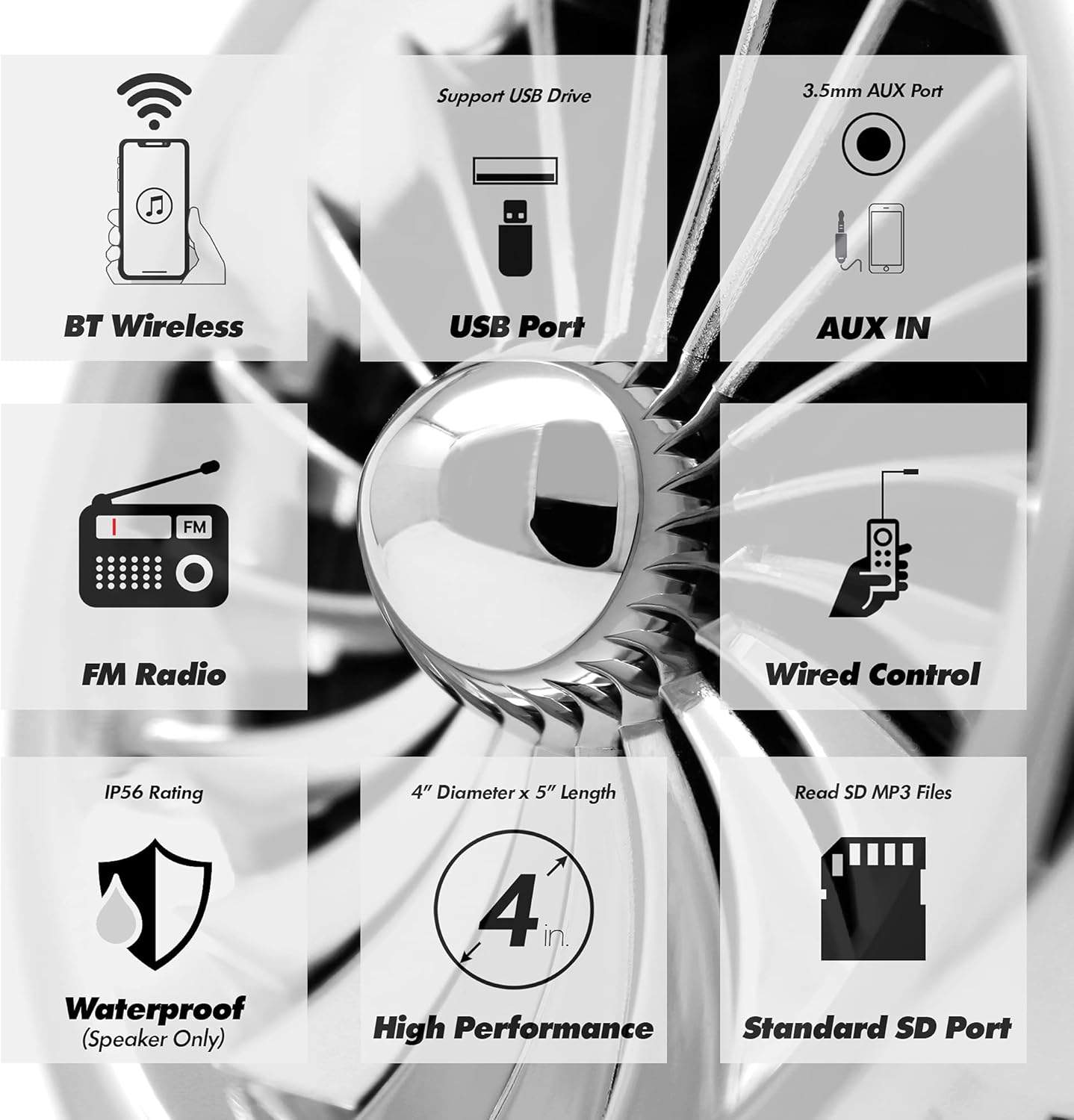
Figure 2: Speakers Mounted on Handlebar

Figure 3: Speaker Mounting Mechanism
Kablolama Talimatları
Proper wiring is crucial for the system's performance. Refer to the wiring diagram and instructions below:
- Güç Bağlantısı: Connect the DC power cable to the amplifier's DC 10-16V input. Ensure the red wire connects to the positive (+) terminal of your 12V power source (e.g., motorcycle battery) and the black wire connects to the negative (-) terminal.
- Hoparlör Bağlantısı: Plug each of the four speaker cables into the corresponding RCA (R-SP for Right Speaker, L-SP for Left Speaker) output ports on the ampcankurtaran.
- Wired Control Connection: Connect the wired control unit's cable to the 'RE' jack on the ampcankurtaran.
- Anten Bağlantısı: Attach the two external antennas to the 'BT' (Bluetooth) and 'AT' (FM Radio) ports on the ampcankurtaran.

Şekil 4: AmpAmplifikatör Kablolama Şeması
Kullanım Talimatları
The GoHawk TJ4-Q system offers versatile control and audio input options.
Güç Açma ve Mod Seçimi
- To turn the unit ON or OFF, press and hold the top button on the wired control.
- To cycle through different audio modes (Bluetooth, FM Radio, Auxiliary Input), short press the top button on the wired control. The LCD display on the amplifier will indicate the current mode.
Bluetooth Bağlantısı
Akıllı telefonunuzu veya diğer Bluetooth cihazınızı bağlamak için:
- Sağlamak amplifier is powered on and in Bluetooth mode. The Bluetooth indicator on the amplifier's display will flash.
- Cihazınızda Bluetooth'u etkinleştirin ve kullanılabilir cihazları arayın.
- Select "GOHAWK" from the list to pair. A voice prompt will confirm "Bluetooth is connected" once successful.
Wired Control Functions
The wired control provides convenient access to key functions:
- Güç AÇIK/KAPALI: Üst düğmeyi basılı tutun.
- Mod Değişikliği: Short press the top button.
- Ses Ayarı: '+' ve '-' düğmelerini kullanın.
- Hat/İstasyon Navigasyonu: Use the 'Previous' and 'Next' buttons.
- Oynat/Duraklat: Use the 'Play/Pause' button.
Other Audio Inputs
The system supports various other audio sources:
- AUX Girişi: Connect your device using the included 3.5mm AUX cable to the AUX port on the amplifier. Switch to Auxiliary Input mode via the wired control.
- USB/SD Kart: MP3 dosyaları içeren bir USB bellek veya SD kart takın. files into the respective slots on the amplifier. The system will automatically detect and play the files.
- FM Radyo: In FM Radio mode, the system will automatically scan for available stations. Use the track navigation buttons on the wired control to change stations.

Şekil 5: Amplifier Front and Rear Panels
Bakım
Proper maintenance will extend the life and performance of your GoHawk TJ4-Q system.
Temizlik
Hoparlörleri düzenli olarak temizleyin ve amplifier unit. Use a soft, damp cloth to wipe down surfaces. Avoid using harsh chemicals or abrasive cleaners, which can damage the finish or electronic components.
Su yalıtımı
The speakers are designed with an advanced IP56 waterproof rating, making them suitable for outdoor use and resistant to water splashes. While the speakers are waterproof, the amplifier unit is not. Ensure the amplifier is installed in a location protected from direct water exposure. Always ensure all connections are secure to prevent water ingress.

Figure 6: Speaker Waterproofing
Sorun giderme
If you encounter issues with your GoHawk TJ4-Q system, refer to the common problems and solutions below:
| Sorun | Olası Neden | Çözüm |
|---|---|---|
| Güç Yok | Gevşek güç bağlantısı, atmış sigorta, düşük pil hacmitage. | Check all power connections. Replace the fuse if blown (an extra fuse is provided). Ensure your vehicle's battery has sufficient charge (standard 12V). |
| Ses Yok | Incorrect input mode, loose speaker connections, volume too low, faulty audio source. | Verify the correct input mode is selected. Check all speaker RCA connections. Increase volume. Test with a different audio source. |
| Bluetooth Eşleştirme Sorunları | Device too far, interference, system not in pairing mode. | Ensure your device is within 15 meters (49 ft) of the amplifier. Minimize interference from other electronic devices. Confirm the amplifier is in Bluetooth mode. Try restarting both the amplifier and your device. |
| Poor FM Radio Reception | Weak signal, antenna not properly connected or positioned. | Ensure the FM antenna is securely connected. Try repositioning the antenna for better signal reception. |
For more detailed troubleshooting, please refer to the complete user manual included in your package.
Özellikler
Key technical specifications for the GoHawk TJ4-Q system:
- Çıkış Watttage: 1000 Watt (Maks.)
- Kanal Sayısı: 4
- Konuşmacılar: 4" Full Range, Chrome Finished Housing, Waterproof (IP56)
- Amplifier Material: Aluminum (for solid build and better heat dissipation)
- Montaj Tipi: Handlebar Mount (supports 1 to 1.5" bar size)
- Bağlantı Teknolojisi: Bluetooth 5.0, AUX, USB, SD Card
- Bluetooth Aralığı: 15 metreye (49 feet) kadar
- Güç Kaynağı: Corded Electric (Standard 12V connection)
- Cilttage: 16 Volt
- Frekans Tepkisi: 4 KHz
- Ürün Ağırlığı: 6 Pound
- Ürün Ölçüleri: Amplifier: 5 x 4 x 4 inches (approximate)

Şekil 7: Ürün Boyutları
Garanti ve Destek
GoHawk products typically come with a standard manufacturer's warranty covering defects in materials and workmanship. Please refer to the warranty information provided in your user manual for specific terms and conditions, including warranty period and coverage details.
For further assistance, technical support, or any inquiries regarding your GoHawk TJ4-Q system, please visit GoHawk USA's official website or contact their customer support team. They are available to help with installation questions, troubleshooting, and other product-related concerns.
Resmi Webalan: GoldenHawkUSA.com