giriiş
Thank you for choosing the Koss BT232i Wireless Bluetooth Earclips. These earclips are designed to provide high-quality wireless audio with the convenience of Bluetooth connectivity, an in-line microphone, and remote controls. Their sweat-resistant design makes them ideal for active lifestyles. Please read this manual carefully to ensure proper use and maintenance of your device.

Image: The Koss BT232i Wireless Bluetooth Earclips, dark grey and black, featuring the earclip design and the in-line remote control.
Kutuda Neler Var?
Your Koss BT232i package should contain the following items:
- Koss BT232i Wireless Bluetooth Earclips
- Three (3) pairs of ear cushion sizes (Small, Medium, Large)
- Kablo yönetim klipsi
- USB charging cable (not explicitly listed but implied for rechargeable battery)
Ürün Bittiview
The Koss BT232i features an intuitive design for ease of use and comfort.
Earclips and Earbuds
The earclips are designed to securely fit over your ears, providing stability during movement. The earbuds are equipped with soft silicone cushions for comfortable in-ear placement and optimal sound delivery.
Resim: Yakın çekim view of the Koss BT232i earclips and earbuds, highlighting the ergonomic design.
In-Line Microphone and Remote
The in-line remote control is conveniently located on the cable, allowing easy access to various functions without needing to interact directly with your connected device.

Resim: Ayrıntılı view of the in-line remote control on the Koss BT232i, showing the buttons for volume, play/pause, and call management.
Kurmak
1. Charging the Earclips
Before first use, fully charge your BT232i earclips. A full charge provides over 6 hours of battery life.
- Locate the charging port on the in-line remote.
- Connect the provided USB charging cable to the earclips and a compatible USB power source (e.g., computer USB port, wall adapter).
- The LED indicator on the remote will show charging status (refer to LED indicator section for details, if available).
- Tamamen şarj olduktan sonra kabloyu çıkarın.

Image: An illustration showing the Koss BT232i earclips connected to a power source, indicating the charging process and battery icon.
2. Bluetooth Eşleştirme
To connect your BT232i earclips to a Bluetooth-enabled device:
- Ensure the earclips are turned off.
- Kablo üzerindeki uzaktan kumandadaki çok fonksiyonlu düğmeye basılı tutun; LED göstergesi mavi ve kırmızı yanıp sönmeye başlayana kadar bekleyin. Bu, eşleştirme modunun aktif olduğunu gösterir.
- Cihazınızda (akıllı telefon, tablet, bilgisayar) Bluetooth ayarlarına gidin ve Bluetooth'u etkinleştirin.
- Arama available devices and select "Koss BT232i" from the list.
- Once paired, the LED indicator on the earclips will flash blue slowly or turn solid blue (refer to LED indicator section for specifics).
- The earclips are now ready for use.
3. Fitting the Earclips
For optimal comfort and sound quality, select the correct ear cushion size and adjust the cable.
- Kulak Yastıkları: Experiment with the three included ear cushion sizes (Small, Medium, Large) to find the best fit for your ears. A good seal improves bass response and noise isolation.
- Cable Management Clip: Use the cable management clip to secure any excess cable, preventing tangles and ensuring a snug fit during activities.

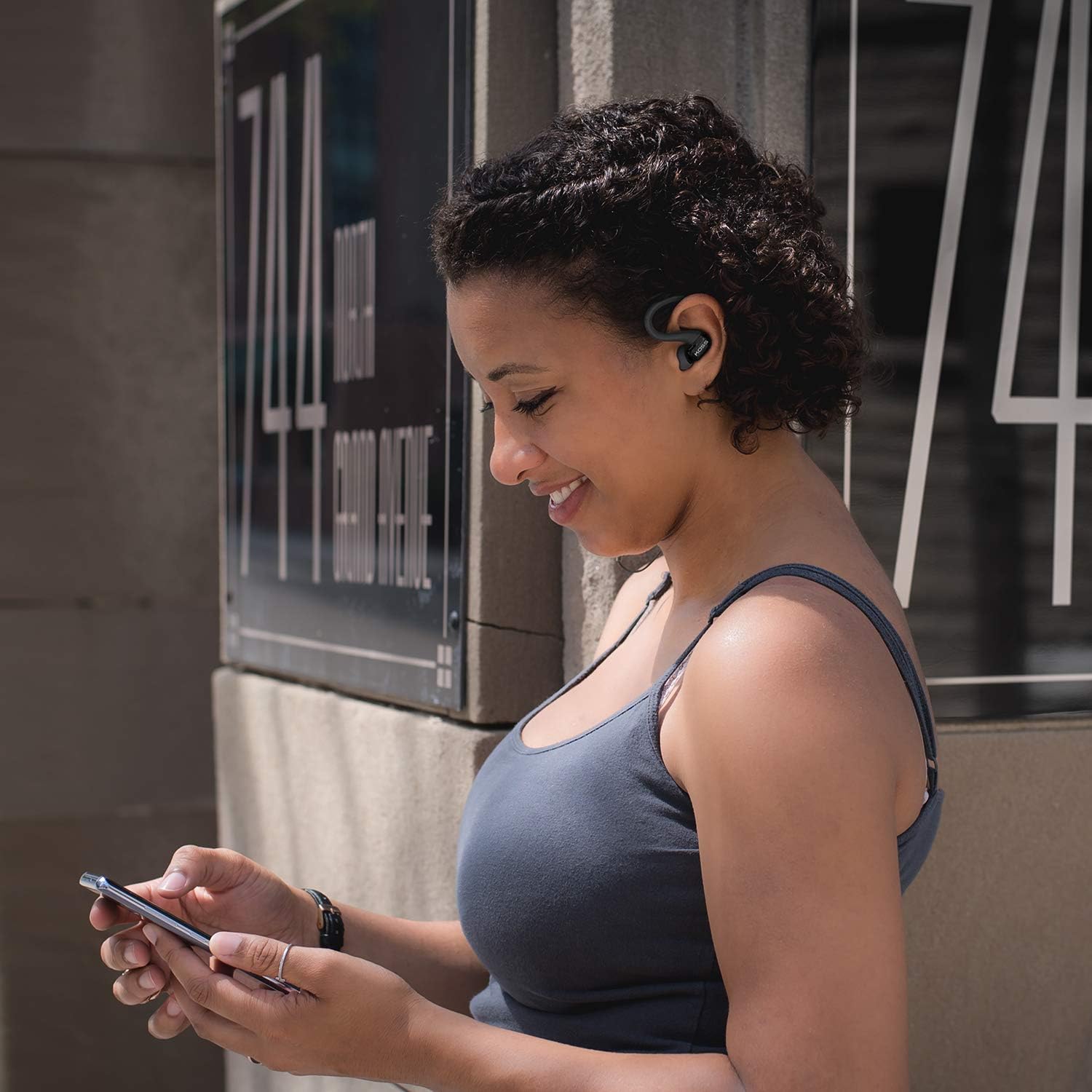
Image: A person wearing the Koss BT232i earclips, demonstrating the over-ear fit and in-ear placement.
Kullanım Talimatları
The in-line remote provides convenient control over your audio and calls.
| Düğme/İşlem | İşlev |
|---|---|
| Güç Açık/Kapalı | Çok fonksiyonlu düğmeye basılı tutun. |
| Müzik Çal/Duraklat | Çok işlevli düğmeye bir kez basın. |
| Sonraki Parça | Sesi Açma (+) tuşuna basılı tutun. |
| Önceki Parça | Sesi Azaltma (-) tuşuna basılı tutun. |
| Sesi Aç | Press the Volume Up (+) button once. |
| Sesi Azalt | Press the Volume Down (-) button once. |
| Cevapla/Çağrıyı Sonlandır | Gelen bir arama sırasında veya devam eden bir arama esnasında çok fonksiyonlu düğmeye bir kez basın. |
| Çağrıyı Reddet | Gelen arama sırasında çok fonksiyonlu tuşa basılı tutun. |
| Sesli Asistanı Etkinleştir | Double-press the multi-function button (functionality may vary by device). |
Bakım
Proper care will extend the life and performance of your Koss BT232i earclips.
- Temizlik: Gently wipe the earclips and earbuds with a soft, dry cloth. For ear cushions, remove them and clean with a mild soap solution if necessary, then rinse and dry thoroughly before reattaching. Do not use harsh chemicals or abrasive materials.
- Ter Direnci: The BT232i earclips are sweat resistant. After intense workouts, it is recommended to wipe them dry to prevent moisture buildup. Do not submerge the earclips in water.
- Depolamak: When not in use, store the earclips in a clean, dry place away from extreme temperatures and direct sunlight. Avoid tangling the cable.
Sorun giderme
If you encounter issues with your Koss BT232i earclips, try the following solutions:
| Sorun | Olası Çözüm |
|---|---|
| Earclips won't turn on. | Pilinin dolu olduğundan emin olun. Güç kaynağına bağlayın ve tekrar açmayı denemeden önce en az 30 dakika şarj olmasına izin verin. |
| Cihazla eşleştirilemiyor. |
|
| Ses yok veya ses seviyesi düşük. |
|
| Ses bozuluyor veya kesiliyor. |
|
Özellikler
| Özellik | Detay |
|---|---|
| Model Adı | BT232i Bluetooth Wireless Headphones |
| Ürün Model Numarası | 196651 |
| Bağlantı Teknolojisi | Kablosuz |
| Kablosuz İletişim Teknolojisi | Bluetooth 4.2 |
| Pil Ömrü | 6 Saat |
| Şarj Süresi | 6 Saat |
| Frekans Aralığı | 18-20,000 Hz |
| Su Direnç Seviyesi | Water Resistant (Sweat Resistant) |
| Kontrol Türü | Volume Control, Touch-based In-Line Remote |
| Mikrofon | Hat içi mikrofon |
| Kulak Yerleşimi | Kulakta |
| Form Faktörü | Kulak Üstü |
| Malzeme | Plastik |
| Ürün Ağırlığı | 1.94 ons (0.06 Kilogram) |
| Ürün Boyutları | 0.98 x 0.98 x 0.98 inç |
Garanti ve Destek
Garanti Bilgileri
The Koss BT232i Wireless Bluetooth Earclips come with a Bir Yıllık Sınırlı Garanti. Please retain your proof of purchase for warranty claims. For detailed warranty terms and conditions, please refer to the official Koss website or contact Koss customer support.
Müşteri Desteği
For further assistance, technical support, or warranty inquiries, please visit the official Koss webDaha fazla bilgi ve ürün için web sitelerini ziyaret edebilir veya müşteri hizmetleri departmanıyla iletişime geçebilirsiniz. Koss Mağazası Amazon'da.


