1. Ürün Bittiview
The ZEBRONICS Zeb-Dash is a 4-button USB wireless optical mouse designed for comfortable and efficient use. It features a high-precision optical sensor and 2.4GHz wireless technology for stable connectivity. This mouse is engineered for ease of use with a plug-and-play mechanism and smart energy-saving capabilities.

Resim 1.1: Yukarıdan aşağıya view of the ZEBRONICS Zeb-Dash Wireless Optical Mouse, showcasing its ergonomic design and the Zebronics logo.
2. Kurulum Talimatları
Follow these steps to set up your Zeb-Dash wireless mouse:
- Pili takın: Open the battery compartment located on the underside of the mouse. Insert one AAA battery, ensuring correct polarity.
- USB Alıcısını Bulun: The nano USB receiver is typically stored inside the battery compartment or alongside the mouse in the packaging. Carefully remove it.
- Alıcıyı Bağlayın: Plug the nano USB receiver into an available USB port on your laptop or desktop computer.
- System Sync: Allow approximately 6 to 7 seconds for the mouse to automatically sync with your system. No additional drivers are usually required for basic functionality.

Image 2.1: The underside of the Zeb-Dash mouse, showing the battery compartment and the nano USB receiver being inserted or removed. This illustrates the battery and receiver placement for setup.
3. Kullanım Talimatları
The Zeb-Dash mouse features four buttons for various functions:
- Sol Tıklama Düğmesi: Standart seçim ve aktivasyon.
- Sağ Tıklama Butonu: Bağlamsal menülere erişim sağlar.
- Kaydırma tekerleği: Belgeler arasında dikey olarak gezinir ve web Sayfalar. Ayrıca orta tıklama düğmesi olarak da işlev görür.
- DPI Değiştirme Düğmesi: Adjusts the mouse sensitivity (DPI) between 800, 1200, and 1600 DPI. Press to cycle through settings.
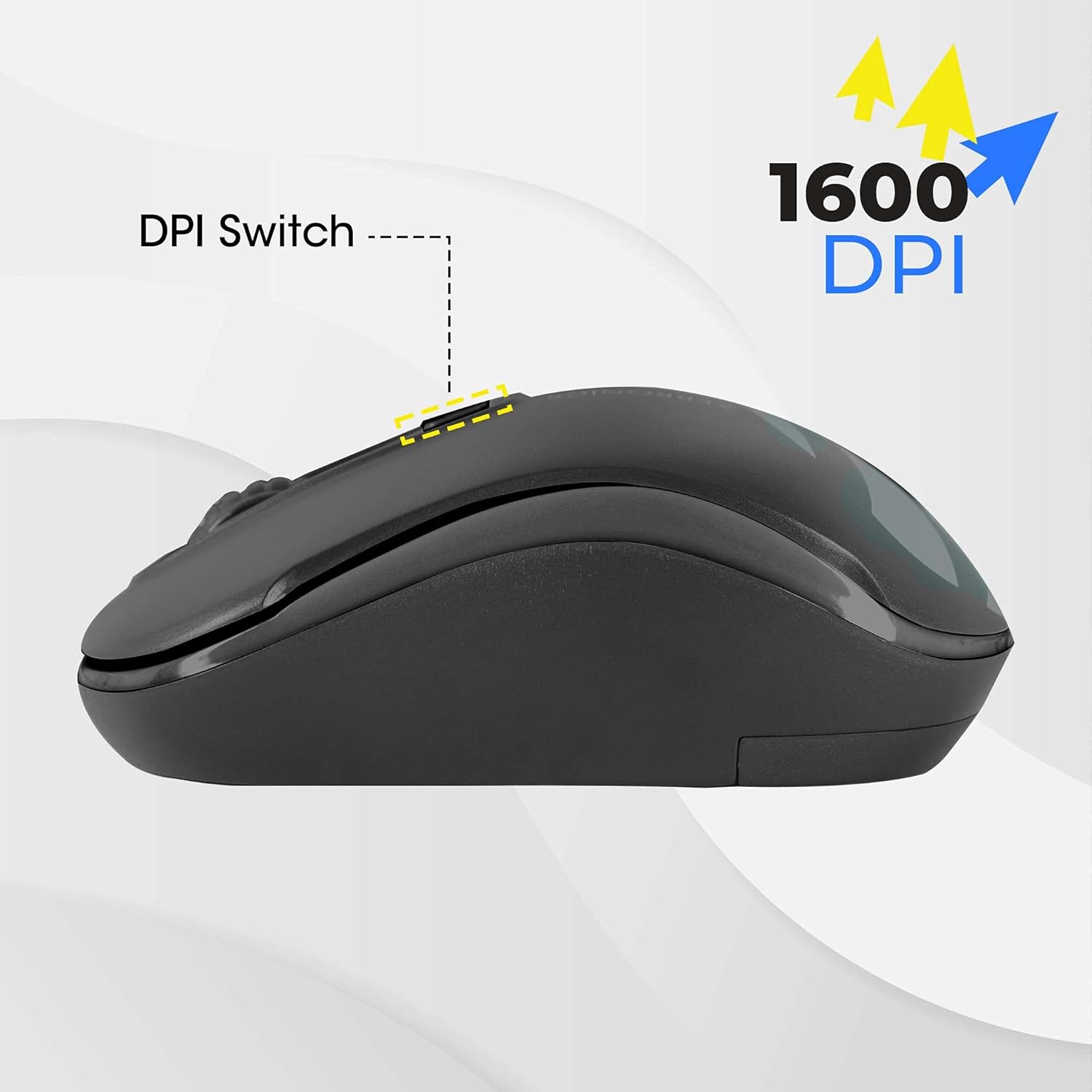
Image 3.1: A diagram highlighting the four buttons on the Zeb-Dash mouse: Left Click (1), Scroll Wheel (2), Right Click (3), and DPI Switch (4).
Enerji Tasarrufu Özelliği
The Zeb-Dash mouse incorporates a smart energy-saving feature. It automatically enters a sleep mode when not in use, conserving battery power. There is no manual on/off switch; the mouse manages power consumption automatically.

Resim 3.2: Bir taraf view of the Zeb-Dash mouse, emphasizing its ergonomic shape and the smart energy-saving capability.
4. Ürün Özellikleri
| Özellik | Detay |
|---|---|
| Marka | ZEBRONİK |
| Örnek | ZEB-DASH |
| Bağlantı Teknolojisi | USB Kablosuz (2.4GHz) |
| Hareket Algılama Teknolojisi | Optik |
| DPI Çözünürlük | 800 / 1200 / 1600 Çözünürlük |
| Düğme Sayısı | 4 |
| Button Strokes Life | 3 milyon döngü |
| Etkili Menzil | 20 metre |
| Güç Kaynağı | Battery Powered (AAA battery, not included) |
| Boyutlar (UxGxY) | 10x4x6 cm |
| Ürün Ağırlığı | 110 gr |
| Sistem Gereksinimleri | IBM PC compatible system, Windows XP/Vista/7/8/10, Mac OS, or Android OS |
| Dahil Bileşenler | 1 mouse, 1 nano receiver (inside the mouse) |
5. Sorun Giderme
- Fare Yanıt Vermiyor:
- Ensure the AAA battery is correctly inserted and has sufficient charge. Replace if necessary.
- Verify that the nano USB receiver is securely plugged into a functional USB port on your computer. Try a different USB port.
- Restart your computer to re-establish the connection.
- Kesintili Bağlantı/Gecikme:
- Move the mouse closer to the USB receiver to minimize interference.
- Ensure no other 2.4GHz wireless devices are causing interference in close proximity.
- Check the surface you are using the mouse on. Optical mice perform best on non-reflective, uniform surfaces.
- DPI ayarı çalışmıyor:
- Press the DPI switch button firmly. Each press should cycle through the available DPI settings (800/1200/1600).
6. Garanti ve Destek
The ZEBRONICS Zeb-Dash USB Wireless Optical Mouse comes with a 1 yıllık garanti from the date of purchase. For warranty claims or technical support, please contact ZEBRONICS customer service. Keep your purchase receipt as proof of purchase.
For further assistance, you may visit the official ZEBRONICS websiteye gidin veya ürün ambalajınızda bulunan iletişim bilgilerine başvurun.


