1. Giriş
Satın aldığınız için teşekkür ederizasing the Zebronics ZEB - BT9451 RUCF 5.1 Multimedia Speaker Home Theater System. This manual provides essential information for the proper installation, operation, and maintenance of your new audio system. Please read this manual thoroughly before use to ensure optimal performance and to prevent damage.
2. Güvenlik Talimatları
- Güç Kaynağı: Güç kaynağı hacmini sağlayıntage matches the requirements specified on the unit (230 Volts).
- Havalandırma: Havalandırma açıklıklarını hiçbir şekilde kapatmayın. Uygun hava akışı için ünitenin etrafında yeterli boşluk bırakın.
- Su ve Nem: Cihazı yağmur, nem veya damlayan/sıçrayan sıvılara maruz bırakmayın. Vazo gibi sıvı dolu nesneleri cihazın üzerine koymayın.
- Sıcaklık: Üniteyi radyatörler, kalorifer ızgaraları, sobalar veya diğer cihazlar (dahil) gibi ısı kaynaklarından uzak tutun. amp(ısı üreten)
- Temizlik: Sadece kuru bir bezle temizleyin. Sıvı ve sprey temizleyici kullanmayın.
- Servis: Bu ürüne kendiniz servis vermeye çalışmayın. Tüm servis işlemleri için kalifiye servis personeline başvurun.
- Atama: Cihazı sabit, düz bir yüzeye yerleştirin. Doğrudan güneş ışığına veya güçlü manyetik alanların yakınına koymaktan kaçının.
3. Paket İçeriği
Lütfen paketi aşağıdaki öğeler açısından kontrol edin:
- Subwoofer Unit (1)
- Satellite Speakers (5)
- Uzaktan Kumanda (1)
- Audio Input Cable (1)
- Kullanım Kılavuzu (Bu belge)
4. Ürün Bittiview
The Zebronics ZEB - BT9451 RUCF is a 5.1 multimedia speaker system designed to deliver immersive audio. It features a powerful subwoofer and five satellite speakers for a complete surround sound experience. The system supports multiple input options including AUX, USB, SD card, FM radio, and Bluetooth connectivity.
4.1 Main Unit and Satellite Speakers

Şekil 1: Ön view of the Zebronics ZEB - BT9451 RUCF 5.1 Multimedia Speaker System, showing the central subwoofer unit, five satellite speakers, and the remote control.

Şekil 2: Yan view of the Zebronics ZEB - BT9451 RUCF 5.1 Multimedia Speaker System, providing another perspective of the speaker arrangement.
4.2 Key Features and Connectivity
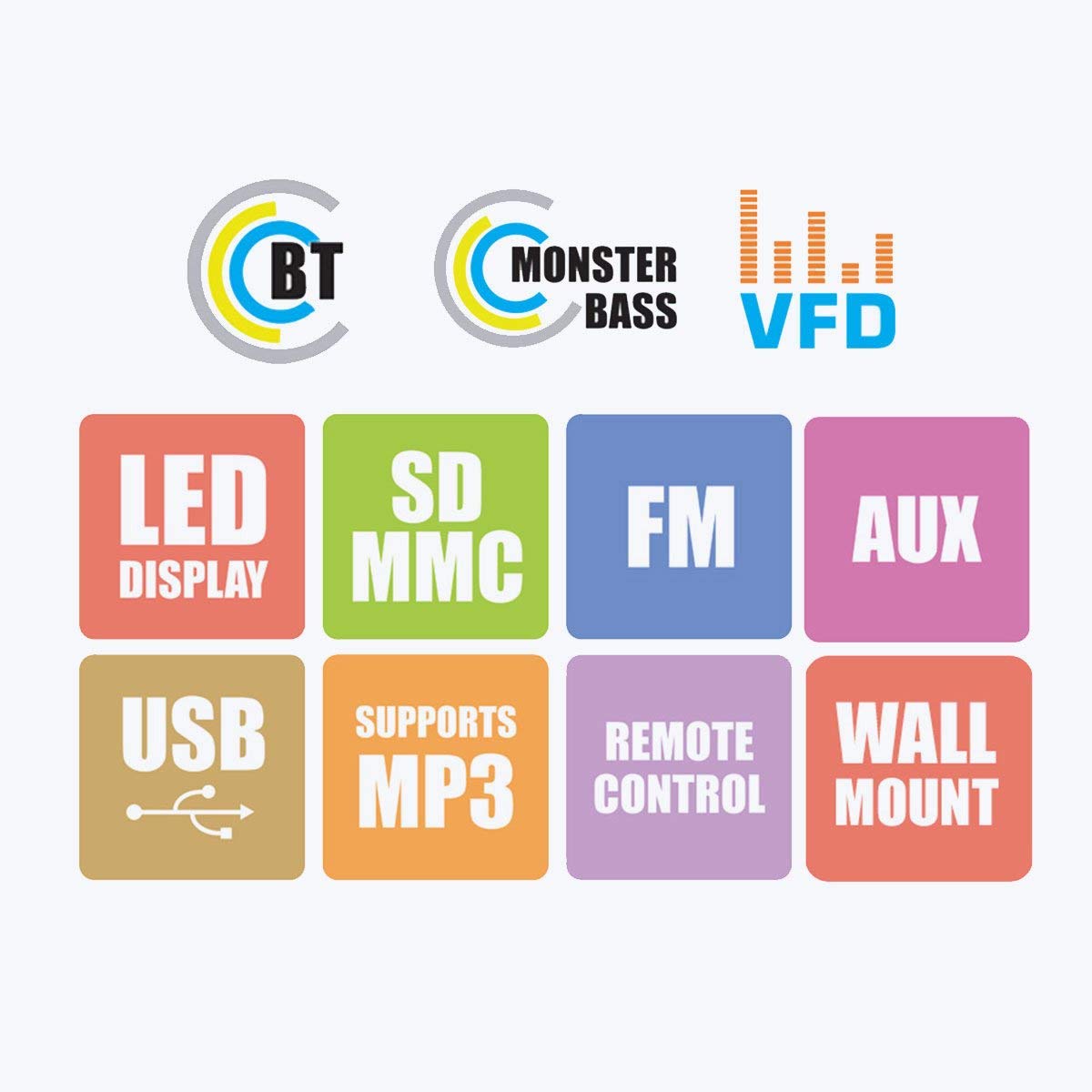
Figure 3: Visual representation of the system's main features, including Bluetooth connectivity, powerful bass, VFD display, LED display, support for SD/MMC cards, FM radio, AUX input, USB playback, MP3 support, remote control functionality, and wall-mount capability for satellite speakers.
4.3 Control Panel and Rear Connections

Şekil 4: Ayrıntılı views of the subwoofer's front panel, showing the LED display and control buttons, and the side panel with USB and SD card slots. The rear panel connections for audio input (L, R, FL, FR, CEN, SUB, SL, SR) and output are also visible, along with safety warnings.
5. Kurulum Talimatları
5.1 Hoparlör Yerleşimi
- Subwoofer: Bas tepkisini artırmak için subwoofer'ı tercihen bir köşeye veya duvara yakın bir yere, yere yerleştirin.
- Front Speakers (FL, FR): Position these to the left and right of your viewing/listening area, facing towards you.
- Center Speaker (CEN): Place this directly above or below your display (TV/monitor).
- Surround Speakers (SL, SR): Position these to the sides or slightly behind your listening position, at ear level if possible.
5.2 Hoparlörleri Bağlama
Connect the five satellite speakers to the corresponding output ports on the rear panel of the subwoofer unit. Ensure each speaker cable is securely connected to its designated port (FL, FR, CEN, SL, SR).
Refer to Figure 4 for a visual guide to the rear panel connections.
5.3 Ses Kaynaklarını Bağlama
The system offers multiple ways to connect audio sources:
- AUX Girişi: Use the provided audio input cable to connect your device (e.g., Desktop, Laptop, DVD Player, Projector, LED TV) to the "AUX INPUT" ports (L/R) on the subwoofer's rear panel.
- USB/SD Kart: Insert a USB flash drive or SD card into the respective slots on the side panel of the subwoofer for direct media playback.
- Bluetooth: For wireless audio, pair your Bluetooth-enabled device with the speaker system. (See Section 6.4 for detailed Bluetooth pairing instructions).
5.4 Güç Bağlantısı
After all audio connections are made, connect the power cord to the main power outlet. Ensure the power switch on the rear of the subwoofer is in the OFF position before plugging in.
6. Kullanım Talimatları
6.1 Güç Açma/Kapatma
Flip the power switch on the rear panel of the subwoofer to the "ON" position. The LED display on the front panel will illuminate. To turn off, flip the switch back to "OFF".
6.2 Giriş Seçimi
Press the "MODE" button on the front panel or the remote control to cycle through available input modes: AUX, USB, SD, FM, and Bluetooth. The selected mode will be indicated on the LED display.
6.3 Ses Kontrolü
Adjust the master volume using the main rotary knob on the front panel of the subwoofer or the "VOL+" / "VOL-" buttons on the remote control.
6.4 Bluetooth Çalışması
- Switch the speaker system to Bluetooth mode using the "MODE" button. The display will show "BT" or similar, and an audible prompt may sound.
- Enable Bluetooth on your mobile phone or other device and search for available devices.
- Select "ZEB-BT9451" (or similar name) from the list of found devices.
- Once paired, you can play audio from your device through the speaker system.
6.5 USB/SD Kart Oynatma
MP3 ses dosyaları içeren bir USB flash sürücü veya SD kart takın. files into the corresponding slot. The system will automatically switch to USB/SD mode and begin playback. Use the play/pause, next/previous track buttons on the front panel or remote control to manage playback.
6.6 FM Radyo Çalışması
- Switch the speaker system to FM mode using the "MODE" button.
- Press and hold the "PLAY/PAUSE" button (or a dedicated scan button on the remote) to automatically scan and save available FM stations.
- Use the "PREV/NEXT" buttons to navigate through the saved stations.
7. Bakım
- Temizlik: Disconnect the power before cleaning. Use a soft, dry cloth to wipe the surfaces of the speakers and subwoofer. Do not use abrasive cleaners, waxes, or solvents.
- Depolamak: Cihazı uzun süre saklayacaksanız, güç kaynağından ayırın ve doğrudan güneş ışığından ve aşırı sıcaklıklardan uzak, serin ve kuru bir yerde saklayın.
8. Sorun Giderme
| Sorun | Olası Neden | Çözüm |
|---|---|---|
| Güç yok | Power cord not connected; Power switch off; Power outlet faulty | Ensure power cord is securely connected; Turn power switch ON; Test power outlet with another device |
| Ses yok | Incorrect input mode; Volume too low; Audio cable loose/faulty; Source device muted/volume low | Select correct input mode; Increase volume; Check audio cable connections; Check source device settings |
| Bozuk ses | Volume too high; Source audio quality poor; Speaker cables loose | Reduce volume; Try a different audio source; Check all speaker connections |
| Uzaktan kumanda çalışmıyor | Batteries depleted; Obstruction between remote and unit; Remote sensor blocked | Pilleri değiştirin; Engelleri kaldırın; Uzaktan kumandanın cihazın sensörüne doğru tutulduğundan emin olun. |
| Bluetooth eşleştirme hatası | Speaker not in BT mode; Device too far; Device already paired with another unit | Switch to BT mode; Move device closer; Disconnect from other devices and try again |
9. Özellikler
| Model Adı | ZEB - BT9451 |
| Hoparlör Tipi | Desktop, Satellite, Subwoofer |
| Çevresel Ses Kanalı Yapılandırması | 5.1 kanal |
| Hoparlör Maksimum Çıkış Gücü | 90 Watt |
| Giriş Voltage | 230 Volt |
| Empedans | 4 Ohm |
| Frekans Tepkisi | 20 KHz |
| Bağlantı Teknolojisi | Auxiliary, USB, FM, Bluetooth |
| Özel Özellikler | Radio, Remote Control, SD Card, Subwoofer |
| Uyumlu Cihazlar | Home Theater, Laptop, Projector, Television, Desktop, DVD Players, Music Players |
| Subwoofer Çapı | 5 inç |
| Ürün Ağırlığı | 13 kilo 700 gr |
| Paket Boyutları | 44.2x40.8x28.6 cm |
10. Garanti ve Destek
For warranty information and technical support, please refer to the warranty card included with your product or visit the official Zebronics website. You may also contact Zebronics customer service for assistance with product inquiries, troubleshooting, or service requests.
Resmi Webalan: www.zebronics.com


