giriiş
This manual provides detailed instructions for the proper use and maintenance of your Sharp EL-W531TG-WH Scientific School Calculator. This calculator features a 4-line WriteView display, D.A.L. input method, and 414 pre-programmed functions, making it suitable for various mathematical and scientific calculations required in secondary education.

Image: The Sharp EL-W531TG-WH Scientific Calculator, showcasing its keypad and 4-line WriteView görüntülemek.
Kurmak
Güç Kaynağı
The Sharp EL-W531TG-WH calculator operates using both solar power and a backup battery (1 LR44 battery included). The solar panel provides power in well-lit environments, while the battery ensures operation in low-light conditions.
Pil Takılması/Değiştirilmesi
- Hesap makinesinin kapalı olduğundan emin olun.
- Hesap makinesinin arkasındaki pil bölmesi kapağını bulun.
- Küçük bir tornavida kullanarak, pil kapağını sabitleyen vidayı dikkatlice çıkarın.
- Remove the cover and replace the old LR44 battery with a new one, ensuring correct polarity (+/-).
- Pil kapağını yerine takın ve vidayla sabitleyin.
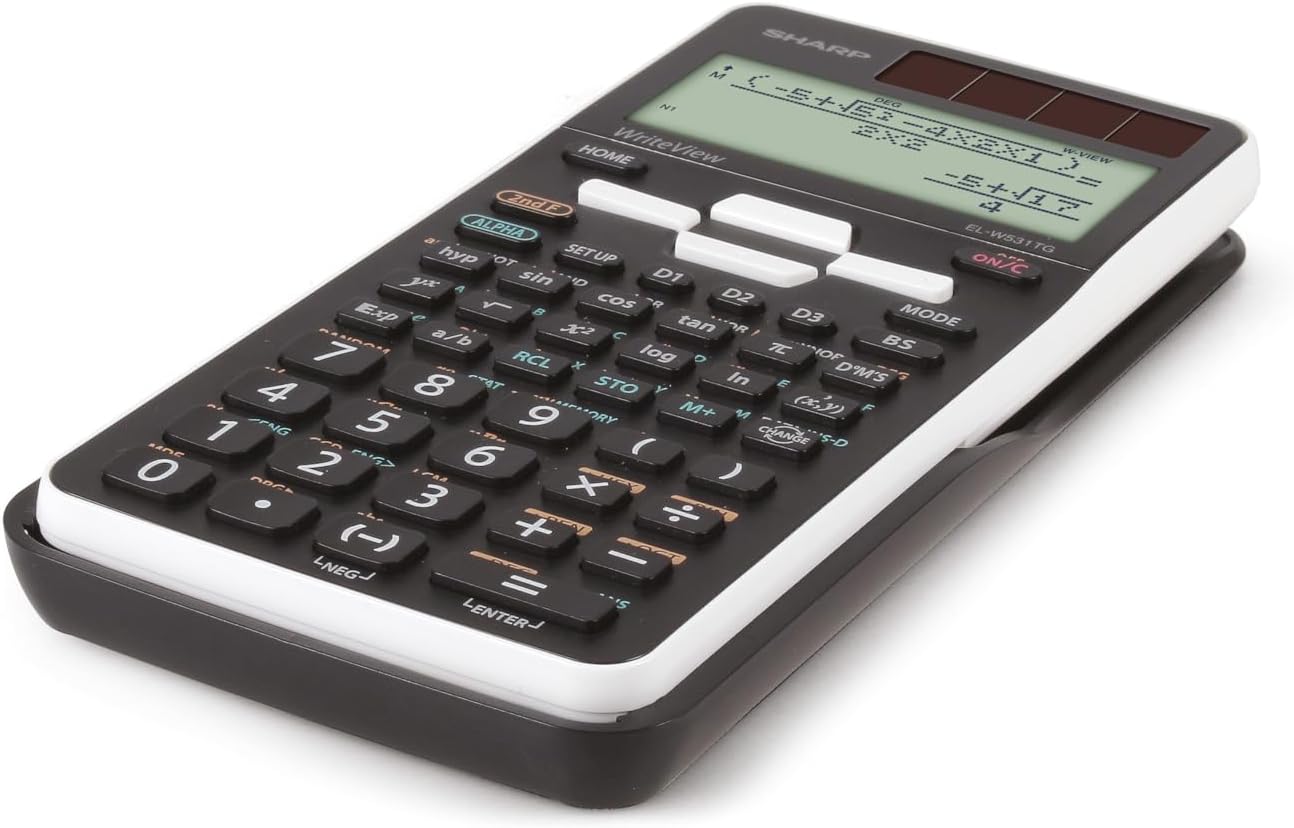
Resim: Yan profile of the Sharp EL-W531TG-WH calculator, illustrating its compact design.
Kullanım Talimatları
Güç Açık/Kapalı
- Açmak için: Basın AÇIK/K. anahtar.
- Kapatmak için: Basın 2. F Daha sonra KAPALI (usually located above the ON/C key).
Display Modes (WriteView / Line)
The calculator features a WriteView display that shows fractions, roots, and formulas as they appear in textbooks. You can switch to a traditional line mode if preferred.
- To toggle between WriteView and Line mode: Press MOD and select the desired display option. Refer to the on-screen menu for specific selections.
Temel Aritmetik İşlemler
Enter numbers and operations in sequence. The D.A.L. (Direct Algebraic Logic) input method allows you to input equations exactly as they are written.
- Ek: +
- Çıkarma: -
- Çarpma: x
- Bölüm: ÷
- Eşittir: =
Bilimsel İşlevler
The calculator includes 414 pre-programmed functions covering statistics, n-base calculations, logical operators, trigonometry, logarithms, and more. Access these functions using the dedicated keys or by pressing 2. F followed by the key with the desired secondary function.
- Trigonometrik Fonksiyonlar: günah, çünkü, bronz and their inverse functions (accessed via 2. F).
- Logaritmik Fonksiyonlar: kayıt, ln.
- Kuvvet ve Kök Fonksiyonları: x², √, xʸ.
- İstatistikler: Enter STAT mode via MOD to perform statistical calculations.
- N-Base Calculations: Perform calculations in binary, octal, decimal, and hexadecimal bases.
Hafıza Fonksiyonları
The calculator features 4 shortcut memory buttons (D1, D2, D3, D4) for quick access to frequently used functions or constants. Additionally, standard memory functions (M+, M-, RCL, STO) are available.
- STO (Mağaza): Stores a value into a memory variable.
- RCL (Geri Çağırma): Recalls a value from a memory variable.
- M+ / M-: Adds to or subtracts from the independent memory.

Resim: Ayrıntılı view of the calculator's keypad, showing various function keys and their secondary operations.
Bakım
Temizlik
Hesap makinesini temizlemek için yumuşak, kuru bir bezle nazikçe silin. Aşındırıcı temizleyiciler, çözücüler veya ıslak bezler kullanmayın, çünkü bunlar hesap makinesine zarar verebilir.asing veya dahili bileşenler.
Depolamak
When not in use for extended periods, store the calculator in a cool, dry place away from direct sunlight and extreme temperatures. Keep it in its protective cover to prevent scratches and damage.
Pil Bakımı
If the calculator will not be used for a very long time, it is advisable to remove the LR44 battery to prevent potential leakage and damage to the device.
Sorun giderme
Ekran Sorunları
- Boş Ekran: Check battery level. Replace the LR44 battery if necessary. Ensure sufficient light for solar operation.
- Soluk Ekran: Bu, pilin zayıf olduğunu gösterebilir. LR44 pilini değiştirin.
Incorrect Calculations
- Yanlış Sonuçlar: Verify the input method (D.A.L.) and ensure all values are entered correctly. Check if the calculator is in the correct mode (e.g., DEG/RAD for trigonometric functions, STAT mode for statistics).
- Hata Mesajı: Refer to the calculator's on-screen error codes (if any) for specific issues. Common errors include division by zero or invalid function arguments.
Hesap Makinesini Sıfırlama
If the calculator behaves erratically or freezes, a reset may resolve the issue. Locate the small reset button (often on the back or side, requiring a thin object like a paperclip to press) or perform a soft reset via the KURMAK menu. Note that resetting may clear all memory and settings.
Özellikler
| Özellik | Detay |
|---|---|
| Örnek | EL-W531TG-WH |
| Görüntü Türü | Dot Matrix LCD, 4-line (96 x 32 mm) |
| Ekran Boyutu | 2.5 inç |
| Giriş Yöntemi | D.A.L. (Direct Algebraic Logic) |
| Fonksiyonlar | 414 pre-programmed functions (statistics, n-base, logical operators, etc.) |
| Güç Kaynağı | Solar and Battery Operated (1 x LR44 included) |
| Boyutlar (U x G x Y) | 16.6x8x1.5 cm |
| Ağırlık | 108 gr |
| Malzeme | Plastik |
Garanti ve Destek
For warranty information and technical support, please refer to the documentation included with your purchase or visit the official Sharp website. A PC simulator for this model may be available for download from the manufacturer's support page.


