giriiş
This manual provides comprehensive instructions for the safe and efficient operation, installation, and maintenance of your ATAG CX4511C oven. Please read this manual thoroughly before using the appliance and keep it for future reference. Proper use and care will ensure optimal performance and extend the lifespan of your oven.
Güvenlik Talimatları
Kişisel yaralanmaları veya cihazda hasarı önlemek için her zaman aşağıdaki güvenlik önlemlerine uyun:
- Ensure the oven is properly installed by a qualified technician before first use.
- Sıcak yüzeylere dokunmayın. Her zaman fırın eldiveni veya tencere tutacağı kullanın.
- Cihaz çalışırken ve soğurken çocukları cihazdan uzak tutun.
- Never use water to extinguish grease fires; smother the flames or use a dry chemical extinguisher.
- Yanıcı malzemeleri fırının içinde veya yakınında saklamayın.
- Temizlik veya herhangi bir bakım işlemine başlamadan önce cihazı elektrik prizinden çıkarın.
- Elektrik kablosu veya fişi hasarlıysa fırını çalıştırmayın.
Ürün Bittiview
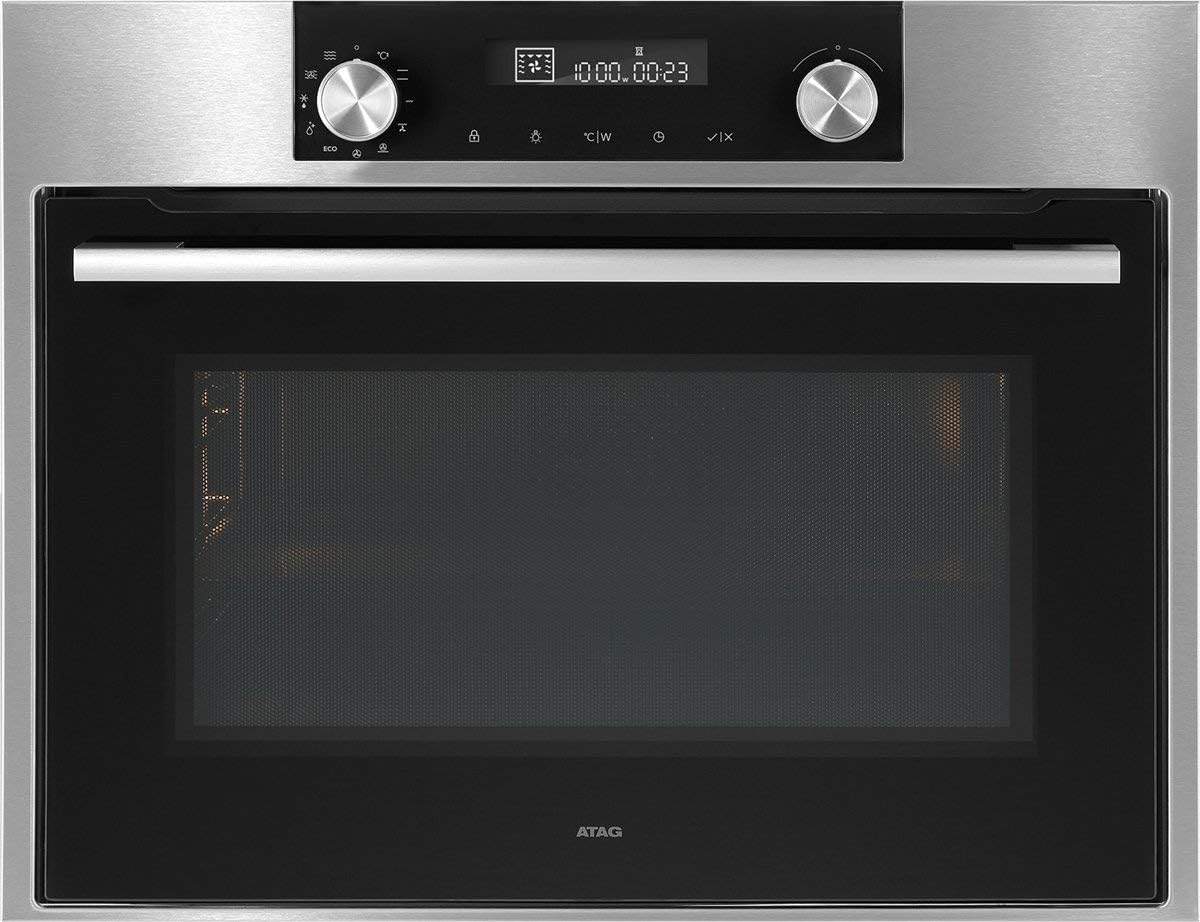
Şekil 1: Ön view A'nınTAG CX4511C oven. This image displays the stainless steel finish, the black glass door with a horizontal handle, and the integrated control panel at the top. The control panel features two rotary knobs, a digital display, and touch-sensitive buttons for various functions and settings.
ATAG CX4511C is a built-in oven designed for modern kitchens. It features a sleek stainless steel and black glass aesthetic. Key components include:
- Kontrol Paneli: Located at the top, featuring a digital display, two rotary knobs for function and temperature selection, and touch controls for timer, settings, and other options.
- Fırın Kapısı: A black glass door with a sturdy stainless steel handle, providing visibility into the oven cavity.
- Fırın boşluğu: The interior cooking space, equipped with racks and lighting.
- Havalandırma Yuvaları: Essential for proper air circulation and cooling of the appliance.
Kurmak
1. Kurulum
ATAG CX4511C oven must be installed by a qualified electrician or authorized service technician in accordance with local regulations and the provided installation instructions. Ensure adequate ventilation around the appliance.
2. İlk Temizlik
Before first use, clean the oven interior and all accessories (racks, trays) with a damp cloth and mild detergent. Rinse thoroughly and dry. Do not use abrasive cleaners.
3. İlk Kullanım (Alıştırma Süreci)
To eliminate any manufacturing odors, operate the empty oven for approximately 60 minutes at 200°C (392°F) using a conventional heating mode. Ensure the kitchen is well-ventilated during this process.
Kullanım Talimatları
1. Saati Ayarlama
Upon first connection to power, the display will flash. Use the right rotary knob to set the current time, then press the checkmark button to confirm.
2. Selecting a Cooking Function
Turn the left rotary knob to select the desired cooking function (e.g., conventional heat, fan-assisted, grill). The selected function icon will appear on the display.
3. Sıcaklık ve Zaman Ayarı
After selecting a function, turn the right rotary knob to adjust the temperature. Press the timer button to set a cooking duration, then use the right knob to adjust the time. Confirm settings by pressing the checkmark button or waiting a few seconds for automatic confirmation.
4. Ön ısıtma
The oven will begin preheating once the function and temperature are set. An indicator on the display will show when the set temperature has been reached.
5. Ending Operation
To stop cooking, turn the left rotary knob to the 'Off' position or press the stop button if available. Allow the oven to cool down completely before opening the door for an extended period.
Bakım ve Temizlik
1. Dış Temizlik
Clean the exterior surfaces, including the control panel and door, with a soft cloth and warm soapy water. For stainless steel, use a specialized stainless steel cleaner. Avoid abrasive sponges or harsh chemicals.
2. İç Temizlik
Hafif kirlenmelerde, iç yüzeyi ad ile silin.amp cloth after the oven has cooled. For stubborn stains, use an oven cleaner specifically designed for the oven's interior lining, following the product instructions carefully. Remove all racks and accessories before cleaning.
3. Door Glass Cleaning
Clean the inner and outer glass panels of the oven door with a glass cleaner or warm soapy water. Ensure no liquid seeps into the door's ventilation system.
4. Fırının Değiştirilmesiamp
Ensure the oven is disconnected from the power supply. Unscrew the protective glass cover, replace the bulb with a new heat-resistant oven lamp of the same specifications, and reattach the cover.
Sorun giderme
| Sorun | Olası Neden | Çözüm |
|---|---|---|
| Fırın ısınmıyor. | Güç kaynağı yok; ayarlar yanlış; sigorta atmış. | Güç bağlantısını kontrol edin; ayarları doğrulayın; evdeki sigorta kutusunu kontrol edin. |
| Eşit olmayan pişirme sonuçları. | Rafın yanlış konumlandırılması; fırının aşırı yüklenmesi; kapının çok sık açılması. | Use recommended rack positions; avoid overcrowding; minimize door openings. |
| İlk kullanımda duman veya koku var. | Üretimden kalan yağ artıkları yanarak buharlaşıyor. | Bu normal. İyi havalandırma sağlayın. İlk kullanımdan sonra kaybolacaktır. |
| Ekranda bir hata kodu görünüyor. | İç arıza. | Hata kodunu not edin ve müşteri desteğiyle iletişime geçin. |
Özellikler
- Marka: ATAG
- Modeli: CX4511C
- Kapasite: 51 Litre
- Güç: 3400 B
- ASIN: B075V16NFM
- Renk: Siyah, Paslanmaz Çelik
- İlk Kullanılabilirlik Tarihi: 11 Haziran 2019
Garanti ve Destek
Your ATAG CX4511C oven comes with a manufacturer's warranty. For detailed information regarding warranty terms, conditions, and duration, please refer to the warranty card included with your appliance or visit the official ATAG website. For technical support, service requests, or spare parts, please contact ATAG customer service directly. Contact details can typically be found on the manufacturer's websitesinde veya satın alma işleminizle birlikte verilen belgelerde.
When contacting support, please have your model number (CX4511C) and serial number ready. The serial number is usually located on a label inside the oven door frame or on the back of the appliance.


