giriiş
This manual provides detailed instructions for the installation, operation, and maintenance of your VDO M-Series Cadence Kit. This kit is designed to enhance your cycling experience by providing accurate cadence data for M5 and M6 wireless VDO cycle computers. Please read this manual thoroughly before use to ensure proper setup and optimal performance.
Paket İçeriği
Your VDO M-Series Cadence Kit includes the following components:
- Cadence Transmitter Unit
- CR2032 Pil (önceden takılı veya ayrı)
- Cadence Magnet
- Mounting Hardware (e.g., zip ties, rubber pads)
- Kullanım Kılavuzu (bu belge)

Şekil 1: Üzeriview of the VDO M-Series Cadence Kit components.
Kurulum ve Yükleme
Proper installation is crucial for accurate cadence measurement. Follow these steps carefully:
1. Pil Kurulumu
If the battery is not pre-installed, open the battery compartment on the rear of the cadence transmitter unit. Insert the CR2032 battery with the positive (+) side facing up. Close the compartment securely.

Şekil 2: Arka view of the cadence transmitter, indicating the battery compartment.
2. Cadence Transmitter Mounting
Attach the cadence transmitter to the chainstay of your bicycle. Ensure it is positioned on the non-drive side (opposite the chain) and is securely fastened using the provided zip ties or mounting hardware. The transmitter should be oriented so that the VDO logo faces outwards and the sensor arm points towards the crank arm.
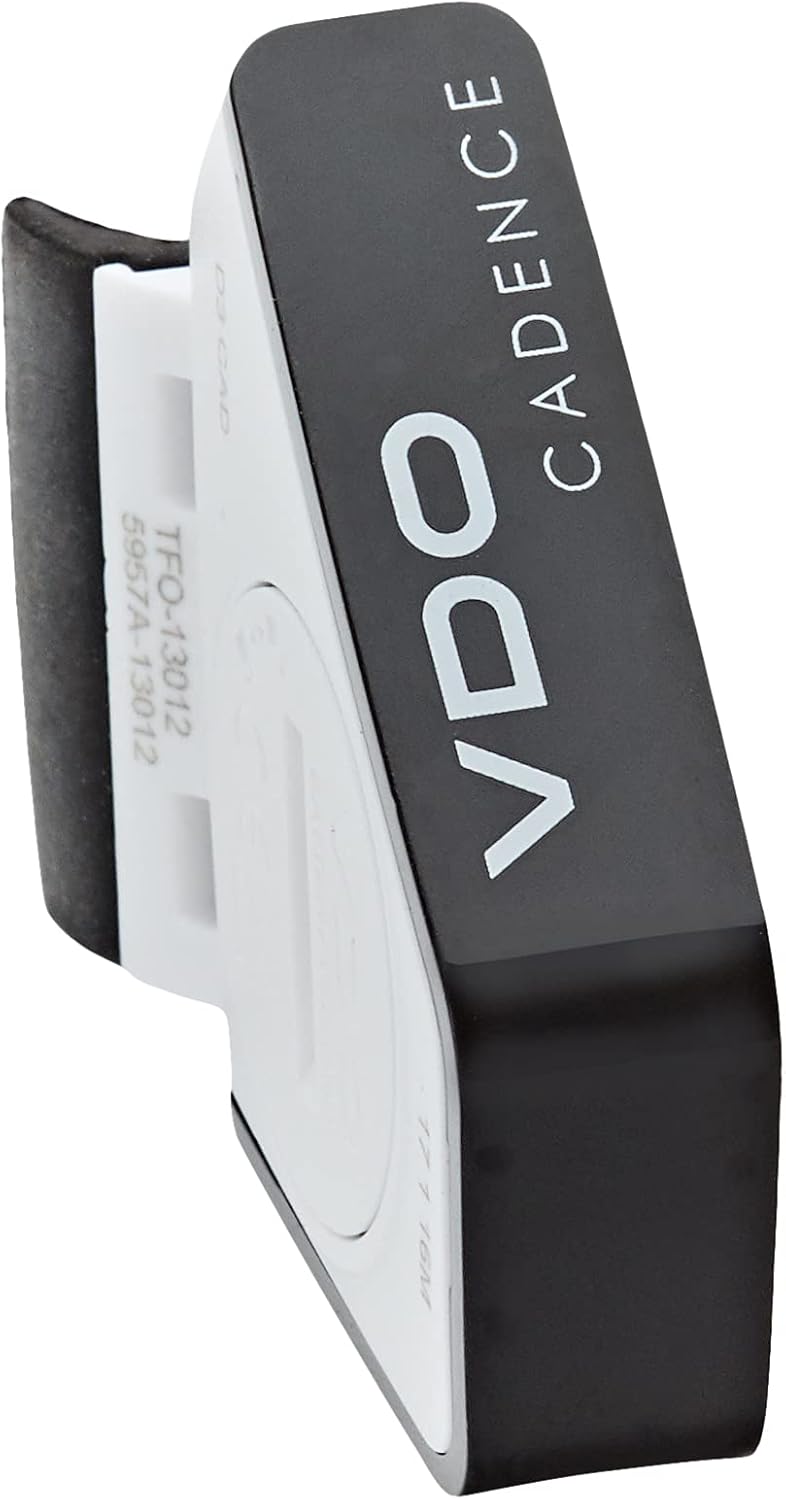
Şekil 3: Yan view of the cadence transmitter, illustrating its mounting bracket.
3. Cadence Magnet Installation
Attach the cadence magnet to the inside of your left crank arm. Position it so that it passes directly by the sensor arm of the cadence transmitter with each pedal revolution. The optimal distance between the magnet and the sensor arm is approximately 5mm. For reliable wireless transmission, ensure the distance between the cadence transmitter and your VDO cycle computer (M5 or M6) does not exceed 55cm.

Figure 4: The cadence transmitter shown with the small magnet and mounting accessories.
4. Pairing with Cycle Computer
Refer to your VDO M5 or M6 cycle computer's manual for specific instructions on pairing the cadence transmitter. Generally, you will need to activate the pairing mode on your computer and then rotate the crank arm a few times to activate the cadence transmitter and allow it to be detected.
Kullanım Talimatları
Once installed and paired, the VDO M-Series Cadence Kit will automatically transmit cadence data to your compatible VDO cycle computer. The computer will display your current pedal revolutions per minute (RPM).
- Görüntülemek: The cadence data will be shown on your VDO M5 or M6 cycle computer's LCD display. These computers are designed for clear readability, often showing two functions simultaneously.
- Arka Işık Yok: Please note that this specific cadence kit does not provide a backlight for the display. Visibility is optimal in daylight conditions.
- Otomatik Aktivasyon: The cadence transmitter activates automatically when the magnet passes the sensor.
Bakım
To ensure the longevity and accuracy of your VDO M-Series Cadence Kit, follow these maintenance guidelines:
- Temizlik: Wipe the transmitter unit and magnet with a damp Kir ve döküntüleri temizlemek için bez kullanın. Sert kimyasallar veya aşındırıcı temizleyiciler kullanmayın.
- Pil Değişimi: When the battery indicator on your cycle computer signals low battery, replace the CR2032 battery in the cadence transmitter. Ensure the battery is inserted correctly. The unit is designed to retain data even after battery changes.
- Sensor/Magnet Alignment: Periodically check that the cadence magnet and sensor arm remain properly aligned (approximately 5mm gap) and securely fastened. Vibrations from cycling can sometimes cause slight shifts.
Sorun giderme
If you encounter issues with your VDO M-Series Cadence Kit, consider the following troubleshooting steps:
| Sorun | Olası Neden | Çözüm |
|---|---|---|
| No Cadence Data Displayed |
|
|
| Inaccurate Cadence Readings |
|
|
If problems persist after attempting these solutions, please contact VDO customer support.
Özellikler
| Marka | VDO |
| Model Adı | M-Series Cadence Kit (Bicycle Computer Accessory) |
| Parça Numarası | 285.VDO3012 |
| Ürün Boyutları (U x G x Y) | 7.24" x 6.97" x 1.06" |
| Ürün Ağırlığı | 0.04 Kilogram |
| Görüntü Türü | LCD (on compatible VDO computer) |
| Sensör Tipi | Kadans Sensörü |
| Pil Hücresi Kompozisyonu | Lityum İyon (CR2032) |
| Bağlantı Teknolojisi | Bluetooth |
| Dahil Bileşenler | Cadence transmitter, battery, magnet, mounting hardware |
| Malzeme | Plastik |
| Renk | Siyah |
| İlk Mevcut Tarih | 9 Ekim 2006 |
Garanti ve Destek
VDO products are manufactured to high quality standards. For information regarding warranty coverage, please refer to the warranty card included with your product or visit the official VDO website. For technical support, product inquiries, or to purchase replacement parts, please contact VDO customer service through their official channels.
Not: Garanti koşulları ve destek iletişim bilgileri bölgeye göre değişiklik gösterebilir.


