giriiş
This manual provides detailed instructions for setting up, operating, maintaining, and troubleshooting your ViewSonic VA2446MH-LED 24-inch Full HD 1080p LED monitor. Please read this manual thoroughly before using the product to ensure proper functionality and safety.
Kutuda Neler Var?
- LCD Monitör
- Güç kablosu
- VGA Kablosu
- Ses kablosu
- Hızlı Başlangıç Kılavuzu

Paket şunları içerir: ViewSonic VA2446MH-LED monitor, a power cable, an HDMI cable, and a Quick Start Guide to assist with initial setup.
Kurmak
Standın Montajı
Follow the instructions in the Quick Start Guide to attach the stand to the monitor. Ensure all connections are secure.
Monitörün Bağlanması
The VA2446MH-LED monitor supports both HDMI and VGA inputs.
Güç Bağlantısı
Connect the provided power cable to the monitor's power input and then to a power outlet.
Video Bağlantısı
Choose either an HDMI or VGA cable to connect your computer to the monitor.
- For HDMI: Connect one end of the HDMI cable to the HDMI port on your computer and the other end to the HDMI input on the monitor.
- For VGA: Connect one end of the VGA cable to the VGA port on your computer and the other end to the VGA input on the monitor.
Audio Connection (Optional)
If using the monitor's built-in speakers or audio output, connect the audio cable from your computer's audio output to the monitor's audio input.

This image displays the rear of the monitor, highlighting the HDMI, VGA, and audio input/output ports for flexible connectivity, as well as the location of the integrated 2x 2.5-watt speakers.

Ayrıntılı view of the monitor's back panel, illustrating the power input, HDMI port, VGA port, and audio ports for connecting external devices.
Monitörü Çalıştırma
Güç Açık/Kapalı
Monitörü açmak veya kapatmak için monitörün ön veya alt çerçevesinde bulunan güç düğmesine basın. Monitör açık olduğunda güç gösterge ışığı yanacaktır.
Giriş Seçimi
Use the monitor's On-Screen Display (OSD) menu or dedicated input selection buttons to switch between HDMI and VGA inputs.
Ekran Görüntüsü (OSD) Menüsü
The OSD menu allows you to adjust various display settings such as brightness, contrast, color temperature, and aspect ratio.
- Press the Menu button to access the OSD.
- Use the navigation buttons (usually arrows) to browse through options.
- Press the Select or Enter button to confirm a selection.
- Press the Exit or Menu button again to close the OSD.
ViewSplit Software (Optional)
ViewSonic'e özel ViewSplit software allows you to create customized screen layouts for enhanced productivity.
To install, download the software from the ViewSonik website's product support page.
After installation, double-click the ViewSplit icon on your desktop or click the notification tray icon to open the application.
Select a predefined template or create a customizable template by dragging and resizing the red borders. Save your customized templates for future use.
This official ViewSonic video illustrates how to use the ViewSplit software to divide your monitor screen into multiple viewing windows, enhancing multitasking and productivity. It shows how to select predefined templates and customize layouts by dragging application windows into desired zones.
Bakım
Ekranı Temizleme
Ekranı yumuşak, tiftiksiz bir bezle nazikçe silin. İnatçı lekeler için hafifçe silin.ampBezi su veya aşındırıcı olmayan bir ekran temizleyici ile silin. Sıvıyı doğrudan ekrana püskürtmekten kaçının.
C'yi Temizlemeasing
Monitörü temizlemek için yumuşak ve kuru bir bez kullanın.asing. Güçlü deterjanlar veya aşındırıcı temizleyiciler kullanmayın.
Depolamak
When storing the monitor for an extended period, ensure it is powered off and disconnected from the power source. Store it in a cool, dry place, ideally in its original packaging.
Sorun giderme
Güç Yok
- Güç düğmesinin (veya anahtarın) AÇIK olduğundan emin olun.
- Ensure the A/C power cord is securely connected to the display.
- Elektrik prizine başka bir elektrikli cihaz (örneğin radyo) takarak prizin uygun elektrik gücü sağladığından emin olun.tage.
Güç AÇIK ancak ekran görüntüsü yok
- Ekranla birlikte verilen video kablosunun bilgisayarın arkasındaki video çıkış bağlantı noktasına düzgün şekilde sabitlendiğinden emin olun. Video kablosunun diğer ucu ekrana kalıcı olarak bağlı değilse, ekrana düzgün şekilde sabitleyin.
- Adjust brightness and contrast settings via the OSD menu.
- If you are using an older Macintosh (older than G3), a Macintosh adapter may be required.
Yanlış veya anormal renkler
- Herhangi bir renk (kırmızı, yeşil veya mavi) eksikse, güvenli bir şekilde bağlandığından emin olmak için video kablosunu kontrol edin. Kablo konektöründeki gevşek veya kırık pimler hatalı bağlantıya neden olabilir.
- Connect the display to another computer to isolate the issue.
- Daha eski bir grafik kartınız varsa, ViewSonic for a non-DDC adapter.
Kontrol düğmeleri çalışmıyor
- Press only one button at a time. Ensure no objects are obstructing the buttons.
Özellikler
| Özellik | Şartname |
|---|---|
| Ayakta ekran boyutu | 24 inç |
| Ekran Çözünürlüğü | 1920x1080 |
| Maksimum Ekran Çözünürlüğü | 1920 x 1080 Piksel |
| Marka | ViewSonik |
| Seri | VA |
| Ürün model numarası | VA2446MH-LED |
| Ürün Ağırlığı | 9.02 pound |
| Ürün Boyutları | 8.32 x 22.49 x 15.78 inç |
| Ürün Boyutları UxGxY | 8.32 x 22.49 x 15.78 inç |
| Renk | Siyah |
| Güç Kaynağı | 10 |
| Cilttage | 240 Volt |
| Üretici | ViewSonik |
| ASIN | B074F28QNS |
| İlk Mevcut Tarih | 1 Temmuz 2017 |
| Ekran Boyutu | 24 inç |
| Çözünürlük | Tam HD 1080p |
| En Boy Oranı | 16:9 |
| Ekran Yüzeyi Açıklaması | Parlama önleyici, Sert kaplama (3H) |
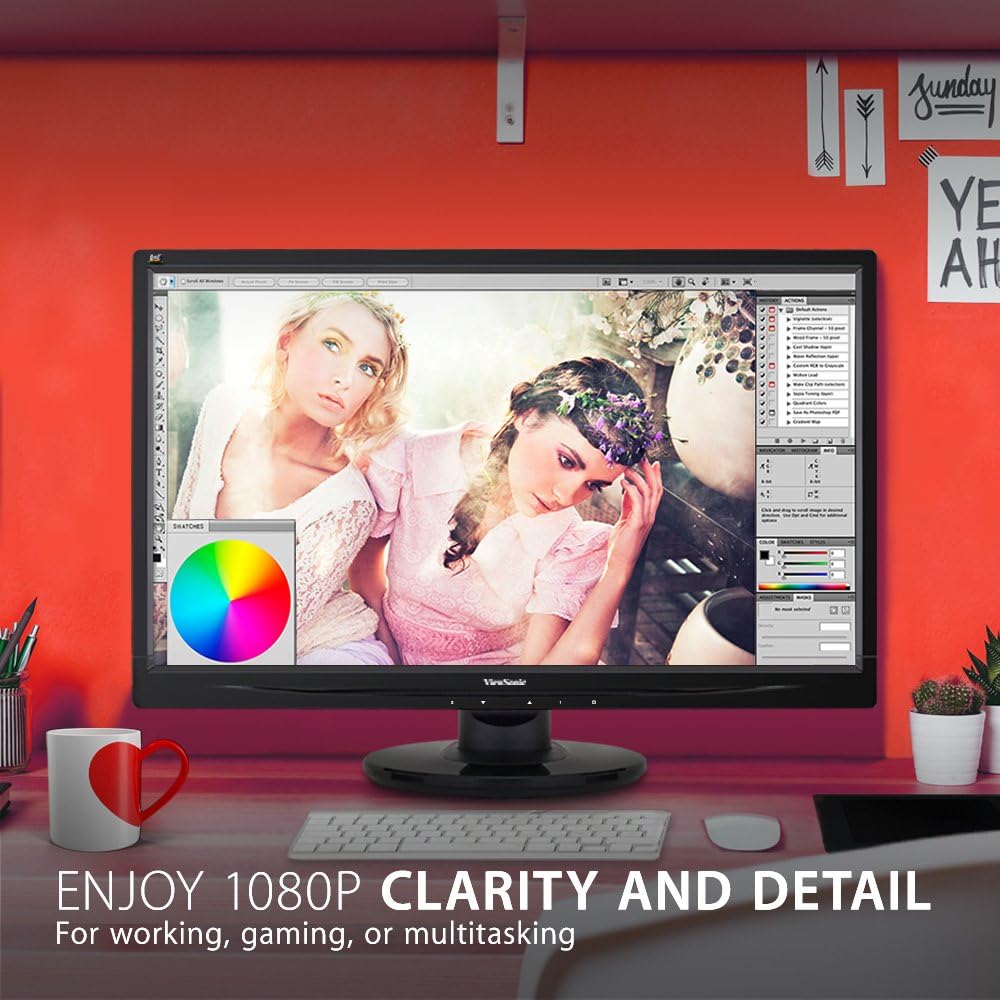
The monitor showcases its Full HD 1080p clarity and detail, ideal for tasks like graphic design, gaming, or general multitasking, with a color palette visible on screen.
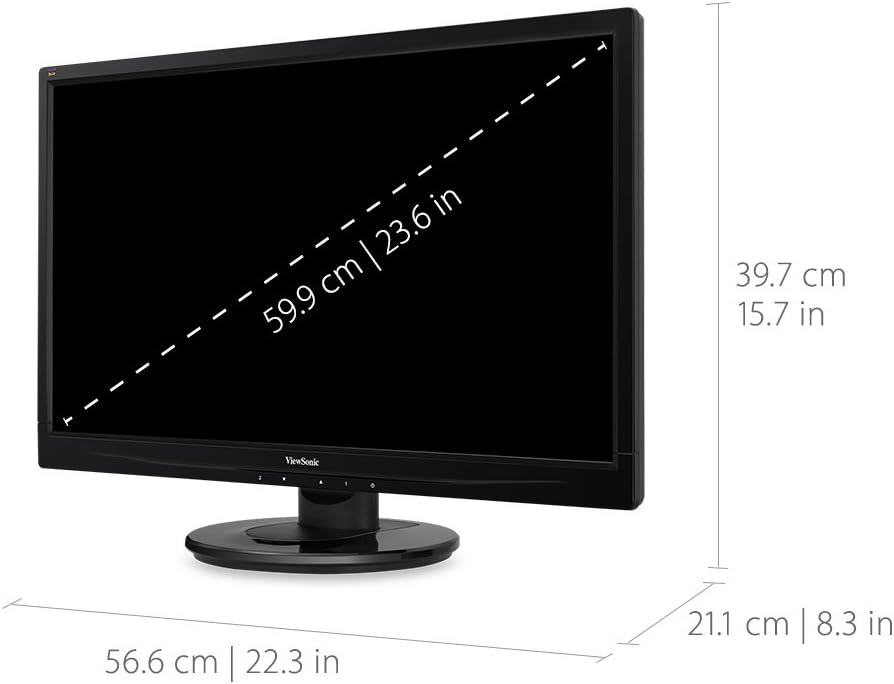
This diagram provides the physical dimensions of the monitor, indicating a 23.6-inch diagonal screen size (59.9 cm) and overall measurements of 22.3 inches (56.6 cm) width, 15.7 inches (39.7 cm) height, and 8.3 inches (21.1 cm) depth.
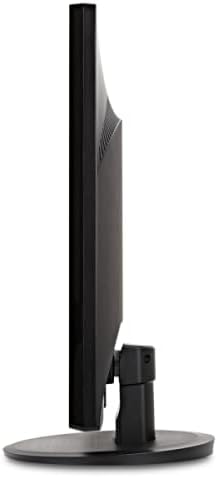
Bir taraf view of the monitor, highlighting its slim profile and the design of the stand.
Garanti ve Destek
Garanti bilgileri ve teknik destek için lütfen resmi web sitesine başvurun. ViewSonik webSitenize veya ürününüzle birlikte gelen belgelere bakın.
Resmi ziyaret edebilirsiniz ViewSonic Store for more information: ViewSonic Mağazası


