giriiş
Poly Blackwire 5220 USB-A Kulaklık, gelişmiş uyumluluk, olağanüstü konfor ve evrensel bağlantı için tasarlanmıştır ve çeşitli iletişim ortamlarında tüm gün kullanım için idealdir. Bu kulaklık, esnek kollu gürültü önleyici mikrofon, sezgisel kablo üzeri kontroller ve pasif gürültü engelleme için yumuşak, kulağa uyumlu kulak yastıkları içerir. USB-A ve 3.5 mm dahil olmak üzere esnek bağlantı seçenekleri sunarak PC, Mac, tablet ve cep telefonu kullanıcıları için net ses ve gelişmiş verimlilik sağlar.
Kutuda Neler Var?
- Poly Blackwire 5220 USB-A Kulaklık
Ürün Bittiview



Kurmak
Kulaklığın Bağlanması
- PC/Mac için: Kulaklığın USB-A konektörünü bilgisayarınızdaki kullanılabilir bir USB-A bağlantı noktasına doğrudan bağlayın. Kulaklık tak ve çalıştır özelliğine sahiptir, yani işletim sisteminiz tarafından otomatik olarak tanınmalıdır.
- Cep Telefonu/Tablet için: Kulaklığın 3.5 mm jakını mobil cihazınızdaki ses bağlantı noktasına bağlayın.
Bağlantı kurulduktan sonra, işletim sisteminiz veya iletişim uygulamanız (örneğin, Microsoft Teams, Zoom) kulaklığı otomatik olarak birincil ses giriş ve çıkış aygıtı olarak algılamalıdır. Algılanmazsa, cihazınızın ses ayarlarında veya uygulamanın ses tercihlerinde manuel olarak seçmeniz gerekebilir.
Kullanım Talimatları
Satır içi Kontroller
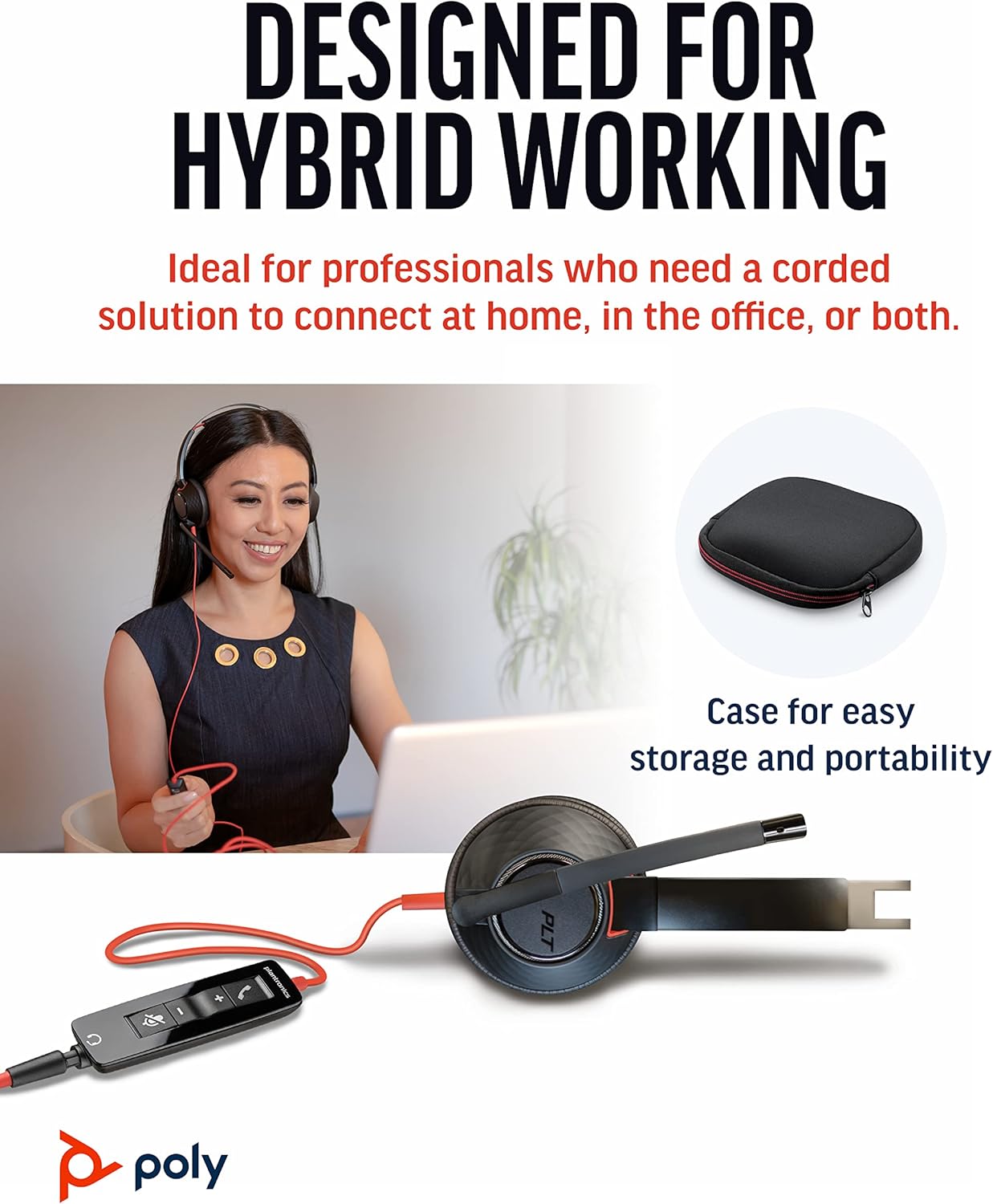
Blackwire 5220, kolay çağrı yönetimi için sezgisel bir hat içi kontrol ünitesine sahiptir:
- Aramayı Cevapla/Bitir Düğmesi: Gelen aramayı cevaplamak veya devam eden aramayı sonlandırmak için basın.
- Sesi Açma (+) Düğmesi: Dinleme sesini artırmak için basın.
- Sesi Azaltma (-) Düğmesi: Dinleme sesini azaltmak için basın.
- Sessiz tuşu: Mikrofonu sessize almak veya sesini açmak için basın. Sessize alma durumu sesli bir uyarı ile belirtilebilir.
Mikrofon Ayarı
Sesinizin en iyi şekilde algılanması için esnek mikrofon kolunu ağzınızın köşesinden yaklaşık iki parmak genişliğinde uzaklığa yerleştirin. Mikrofon, gürültü engelleme özelliği sayesinde sesinize odaklanarak arka plandaki dikkat dağıtıcı unsurları en aza indirir.
SoundGuard Dijital Koruma
Bu kulaklık, işitme duyunuzu korumak için SoundGuard Digital teknolojisini içerir. 118 dBA'nın üzerindeki ses seviyelerine, ani yüksek seslere ve uzun süreli gürültüye maruz kalmaya karşı koruma sağlayarak güvenli bir dinleme deneyimi sunar.
Bakım
Temizlik
- Kulaklığı, kulak yastıkları ve mikrofon kolu dahil olmak üzere, yumuşak ve kuru bir bezle silin.
- Sert kimyasallar veya aşındırıcı temizleyiciler kullanmaktan kaçının.
Depolamak
- Kulaklığı serin, kuru ve aşırı sıcaklıklardan uzak bir yerde saklayın.
- Seyahat veya saklama sırasında koruma için ürünle birlikte verilen taşıma çantasını kullanın.
Sorun giderme
Ses yok veya mikrofon çalışmıyor.
- Kulaklığın doğru bağlantı noktasına (USB-A veya 3.5 mm) güvenli bir şekilde takılı olduğundan emin olun.
- Bilgisayarınızın veya cihazınızın ses ayarlarını kontrol ederek Poly Blackwire 5220'nin varsayılan oynatma ve kayıt cihazı olarak seçili olduğundan emin olun.
- Kablo üzerindeki kontrol düğmesini kullanarak mikrofonun sessize alınmadığından emin olun.
- Yazılım kaynaklı sorunları elemek için kulaklığı başka bir uygulama veya cihazla test edin.
Kötü Ses Kalitesi
- Mikrofon kolunun ağzınıza yakın, doğru konumda olduğundan emin olun.
- Kablolarda herhangi bir fiziksel engel veya hasar olup olmadığını kontrol edin.
- Bilgisayarla kullanıyorsanız, ses sürücülerinizin güncel olduğundan emin olun.
Özellikler
| Özellik | Detay |
|---|---|
| Model Adı | kara tel 5220 |
| Ürün Model Numarası | 207576-01 |
| Bağlantı Teknolojisi | Kablolu (USB-A, 3.5 mm Jak) |
| Giyim Tarzı | Baş üstü, Kulak içi, Çift kulaklık (Stereo) |
| Mikrofon | Gürültü önleyici bom mikrofonu |
| Ses Koruması | SoundGuard Digital (118 dBA üzeri ses seviyelerine karşı koruma sağlar) |
| Frekans Tepkisi (Kulaklık) | 20 Hz |
| Frekans Aralığı (Mikrofon) | 100 Hz - 6,800 Hz |
| Kablo Uzunluğu | 45 inç |
| Malzeme | Plastik |
| Renk | Siyah |
| Ürün Ağırlığı | 0.035 ons (yaklaşık 1 gram) |
| Uyumlu Cihazlar | PC'ler, Cep Telefonları, Tabletler, Mac'ler |
Garanti ve Destek
Garanti Bilgileri
Poly Blackwire 5220 USB-A Kulaklık şunlarla birlikte gelir: 2 yıllık küresel garanti Satın alma tarihinden itibaren geçerlidir. Lütfen garanti talepleriniz için satın alma belgenizi saklayın.
Ek Destek
Ayrıntılı bilgi, gelişmiş ayarlar veya daha fazla yardım için lütfen çevrimiçi olarak उपलब्ध olan resmi Kullanım Kılavuzuna (PDF) bakın:
Kullanıcı Kılavuzunu İndirin (PDF)
Resmi Poly destek sayfasına da göz atabilirsiniz. webSıkça sorulan sorular, yazılım indirmeleri ve iletişim bilgileri için site.


