1. Giriş
This manual provides detailed instructions for the installation, operation, and maintenance of your DIGOO DG-M1Z 1080P Home Security Camera. Please read this manual thoroughly before using the product to ensure proper functionality and safety.
2. Ürün Bittiview
2.1 Temel Özellikler
- True 1080P HD Video Quality (2.0MP Image Sensor)
- 130° Wide Angle Lens (2.8mm)
- 11 Pcs IR LED for Night Vision (up to 10m)
- Çift Yönlü Ses İletişimi
- Motion Detection with E-mail Alerts
- Pan & Tilt İşlevselliği
- Support for Micro TF Card Slot (up to 64GB) for Local Storage
- H.264 Video Sıkıştırma
- ONVIF Desteği
- Compatible with iOS, Android, and Windows PC via "Digoo Eye" App
2.2 Kamera Bileşenleri
The DIGOO DG-M1Z camera features a compact design with essential components for surveillance. Refer to the image below for a visual representation.

Resim 1: Ön view of the DIGOO DG-M1Z camera, showing the lens, IR LEDs, and base with the DIGOO logo.
Temel bileşenler şunlardır:
- Kamera Lensi: Foo video yakalartage.
- Kızılötesi (IR) LED'ler: Gece görüşü için aydınlatma sağlayın.
- Mikrofon: İki yönlü iletişim sırasında ses girişi için.
- Konuşmacı: İki yönlü iletişim ve alarmlar sırasında ses çıkışı için.
- Mikro TF Kart Yuvası: Yerel video depolama için (64 GB'a kadar).
- Güç girişi: DC 5V/2A+ input.
- Ethernet Bağlantı Noktası: Kablolu ağ bağlantısı için.
3. Kurulum Kılavuzu
3.1 Kamerayı Açma
- Connect the provided Micro USB power cable (3 meters long) to the camera's power port.
- Plug the other end of the cable into a DC 5V/2A+ power adapter (ensure the adapter provides sufficient current).
- The camera will power on and initiate its startup sequence.
3.2 Installing the "Digoo Eye" App
The "Digoo Eye" application is required to configure and operate your camera. It is available for iOS, Android, and Windows PC.
- For mobile devices, search for "Digoo Eye" in your device's app store (Google Play Store for Android, Apple App Store for iOS).
- Uygulamayı indirin ve yükleyin.
- For Windows PC, download the client software from the official DIGOO websitesi (varsa).

Image 2: A smartphone displaying the "Digoo Eye" application interface, showing a live camera feed and control options.
3.3 Ağ Yapılandırması
The camera supports both wireless (Wi-Fi) and wired network connections. Not: Kamera yalnızca 2.4 GHz Wi-Fi ağlarını destekler, 5 GHz'i desteklemez.
3.3.1 Wireless Connection (Acoustic Smart Link)
- Mobil cihazınızın 2.4 GHz Wi-Fi ağına bağlı olduğundan emin olun.
- Open the "Digoo Eye" app and follow the on-screen instructions to add a new device.
- Select the "Acoustic smart link configuration" option.
- The app will guide you through entering your Wi-Fi password and using sound to pair the camera.
3.3.2 Kablolu Bağlantı
- Yönlendiricinizden kameranın Ethernet portuna bir Ethernet kablosu bağlayın.
- The camera will automatically connect to the network.
- Open the "Digoo Eye" app and follow the instructions to add a new device, selecting the wired connection option.
4. Kullanım Talimatları
4.1 Canlı View ve Pan/Tilt Kontrolü
Once connected, you can access the live video feed through the "Digoo Eye" app. Use the on-screen controls to pan (horizontal movement) and tilt (vertical movement) the camera lens to adjust the viewaçı.

Image 3: Illustration of key camera functionalities including Pan & Tilt, Two-Way Talking, Inframe Light (IR), and Screeching Alarm.
4.2 İki Yönlü Ses
The camera supports two-way audio communication. In the app's live view, tap the microphone icon to speak through the camera's speaker, and listen through your device's speaker to audio captured by the camera's microphone.

Image 4: Depiction of multi-account video sharing and two-way audio communication feature.
4.3 Hareket Algılama ve Uyarılar
Configure motion detection settings within the "Digoo Eye" app. When motion is detected, the camera can trigger an alarm, send real-time message pushes, and E-mail alerts to your configured accounts.

Image 5: Visual explanation of motion detection functionality, showing alerts and diverse applications.
4.4 Kayıt ve Oynatma
Insert a Micro TF card (up to 64GB) into the camera's slot for local video storage. The camera supports continuous recording or event-triggered recording based on your settings. You can review kaydedilmiş footage directly from the "Digoo Eye" app.
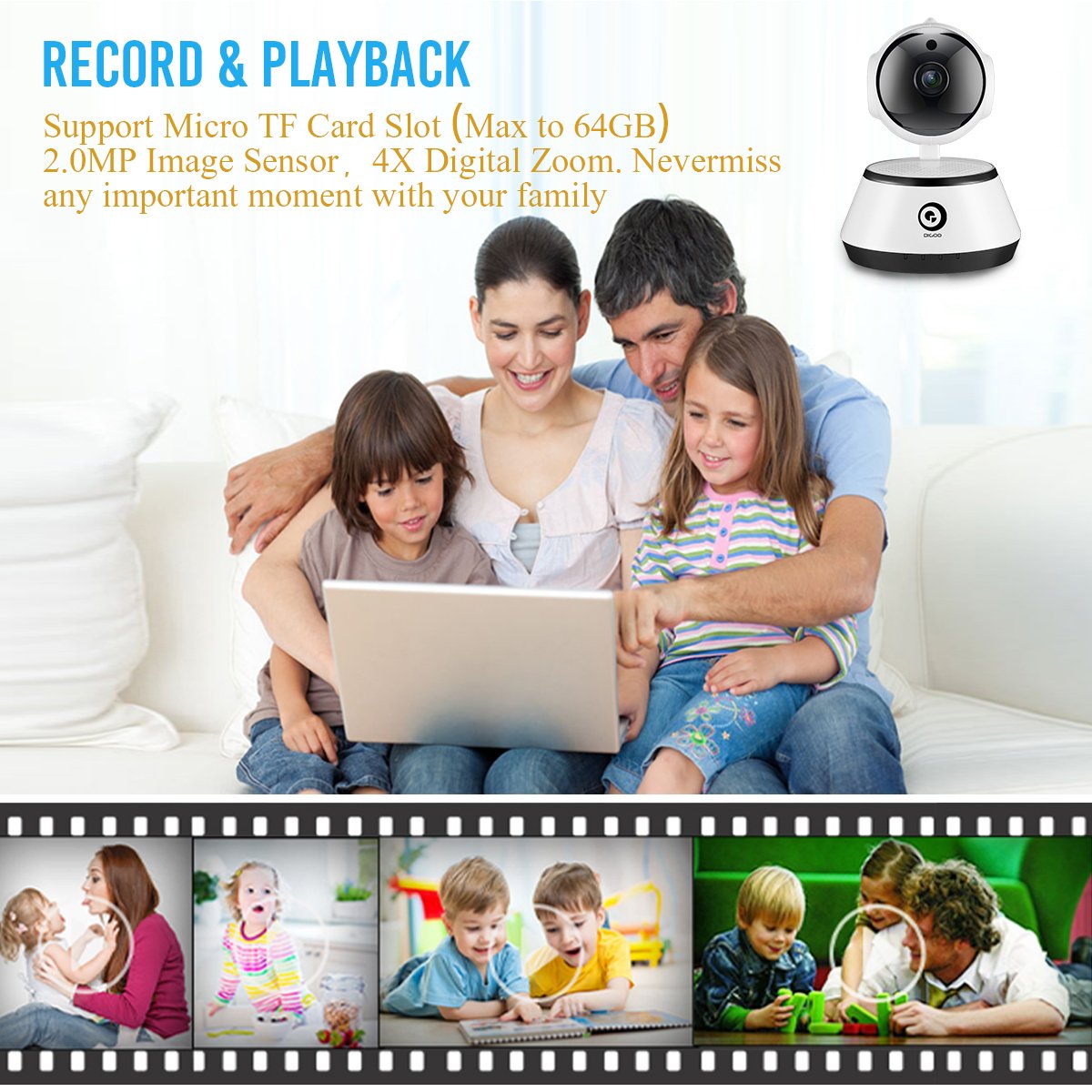
Image 6: A family viewing recorded video, highlighting the record and playback feature with a timeline of events.
4.5 Gece Görüşü
The camera automatically switches to night vision mode in low-light conditions, utilizing its 11 IR LEDs to provide clear black-and-white video up to 10 meters.

Image 7: Visual comparison demonstrating the clarity of 1080P HD video quality compared to lower resolutions.
5. Bakım
- Temizlik: Kamera lensini ve gövdesini yumuşak ve kuru bir bezle nazikçe silin. Sert kimyasallar veya aşındırıcı malzemeler kullanmaktan kaçının.
- Donanım Yazılımı Güncellemeleri: Periodically check the "Digoo Eye" app for available firmware updates to ensure optimal performance and security.
- Güç Kaynağı: Ensure the camera is always connected to a stable DC 5V/2A+ power source.
- Çevresel Koşullar: Operate the camera within the specified temperature range (-10°C to +60°C) and humidity (RH95% Max). While it can be used indoors or outdoors, ensure it is protected from direct weather exposure if used outdoors.
6. Sorun Giderme
- Kamera açılmıyor:
- Ensure the power adapter is correctly connected and providing sufficient power (DC 5V/2A+). Try a different power outlet or adapter.
- Wi-Fi'ye bağlanılamıyor:
- Verify your Wi-Fi network is 2.4GHz. The camera does not support 5GHz networks.
- Wi-Fi şifrenizin doğruluğunu kontrol edin.
- Kameranın Wi-Fi yönlendiricinizin kapsama alanında olduğundan emin olun.
- Yönlendiricinizi ve kameranızı yeniden başlatın.
- If using acoustic smart link, ensure there is no excessive background noise.
- Uygulamada video yayını yok:
- Kameranın açık ve ağa bağlı olduğundan emin olun.
- İnternet bağlantınızı kontrol edin.
- Uygulamayı ve kamerayı yeniden başlatın.
- Micro TF card not recording:
- TF kartının doğru şekilde takıldığından emin olun.
- Check if the TF card is formatted correctly (usually FAT32).
- Verify that recording settings are enabled in the "Digoo Eye" app.
- The card might be full; consider backing up data and formatting or replacing it.
7. Özellikler
| Özellik | Detay |
|---|---|
| Örnek | DG-M1Z SHARK |
| Görüntü Sensörü | 1/2.7 Progressive CMOS Sensor |
| Mercek | 2.8mm, 130° Wide Angle Lens, 5.0MP Lens |
| Veri deposu | 1 GB |
| Çözünürlük | FHD 1080P (2.0MP) |
| Kare Hızı | 25fps± (internet adaptively adjustment) |
| Dijital Zoom | 4X Dijital Yakınlaştırma |
| Video Sıkıştırma | H.264 |
| Ses Sıkıştırma | G.711 |
| Depolamak | Micro TF Card Slot (Max 64GB) |
| Bağlantı | Wireless (2.4G Wi-Fi), Wired (Ethernet), ONVIF |
| Alarm Fonksiyonu | Motion Detection, One Button Guard/Dis-Guard, E-mail alert |
| IR Işık | 11 Pcs IR LED |
| IR Mesafesi | Night Visibility 10m+ |
| Çalışma Sıcaklığı | -10°C ~ +60°C RH95% Max |
| Güç Kaynağı | DC 5V/2A+ |
| Güç Tüketimi | 3W-5W |
| Boyutlar | 15.01x11.99x10.01 cm |
| Ağırlık | 381 gr |
| Uygulama Uyumluluğu | iOS, Android, Windows PC ("Digoo Eye") |
8. Garanti ve Destek
For warranty information and technical support, please refer to the documentation provided with your purchase or visit the official DIGOO webSite. Satın alma fişinizi, garanti talepleriniz için satın alma belgeniz olarak saklayın.
For further assistance, you may contact DIGOO customer support through their official channels.


