1. Giriş
Thank you for choosing the OPPO UDP-205 Ultra HD Audiophile Blu-ray Disc Player. This player is engineered to deliver reference-level audio and video performance, supporting a wide range of disc formats including 4K UHD Blu-ray, Blu-ray, 3D Blu-ray, DVD, DVD-Audio, SACD, and CD. It features dual ESS ES9038PRO DACs for superior audio quality and advanced video processing for stunning HDR and Dolby Vision visuals. This manual provides essential information for the proper setup, operation, and maintenance of your player.
2. Güvenlik Bilgileri
- Güç Kaynağı: Ensure the player is connected to a power source with the correct voltage arka panelde belirtildiği gibi.
- Havalandırma: Havalandırma açıklıklarını kapatmayın. Aşırı ısınmayı önlemek için ünitenin etrafında yeterli hava akışı sağlayacak boşluk bırakın.
- Nem: Keep the player away from water or excessive moisture. Do not expose it to rain or splashes.
- Temizlik: Temizlemeden önce güç kablosunu çıkarın. Yumuşak, kuru bir bez kullanın. Sıvı veya aerosol temizleyiciler kullanmayın.
- Servis: Bu ürüne kendiniz servis vermeye çalışmayın. Tüm servis işlemleri için kalifiye servis personeline başvurun.
- Lazer Güvenliği: Bu ürün lazer kullanmaktadır. Lazer ışınına doğrudan maruz kalmamak için, muhafazayı açmayın veya herhangi bir güvenlik mekanizmasını devre dışı bırakmayın.
3. Paket İçeriği
Paketinizin aşağıdaki öğeleri içerdiğini doğrulayın:
- OPPO UDP-205 Ultra HD Audiophile Blu-ray Disc Player
- Uzaktan Kumanda (2 adet AA pil ile)
- Güç Kablosu
- HDMI Kablosu
- USB Wi-Fi Adapter (if included)
- Kullanım Kılavuzu (bu belge)
4. Ürün Bittiview
4.1 Ön Panel
The front panel features the disc tray, display, power button, and basic playback controls.

Resim Açıklaması: Önden açılı view of the OPPO UDP-205 Blu-ray player. The player is black with a brushed metal finish. The OPPO logo is visible on the top left. The disc tray is on the right, below a small display screen. A power button with an indicator light is on the bottom left, and a USB port is on the bottom right.
4.2 Arka Panel Bağlantıları
The rear panel provides various input and output ports for connecting to your display, audio system, and network.

Resim Açıklaması: Ayrıntılı view of the rear panel of the OPPO UDP-205. It shows a comprehensive array of audio and video outputs, including HDMI (Main and Audio Only), LAN, Optical, Coaxial, USB 3.0, RS-232C, Trigger In/Out, and 7.1/5.1/2.0 channel analog audio outputs (RCA and XLR balanced stereo). An AC voltage switch and power input are on the far right.
4.3 Dahili Bileşenler
The internal design highlights the audiophile-grade components, including the toroidal power transformer and dual DACs.

Resim Açıklaması: Bir üstten view of the internal components of the OPPO UDP-205. Key features visible include a large toroidal power transformer on the left, the disc loader mechanism in the center, and multiple circuit boards populated with high-quality audio and video processing components, including the ESS Sabre Pro DACs.
5. Kurulum
5.1 Bir Ekrana Bağlanma
- HDMI kablosunun bir ucunu şuraya bağlayın: HDMI ÇIKIŞI (Ana) port on the player's rear panel.
- Connect the other end of the HDMI cable to an HDMI input on your TV or projector.
- For optimal audio, you may use the HDMI ÇIKIŞI (Yalnızca Ses) port to connect to an AV receiver or soundbar.
5.2 Ses Sistemine Bağlantı
- Analog Ses: For high-fidelity audio, connect the 7.1/5.1/2.0 channel analog outputs (RCA) or the XLR balanced stereo outputs to your amplifier or receiver's corresponding inputs.
- Dijital Ses: Use the Optical or Coaxial digital audio outputs to connect to an external DAC or AV receiver.
- USB DAC'ı: The player features a USB DAC input for connecting a computer to utilize the UDP-205's high-quality DACs.
5.3 Ağ Bağlantısı
- Kablolu: Yönlendiricinizden bir Ethernet kablosunu şuraya bağlayın: Yerel Ağ (Gigabit) port on the player.
- Kablosuz: If using a USB Wi-Fi adapter (sold separately or included), plug it into a USB port and configure Wi-Fi settings in the player's setup menu.
5.4 Güç Bağlantısı
After all other connections are made, connect the power cord to the player's AC INLET and then to a wall outlet. Ensure the AC VOLTAGE SWITCH on the rear panel is set correctly for your region (110-120V or 220-240V).
6. Kullanım Talimatları
6.1 Temel Disk Oynatma
- Basın Güç Oynatıcıyı açmak için düğme.
- Basın Aç/Kapat Disk tepsisini açmak için ön paneldeki düğmeyi veya uzaktan kumandayı kullanın.
- Etiketli yüzü yukarı bakacak şekilde diski tepsiye nazikçe yerleştirin.
- Basın Aç/Kapat Tepsiyi kapatmak için düğmeye tekrar basın. Oynatıcı otomatik olarak diski okumaya başlayacaktır.
- Kullanın Oynamak, Duraklama, Durmak, Hızlı İleri, Ve Geri sarma buttons on the remote control for playback control.
6.2 Menü Navigasyonu
Kullanın Ok düğmeler ve Girmek button on the remote control to navigate through the player's on-screen menus for settings, media browsing, and disc playback options. The Ev button returns you to the main menu.
6.3 Region Free Functionality
The UDP-205 is designed to play Blu-ray discs from any region (A, B, C) and DVDs from any region (0-9). No manual adjustment is typically required for region-free playback. The player automatically adapts to the disc's region coding.

Resim Açıklaması: Graphic showing three hexagonal shapes with globes inside, labeled 'A', 'B', and 'C', representing Blu-ray regions.
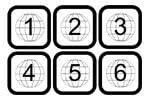
Resim Açıklaması: Graphic showing six square icons with globes inside, labeled '1' through '6', representing DVD regions.

Resim Açıklaması: Graphic showing two rectangular blocks, one labeled 'PAL' and the other 'NTSC', indicating video format compatibility.
6.4 Supported Disc Formats
The UDP-205 supports a comprehensive range of disc formats:
- 4K UHD Blu-ray
- Blu-ray (2D & 3D)
- DVD-Video
- DVD-Ses
- SACD (Super Audio CD)
- CD (Kompakt Disk)
7. Bakım
7.1 Ünitenin Temizlenmesi
To maintain the player's appearance, wipe the exterior surfaces with a soft, dry, lint-free cloth. Do not use abrasive cleaners, waxes, or solvents. For the disc tray, use a soft brush to remove dust if necessary. Never attempt to clean the internal lens.
7.2 Firmware Güncellemesi
OPPO periodically releases firmware updates to improve performance, add features, or fix bugs. It is recommended to keep your player's firmware up to date. Firmware updates can typically be performed via network connection or USB. Refer to the official OPPO webEn son yazılım ve güncelleme talimatları için siteyi ziyaret edin.
8. Sorun Giderme
If you encounter issues with your UDP-205, please refer to the following common problems and solutions:
| Sorun | Olası Çözüm |
|---|---|
| Güç Yok | Check if the power cord is securely connected. Ensure the AC VOLTAGE SWITCH on the rear panel is set correctly. Try a different power outlet. |
| Resim yok | Verify HDMI cable connections. Ensure the correct input is selected on your TV/display. Check video output settings in the player's menu. |
| Ses Yok | Check audio cable connections (HDMI, analog, digital). Ensure the correct input is selected on your audio receiver/amplifier. Adjust volume levels. Check audio output settings in the player's menu. |
| Disc Not Playing / Disc Error | Ensure the disc is clean and free of scratches. Verify the disc is inserted correctly. Try a different disc. Ensure the disc format is supported by the player. |
| Uzaktan Kumanda Çalışmıyor | Replace the batteries (2 AA). Ensure there are no obstructions between the remote and the player. Point the remote directly at the player's front panel sensor. |
9. Özellikler
- Modeli: UDP-205
- Boyutlar (G x D x Y): 16.8 x 12.2 x 4.8 inç (42.7 x 31.0 x 12.2 cm)
- Ağırlık: 22 pound (10 kg)
- Video Çözünürlüğü: Up to 3840x2160 (4K UHD)
- Bağlantı: HDMI (Main, Audio Only), LAN (Gigabit Ethernet), USB 3.0, Optical, Coaxial, XLR Balanced Audio, RCA 7.1/5.1/2.0 Channel Audio, RS-232C, Trigger In/Out
- Ses Çıkış Modu: Çevrelemek
- DAC'ler: Dual ESS ES9038PRO Sabre Pro DACs
- Güç Kaynağı: Toroidal Trafo
- Desteklenen Ortam Türleri: 4K UHD Blu-ray, Blu-ray, 3D Blu-ray, DVD-Video, DVD-Audio, SACD, CD
10. Garanti ve Destek
For warranty information and technical support, please refer to the documentation included with your product or visit the official OPPO website. Keep your proof of purchase for warranty claims. OPPO provides customer support to assist with any questions or issues you may encounter with your UDP-205 player.


