1. Giriş
This manual provides detailed instructions for the safe and proper installation, operation, and maintenance of your MANHATTAN Universal Flat-Panel TV Articulating Wall Mount, Model 461399. This single-arm mount is designed to securely hold flat-panel televisions ranging from 13 to 42 inches and weighing up to 20 kg (44 lbs). It offers adjustable tilt, swivel, and level functionalities to optimize your viewDeneyim.

Resim 1.1: Açısal view of the MANHATTAN Universal Flat-Panel TV Articulating Wall Mount.
2. Güvenlik Bilgileri
UYARI: Read all instructions carefully before installation. Improper installation can result in property damage, serious injury, or death. If you do not understand these instructions or have doubts about the safety of the installation, contact a qualified installer.
- Montaj yüzeyinin, montaj aparatı ve televizyonun toplam ağırlığını güvenli bir şekilde taşıyabileceğinden emin olun.
- 20 kg (44 lbs) maksimum ağırlık kapasitesini aşmayın.
- Bu ürün yalnızca iç mekanda kullanıma yöneliktir.
- Use only the provided mounting hardware. If any parts are missing or damaged, contact customer support.
- Always use a stud finder to locate wall studs for secure mounting in wood stud walls.
- Kurulum sırasında göz koruyucu da dahil olmak üzere uygun güvenlik ekipmanlarını kullanın.
3. Paket İçeriği
Verify that all components are present and undamaged before beginning installation. If any parts are missing or defective, do not proceed with installation and contact customer support.
- Wall Mount Assembly (Single Arm)
- TV Mounting Brackets (VESA Plate)
- Hardware Kit (Screws, Washers, Spacers, Wall Anchors)
- Kullanım Kılavuzu
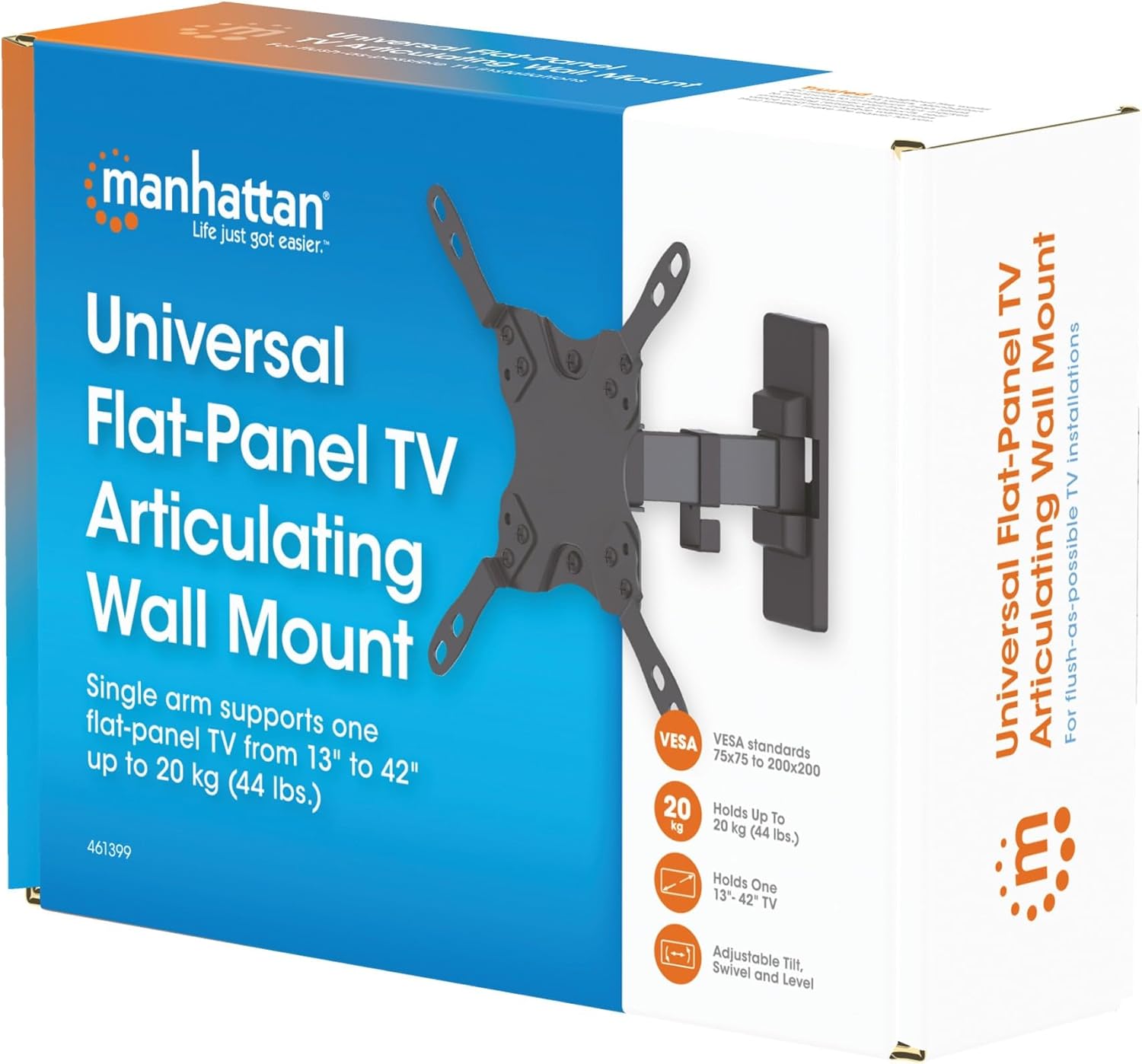
Image 3.1: Packaging of the MANHATTAN Universal Flat-Panel TV Articulating Wall Mount.
4. Kurulum ve Kurulum
4.1 Kurulum Öncesi Kontroller
- Televizyon Uyumluluğu: Ensure your TV's weight is within 20 kg (44 lbs) and its screen size is between 13 and 42 inches. Check the VESA mounting pattern on your TV (typically 75x75mm, 100x100mm, 200x100mm, or 200x200mm).
- Duvar Tipi: Determine your wall type (wood stud, concrete, brick). Different wall types require specific mounting hardware and techniques.
- Gerekli Araçlar: Pencil, drill, stud finder (for wood walls), level, Phillips head screwdriver, socket wrench.
4.2 Attaching TV Brackets to TV
- Ekran hasarını önlemek için televizyonunuzu dikkatlice, yüzü aşağıya gelecek şekilde yumuşak ve temiz bir yüzeye yerleştirin.
- Televizyonunuzun arkasındaki VESA montaj deliklerini bulun.
- Donanım setinden televizyonunuzun montaj deliklerine uygun vidaları, rondelaları ve ara parçaları seçin.
- Attach the TV mounting brackets to the back of your TV using the selected hardware. Ensure they are securely fastened but do not overtighten.

Resim 4.2.1: Arka view of the VESA plate, showing mounting holes for TV attachment.

Resim 4.2.2: Ön view of the VESA plate, showing mounting holes for TV attachment.
4.3 Duvar Plakasının Montajı
- Determine the desired height and position for your TV. Use a pencil to mark the top center of where the mount will be.
- Place the wall plate against the wall at the marked position and use a level to ensure it is perfectly horizontal. Mark the drill holes.
- Ahşap Dikmeli Duvarlar İçin: Use a stud finder to locate the center of a wood stud. Drill pilot holes (recommended size in manual, typically 5mm) into the stud. Secure the wall plate using the lag bolts and washers.
- Beton/Tuğla Duvarlar İçin: Drill pilot holes (recommended size in manual, typically 10mm) into the solid concrete or brick. Insert wall anchors into the holes. Secure the wall plate using the lag bolts and washers.
- Duvar plakasının duvara sağlam ve güvenli bir şekilde takıldığından emin olun.

Resim 4.3.1: Yan view of the mount, illustrating its extension from the wall.
4.4 Televizyonun Asılması
- With assistance, carefully lift the TV with the attached brackets and hook them onto the wall plate.
- Televizyonun duvardaki montaj plakasına sağlam bir şekilde oturduğundan emin olun.
- Tighten any safety screws or locking mechanisms to prevent accidental dislodgement.
5. Kullanım Talimatları (Ayarlamalar)
This articulating wall mount allows for flexible positioning of your TV to achieve optimal viewaçıları.
- Eğim Ayarı: Loosen the tilt knobs on the VESA plate, adjust the TV to the desired vertical angle (+5° to -12°), and then retighten the knobs.
- Döndürme Ayarı: Gently push or pull the TV to swivel it horizontally (up to 180° depending on TV size and wall distance).
- Seviye Ayarı: If your TV is slightly unlevel after installation, there may be a mechanism to adjust the horizontal level (typically +/-3°). Consult the specific diagram for your model.

Image 5.1: Technical diagram showing dimensions and available adjustment angles (tilt, swivel, level).
5.1 Kablo Yönetimi
Utilize the integrated cable clips on the arm to route and organize your TV cables, ensuring a neat appearance and preventing damage.

Image 5.1.1: Detail of the mount arm showing cable management clips.
6. Bakım
- Tüm vidaların ve bağlantıların sıkı ve güvenli olduğundan emin olmak için düzenli olarak kontrol edin.
- Montaj parçasını yumuşak, kuru bir bezle temizleyin. Aşındırıcı temizleyicilerden veya çözücülerden kaçının.
- If the mount becomes stiff, a small amount of silicone-based lubricant can be applied to the articulating joints.
7. Sorun Giderme
| Sorun | Olası Neden | Çözüm |
|---|---|---|
| Televizyon düz değil. | Wall plate not level during installation; level adjustment needed. | Re-check wall plate level and adjust if necessary. Use the mount's level adjustment feature if available. |
| Montaj gevşek veya dengesiz hissediyor | Mounting screws are not fully tightened; wall anchors not properly installed; wall surface is inadequate. | Ensure all mounting screws are securely tightened. Verify wall anchors are correctly installed for your wall type. If the wall is inadequate, consult a professional. |
| Difficulty moving/adjusting TV | Bağlantı yerleri çok sıkı veya yağlama gerektiriyor. | Loosen adjustment screws slightly. Apply silicone-based lubricant to articulating joints if needed. |
8. Özellikler
| Model Numarası | 461399 |
| Marka | MANHATTAN |
| Montaj Tipi | Mafsallı Duvar Montajı |
| Hareket Türü | Eklemli |
| Malzeme | Metal |
| Renk | Siyah |
| Uyumlu Cihazlar | Television (13" - 42") |
| Maksimum Ağırlık Kapasitesi | 20 kg (44 lbs) |
| VESA Uyumluluğu | 75x75mm, 100x100mm, 200x100mm, 200x200mm |
| Eğim Aralığı | +5° ila -12° |
| Dönme Aralığı | Up to 180° (depending on TV size) |
| Seviye Ayarlaması | +/-3° |
| Ürün Boyutları | 7.48 x 8.66 x 8.66 inches (approximate, folded) |
| Ürün Ağırlığı | 2.31 pound |
9. Garanti ve Destek
For warranty information or technical support, please refer to the documentation included with your purchase or visit the official MANHATTAN webSite. Satın alma belgenizi garanti talepleriniz için saklayın.
Üretici: MANHATTAN
İlk Mevcut Tarih: 9 Haziran 2017


