Ürün Bittiview
The VTech KidiZoom Smartwatch DX2 is a kid-friendly, reliable smartwatch designed for children aged 4-12 years. It allows kids to capture quality photos and videos, play engaging games, and learn to tell time. Its stylish and durable design is sized for children's wrists.
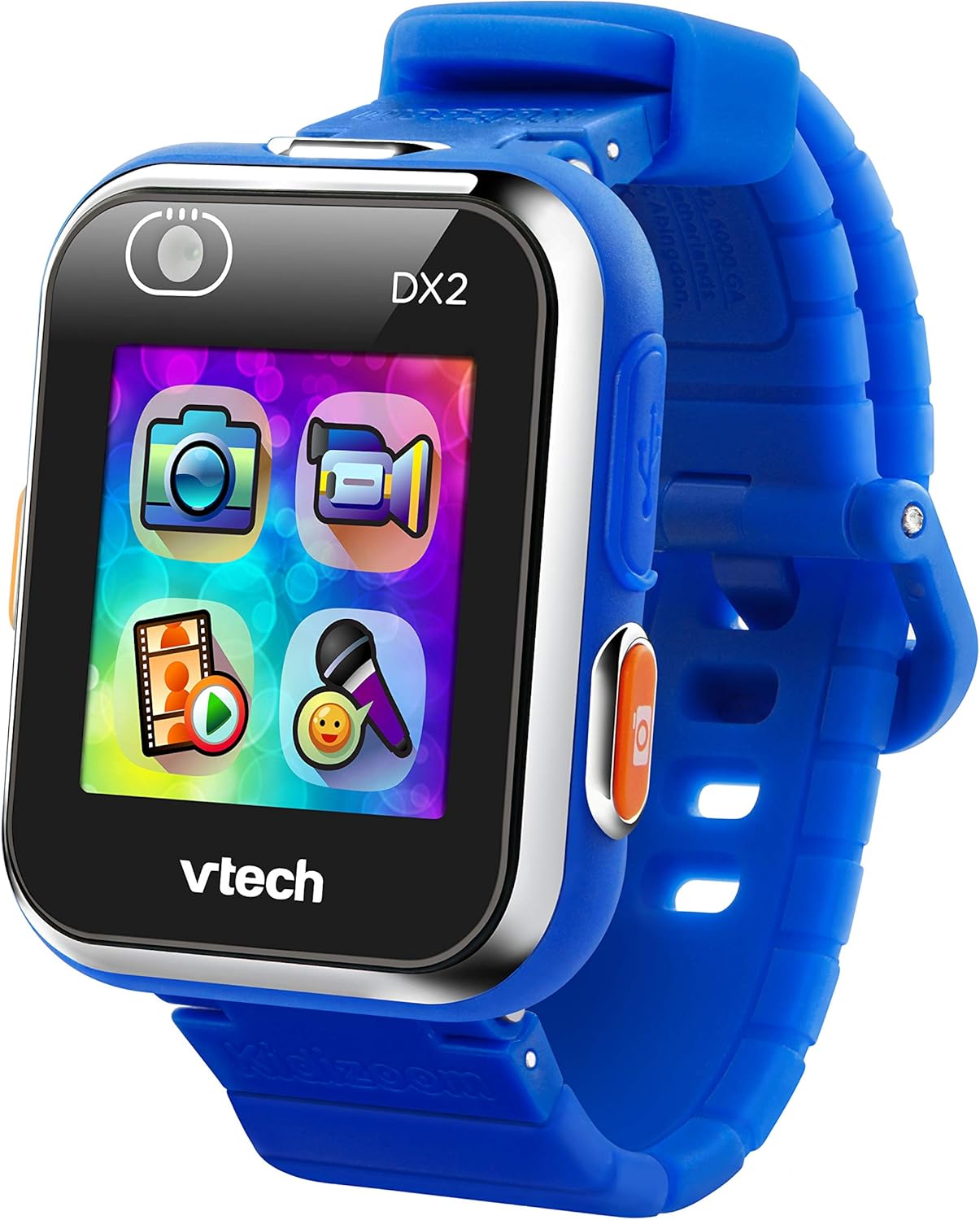
Ön view of the VTech KidiZoom Smartwatch DX2, highlighting its vibrant display and intuitive app icons for camera, video, and games.
Neler Dahil?
- KidiZoom Akıllı Saat DX2
- Mikro USB Kablosu
- Ebeveyn Rehberi
Kurulum Talimatları
- Akıllı Saati Şarj Etme: Connect the included Micro-USB cable to the smartwatch and a computer's USB port. The device should only be charged using a computer; avoid third-party adapters.
- İlk Güç Açma: Press and hold the power button (usually on the side) until the VTech logo appears.
- Saat ve Tarih Ayarı: Follow the on-screen prompts to set the current time and date.
- Özelleştirme: Explore the settings to choose from 55 digital and analog watch faces.
Akıllı Saatin Çalıştırılması
Camera and Video Features
The KidiZoom Smartwatch DX2 features two cameras, allowing for photos, selfies, and action videos.

The smartwatch features dual cameras, one for forward-facing shots and another for selfies, indicated by the camera icons on the screen.
Customize photos and videos with funny filters using the "Silly Me" app.

A child's hand demonstrates interacting with the camera application on the VTech KidiZoom Smartwatch DX2, highlighting its user-friendly interface.
Note: No official seller videos were found for embedding based on the provided criteria.
Games and Activities
The smartwatch includes high-tech games like "Monster Detector," which uses the camera and augmented reality (AR) to find and capture virtual monsters in the real world.

A young boy expresses excitement while looking at his VTech KidiZoom Smartwatch DX2, likely engaged in one of its interactive games or activities.
The motion sensor enables active play challenges and step tracking (pedometer).

A close-up of the smartwatch screen showcasing a variety of colorful app icons, representing different games, creative activities, and utility functions available on the device.
Time-Telling and Customization
Choose from 55 digital and analog watch faces to help kids learn to tell time.
Parents can safely share photos and videos by uploading them to a computer using the micro-USB cable.
Free games, watch faces, and camera effects are available from Learning Lodge.
Bakım ve Onarım
- Temizlik: Wipe the smartwatch with a slightly damp bez. Sert kimyasallar veya aşındırıcı temizleyiciler kullanmayın.
- Suya Dayanıklılık: The watch features a splash-proof band. However, it is not fully waterproof and should not be submerged in water.
- Pil Bakım: Only charge the device using the included Micro-USB cable connected to a computer. Do not charge using a third-party adapter.
- Depolamak: Akıllı saati kullanılmadığı zaman serin ve kuru bir yerde saklayın.
Sorun giderme
| Sorun | Olası Çözüm |
|---|---|
| Cihaz açılmıyor | Ensure the battery is charged. Connect to a computer using the USB cable. |
| Ekran tepkisiz | Restart the device by holding the power button. If unresponsive, allow the battery to fully drain and then recharge. |
| Bilgisayara bağlanılamıyor | Ensure the Micro-USB cable is securely connected to both the smartwatch and a working USB port on the computer. Try a different USB port. |
| Games/Apps not loading | Check available memory. Ensure the device software is up to date via Learning Lodge. |
Ürün Özellikleri
- Ürün Ölçüleri: 8.83 x 0.68 x 1.73 inç
- Ürün Ağırlığı: 0.352 ons
- Ürün Model Numarası: 193800
- Üreticinin Tavsiye Ettiği Yaş: 4 - 12 yıl
- Piller: 1 Lityum Polimer pil gerekli (dahil)
- Bellek Depolama Kapasitesi: 256 MB
- İşletim Sistemi: uC/OS-II
- Ekran Boyutu: 1.4 inç
- Bağlantı Teknolojisi: USB
- Kablosuz İletişim Standardı: Bluetooth
- Özel Özellikler: Video Playback, Voice Recorder, Side Camera and Selfie Camera, Splash Proof, 3D Effects, Funny Face Studio, Photo Clock Faces Maker, Wallpaper, Pedometer, Smart Wake Up, Alarm clock, Games, Timer, Calendar
Garanti ve Destek
For detailed warranty information and customer support, please refer to the included Parent's Guide or visit the official VTech webalan.


