1. Giriş
This instruction manual provides detailed information on the installation, operation, and maintenance of your StarTech.com USB-C to DisplayPort Adapter (Model: CDP2DP). This adapter allows you to connect a DisplayPort monitor to a USB Type-C port on your laptop or other compatible device, enabling high-resolution video and audio output.
Ürünün düzgün çalışmasını sağlamak ve hasarı önlemek için lütfen ürünü kullanmadan önce bu kılavuzu dikkatlice okuyun.
2. Ürün Bittiview
The StarTech.com USB-C to DisplayPort Adapter is a compact and portable solution for extending your display. It supports high resolutions, including 4K at 60Hz and 8K at 30Hz, leveraging the DisplayPort Alternate Mode (Alt Mode) functionality of USB-C.
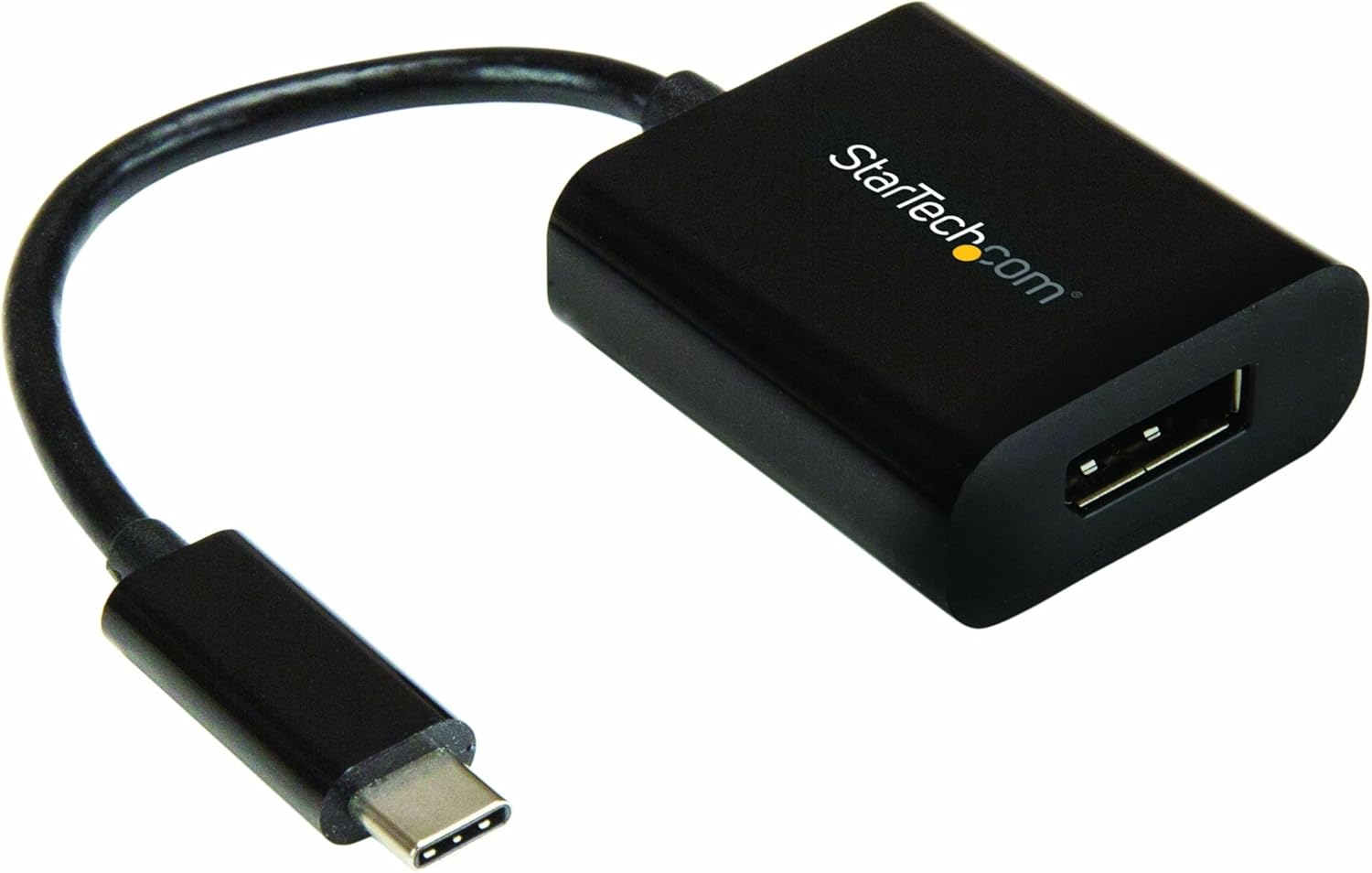
Image: The StarTech.com USB-C to DisplayPort Adapter, featuring a black compact dongle with a short cable and a USB-C connector.
2.1 Paket İçeriği
- (1) USB-C to DisplayPort Adapter (CDP2DP)
2.2 Ürün Boyutları
- Ürün Ölçüleri: 7.1 x 1.5 x 0.6 inç (18.03 x 3.81 x 1.52 cm)
- Ürün Ağırlığı: 0.64 ons (18.14 gram)

Image: The product packaging displaying the adapter and its physical dimensions: 1.6 inches (4.1 cm) length, 1.5 inches (3.8 cm) width, 0.67 inches (1.7 cm) height for the adapter body, and a cable length of 5.5 inches (14 cm).
3. Özellikler
- Yüksek Performans: Supports DisplayPort 1.4, DisplayPort Alt Mode, HBR2, DSC, and 32.4Gbps bandwidth. Connects to a single DP display supporting 8K 30Hz UHD (7680x4320) and 2-channel audio. Compatible with HDCP 2.2/1.4 and Thunderbolt 3.
- Geniş Uyumluluk: Tested for peak performance at 8K 30Hz with various DP monitors from brands like Dell UltraSharp, Samsung, Asus ProArt, Acer, and LG. Backward compatible with 4K and 1080p displays.
- Gelişmiş Görüntü Kalitesi: Features a unique video signal booster that amplifies the signal, ensuring reliable performance even with lower quality cables. This amplifier also increases the maximum supported DisplayPort cable length compared to standard adapters.
- Kullanımı Kolay: Supports driverless plug-and-play setup. Compatible with macOS, Windows 10, Ubuntu, and Chrome OS. Works with any USB Type-C (DisplayPort over USB-C) or Thunderbolt 3 device.
- Taşınabilir Tasarım: Compact and lightweight, making it easy to carry in a laptop bag. Ideal for mobile professionals and BYOD (Bring Your Own Device) environments.
4. Kurulum
The StarTech.com USB-C to DisplayPort Adapter is designed for simple plug-and-play operation, requiring no additional drivers for most operating systems.
4.1 Sistem Gereksinimleri
- A host device with an available USB Type-C port that supports DisplayPort Alternate Mode (DP Alt Mode) or Thunderbolt 3.
- A DisplayPort enabled monitor or display.
- A DisplayPort cable (not included).
- Supported Operating Systems: Windows 10, macOS, Ubuntu, Chrome OS.
4.2 Adaptörün Bağlanması
- Connect the USB-C male connector of the CDP2DP adapter to an available USB Type-C port on your laptop, computer, or other compatible device. Ensure the USB-C port supports DisplayPort Alt Mode or is a Thunderbolt 3 port.
- Connect one end of a DisplayPort cable (not included) to the DisplayPort female port on the CDP2DP adapter.
- Connect the other end of the DisplayPort cable to the DisplayPort input on your monitor or display.
- Your display should automatically detect the signal from your device. If not, you may need to manually select the DisplayPort input on your monitor.

Image: A laptop connected to an external monitor via the USB-C to DisplayPort adapter, illustrating the plug-and-play setup and compact design.

Image: A diagram showing the connection flow from a USB Type-C (Host) device to a DisplayPort monitor via the StarTech.com adapter.
5. Kullanım Talimatları
Once connected, the adapter functions as a direct video and audio pass-through from your USB-C enabled device to your DisplayPort monitor.
5.1 Görüntü Modları
- Genişletilmiş Masaüstü: Allows you to extend your desktop across multiple monitors, providing more screen space for multitasking.
- Mirrored Display (Duplicate): Duplicates your primary display onto the connected DisplayPort monitor, ideal for presentations or sharing content.
- Birincil Ekran: Sets the connected DisplayPort monitor as your main display.
These display modes can be configured through your operating system's display settings (e.g., Display Settings in Windows, System Preferences > Displays in macOS).
5.2 Desteklenen Çözünürlükler
The adapter supports resolutions up to 8K (7680x4320) at 30Hz and 4K (3840x2160) at 60Hz. The actual resolution and refresh rate will depend on the capabilities of your source device, DisplayPort cable, and connected monitor.
6. Bakım
To ensure the longevity and optimal performance of your StarTech.com USB-C to DisplayPort Adapter, follow these maintenance guidelines:
- Adaptörü temiz ve tozdan arındırılmış halde tutun. Temizlik için yumuşak, kuru bir bez kullanın.
- Adaptörü aşırı sıcaklıklara, neme veya doğrudan güneş ışığına maruz bırakmaktan kaçının.
- Do not bend or crimp the cable excessively.
- Adaptörü kullanılmadığı zamanlarda serin ve kuru bir yerde saklayın.
6.1 Önemli Güvenlik Uyarısı
Please observe the following safety warnings to prevent injury or damage to the product:
- Elektriksel tehlikeler: Do not use damaged or frayed cables. Exposed wires can lead to electric shocks. Always ensure cables are properly seated and undamaged.
- Isı Birikimi: Overloaded or tightly bundled cables can overheat and pose a fire hazard. Ensure adequate ventilation and avoid bundling too many cables.
- Zarar: Adaptörleri her zaman kablosundan değil, fişinden tutarak çıkarın. Kablosundan çekmek, elektrik çarpmasına veya yanıklara yol açabilecek canlı telleri açığa çıkarabilir.

Image: A warning label from StarTech.com detailing electrical hazards, heat buildup, and damage prevention in multiple languages.
7. Sorun Giderme
If you encounter issues with your USB-C to DisplayPort adapter, refer to the following common problems and solutions:
7.1 Görüntü Çıkışı Yok
- Bağlantıları Kontrol Edin: Ensure both the USB-C connector and the DisplayPort cable are securely plugged into their respective ports. Try unplugging and re-plugging them.
- USB-C Bağlantı Noktası Uyumluluğunu Doğrulayın: Confirm that your laptop's USB-C port supports DisplayPort Alternate Mode (DP Alt Mode) or is a Thunderbolt 3 port. Not all USB-C ports support video output.
- Monitor Input Selection: Make sure your monitor is set to the correct DisplayPort input source.
- Test with Another Cable/Monitor: If possible, try using a different DisplayPort cable or connecting to another monitor to rule out cable or monitor issues.
- Cihazları Yeniden Başlatın: Restart your laptop and monitor.
7.2 Low Resolution or Incorrect Refresh Rate
- Check Display Settings: Adjust the resolution and refresh rate in your operating system's display settings.
- Kablo Kalitesi: Ensure you are using a high-quality DisplayPort cable that supports the desired resolution and refresh rate (e.g., DP 1.4 for 8K 30Hz).
- Source Device Capability: Confirm that your source device's graphics card supports the desired resolution and refresh rate.
7.3 Intermittent Connection / Signal Drops
- Güvenli Bağlantılar: Tüm bağlantıların sağlam ve gevşek olmadığından emin olun.
- Kablo Bütünlüğü: Inspect the DisplayPort cable for any damage or kinks. A damaged cable can cause signal instability.
- Güç yönetimi: Check your laptop's power settings to ensure it's not entering a low-power state that affects video output.
- Adapter Position: Ensure the adapter is not being stressed or bent at the connection points.
7.4 Adaptör Tanınmadı
- Try Another USB-C Port: If your device has multiple USB-C ports, try connecting the adapter to a different one.
- Sürücüleri Güncelle: Ensure your graphics drivers and USB-C controller drivers are up to date on your computer.
8. Özellikler
| Bağlanmak | Değer |
|---|---|
| Ürün Model Numarası | CDP2DP |
| Ürün Boyutları (U x G x Y) | 7.1 x 1.5 x 0.6 inç (18.03 x 3.81 x 1.52 cm) |
| Ürün Ağırlığı | 0.64 ons (18.14 gram) |
| Renk | Siyah |
| Bağlayıcı Türü | USB-C Male to DisplayPort Female |
| Desteklenen Maksimum Çözünürlük | 8K (7680x4320) @ 30Hz, 4K (3840x2160) @ 60Hz |
| DisplayPort Standard | DisplayPort 1.4 (HBR2, DSC) |
| Ses Desteği | 2 kanalı Ses |
| HDCP Desteği | HDCP2.2 / 1.4 |
| Thunderbolt 3 Uyumlu | Evet |
| USB Güç Dağıtımı | Not supported (for model CDP2DP) |
| Uyumlu Cihazlar | Audio/Video Device, Chromebook, Laptop, MacBook Pro, Monitor, iPad Pro |
| Üretici | StarTech.com |
| İlk Mevcut Tarih | 15 Şubat 2017 |
9. Garanti ve Teknik Destek
9.1 Ürün Garantisi
This StarTech.com USB-C to DisplayPort Adapter (CDP2DP) is backed by a 3 yıllık StarTech.com garantisi. For specific warranty terms and conditions, please refer to the official StarTech.com websiteye gidin veya müşteri desteğiyle iletişime geçin.
9.2 Teknik Destek
StarTech.com offers comprehensive technical support to assist you with any questions or issues regarding your product. You can find support resources, FAQs, and contact information on their official webalan.
Ziyaret edin StarTech.com Store on Amazon Daha fazla bilgi ve destek için.
For additional product information, including the latest drivers and manuals, please visit the product page on the StarTech.com webaşağıdaki bağlantıyı kullanan site: http://www.StarTech.com/Q/CDP2DP


