giriiş
Satın aldığınız için teşekkür ederizasing the ipega PG-9087S Wireless Game Controller. This device is designed to enhance your mobile gaming experience on Android and iOS smartphones and tablets. Please read this manual carefully before use to ensure proper operation and to maximize the lifespan of your controller.
Güvenlik Bilgileri
- Kumanda cihazını aşırı sıcaklıklara, neme veya doğrudan güneş ışığına maruz bırakmayın.
- Kumanda cihazını düşürmekten veya şiddetli darbelere maruz bırakmaktan kaçının.
- Kumandayı sökmeye veya üzerinde değişiklik yapmaya çalışmayın. Bu, garantiyi geçersiz kılacak ve hasara neden olabilir.
- Kumandayı çocuklardan ve evcil hayvanlardan uzak tutun.
- Yalnızca kutu içeriğinde bulunan veya önerilen şarj kablosunu kullanın.
Paket İçeriği
- ipega PG-9087S Wireless Game Controller
- USB Şarj Kablosu
- Kullanım Kılavuzu (bu belge)
Ürün Bittiview

Figure 1: Controller Layout. This image displays the ipega PG-9087S controller with its various buttons and components labeled, including the Left 3D joystick, D-Pad, TURBO button, battery/mode indicators, Home Button, R1/R2, ABXY Action buttons, Right 3D joystick, START, and SELECT buttons.

Şekil 2: Başlıca Özellikler. This image highlights specific design elements: a textured rocker for improved grip, LED red button lights for visibility, scrub and non-slip trigger construction for precise control, and a classic cross key design for the D-Pad.
Temel Özellikler:
- Bluetooth 4.0 Bağlantısı: Ensures stable and high-speed transmission.
- Uzatılabilir Kol: Accommodates devices with a maximum extending size of 6.2 inches (70-158mm) and a thickness of up to 9mm.
- Ergonomik Tasarım: Provides comfort for extended gaming sessions.
- High Sensitivity Buttons: Designed for quick and accurate responses.
- Custom Function/Button Mapping: Allows users to customize button functions according to personal preferences for various games.
- Çoklu Platform Desteği: Compatible with Android 6.0 and above, and iOS devices.
Kurmak
1. Kontrol Cihazının Şarj Edilmesi
Before first use, fully charge the controller. Connect the provided USB charging cable to the controller's charging port and to a USB power source (e.g., computer, USB wall adapter). The battery charging indicators (1, 2, 3, 4) will illuminate to show charging status and battery level.
2. Açma/Kapama

Figure 3: Power Switch and Connection Methods. This image shows the physical on/off switch located at the bottom of the controller and provides visual instructions for Android and iOS direct connection methods.
- Açmak İçin: Locate the power switch (labeled 'switch:on/off' in Figure 3) on the bottom of the controller and slide it to the 'ON' position.
- Kapatmak İçin: Güç düğmesini 'KAPALI' konumuna getirin.
3. Bluetooth Eşleştirme
The PG-9087S supports direct connection without needing to download a separate application.
- İOS Cihazları için: Kontrol cihazı kapalıyken, tuşuna basın ve basılı tutun Y button + HOME button Gösterge ışığı hızlı bir şekilde yanıp sönene kadar 2 saniye boyunca aynı anda basın.
- Android Cihazlar İçin: Kontrol cihazı kapalıyken, tuşuna basın ve basılı tutun A button + HOME button Gösterge ışığı hızlı bir şekilde yanıp sönene kadar 2 saniye boyunca aynı anda basın.
Once the indicator light flashes, enable Bluetooth on your mobile device and search for "PG-9087S". Select it to pair. The indicator light will become solid once successfully connected.
4. Cihaz Kurulumu
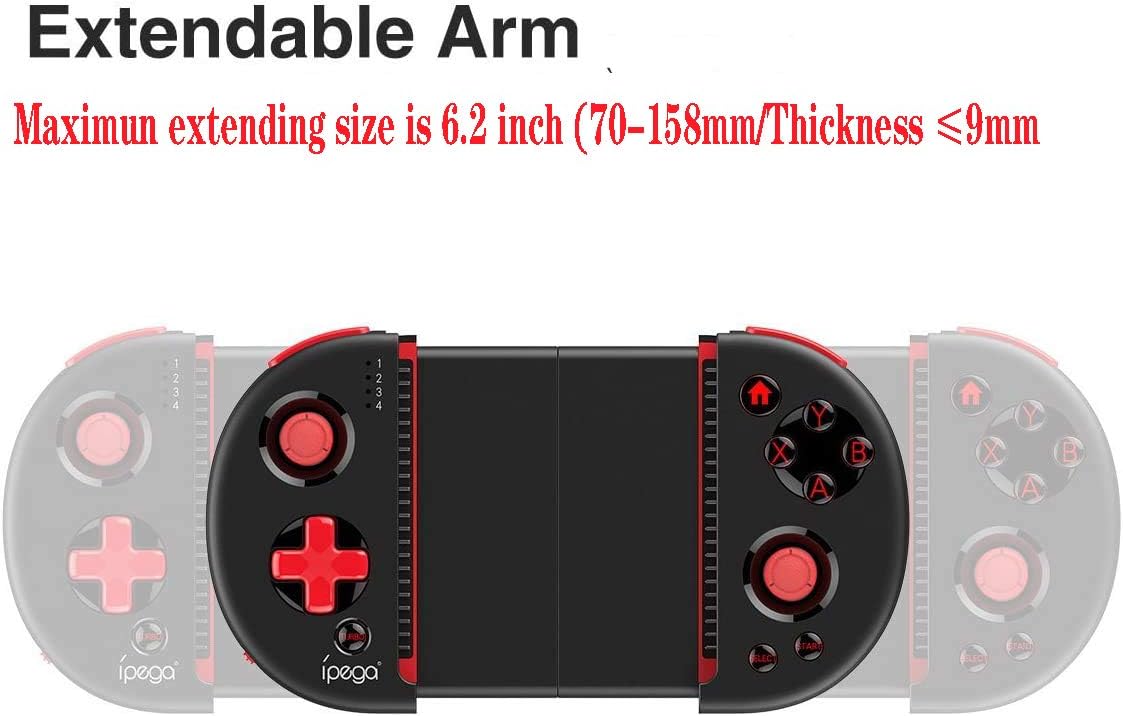
Figure 4: Extendable Arm. This image illustrates the extendable arm feature of the controller, showing its maximum extension size of 6.2 inches (70-158mm) and a maximum device thickness of 9mm.
Gently extend the arms of the controller to fit your smartphone or tablet. Ensure your device is securely seated within the extendable arm. The arm supports devices up to 6.2 inches (158mm) in length and 9mm in thickness.
Kullanım Talimatları
1. Temel Kontroller
Refer to Figure 1 for the layout of the buttons and joysticks. The controller features:
- Left/Right 3D Joysticks: Hassas hareket ve kamera kontrolü için.
- D-Pad (Yön Tuşu): Yönlü giriş için.
- ABXY Action Buttons: Standart oyun aksiyon tuşları.
- L1/L2/R1/R2 Triggers: Oyun içi çeşitli eylemler için omuz düğmeleri ve tetikleyiciler.
- BAŞLAT/SEÇ Düğmeleri: For in-game menu navigation and selections.
- Ana menü tuşu: Returns to the device's home screen or controller menu.
- TURBO Düğmesi: Activates rapid-fire functionality for assigned buttons.
2. Button Mapping and Customization
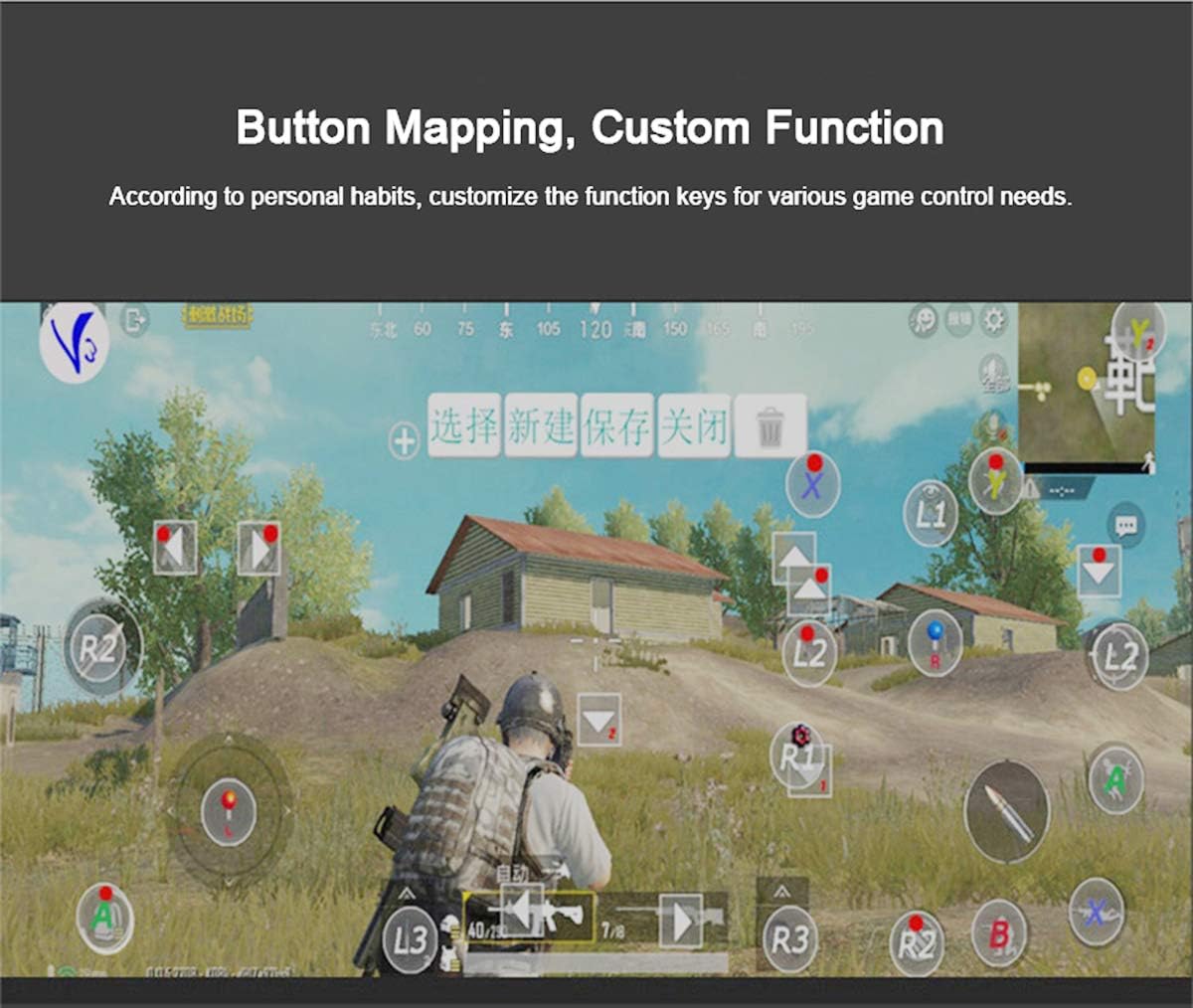
Figure 5: Button Mapping Interface. This image demonstrates the concept of button mapping within a game, allowing users to customize the function keys to suit their individual gaming preferences and needs.
The PG-9087S supports custom function key mapping. This feature allows you to assign specific in-game actions to the controller's buttons according to your personal habits. The method for customizing button functions typically depends on the game or emulator you are using. Refer to the specific game's settings or the emulator's configuration options for detailed instructions on how to remap controls.
3. Screen Orientation Support
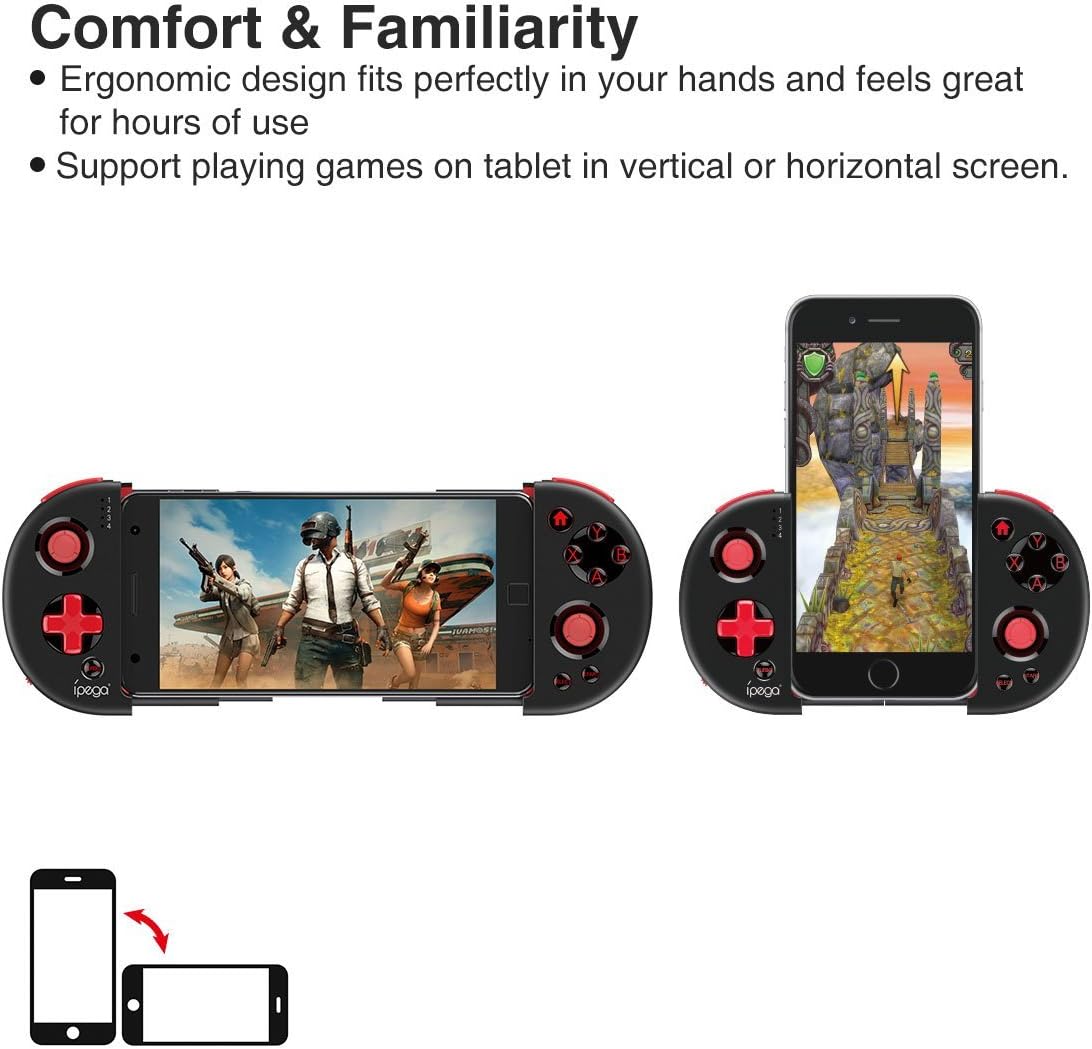
Figure 6: Orientation Support. This image illustrates the controller's ability to support gaming on tablets or smartphones in both vertical (portrait) and horizontal (landscape) screen orientations.
The controller supports playing games on your tablet or smartphone in both vertical (portrait) and horizontal (landscape) screen orientations, providing flexibility for various game types.
Bakım
- Temizlik: Use a soft, dry cloth to clean the controller. Do not use harsh chemicals or abrasive cleaners.
- Depolamak: Kumanda cihazını kullanılmadığı zamanlarda serin, kuru ve doğrudan güneş ışığından uzak bir yerde saklayın.
- Pil Bakım: To prolong battery life, avoid fully discharging the battery frequently. Charge the controller regularly, even if not in constant use.
Sorun giderme
- Kumanda açılmıyor: Ensure the battery is charged. Connect the controller to a power source using the USB cable.
- Controller does not pair with device:
- Kumandanın eşleştirme modunda olduğundan emin olun (gösterge ışığı hızlı bir şekilde yanıp sönüyor).
- Cihazınızın Bluetooth özelliğini kapatıp açın.
- Bluetooth ayarlarınızda cihazı unutun ve tekrar eşleştirmeyi deneyin.
- Ensure you are using the correct pairing combination (Y+HOME for iOS, A+HOME for Android).
- Buttons are unresponsive or laggy:
- Ensure the controller is fully charged. Low battery can affect performance.
- Güçlü bir Bluetooth bağlantısı sağlamak için cihazınıza yaklaşın.
- Hem kumandayı hem de mobil cihazınızı yeniden başlatın.
- Check the game's settings to ensure controller input is enabled and correctly configured.
- Device does not fit in the extendable arm: Check the dimensions of your device. The arm supports devices up to 6.2 inches (158mm) in length and 9mm in thickness. Remove any bulky cases from your device.
Özellikler
| Örnek | PG-9087S |
| Marka | ipega |
| Bağlantı Teknolojisi | Bluetooth 4.0, USB (for charging) |
| Denetleyici Türü | Gamepad, Joystick |
| Uyumlu Cihazlar | Android (6.0 and above), iOS |
| Pil | 1 Lityum İyon pil (gerekli) |
| Extendable Arm Max Size | 6.2 inç (158 mm) |
| Extendable Arm Max Thickness | 9mm |
| Ürün Ağırlığı | 6.9 ons |
| Renk | Siyah |
| Paket Boyutları | 6.8 x 5.15 x 1.6 inç |
Garanti ve Destek
Warranty information for the ipega PG-9087S Wireless Game Controller is typically provided with your purchase or can be found on the manufacturer's official webLütfen garanti talepleriniz için satın alma belgenizi saklayın.
For technical support or further assistance, please refer to the contact information provided by your retailer or visit the official ipega support channels.


