giriiş
The Altec Lansing IMW478s Mini Life Jacket-3 is a rugged, portable Bluetooth speaker designed for various environments. It features a durable construction that is waterproof, sandproof, snowproof, dustproof, and shockproof, and it floats on water. This speaker offers up to 16 hours of battery life and includes an onboard power bank for charging other devices. It also supports hands-free calls via its integrated microphone and offers True Universal Wireless Stereo pairing for an enhanced audio experience.
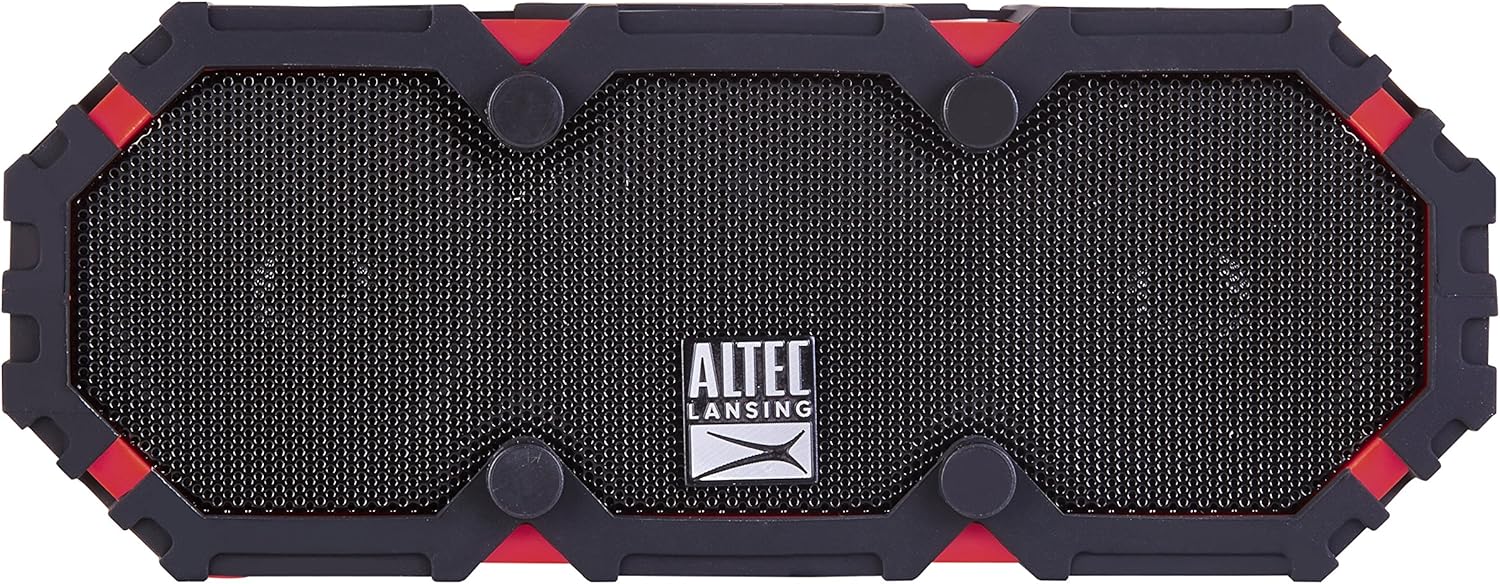
Şekil 1: Ön view of the Altec Lansing IMW478s Mini Life Jacket-3 Bluetooth Speaker.
Paket İçeriği
- Altec Lansing IMW478s Mini Life Jacket-3 Bluetooth Speaker
- Montaj Braketi
- USB Şarj Kablosu
- AUX Kablosu

Figure 2: The Altec Lansing IMW478s Mini Life Jacket-3 Bluetooth Speaker in its retail packaging, showing included accessories.
Kurmak
1. Hoparlörü Şarj Etme
Before initial use, fully charge the speaker. Connect the supplied USB charging cable to the DC IN 5V port on the speaker and the other end to a USB power adapter (not included) or a computer's USB port. The charging indicator light will illuminate during charging and turn off when fully charged.
2. Açma/Kapama
- Açmak için: Güç düğmesini (O) located on the top of the speaker until you hear an audible tone.
- Kapatmak için: Güç düğmesini basılı tutun (O) again until you hear an audible tone.

Şekil 3: Üst view of the speaker, highlighting the power and control buttons.
3. Bluetooth Eşleştirme
- Ensure the speaker is powered on and in pairing mode. The Bluetooth indicator light will flash.
- Akıllı telefonunuzda veya Bluetooth özellikli diğer cihazınızda Bluetooth ayarlarına gidin.
- Select "IMW478s" from the list of available devices.
- Eşleştirme tamamlandığında, Bluetooth gösterge ışığı sürekli yanacak ve bir onay sesi duyacaksınız.
4. Hoparlörün Montajı
The speaker includes a mounting bracket for attachment to various surfaces or equipment. Secure the bracket to the speaker and then attach it to your desired location, such as a bicycle handlebar or motorcycle frame.
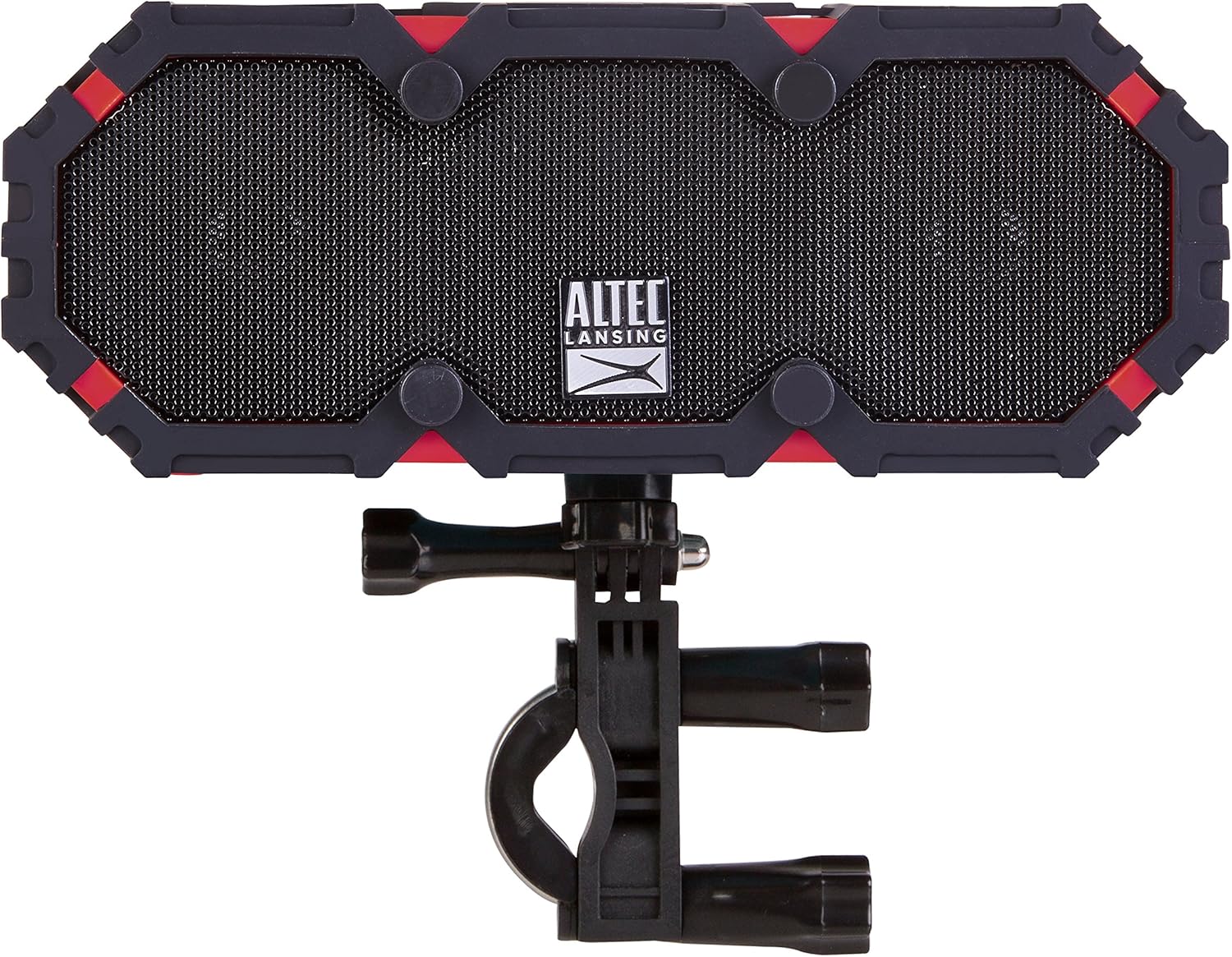
Figure 4: The speaker shown with the included mounting bracket.

Figure 5: The speaker mounted on a bicycle handlebar, demonstrating its portability.

Figure 6: The speaker mounted on a motorcycle, illustrating another mounting option.
Kullanım Talimatları
1. Ses Çalma
- Bluetooth: Once paired, audio from your device will stream wirelessly to the speaker. Use your device's volume controls or the speaker's volume buttons (+ / -) to adjust the sound level.
- AUX Girişi: Connect one end of the supplied AUX cable to the AUX IN port on the speaker and the other end to the audio output of your device. The speaker will automatically switch to AUX mode.

Şekil 7: Arka view of the speaker, showing the USB OUT, AUX IN, and DC IN ports.
2. Hoparlör Fonksiyonu
When connected via Bluetooth, the speaker can be used for hands-free calls. When a call comes in, the music will pause. Press the Play/Pause button (▶||) to answer or end a call. The integrated microphone will pick up your voice.
3. Using the Power Bank
The speaker features an onboard power bank. Connect your mobile device's charging cable to the USB OUT 5V port on the speaker to charge your device. This function is available even while the speaker is playing audio.
4. True Universal Wireless Stereo Pairing
For a stereo audio experience, two Altec Lansing IMW478s speakers can be paired together wirelessly. Refer to the specific instructions provided with your product for detailed steps on initiating True Universal Wireless Stereo pairing.
Bakım
Temizlik
Hoparlörü yumuşak bir bezle silin.amp cloth. Do not use harsh chemicals or abrasive cleaners. Ensure all port covers are securely closed before exposing the speaker to water or dust.
Depolamak
Hoparlörü doğrudan güneş ışığından ve aşırı sıcaklıklardan uzak, serin ve kuru bir yerde saklayın. Uzun süre saklayacaksanız, ömrünü uzatmak için pili düzenli olarak şarj edin.
Sorun giderme
- Speaker will not power on: Pilin şarjlı olduğundan emin olun. Hoparlörü USB şarj kablosunu kullanarak bir güç kaynağına bağlayın.
- Bluetooth üzerinden eşleştirilemiyor:
- Hoparlörün eşleştirme modunda olduğundan emin olun (Bluetooth göstergesi yanıp sönüyor olmalı).
- Cihazınızda Bluetooth'un etkin olduğundan emin olun.
- Hoparlörü cihazınıza daha yakın bir yere taşıyın.
- Turn off and on both the speaker and your device, then attempt pairing again.
- Hoparlörü cihazınızın Bluetooth listesinden silin ve yeniden eşleştirin.
- Ses yok:
- Hem hoparlörünüzdeki hem de bağlı cihazınızdaki ses seviyelerini kontrol edin.
- Doğru giriş kaynağının seçildiğinden emin olun (Bluetooth veya AUX).
- AUX kullanıyorsanız, kablonun tam olarak takılı ve çalışır durumda olduğundan emin olun.
- Charging issues (speaker or external device):
- Verify the charging cable is securely connected.
- Farklı bir USB bağlantı noktası veya güç adaptörünü deneyin.
- Ensure the speaker's battery has sufficient charge to power external devices.
If you encounter persistent issues, please refer to the support section for further assistance.
Özellikler
| Özellik | Detay |
|---|---|
| Model Numarası | IMW478-DR |
| Bağlantı Teknolojisi | Bluetooth, Yardımcı, USB |
| Ses Çıkışı Modu | Stereo |
| Hoparlör Tipi | Dış mekan |
| Su Direnç Seviyesi | Su geçirmez (IP67 dereceli) |
| Güç Kaynağı | Pille Çalışan (1 Lityum Polimer pil dahil) |
| Ortalama Pil Ömrü | 16 saate kadar |
| Kontrol Yöntemi | Dokunmak |
| Ürün Boyutları | 6 x 8 x 2 inç |
| Ürün Ağırlığı | 1 pound |
| Özel Özellikler | Travel, Onboard Power Bank, Speakerphone, True Universal Wireless Stereo Pairing |
Garanti Bilgileri
Altec Lansing products are covered by a limited warranty. Specific warranty terms and conditions, including duration and coverage details, are typically provided with your product at the time of purchase or can be found on the official Altec Lansing webLütfen garanti talepleriniz için satın alma belgenizi saklayın.
Destek
For additional support, frequently asked questions, or to contact customer service, please visit the official Altec Lansing website. You may also find helpful resources and product registration information there.
Webalan: www.alteclansing.com


