1. Giriş
The HyperX Cloud Pro Gaming Headset is engineered for serious console and PC gamers, offering superior comfort and audio performance. Featuring a durable aluminum frame, memory foam ear cushions, and 53mm drivers, this headset delivers crystal clear highs, mids, and lows. The convenient in-line audio control provides easy access to volume adjustments and microphone muting, ensuring an immersive gaming experience.
2. Paket İçeriği
- HyperX Cloud Pro Gaming Headset
- Ayrılabilir Gürültü Önleyici Mikrofon
- In-line Audio Control Box
- PC Extension Cable (2M) with Stereo and Mic Plugs
- Taşıma Kesesi

Image: All components included with the HyperX Cloud Pro Gaming Headset.
3. Ürün Bittiview
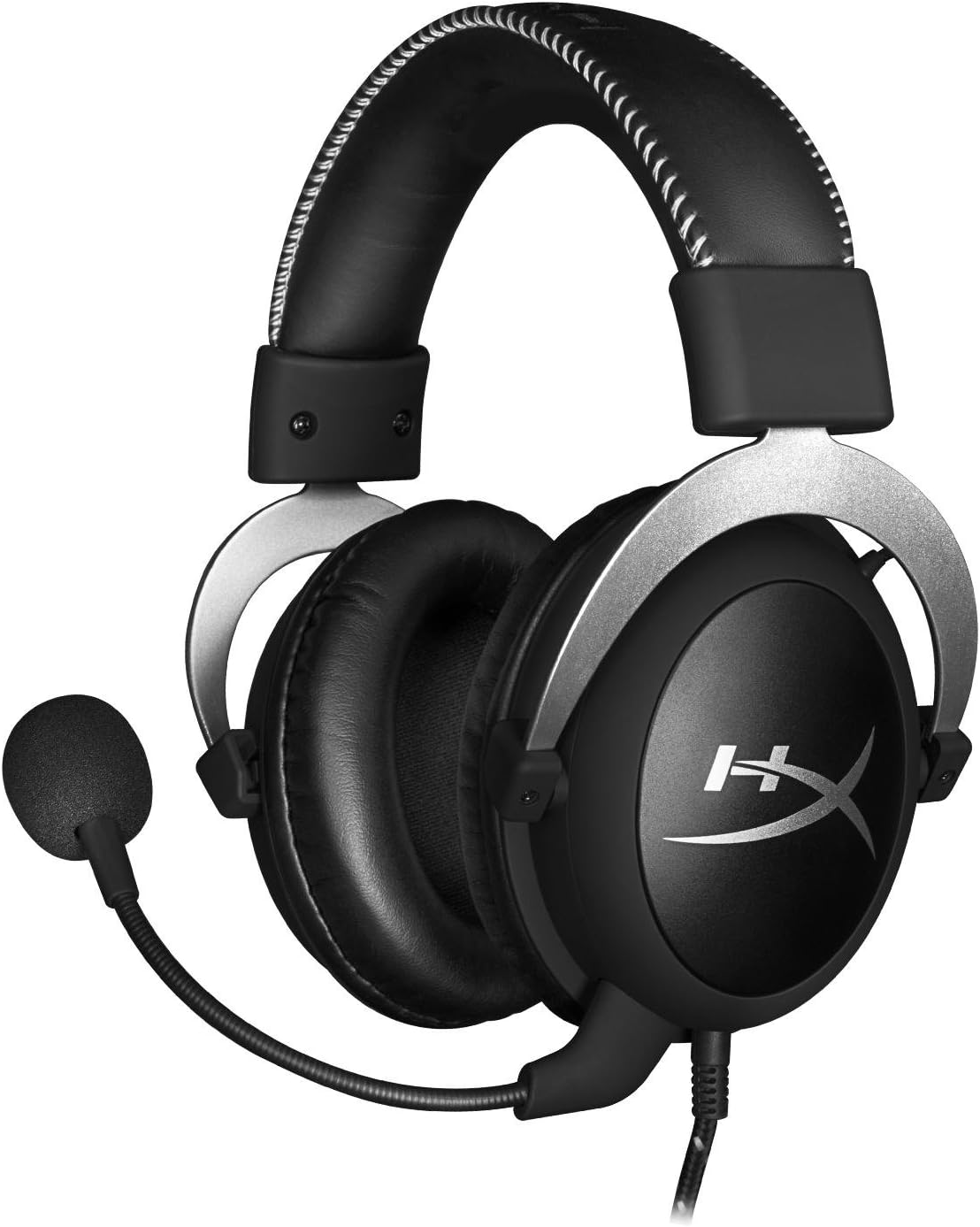
Ön view of the headset with microphone.
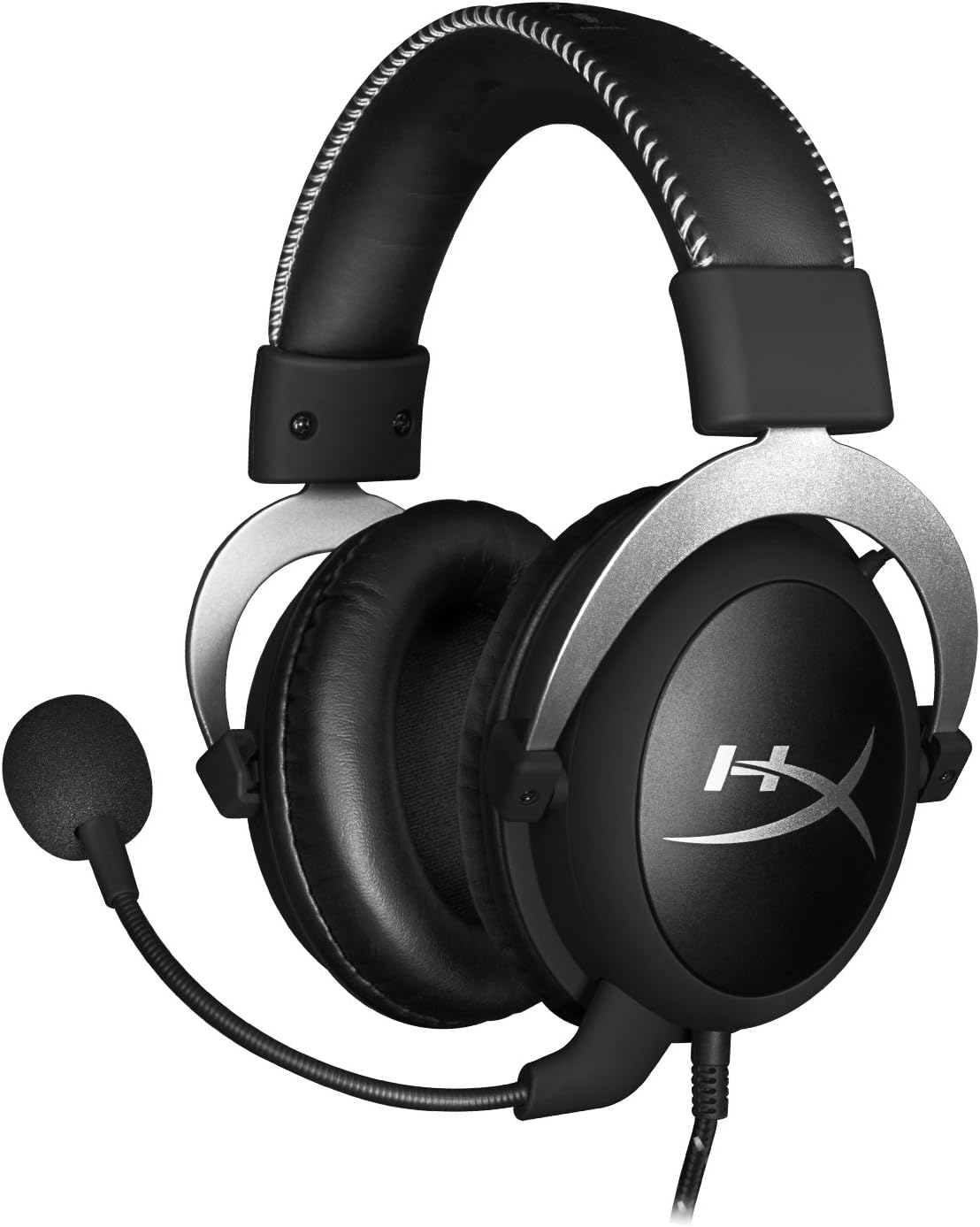
Taraf view kulaklığın.

Headset folded flat for storage.

Tepe view of the headband.
Temel Bileşenler:
- Kafa bandı: Padded with leatherette for comfort during extended use.
- Kulaklık Kapakları: Over-ear design with memory foam cushions, providing passive noise isolation.
- Çıkarılabilir Mikrofon: Flexible, noise-cancelling microphone for clear communication.
- In-line Audio Control: Integrated unit on the cable for volume adjustment and microphone mute.
4. Kurulum ve Bağlantı
4.1 Bilgisayar Bağlantısı
- Connect the headset's 3.5mm plug to the in-line audio control box.
- Attach the PC extension cable to the in-line audio control box.
- Plug the green audio jack of the extension cable into your PC's audio output (headphone) port.
- Plug the pink microphone jack of the extension cable into your PC's microphone input port.
- Ensure the detachable microphone is securely inserted into the headset's microphone port.
4.2 Console Connection (PS4, Xbox One, Wii U)
- Connect the headset's 3.5mm plug directly into your console controller's 3.5mm port.
- Ensure the detachable microphone is securely inserted into the headset's microphone port.
- Adjust audio settings on your console as needed to route chat and game audio through the headset.
4.3 Mobil Cihaz Bağlantısı
- Connect the headset's 3.5mm plug directly into your mobile device's 3.5mm audio jack.
- The microphone can be attached for calls or detached if not needed.

Image: In-line audio control unit.
5. Kullanım Talimatları
5.1 Ses Kontrolü
The in-line audio control features a rotary volume wheel. Rotate the wheel upwards to increase volume and downwards to decrease volume. This adjusts the headset's output volume independently of your device's master volume.
5.2 Mikrofon Sessize Alma
A switch on the in-line audio control allows you to quickly mute or unmute the microphone. Slide the switch to the 'Mute' position to disable the microphone, and slide it back to enable it. This is useful for privacy or when you do not wish your voice to be transmitted.
6. Bakım ve Özen
- Temizlik: Kulaklığı silmek için yumuşak, kuru bir bez kullanın. Kulak yastıkları için ise hafifçe kuru bir bez yeterlidir.amp Bez kullanılabilir, ancak kullanmadan önce tamamen kuru olduklarından emin olun. Sert kimyasallardan veya aşındırıcı temizleyicilerden kaçının.
- Depolamak: When not in use, store the headset in the provided carrying pouch to protect it from dust and scratches. Avoid extreme temperatures and humidity.
- Kablo Bakımı: Do not excessively bend or pull the cables. Store them neatly to prevent tangling and damage.
7. Sorun Giderme
| Sorun | Olası Neden | Çözüm |
|---|---|---|
| Kulaklıktan ses gelmiyor | Yanlış bağlantı; Ses seviyesi çok düşük; Cihaz ses ayarları. | Ensure all cables are securely connected. Increase volume using the in-line control and device settings. Verify audio output settings on your PC/console. |
| Mikrofon çalışmıyor | Microphone muted; Incorrect connection; Device microphone settings. | Check the microphone mute switch on the in-line control. Ensure the microphone is fully inserted. Verify microphone input settings on your PC/console. |
| Kötü ses kalitesi / Parazit | Loose connection; Interference; Damaged cable. | Reconnect all cables. Test on another device to rule out interference. If issues persist, the cable may be damaged. |
| Kulaklık rahatsız edici. | Uygunsuz uyum. | Adjust the headband for a comfortable fit. The memory foam ear cushions are designed for extended comfort. |
8. Teknik Özellikler
- Model Adı: HyperX Cloud Pro Gaming Headset - Silver - with In-Line Audio Control
- Model Numarası: HX-HSCL-SR/NA
- Bağlantı: Kablolu (3.5 mm Jak)
- Sürücüler: 53mm Dinamik Sürücüler
- Frekans Tepkisi: 15 Hz - 25 kHz
- Malzeme: Foam, Aluminum, Leather
- Ürün Ağırlığı: 0.6 Kilogram (1.32 pound)
- Uyumlu Cihazlar: PS5, PS4, Xbox One, Wii U, Mac, Mobile Devices, PC
- Kontrol Türü: Ses Kontrolü, Mikrofon Sessize Alma
- Gürültü kontrolü: Aktif Gürültü Engelleme (Mikrofon)
9. Garanti ve Destek
The HyperX Cloud Pro Gaming Headset is backed by a 2 yıllık garanti. For technical support or warranty claims, please contact HyperX customer service. You can also refer to the official Kullanım Kılavuzu (PDF) Ek bilgi için.


