1. Giriş
This manual provides detailed instructions for the safe and efficient use of your Crivit Silvercrest FM Scan Radio, Model 43142. Please read this manual thoroughly before operating the device and retain it for future reference. This portable radio features automatic station search, 10 station memory presets, a digital display for frequency and time, and alarm, snooze, and sleep functions.
2. Paket İçeriği
Paketleri açtığınızda tüm eşyaların mevcut olduğundan emin olun:
- Crivit Silvercrest FM Scan Radio (Model 43142)
- Kulaklıklar
- Bilek Kayışı
- Batteries (if included in your specific package)
3. Ürün Bittiview
Radyonun bileşenlerini ve kontrollerini iyice öğrenin.
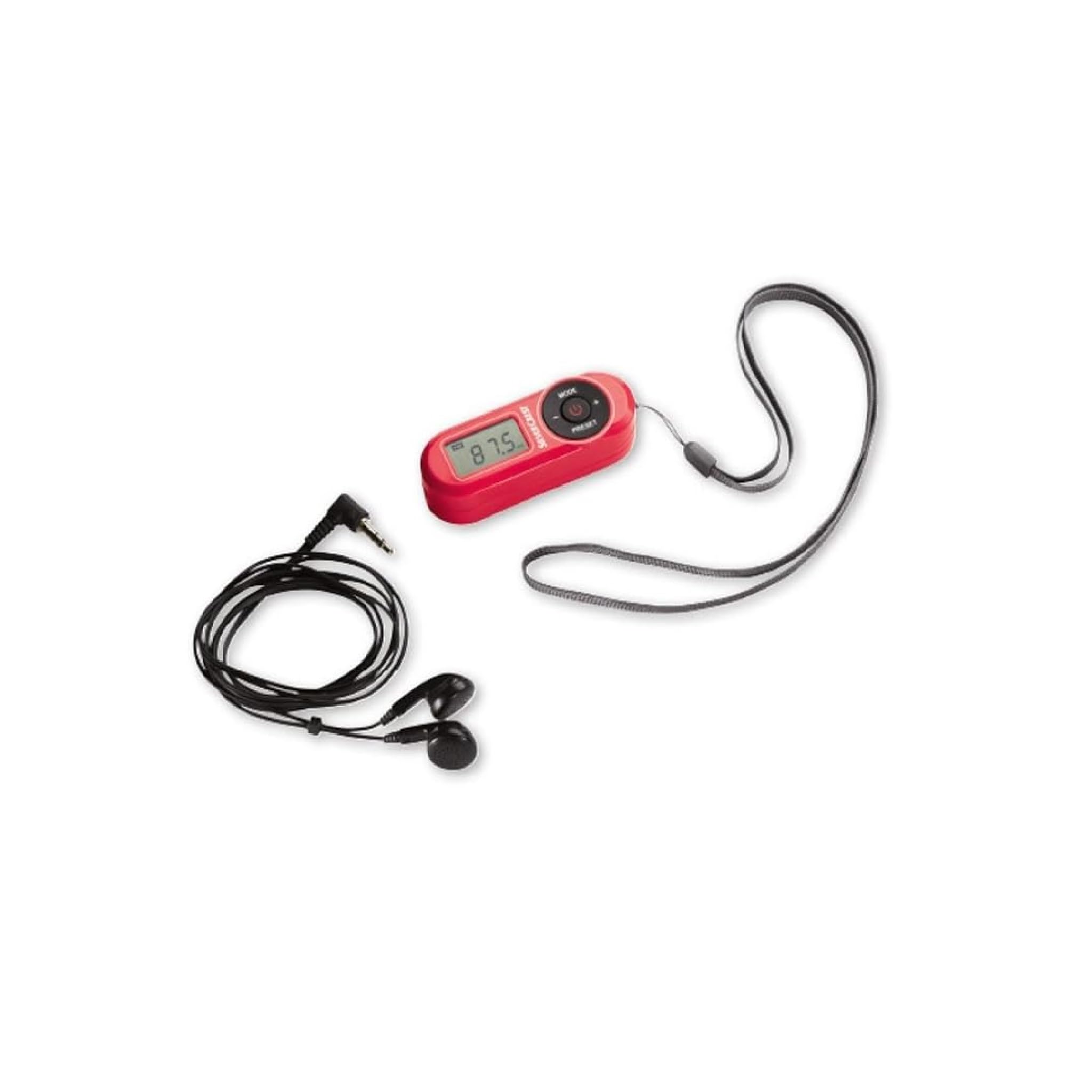
Şekil 1: Ön view of the Crivit Silvercrest FM Scan Radio, showing the digital display, control buttons, and included accessories (earphones and wrist strap).
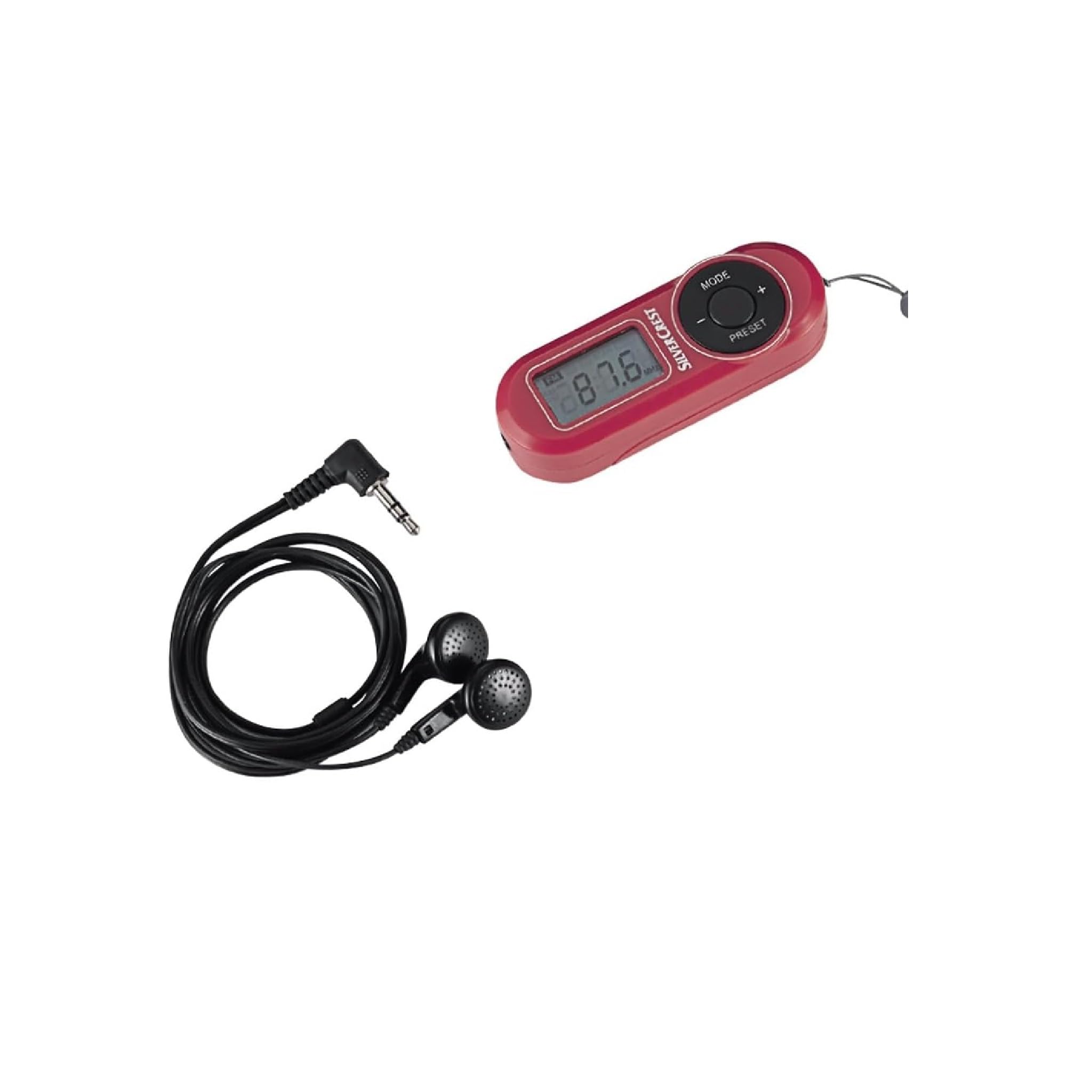
Şekil 2: Kapatmak view of the radio's control panel, highlighting the MODE, PRESET, and volume buttons, along with the Silvercrest branding.
Kontroller ve Ekran:
- Digital LC-Display: Frekansı, zamanı ve alarm durumunu gösterir.
- MOD Düğmesi: Switches between functions (e.g., radio, time setting).
- +/- Düğmeleri: Adjusts volume, tunes frequency, or navigates menu options.
- ÖN AYAR Düğmesi: Accesses and saves radio station presets.
- Güç Düğmesi: Radyoyu açar/kapatır.
- Kulaklık girişi: 3.5 mm audio output for earphones.
4. Kurulum
4.1 Pil Kurulumu
- Radyonun arkasındaki pil bölmesi kapağını bulun.
- Açmak için kapağı kaydırın veya kaldırın.
- Insert the required batteries (e.g., AAA, as specified in the battery compartment) ensuring correct polarity (+/-).
- Pil bölmesi kapağını sıkıca kapatın.
4.2 Kulaklık Bağlama
The included earphones serve as the radio's antenna. For optimal reception, ensure they are fully plugged in.
- Insert the 3.5 mm jack of the earphones into the headphone port on the radio.
- Adjust the earphone cable for best reception.
5. Kullanım Talimatları
5.1 Güç Açma/Kapatma
- To turn on the radio, press and hold the Güç düğme.
- Radyoyu kapatmak için tuşuna basın ve basılı tutun. Güç Tekrar düğmeye basın.
5.2 Automatic Station Search
The radio features an automatic station search function to find available FM stations.
- Radyo açıkken, aşağıdaki tuşa basın: MOD button until the radio function is active.
- Basılı tutun ÖN AYAR button (or a specific scan button if available) to initiate an automatic scan. The radio will scan and store available stations into memory presets.
5.3 Ön Ayarları Kaydetme ve Geri Çağırma
Radyo 10'ye kadar FM istasyonunu hafızasında tutabilir.
- Bir İstasyonu Kurtarmak İçin: İstediğiniz istasyona ayarlayın. Basılı tutun. ÖN AYAR button until a preset number flashes on the display. Use the +/- Önceden ayarlanmış bir numara (P1-P10) seçmek için düğmelere basın, ardından basın. ÖN AYAR Tekrar onaylamak için.
- Bir İstasyonu Geri Çağırmak İçin: Kısaca basın ÖN AYAR Kaydedilmiş istasyonlar arasında geçiş yapmak için düğme.
5.4 Ses Ayarı
Kullanın +/- buttons to increase or decrease the volume level during playback.
5.5 Alarm, Snooze, and Sleep Functions
The radio includes an alarm clock with snooze and sleep timer features.
- Alarmı Ayarlama: In time display mode, press and hold the MOD Alarm saati yanıp sönene kadar düğmeye basın. Kullanın +/- buttons to set the hour and minute, pressing MOD to confirm each.
- Erteleme İşlevi: When the alarm sounds, press any button (except power off) to activate snooze. The alarm will sound again after a short interval.
- Uyku Fonksiyonu: Uyku zamanlayıcısını ayarlamak için tuşuna basın. MOD button repeatedly until the sleep timer option appears. Use the +/- buttons to select the desired sleep duration (e.g., 15, 30, 60 minutes). The radio will automatically turn off after the set time.
6. Bakım
6.1 Temizlik
To clean the radio, use a soft, dry cloth. Do not use abrasive cleaners, solvents, or strong chemicals, as these can damage the surface.
6.2 Depolama
Uzun süre kullanılmadığında, sızıntıyı önlemek için pilleri çıkarın ve radyoyu doğrudan güneş ışığından ve aşırı sıcaklıklardan uzak, serin ve kuru bir yerde saklayın.
7. Sorun Giderme
| Sorun | Olası Neden | Çözüm |
|---|---|---|
| Elektrik yok/Radyo açılmıyor | Piller bitmiş veya yanlış takılmış. | Pilleri yenileriyle değiştirin, kutupların doğru olmasına dikkat edin. |
| Zayıf radyo alımı | Earphones not fully plugged in or poor signal area. | Ensure earphones are fully inserted. Adjust earphone cable position. Move to an area with better signal. |
| Kulaklıklardan ses gelmiyor | Volume too low or earphones faulty. | Increase volume. Test with another pair of earphones. |
| Ekran boş veya titriyor. | Pil gücü düşük. | Pilleri değiştirin. |
8. Özellikler
| Özellik | Detay |
|---|---|
| Marka | Crivit |
| Model Numarası | 43142 |
| Tuner Teknolojisi | FM |
| Desteklenen Radyo Bantları | FM (87.5 - 108 MHz) |
| Donanım Arayüzü | 3.5 mm Ses |
| Uyumlu Cihazlar | Kulaklıklar |
| Özel Özellikler | Portable, Automatic Station Search, 10 Presets, Alarm, Snooze, Sleep Function |
| Dahil Bileşenler | Earphones, Wrist Strap, Batteries (if applicable) |
| Güç Kaynağı | Pil ile çalışan |
| Ürün Boyutları | 10x5x2 cm |
| Renk | Kırmızı |
| Bağlantı Teknolojisi | Bluetooth (Note: This may refer to internal components or a miscategorization, primary audio output is 3.5mm jack) |
| Önerilen Kullanımlar | Personal use, Music, Travel |
9. Garanti ve Destek
For warranty information and customer support, please refer to the documentation provided at the time of purchase or contact the retailer. Keep your proof of purchase for any warranty claims.