1. Ürün Bittiview
The Logitech MK850 Performance Wireless Keyboard and Mouse Set offers a comfortable and productive computing experience. This versatile set features dual connectivity options (Logitech Unifying USB receiver or Bluetooth Smart technology) and Easy-Switch functionality, allowing seamless transition between multiple devices. The keyboard includes a padded palm rest and carefully designed keys for extended comfort, while the ergonomically shaped mouse for right-handers boasts a hyper-fast scroll wheel and customizable buttons via Logitech DuoLink software.

Şekil 1.1: The Logitech MK850 Performance Wireless Keyboard and Mouse Set, showcasing the full-size keyboard with integrated palm rest and the ergonomic mouse.
2. Kurulum Kılavuzu
2.1 Paket İçeriği
- Logitech MK850 Kablosuz Klavye
- Logitech MK850 Kablosuz Fare
- Logitech Unifying USB Alıcısı
- AA Batteries (for mouse)
- AAA Batteries (for keyboard)
2.2 Pil Kurulumu
The keyboard requires 2 AAA batteries and the mouse requires 1 AA battery. Batteries are typically included.
- Klavyenin ve farenin alt tarafında bulunan pil bölmelerini bulun.
- Pil kapaklarını açın.
- Pilleri, kutuplarının (+/-) doğru olduğundan emin olarak takın.
- Pil kapaklarını iyice kapatın.
2.3 Cihazlarınızı Bağlama
The MK850 set offers two connection methods: Logitech Unifying USB Receiver or Bluetooth Smart technology.
2.3.1 Using the Logitech Unifying Receiver
- Logitech Unifying USB alıcısını bilgisayarınızdaki kullanılabilir bir USB bağlantı noktasına takın.
- Klavye ve fareyi ilgili güç anahtarlarını kullanarak açın.
- The devices should automatically connect to the receiver. If not, press and hold one of the Easy-Switch buttons (1, 2, or 3) on the keyboard and mouse until the LED blinks rapidly, then release. The device is now in pairing mode.
- For advanced pairing, download and install the Logitech Options software from the official Logitech webalan.
2.3.2 Using Bluetooth Smart Technology
- Klavye ve fareyi ilgili güç anahtarlarını kullanarak açın.
- Press and hold one of the Easy-Switch buttons (1, 2, or 3) on the keyboard and mouse until the LED blinks rapidly. This indicates pairing mode.
- Bilgisayarınızda veya cihazınızda Bluetooth ayarlarını açın.
- Select "Logitech MK850 Keyboard" and "Logitech MK850 Mouse" from the list of available devices to pair.
- Eşleştirme işlemini tamamlamak için ekrandaki talimatları izleyin.
3. Kullanım Talimatları
3.1 Klavye İşlevleri
- Padded Palm Rest: Provides ergonomic support for comfortable typing over extended periods.
- Fonksiyon Tuşları (F1-F12): Perform various system functions. Some keys may have secondary functions accessible via the 'Fn' key.
- QWERTZ Layout: Standard German keyboard layout.
- Easy-Switch Buttons (1, 2, 3): Located above the numeric keypad, these buttons allow you to instantly switch the keyboard's connection between up to three paired devices.
3.2 Fare İşlevleri
- Ergonomik Şekil: Designed for comfortable use by right-handed users.
- Hyper-Fast Scroll Wheel: Allows for rapid scrolling through long documents or web pages. Press the button behind the scroll wheel to toggle between hyper-fast and click-to-click scrolling.
- Programlanabilir Düğmeler: The mouse features additional buttons that can be customized using Logitech Options software for specific functions.
- Easy-Switch Buttons (1, 2, 3): Located on the side of the mouse, these buttons allow you to instantly switch the mouse's connection between up to three paired devices.
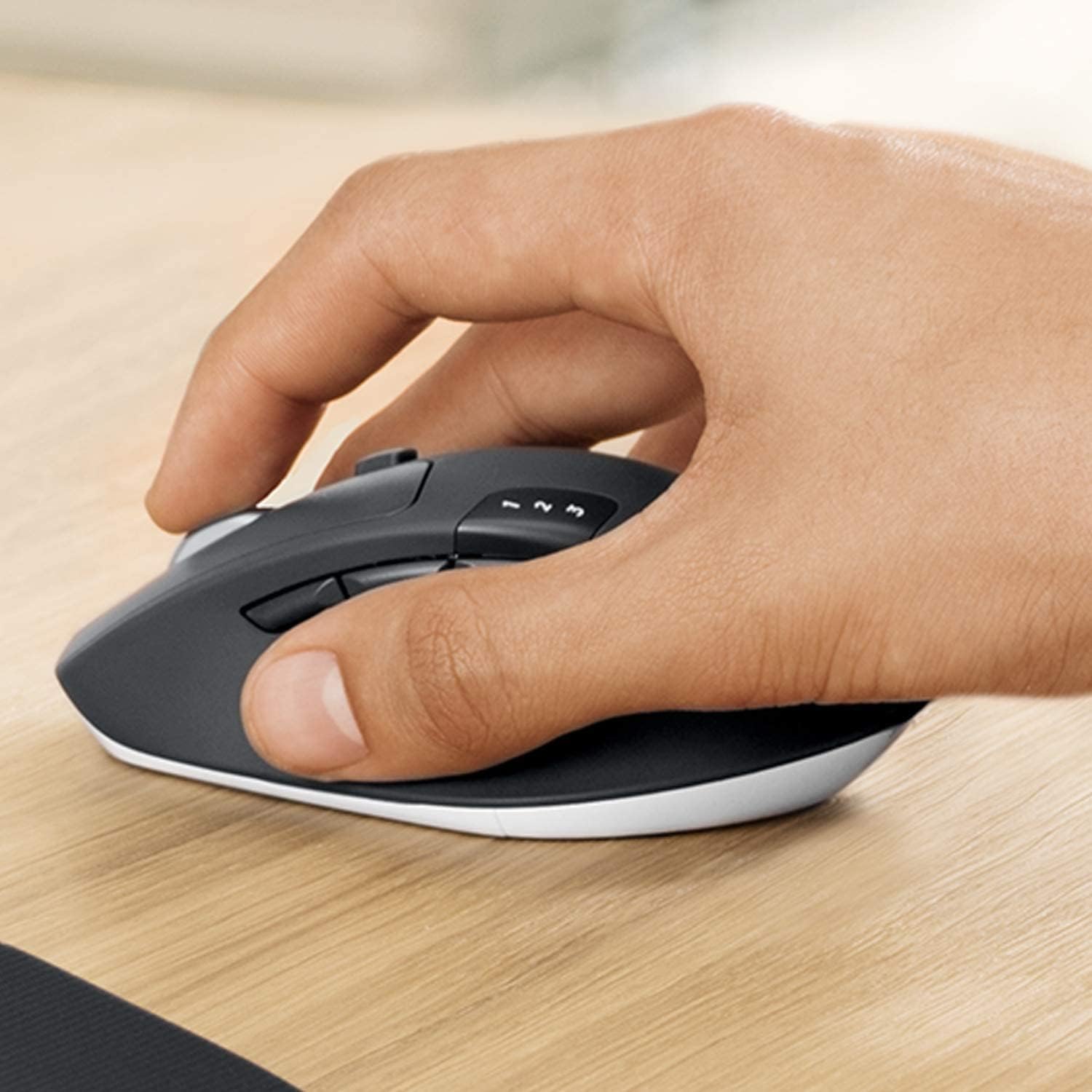
Şekil 3.1: A hand demonstrating the ergonomic grip on the Logitech MK850 mouse.

Şekil 3.2: Ayrıntılı view of the Logitech MK850 mouse, highlighting its scroll wheel and Easy-Switch buttons.
3.3 DuoLink Software
Logitech DuoLink is a feature within Logitech Options software that allows the mouse and keyboard to work together for enhanced functionality. For example, holding the Fn key on the keyboard can change the mouse's button functions.
Download Logitech Options from the official Logitech website to customize your device settings, program buttons, and enable DuoLink.
4. Bakım ve Onarım
- Temizlik: Yumuşak, tiftiksiz bir bez kullanın ve hafifçe kurulayın.ampKlavyenin ve farenin yüzeylerini temizlemek için su veya hafif bir temizleme solüsyonu kullanın. Sert kimyasallardan veya aşındırıcı malzemelerden kaçının.
- Pil Değişimi: Replace batteries when the low battery indicator light illuminates. Ensure to use the correct battery type (AAA for keyboard, AA for mouse).
- Depolamak: Uzun süre kullanılmadığında, pil ömrünü korumak için cihazları kapatın. Serin ve kuru bir yerde saklayın.
5. Sorun Giderme
5.1 Bağlantı Sorunları
- Bağlantı yok: Ensure the keyboard and mouse are turned on. Check battery levels. For Unifying receiver, try plugging it into a different USB port. For Bluetooth, ensure Bluetooth is enabled on your device and the devices are in pairing mode.
- Parazit yapmak: Move the devices closer to the receiver or Bluetooth-enabled device. Avoid placing them near other wireless devices that might cause interference (e.g., Wi-Fi routers, cordless phones).
- Yeniden eşleştirme: If connection is lost, try re-pairing the devices using the steps in Section 2.3.
5.2 Performans Sorunları
- Gecikme veya Duraksama: Ensure sufficient battery power. Reduce distance between devices and receiver/Bluetooth host. Close other applications that might be consuming system resources.
- Fare İzleme Sorunları: Clean the mouse sensor. Use the mouse on a suitable surface (non-reflective, non-transparent).
6. Teknik Özellikler
| Özellik | Şartname |
|---|---|
| Marka | Logitech |
| Örnek | MK850 |
| Bağlantı Teknolojisi | Bluetooth Smart, Logitech Unifying (2.4 GHz wireless) |
| Uyumlu Cihazlar | PC (Windows 10/11 or later), Mac (macOS 10.15 or later), Chrome OS, Linux, iPadOS 13.4 or later, Android 7 or later |
| Klavye Boyutları (U x G x Y) | Yaklaşık. 43 x 21 x 2.5 cm |
| Fare Boyutları (U x G x Y) | Yaklaşık. 99 x 60 x 39 mm |
| Ürün Ağırlığı | Approx. 845 g (total for set) |
| Pil Türü | Keyboard: 2 x AAA; Mouse: 1 x AA |
| Pil Ömrü | Up to 36 months (keyboard), up to 24 months (mouse) - May vary based on usage. |
| Renk | Siyah |

Şekil 6.1: Dimensions of the Logitech MK850 mouse.
7. Garanti ve Destek
Logitech products are manufactured to high quality standards and are designed to provide reliable performance. For detailed warranty information specific to your region and product, please refer to the warranty card included with your product or visit the official Logitech support webalan.
For technical support, FAQs, and driver downloads, please visit the Logitech support webalan:
- Logitech Desteği Webalan: destek.logi.com
When contacting support, please have your product model (MK850) and serial number ready.


