Ürün Bittiview
The Logitech K780 Multi-Device Wireless Keyboard is a versatile, full-sized keyboard designed to work seamlessly across multiple devices, including computers, smartphones, and tablets. Its integrated stand securely holds mobile devices, providing an optimal typing angle. This keyboard supports both Logitech Unifying and Bluetooth Smart technologies for flexible connectivity.
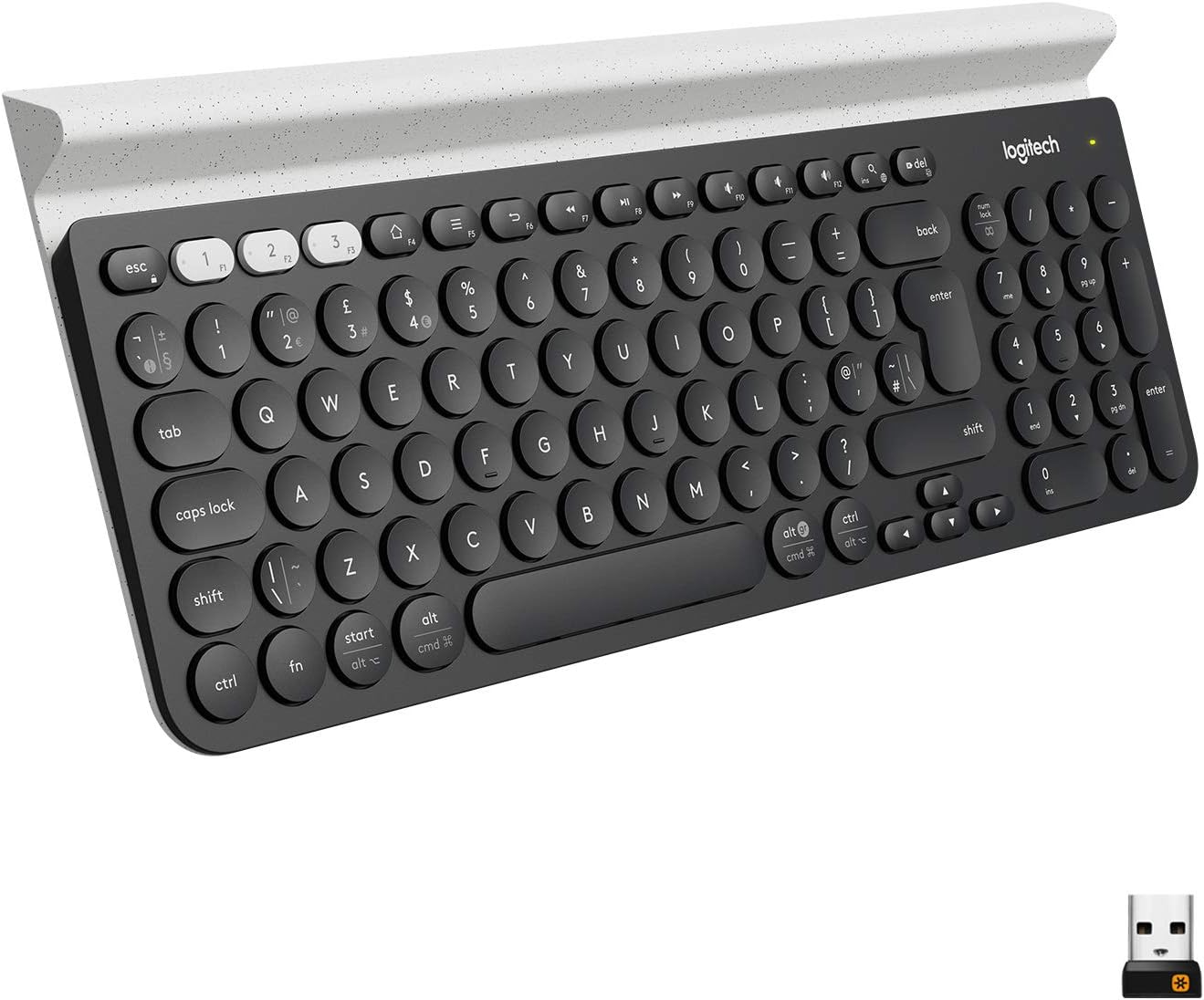
Image: Logitech K780 Multi-Device Wireless Keyboard, showcasing its full layout and integrated device stand.
Kurmak
Kutuda Neler Var?
- Logitech K780 Çoklu Cihaz Kablosuz Klavye
- 2 adet AAA pil (önceden takılmış)
- USB Birleştirici Alıcı
- Hızlı Başlangıç Kullanıcı Kılavuzu
Pil Kurulumu
The keyboard comes with two AAA batteries pre-installed. To activate, remove the plastic pull tab from the battery compartment located on the underside of the keyboard. If replacing batteries, ensure correct polarity.
Bağlantı Seçenekleri
The K780 keyboard offers two primary connection methods: the Logitech Unifying Receiver and Bluetooth Smart technology.
Using the Logitech Unifying Receiver
- Locate the USB Unifying Receiver in the keyboard's battery compartment or packaging.
- Plug the Unifying Receiver into an available USB port on your computer.
- Turn on the keyboard using the On/Off switch located on the right side.
- The keyboard should automatically connect. If not, download and use the Logitech Options software for pairing.

Image: Logitech K780 keyboard shown with the small USB Unifying Receiver, illustrating its compact size.
Using Bluetooth Smart Technology
The K780 can connect to up to three Bluetooth-enabled devices.
- Klavyeyi açın.
- Press and hold one of the three easy-switch buttons (1, 2, or 3) located at the top left of the keyboard until the LED light above it starts blinking rapidly. This indicates pairing mode.
- On your device (computer, smartphone, or tablet), go to Bluetooth settings and search for new devices.
- Mevcut cihazlar listesinden "Logitech K780"i seçin.
- Follow any on-screen prompts to complete the pairing process. The LED light on the keyboard will turn solid for a few seconds and then turn off once connected.
- Repeat for up to two more devices using the other easy-switch buttons.
Sistem Uyumluluğu
The Logitech K780 is compatible with a wide range of operating systems:
- Pencereler: Windows 8 or later, Windows 10, 11 or later
- MacOS: OS X 10.10 or later, macOS 10.14 or later, macOS 10.15 or later
- iOS: iOS 5 or later, iOS 11 or later, iPadOS 13.4 or later
- Android: Android 5.0 or later, Android 7 or later
- Chrome İşletim Sistemi
Klavyenin Kullanımı
Cihazlar Arasında Geçiş Yapmak
To switch between paired devices, simply press the corresponding easy-switch button (1, 2, or 3) at the top left of the keyboard. The keyboard will connect to the selected device within a few seconds.

Image: Logitech K780 keyboard demonstrating a tablet securely placed in its integrated stand, highlighting multi-device functionality.
Integrated Device Stand
The K780 features an integrated rubber cradle that securely holds your smartphone or tablet at an ideal typing angle. This stand is designed to accommodate devices of various sizes, including larger tablets.
Temel Fonksiyonlar ve Yerleşim Planı
The K780 features a full-size QWERTY layout with a numeric keypad. It includes function keys (F1-F12) that can be used for media control, volume adjustment, and other shortcuts. The keyboard automatically adapts its key layout to the connected operating system (Windows, macOS, Android, iOS) to provide familiar shortcuts.
- Fonksiyon Tuşları (F1-F12): Perform system-specific actions. By default, they often control media, volume, and brightness.
- OS-Specific Keys: Keys like 'Start' (Windows) or 'Cmd' (macOS) will function according to the connected operating system.
- Sayısal tuş takımı: Provides a dedicated section for number entry.
Pil Tasarruf Modu
To conserve battery life, the keyboard will enter a sleep mode after a period of inactivity. To wake it up, simply press any key. The keyboard will reconnect to the last active device within a few seconds.
Bakım
Klavyeyi Temizleme
To clean your K780 keyboard, use a soft, lint-free cloth slightly dampened with water or a mild cleaning solution. Avoid using abrasive cleaners, solvents, or harsh chemicals, as these can damage the surface and key legends. Do not immerse the keyboard in liquid.
Pil Değişimi
When the battery indicator light (usually located near the On/Off switch or an easy-switch button) turns red, it's time to replace the batteries. The K780 uses two AAA batteries. To replace them:
- Turn off the keyboard using the On/Off switch.
- Open the battery compartment cover on the underside of the keyboard.
- Eski AAA pilleri çıkarın.
- İki adet yeni AAA pil takın ve doğru kutuplara (+ ve -) dikkat edin.
- Pil bölmesinin kapağını kapatın.
- Klavyeyi açın.
Properly dispose of used batteries according to local regulations.
Sorun giderme
Bağlantı Sorunları
- Klavye bağlanmıyor:
- Klavyenin açık olduğundan emin olun.
- Pil seviyesini kontrol edin; düşükse değiştirin.
- For Unifying Receiver: Ensure the receiver is securely plugged into a working USB port. Try a different USB port.
- For Bluetooth: Ensure Bluetooth is enabled on your device. Try re-pairing the keyboard by holding down an easy-switch button until it blinks, then re-selecting it in your device's Bluetooth settings.
- Move the keyboard closer to your device/receiver to reduce interference.
- Lag or dropped connection:
- Ensure there are no large metal objects or other wireless devices causing interference between the keyboard and receiver/device.
- Update your device's Bluetooth drivers or Logitech Options software.
Tuşlar Yanıt Vermiyor
- Pil seviyesini kontrol edin.
- Ensure the keyboard is connected to the correct device (check the easy-switch button LED).
- Bilgisayarınızı veya cihazınızı yeniden başlatın.
- Clean any debris from around the affected keys.
Num Lock / Caps Lock Indicator
The K780 keyboard does not have dedicated indicator lights for Num Lock or Caps Lock. You may need to rely on on-screen indicators provided by your operating system or software.
Daha fazla yardım için lütfen resmi Logitech destek sitesini ziyaret edin. webSiteyi ziyaret edin veya indirilebilir olan kullanım kılavuzunun tamamına bakın.
Özellikler
| Model Numarası | 920-008149 |
| Bağlantı Teknolojisi | Logitech Unifying protocol (2.4 GHz), Bluetooth Smart technology |
| kablosuz Menzil | >33 ft / 10m (may vary) |
| Güç Kaynağı | Pil ile çalışır |
| Piller | 2 adet AAA (dahil) |
| Ürün Ağırlığı | 1.92 pound (yaklaşık 871g) |
| Ürün Boyutları (UxGxY) | 14.9 x 6.2 x 0.9 inç (yaklaşık 37.8 x 15.7 x 2.3 cm) |
| Renk | White (referring to the accent color/device holder) |
| Anahtar Sayısı | 96 |
| Klavye Açıklaması | Q klavye |
| Donanım Platformu | Tablet, PC, Smartphone |
Garanti ve Destek
Garanti Bilgileri
Logitech products typically come with a limited hardware warranty. For specific warranty terms and conditions applicable to your region and purchase date, please refer to the warranty card included with your product or visit the official Logitech webalan.
Müşteri Desteği
For technical support, frequently asked questions, and driver downloads, please visit the official Logitech support webalan:
You can also find the official User Manual (PDF) and Installation Manual (PDF) for this product through the following links:


