1. Giriş
This manual provides essential instructions for the proper setup, operation, and maintenance of your YI YAS.1616.INT 4K Action Camera Kit. Please read this manual thoroughly before using the product to ensure optimal performance and safety. Keep this manual for future reference.
2. Ürün Bittiview
2.1 Kit İçeriği
The YI YAS.1616.INT 4K Action Camera Kit includes the following components:
- YI 4K Action Camera
- YI Monopod
- Bluetooth Uzaktan Kumanda
- Şarj edilebilir pil
- USB kablosu
- Kullanım Kılavuzu

Image 2.1: Contents of the YI 4K Action Camera Kit.
2.2 Kamera Özellikleri
The YI 4K Action Camera is designed for high-quality video and photo capture, featuring:
- 4K/30fps Video Recording: Captures video at 60mbps, offering 4 times the quality of standard 1080p.
- Advanced Imaging Hardware: Equipped with an Amarelle A9SE75 chip, Sony IMX377 image sensor, and 7-layer optical glass lenses with an F2.8 large aperture for enhanced light intake.
- 2.19" LCD Touchscreen: A 640 x 360 high-resolution display with Gorilla Glass Retina for easy previewing, shooting, and scratch resistance.
- Uzun Pil Ömrü: A 1400mAh 4.4V lithium-ion battery provides up to 120 minutes of 4K/30fps video recording on a single charge.
- Verimli Soğutma Sistemi: Prevents overheating during extended recording sessions.
- Bağlantı: Built-in Wi-Fi for smartphone app control and Bluetooth for remote control.
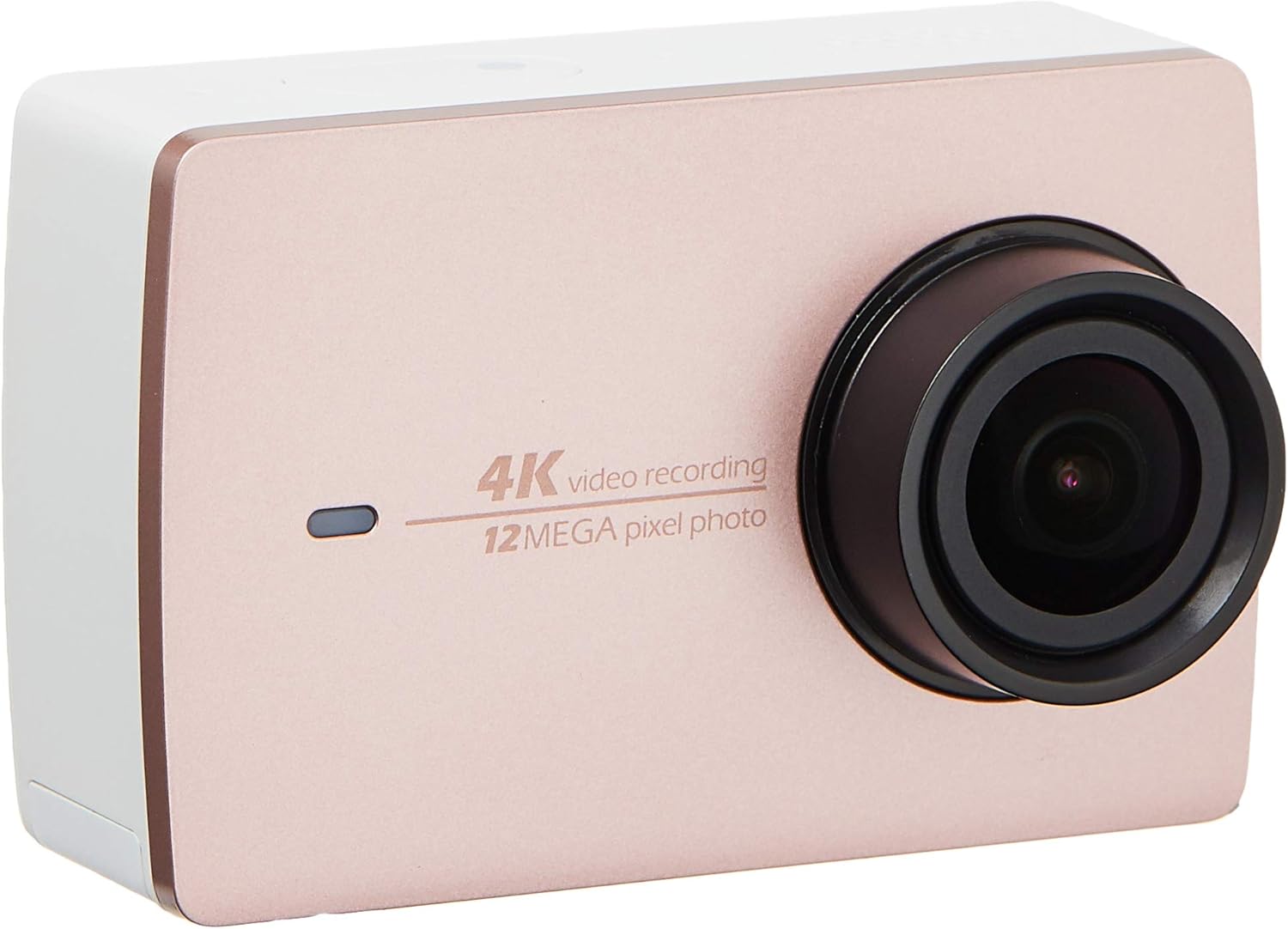
Resim 2.2: Ön view of the YI 4K Action Camera.
3. Kurulum
3.1 Pilin Takılması ve Şarj Edilmesi
- Kameradaki pil bölmesini bulun.
- Insert the 1400mAh lithium-ion battery, ensuring correct polarity.
- Pil bölmesini sıkıca kapatın.
- Connect the camera to a power source using the provided USB cable for charging. The charging indicator will illuminate.
3.2 Hafıza Kartı Kurulumu
The YI 4K Action Camera supports SDHC and SmartMedia flash memory types.
- Hafıza kartı yuvası kapağını açın.
- Insert a compatible memory card (not included) into the slot with the contacts facing the correct direction. Push until it clicks into place.
- Hafıza kartı yuvası kapağını kapatın.
3.3 Açma/Kapatma
- Açmak İçin: Ekran aydınlanana kadar Güç düğmesini basılı tutun.
- Kapatmak İçin: Kamera kapanana kadar Güç düğmesini basılı tutun.
3.4 Connecting the Bluetooth Remote
The included Bluetooth remote allows for convenient control of the camera.
- Kameranın açık olduğundan emin olun.
- Activate Bluetooth pairing mode on the camera via the settings menu.
- Follow the remote's instructions to enter pairing mode.
- Once paired, the remote can be used to switch between video and photo modes and trigger recording/capture.

Image 3.1: The YI Monopod, included in the kit.
4. Kameranın Çalıştırılması
4.1 Dokunmatik Ekran Navigasyonu
The 2.19" LCD touchscreen provides intuitive control:
- Tokatlamak: Navigate through different modes (Video, Photo, Time-lapse, etc.) and settings.
- Musluk: Select options, adjust settings, or start/stop recording.
- Önview: View yakalanan foo'nuztage and photos directly on the screen.
4.2 Video Kaydı
- Select the Video mode on the touchscreen.
- Adjust video resolution (e.g., 4K/30fps) and other settings as desired.
- Press the Shutter button or tap the record icon on the screen to start recording.
- Press the Shutter button or tap the record icon again to stop recording.
4.3 Fotoğraf Yakalama
- Select the Photo mode on the touchscreen.
- Adjust photo settings such as resolution, exposure, and white balance.
- Press the Shutter button or tap the capture icon on the screen to take a photo.
4.4 Wi-Fi Bağlantısı ve Uygulama Kullanımı
The camera's built-in Wi-Fi allows connection to a smartphone app for remote control, live previewve içerik yönetimi.
- Download the official YI Action Camera app from your device's app store.
- Ayarlar menüsünden kamerada Wi-Fi özelliğini etkinleştirin.
- Connect your smartphone to the camera's Wi-Fi network (SSID and password displayed on camera screen).
- Open the YI Action Camera app to control the camera, view footage ve transfer files.
5. Bakım
5.1 Temizlik
- Fotoğraf makinesinin gövdesini ve dokunmatik ekranını temizlemek için yumuşak, tüy bırakmayan bir bez kullanın.
- Lens için özel bir lens temizleme bezi ve solüsyonu kullanın. Aşındırıcı malzemelerden kaçının.
- Tüm portların toz ve kalıntılardan arındırılmış olduğundan emin olun.
5.2 Depolama
- Kamerayı serin, kuru ve doğrudan güneş ışığından ve aşırı sıcaklıklardan uzak bir yerde saklayın.
- Uzun süre saklayacaksanız, sızıntıyı önlemek için pili çıkarın.
5.3 Firmware Güncellemesi
Periodically check the official YI website or the YI Action Camera app for available firmware updates. Keeping your camera's firmware updated ensures optimal performance and access to new features.
6. Sorun Giderme
6.1 Yaygın Sorunlar ve Çözümler
- Kamera açılmıyor: Pilin tam şarjlı olduğundan ve doğru şekilde takıldığından emin olun.
- Kayıt beklenmedik şekilde duruyor: Check if the memory card has sufficient space or if it's a high-speed card suitable for 4K recording. Ensure the battery is not depleted.
- Dokunmatik ekran tepki vermiyor: Try restarting the camera. If the issue persists, ensure the screen is clean and dry.
- Bluetooth remote not connecting: Ensure both the camera and remote are in pairing mode and within range. Check the remote's battery.
- Wi-Fi bağlantı sorunları: Verify the camera's Wi-Fi is enabled and your smartphone is connected to the correct network. Try restarting both devices.
For further assistance, refer to the official YI support resources.
7. Özellikler
| Üretici | YI |
| Model Numarası | 90010 |
| Ürün Boyutları | 6.6x3x4.3 cm |
| Ağırlık | 96.39 gr |
| Fotoğraf Sensörü Teknolojisi | CMOS |
| Video Yakalama Çözünürlüğü | 4K |
| Maksimum Odak Uzaklığı | 1 |
| Maksimum Diyafram | 2.8 Milimetre |
| Flash Bellek Türü | SDHC, SmartMedia |
| Video Yakalama Formatı | MP4 |
| Desteklenen Ses Biçimi | AAC, MP3 |
| Ekran Boyutu | 2.19 inç |
| Bağlantı Teknolojisi | Wifi |

Image 7.1: YI 4K Action Camera with monopod, illustrating approximate dimensions.
8. Garanti ve Destek
8.1 Garanti Bilgileri
Bu ürün bir 1 Yıl Yerel (Singapur) GarantisiGaranti talepleri için lütfen satın alma belgenizi saklayınız. Garanti, normal kullanım koşullarındaki üretim hatalarını kapsar.
8.2 Müşteri Desteği
For technical support, service, or warranty inquiries, please visit the official YI Technology website or contact their authorized service centers in Singapore. Contact information can typically be found on the product packaging or the official webalan.