1. Giriş
The TP-Link AD7200 Wireless Wi-Fi Tri-Band Gigabit Router, model Talon AD7200, is designed to provide advanced wireless connectivity for your home or office network. This router utilizes 802.11ad technology to deliver ultra-fast, multi-band Wi-Fi speeds across 2.4GHz, 5GHz, and 60GHz bands. Key features include 4-Stream technology, MU-MIMO for efficient multi-device performance, beamforming for targeted signals, and a powerful 1.4GHz dual-core CPU for uninterrupted high-speed connections.
This manual provides essential information for the proper installation, configuration, and use of your Talon AD7200 router.
2. Kutuda Neler Var?
Lütfen paketinizde tüm öğelerin mevcut olduğundan emin olun:
- Talon AD7200 Multi-Band Wi-Fi Router
- Güç kaynağı ünitesi
- Ethernet kablosu
- Hızlı Kurulum Kılavuzu
3. Kurulum
3.1 Fiziksel Bağlantı
- Kapat: Disconnect the power from your modem and router (if replacing an existing one).
- Modemi Bağlayın: Connect one end of the provided Ethernet cable to your modem's LAN port and the other end to the blue 'Internet' port on the back of the Talon AD7200 router.
- Modemi Açın: Power on your modem and wait for it to fully initialize (usually indicated by stable status lights).
- Yönlendiriciyi Açın: Connect the power adapter to the router's power input and plug it into a power outlet. Press the Power On/Off button if necessary. Wait for the router's indicator lights to stabilize.

Şekil 1: Arka view of the Talon AD7200 router with power and Ethernet connections. The blue port is for the internet connection from your modem, and the yellow ports are for wired LAN devices.
3.2 İlk Yapılandırma
You can configure your router using a web Tarayıcı veya TP-Link Tether uygulaması üzerinden.
- Yönlendiriciye bağlanın: Connect your computer or mobile device to the router's default Wi-Fi network (SSID and password are typically found on a label on the bottom of the router). Alternatively, connect a computer to one of the yellow LAN ports using an Ethernet cable.
- Erişim Yönetimi Arayüzü: Bir tane aç web Tarayıcıya girin ve varsayılan erişim adresini girin (örneğin,
http://tplinkwifi.netorhttp://192.168.0.1). Follow the on-screen instructions to create a login password and set up your Wi-Fi network name (SSID) and password. - Anten Konumlandırması: For optimal signal strength and coverage, position the router's antennas vertically. Adjust them as needed to improve signal in specific areas.
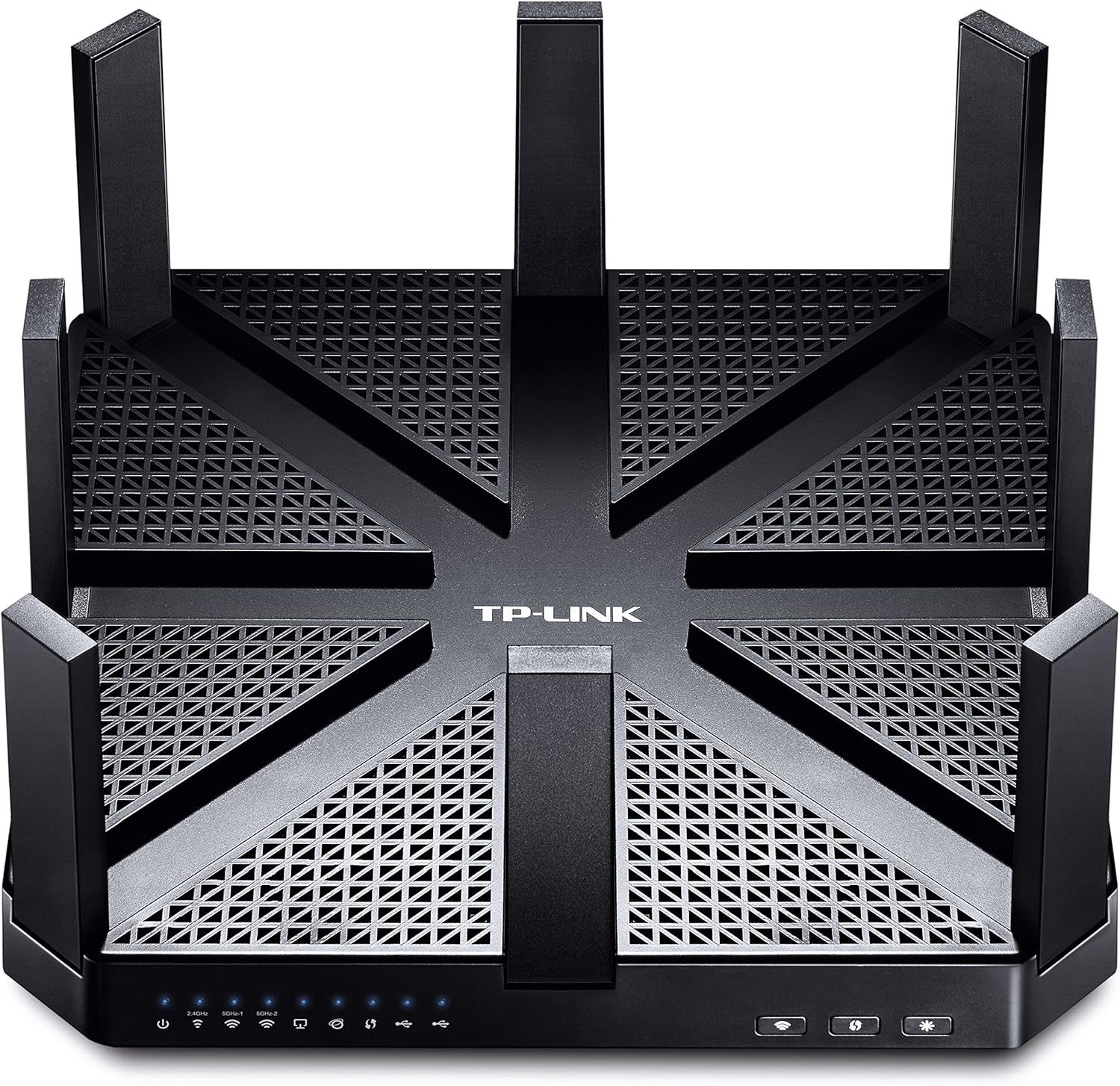
Şekil 2: Üst view of the Talon AD7200 router with its eight antennas extended for maximum coverage.
4. Yönlendiriciyi Çalıştırma
4.1 Kablosuz Bantlar
The Talon AD7200 is a Tri-Band router, offering three distinct Wi-Fi bands:
- 2.4GHz (800Mbps): Daha geniş kapsama alanı ve duvarlardan daha iyi geçiş imkanı sağlayan bu ürün, genel internet kullanımı ve eski cihazlar için uygundur.
- 5GHz (1733Mbps): Offers higher speeds and less interference, ideal for streaming 4K video, online gaming, and bandwidth-intensive applications in closer proximity to the router.
- 60GHz (4600Mbps): Delivers ultra-fast, in-room wireless connections using 802.11ad technology. This band is best for very high-speed data transfers over short distances within the same room, as its signal does not penetrate walls effectively.
4.2 Gelişmiş Özellik
- MU-MIMO Teknolojisi: Enables the router to communicate with multiple devices simultaneously, improving overall network efficiency and reducing buffering.
- Hüzmeleme: Focuses Wi-Fi signals directly towards connected devices, enhancing signal strength and reliability, especially for devices further away.
- Misafir ağı: Misafirleriniz için ayrı bir Wi-Fi ağı oluşturarak ana ağınızı güvenli ve özel tutun.
- Ebeveyn Kontrolleri: Manage and monitor internet access for children's devices, including setting time limits and content filters.
- VPN Desteği: The router supports VPN functionality for secure remote access and privacy.
Video 1: Resmi bir açıklamaview of the TP-Link AD7200 Multi-band Wi-Fi Router, highlighting its features and benefits.
5. Bakım
5.1 Firmware Güncellemesi
Regularly check for and install firmware updates to ensure optimal performance, security, and access to new features. Updates can typically be found on the TP-Link support website or through the router's management interface.
5.2 Optimum Yerleştirme
Place the router in a central location in your home, away from obstructions and interference sources (e.g., microwaves, cordless phones). Elevating the router can also improve signal distribution.
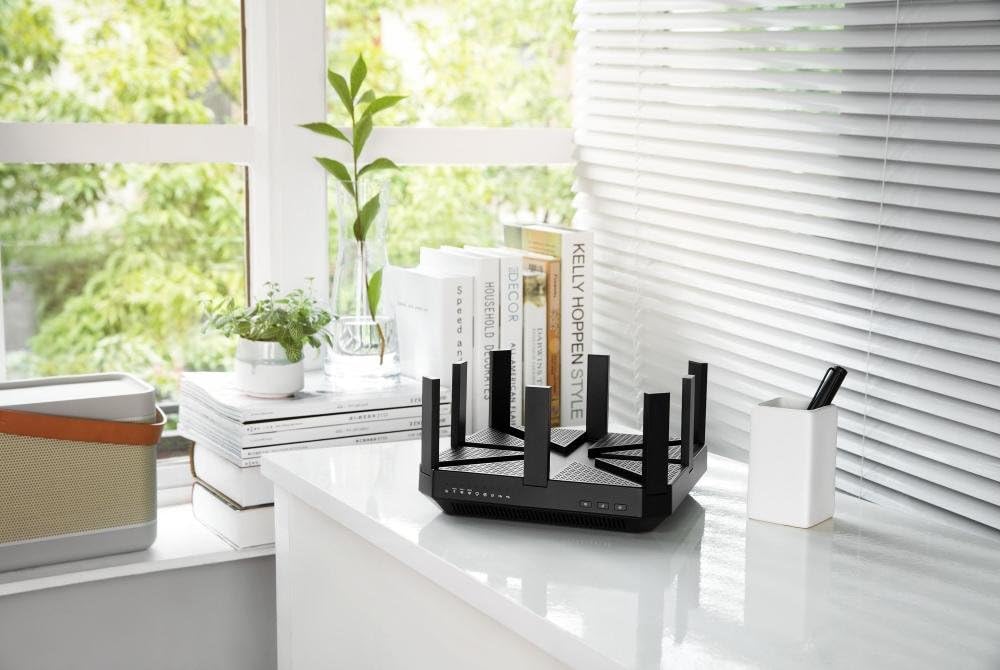
Figure 3: The Talon AD7200 router positioned on a desk, illustrating a typical home setup. Proper placement is crucial for optimal Wi-Fi coverage.
5.3 Regular Reboot
Rebooting your router periodically (e.g., once a month) can help clear its memory and resolve minor network issues, improving overall stability and performance.
6. Sorun Giderme
6.1 İnternet Bağlantısı Yok
- Modem ve yönlendirici arasındaki tüm kablo bağlantılarını kontrol edin.
- Modeminizi ve yönlendiricinizi yeniden başlatın.
- İnternet servis sağlayıcınızın (İSS) bağlantı durumunu doğrulayın.
6.2 Yavaş Wi-Fi Hızı
- Ensure your devices are connected to the appropriate Wi-Fi band (5GHz or 60GHz for higher speeds).
- Yönlendiriciyi diğer elektronik cihazlardan uzaklaştırarak paraziti azaltın.
- Update your device's wireless drivers and the router's firmware.
- Bağlı cihaz sayısını ve bunların bant genişliği kullanımını göz önünde bulundurun.
6.3 Fabrika Ayarlarına Sıfırlama
If you encounter persistent issues, you may need to perform a factory reset. Locate the 'Reset' button on the back of the router (often a small pinhole button). With the router powered on, press and hold the reset button for about 10 seconds until the lights flash. This will restore the router to its default factory settings, requiring you to reconfigure it.
7. Özellikler
| Özellik | Detay |
|---|---|
| Marka | TP-Link |
| Model Adı | Talon AD7200 |
| Kablosuz Tip | 802.11ad |
| Frekans Bant Sınıfı | Üç Bantlı (2.4GHz, 5GHz, 60GHz) |
| Wi-Fi Hızları | 7200 Mbps'ye kadar (2.4 GHz: 800 Mbps, 5 GHz: 1733 Mbps, 60 GHz: 4600 Mbps) |
| Bağlantı Teknolojisi | WiFi, Kablolu |
| Ethernet Bağlantı Noktaları | 4 x Gigabit LAN, 1 x Gigabit WAN |
| USB Bağlantı Noktaları | 2 x USB 3.0 Bağlantı Noktası |
| Özel Özellik | WPS |
| İşlemci | 1.4GHz Dual-Core CPU |
| Boyutlar (UxGxY) | 9 x 9 x 1.7 inç |
| Ağırlık | 4 pound |
| İşletim Sistemi Desteği | Microsoft Windows 98SE, NT, 2000, XP, Vista, Windows 7, Windows 8/8.1/10, MAC OS, NetWare, UNIX, Linux |
8. Garanti ve Destek
Garanti bilgileri, teknik destek ve ek kaynaklar için lütfen resmi TP-Link web sitesini ziyaret edin. webSitede SSS, sorun giderme kılavuzları ve müşteri hizmetleri iletişim bilgileri bulabilirsiniz.
TP-Link Desteği Webalan: www.tp-link.com/us/support/


