1. Giriş
This manual provides detailed instructions for the safe and efficient operation of your Optoma EH416 Full HD 3D DLP Projector. Please read this manual thoroughly before using the projector and retain it for future reference. Proper use and maintenance will ensure optimal performance and longevity of your device.
Güvenlik Bilgileri
- Projektör lensine doğrudan bakmayın.amp Açık durumda. Yoğun ışık gözlere zarar verebilir.
- Projeksiyon cihazının çevresinde yeterli havalandırma olduğundan emin olun. Havalandırma açıklıklarını kapatmayın.
- Yalnızca projektörle birlikte verilen güç kablosunu kullanın. Uygun şekilde topraklanmış bir prize bağlayın.
- Projeksiyon cihazını yağmur, nem veya aşırı rutubete maruz bırakmayın.
- Tüm servis işlemlerini yetkili servis personeline yaptırın. Projektörü kendiniz açmaya veya onarmaya çalışmayın.
2. Kutuda Neler Var?
Please verify that all items listed below are present in your package. If any items are missing or damaged, contact your dealer immediately.
- Optoma EH416 Projector
- Güç Kablosu
- VGA'dan VGA'ya Kablo
- Uzaktan kumanda
- Taşıma Çantası
- Uzaktan Kumanda Pilleri
- Multilingual CD-ROM User’s Manual
- Hızlı Başlangıç Kartı
- Garanti Kartı
3. Ürün Bittiview
Temel Özellikler
- Yüksek Parlaklık: 4200 lumens for clear images in various lighting conditions.
- Yüksek Kontrast: 20,000:1 contrast ratio for sharp, luminous images with deep blacks.
- Tam HD Çözünürlük: Native 1080p (1920x1080) resolution, supporting up to WUXGA (1920x1200).
- Advanced Optical Lens: Features a 1.6x zoom and vertical lens shift for flexible installation.
- Kapsamlı Bağlantı: Dual HDMI (one with MHL support), dual audio-in, VGA, and more.
- sRGB Color Profile: Enables vibrant and highly accurate colors based on Rec. 709 HDTV specification.
- Duvar Rengi Ayarı: Compensates for brightness loss when projecting on non-white surfaces.
- Edge Mask: Eliminates soft edges and jaggedness on the projection border for a smooth image.
- Entegre Ses: Dahili 10W hoparlör.
Projektör Bileşenleri
The image below illustrates the main components of the Optoma EH416 projector, including the lens, control panel, and various ports.
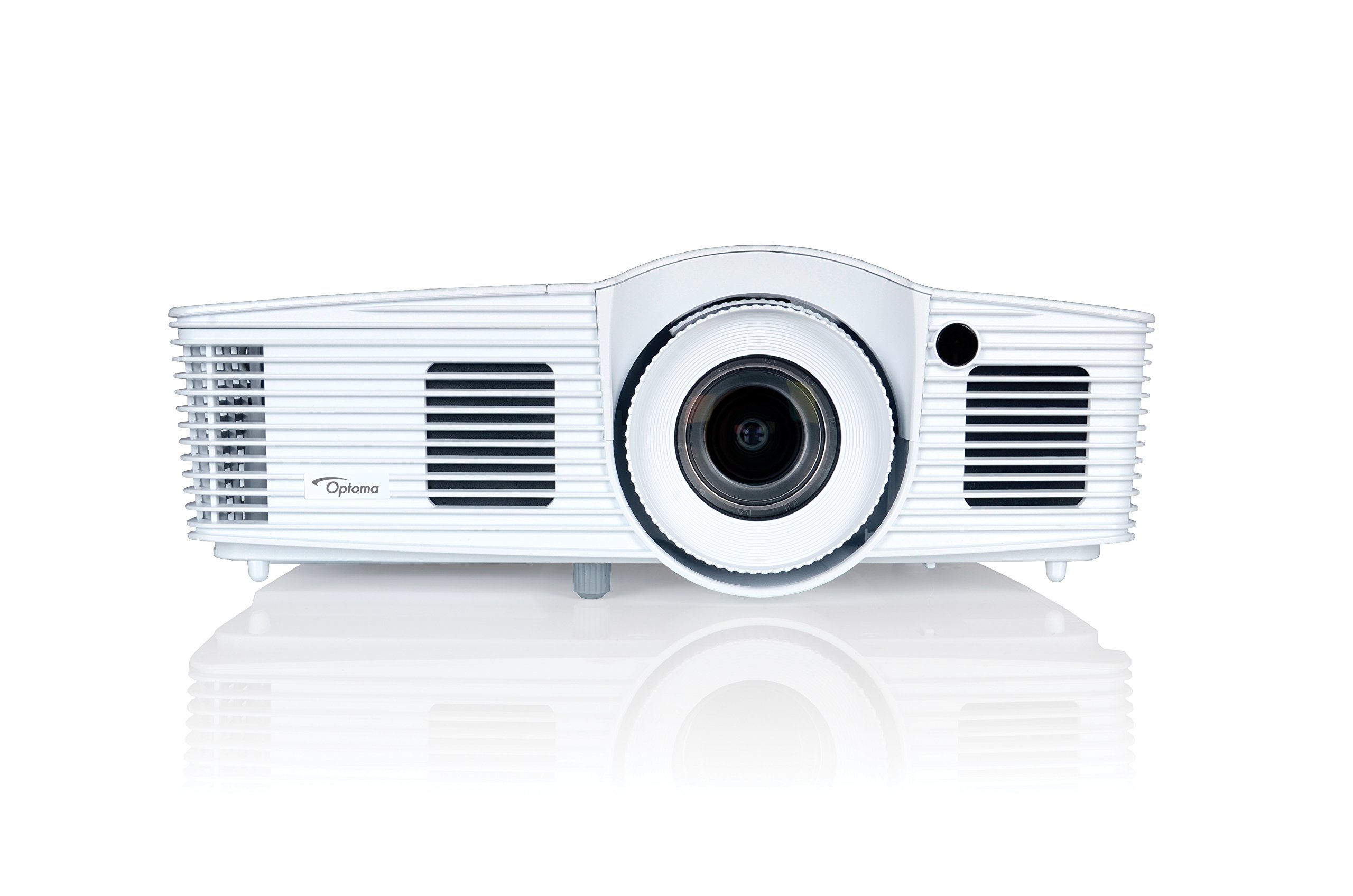
Şekil 1: Ön view of the Optoma EH416 Projector, showing the lens and primary controls.
Bağlantı Noktaları
The Optoma EH416 projector offers a wide range of connectivity options located on the rear panel for versatile integration with various devices.
- HDMI (x2): Digital input for high-definition video and audio. One port supports MHL for mobile devices.
- VGA (x2): Analog input for computer connections.
- Audio In (x2): 3.5mm stereo jack for analog audio input.
- Ses çıkışı: 3.5mm stereo jack for connecting external speakers.
- USB-A: For power output or service.
- RS232: For projector control via a computer or control system.
- RJ45 (Ethernet): Ağ kontrolü ve yönetimi için.
4. Kurulum
Projektör Yerleşimi
The Optoma EH416 offers flexibility in placement due to its 1.6x zoom and vertical lens shift capabilities. Position the projector on a stable surface or mount it securely. Adjust the distance from the screen to achieve the desired image size. The 1.6x zoom allows for a larger image from a shorter distance or a smaller image from a longer distance without moving the projector.
Cihazları Bağlama
- Güç Bağlantısı: Projektörün güç kablosunu güç girişine ve ardından topraklı bir elektrik prizine bağlayın.
- Video Kaynağı:
- For HDMI devices (e.g., Blu-ray player, laptop): Connect an HDMI cable from your device to one of the HDMI ports on the projector.
- For VGA devices (e.g., older laptops): Connect a VGA cable from your device to a VGA port on the projector. If audio is also required, connect a separate 3.5mm audio cable from your device to an Audio In port on the projector.
- For MHL compatible mobile devices: Connect an MHL cable to the designated HDMI/MHL port.
- Ses Çıkışı (İsteğe bağlı): If using external speakers, connect an audio cable from the projector's Audio Out port to your sound system.
Açma/Kapatma
- Açmak İçin: Projektörün kontrol panelindeki veya uzaktan kumandadaki güç düğmesine basın. Güç gösterge ışığı maviye dönecektir.
- Kapatmak İçin: Press the power button twice. The projector will enter a cooling down cycle before completely shutting off. Do not unplug the projector during the cooling cycle.
5. Projektörün Çalıştırılması
Temel İşlemler
- Kaynak Seçimi: Use the 'Source' button on the remote or control panel to cycle through available input sources (HDMI1, HDMI2/MHL, VGA1, VGA2).
- Menü Navigasyonu: Press the 'Menu' button to access the On-Screen Display (OSD). Use the arrow keys to navigate and 'Enter' to select options.
- Ses Kontrolü: Use the volume buttons on the remote control to adjust the audio output from the built-in speaker or Audio Out port.
Görüntü Ayarlamaları
- Odaklanma ve Yakınlaştırma: Rotate the focus and zoom rings on the projector lens to achieve a sharp and appropriately sized image.
- Keystone Düzeltmesi: If the image appears trapezoidal, use the 'Keystone' function in the OSD menu or the dedicated button on the remote to correct the image shape. The EH416 supports ±40° vertical keystone correction.
- Dikey Lens Kaydırma: This feature allows you to physically move the image up or down without tilting the projector, minimizing keystone distortion. Adjust the lens shift dial located near the lens.
- Duvar Rengi Ayarı: Access this feature in the OSD menu to compensate for the color of your projection surface (e.g., blackboard, light yellow wall). This helps maintain accurate color reproduction even on non-white walls.
- sRGB Color Profile: For the most accurate and vibrant colors, especially when connecting to a PC, Mac, or sRGB compatible source, select the sRGB picture mode in the OSD. This profile adheres to the Rec. 709 HDTV specification.
- Edge Mask: This function, found in the OSD, helps to refine the edges of the projected image, eliminating any soft or jagged appearance on the border.
6. Bakım
Projektörü Temizleme
- Mercek: Optik lensler için özel olarak tasarlanmış yumuşak, tiftiksiz bir bez kullanın. Aşındırıcı temizleyiciler kullanmayın.
- Casing: Projektörü silinasinYumuşak ve kuru bir bezle silin. İnatçı kirler için hafif nemli bir bez kullanın.amp Yumuşak bir deterjanla bezle silin, ardından kurulayın.
- Hava Menfezleri: Regularly check and clean the air vents to prevent dust buildup, which can lead to overheating. Use a soft brush or compressed air.
Lamp Bakım
projektör lamp sınırlı bir ömrü vardır.amp life is nearing its end, a warning message may appear on the screen. Refer to the full user manual on the included CD-ROM for detailed instructions on lamp replacement. Always use genuine Optoma replacement lamps to ensure optimal performance and safety.
7. Sorun Giderme
This section addresses common issues you might encounter. For more detailed troubleshooting, refer to the comprehensive user manual on the included CD-ROM.
- Ekranda Görüntü Yok:
- Check if the projector is powered on and the lamp yanıyor.
- Verify that the video source device is powered on and functioning correctly.
- Ensure the video cable (HDMI, VGA) is securely connected to both the projector and the source device.
- Select the correct input source using the 'Source' button on the remote or projector.
- Bulanık veya Bozuk Görüntü:
- Projektör lensindeki odaklama halkasını ayarlayın.
- If the image is trapezoidal, use the keystone correction function.
- Ensure the projector is perpendicular to the screen or use vertical lens shift.
- Ses Yok:
- Projeksiyon cihazının ve kaynak cihazın ses seviyesini kontrol edin.
- If using an analog VGA connection, ensure a separate audio cable is connected.
- Verify that the audio output is not muted.
- Uzaktan Kumanda Çalışmıyor:
- Pilleri kontrol edin ve değiştirin.
- Uzaktan kumanda ile projektörün IR alıcısı arasında herhangi bir engel olmadığından emin olun.
8. Özellikler
| Özellik | Detay |
|---|---|
| Model Numarası | EH416 |
| Ekran Çözünürlüğü | 1920x1080 (Tam HD) |
| Parlaklık | 4200 Lümen |
| Kontrast Oranı | 20,000:1 |
| Bağlantı Teknolojisi | Wireless, HDMI, MHL, VGA |
| Ürün Boyutları | 8.81 x 12.36 x 4.48 inç |
| Ürün Ağırlığı | 6.6 pound |
| Önerilen Kullanımlar | Business, Education |
| Üretici | OPTOMA TEKNOLOJİSİ |
| İlk Mevcut Tarih | 5 Nisan 2016 |
9. Garanti ve Destek
Your Optoma EH416 projector comes with a manufacturer's warranty. Please refer to the included warranty card for specific terms, conditions, and registration information. For technical support, product registration, or to download the latest drivers and firmware, please visit the official Optoma website or contact Optoma customer service.


