giriiş
The Master & Dynamic MW60 Wireless Bluetooth Foldable Headphones are designed to deliver a high-quality audio experience with effective sound isolation. They feature 45mm neodymium drivers for clear audio reproduction across various music genres. Equipped with Bluetooth 4.1, these headphones offer wireless connectivity and up to 16 hours of battery life. Constructed with lightweight stainless steel and aluminum, and featuring leather ear pads, the MW60 headphones are designed for comfort and durability, with a foldable design for portability.
Kutuda Neler Var?
- Master & Dynamic MW60 Wireless Headphones
- Ses Kablosu (3.5mm)
- Ses Adaptörü
- Mikro USB'den USB'ye Şarj Kablosu
- Carry Case for Headphones
- Carry Pouch for Accessories
Ürün Bittiview
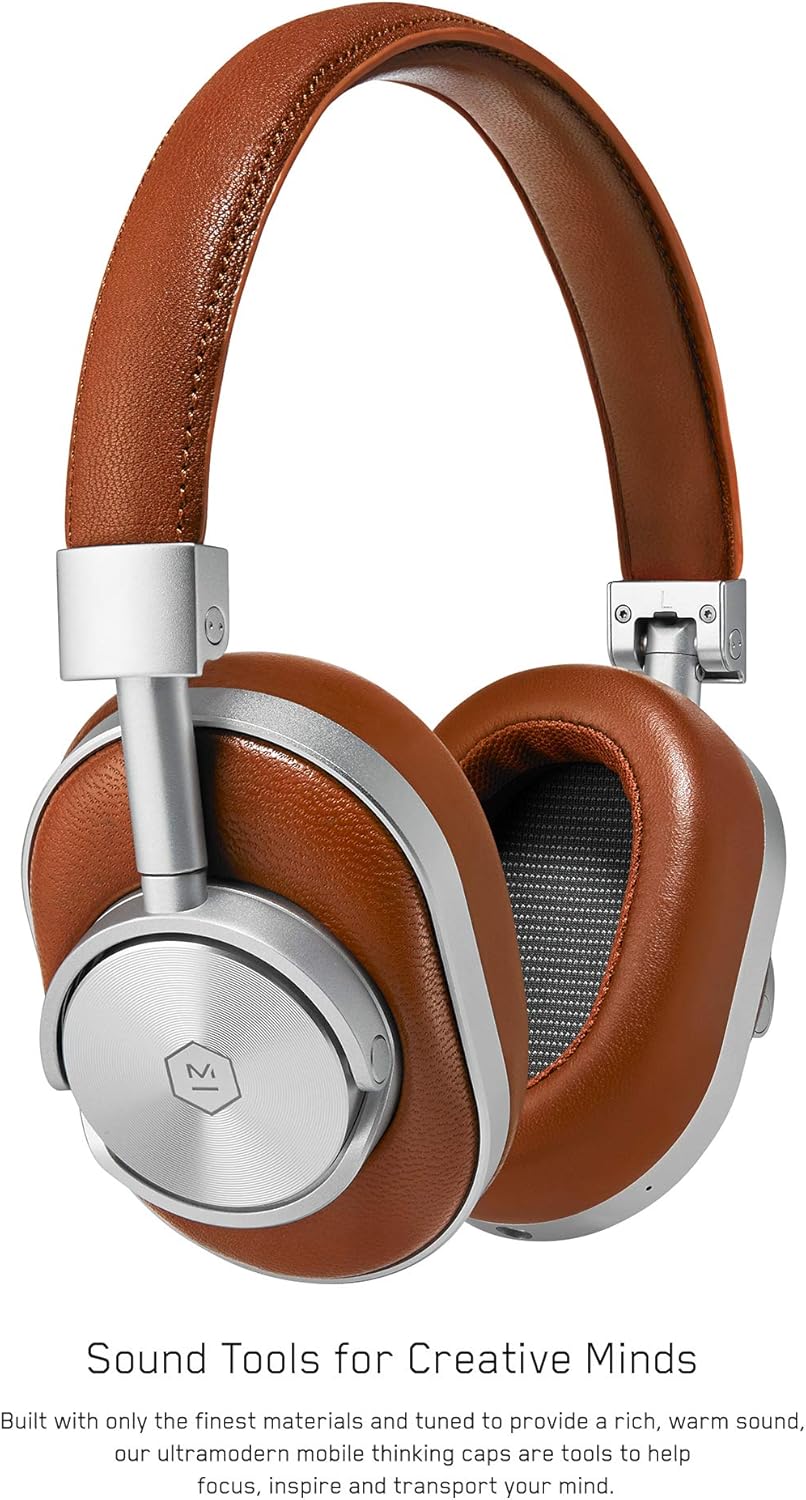
Şekil 1: Ön view of the Master & Dynamic MW60 Wireless Headphones. This image displays the over-ear design with silver metal accents and brown leather earcups and headband.

Şekil 2: Close-up of the right earcup showing the control buttons and ports. Visible controls include volume up/down, a multi-function button, and the power/pairing switch. A 3.5mm audio jack and micro USB charging port are also present.
Kontroller ve Bağlantı Noktaları
- Power/Pairing Switch: Located on the earcup, used to turn the headphones on/off and initiate Bluetooth pairing.
- Çok Fonksiyonlu Düğme: Controls playback (play/pause), call management, and voice assistant activation.
- Sesi Açma/Azaltma Düğmeleri: Adjusts audio volume. Can also be used for track skipping (hold for next/previous track).
- 3.5 mm Ses Jakı: Dahil edilen ses kablosunu kullanarak kablolu bağlantı için.
- Mikro USB Bağlantı Noktası: Dahili bataryayı şarj etmek için.
- Mikrofon: Eller serbest görüşme için entegre edilmiştir.
Kurmak
Kulaklıkları Şarj Etme
- Connect the Micro USB end of the charging cable to the Micro USB port on the headphone earcup.
- Connect the USB-A end of the charging cable to a powered USB port (e.g., computer, wall adapter).
- Gösterge ışığı şarj durumunu gösterecektir. Tam şarj genellikle yaklaşık 2 saat sürer.
Bluetooth Eşleştirme
- Kulaklığın tam şarjlı olduğundan emin olun.
- Slide the Power/Pairing switch to the ON position.
- To enter pairing mode, slide and hold the Power/Pairing switch to the far right (pairing icon) until the indicator light begins to flash.
- Cihazınızda (akıllı telefon, tablet, bilgisayar) Bluetooth'u etkinleştirin ve kullanılabilir cihazları arayın.
- Select "MW60" from the list of detected devices.
- Once paired, the indicator light will turn solid blue or white, depending on the model.
Kullanım Talimatları
Temel Fonksiyonlar
- Güç Açma/Kapatma: Slide the Power/Pairing switch to the ON or OFF position.
- Oynat/Duraklat: Çok işlevli düğmeye bir kez basın.
- Ses Kontrolü: Sesi Açma (+) veya Sesi Kısma (-) düğmelerine basın.
- Sonraki Parça: Sesi Açma (+) tuşuna basılı tutun.
- Önceki parça: Sesi Azaltma (-) tuşuna basılı tutun.
Yönetim Çağrı
- Çağrıyı Cevapla/Sonlandır: Çok işlevli düğmeye bir kez basın.
- Çağrıyı Reddet: Çok işlevli düğmeyi basılı tutun.
- Voice Assistant'ı etkinleştirin: Çok işlevli düğmeye iki kez basın.
Kablolu bağlantı
To use the headphones with a wired connection, plug the included 3.5mm audio cable into the audio jack on the earcup and the other end into your audio source. The headphones will automatically switch to wired mode, conserving battery life.
Bakım
Temizlik
- Kulaklığınızı yumuşak ve kuru bir bezle silin.
- Sert kimyasallar veya aşındırıcı malzemeler kullanmayın.
- For leather parts, use a specialized leather cleaner if necessary, following product instructions.
Depolamak

Şekil 3: The MW60 headphones folded into a compact form, demonstrating their portability and ease of storage in the included carry case.
- When not in use, fold the headphones and store them in the provided carry case to protect them from dust and damage.
- Aşırı sıcaklıklarda veya yüksek nemde saklamaktan kaçının.
Sorun giderme
| Sorun | Olası Çözüm |
|---|---|
| Kulaklıklar açılmıyor | Kulaklıkların tamamen şarj olduğundan emin olun. Mikro USB kablosu kullanarak bir güç kaynağına bağlayın. |
| Bluetooth üzerinden eşleştirilemiyor | Ensure headphones are in pairing mode (flashing indicator light). Turn off and on Bluetooth on your device. Try forgetting the device on your phone and re-pairing. Ensure no other devices are actively connected. |
| Intermittent audio or connection drops | Ensure your device is within the Bluetooth range. Avoid physical obstructions between the headphones and your device. Minimize interference from other wireless devices. |
| Kablolu modda ses yok. | Ensure the 3.5mm audio cable is securely connected to both the headphones and the audio source. Check the volume levels on both the headphones and the audio source. |
| Earcups detach easily | Ensure earcups are properly aligned and securely attached to the magnetic mounts. |
Özellikler
| Özellik | Detay |
|---|---|
| Model Adı | MW60S2 |
| Bağlantı Teknolojisi | Kablosuz (Bluetooth 4.1) |
| Ses Sürücüsü Türü | 45mm Neodymium Dynamic Drivers |
| Pil Ömrü | 16 saate kadar |
| Malzemeler | Aluminum, Stainless Steel, Leather |
| Ürün Ağırlığı | 3 pound (yaklaşık 1.36 kg) |
| Ürün Boyutları | 10 x 3.75 x 8 inç (25.4 x 9.5 x 20.3 cm) |
| Empedans | 32 Ohm |
| Gürültü Kontrolü | Ses Yalıtımı (Pasif) |
| Kulaklık Girişi | 3.5 mm Jak |
Garanti ve Destek
Warranty information for your Master & Dynamic MW60 Wireless Headphones is typically provided with your purchase. Please refer to the documentation included in your product packaging for specific warranty terms and conditions.
For technical support, service, or further inquiries, please contact Master & Dynamic customer service directly. Contact details can usually be found on the manufacturer's official websitenizde veya ürün dokümanlarınızda.


