1. Giriş
This manual provides detailed instructions for the installation, operation, and maintenance of the Urmet Atlantico 1132/53 Adjustable Call Volume Kit. Please read this manual thoroughly before attempting to install or operate the device to ensure safe and correct usage. Keep this manual for future reference.
2. Güvenlik Bilgileri
- Herhangi bir kurulum veya bakım işlemine başlamadan önce daima gücü kesin.
- Kurulum, yerel elektrik yönetmeliklerine ve kurallarına uygun olarak kalifiye personel tarafından yapılmalıdır.
- Cihazı neme, aşırı sıcaklıklara veya doğrudan güneş ışığına maruz bırakmayın.
- Use only original Urmet replacement parts and accessories.
- Avoid placing the unit near sources of strong electromagnetic interference.
3. Paket İçeriği
Paketi açtığınızda tüm bileşenlerin mevcut ve hasarsız olduğundan emin olun:
- Urmet Atlantico 1132/53 Intercom Unit
- Montaj Braketi
- Montaj Vidaları ve Duvar Dübelleri
- Connection Cables (if included in kit)
- Kullanım Kılavuzu (bu belge)
Herhangi bir ürün eksik veya hasarlıysa lütfen derhal tedarikçinizle iletişime geçin.
4. Ürün Bittiview
The Urmet Atlantico 1132/53 is an adjustable call volume kit designed for intercom systems. It allows users to customize the loudness of the incoming call signal.
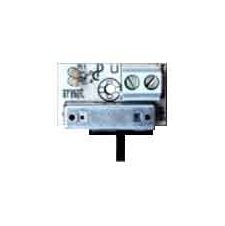
Şekil 1: Ön view of the Urmet Atlantico 1132/53 Intercom Unit. This image displays the main body of the intercom unit, typically showing the speaker, microphone, and call button area.
Başlıca bileşenler genellikle şunlardır:
- Arama tuşu: Initiates communication with the outdoor unit.
- Konuşmacı: For listening to the outdoor unit and incoming calls.
- Mikrofon: For speaking to the outdoor unit.
- Ses Kontrolü: A rotary knob or switch to adjust the call volume.
5. Kurulum ve Kurulum
Follow these general steps for installation. Refer to the specific wiring diagram provided with your complete intercom system for detailed connections.
- Kurulum Alanını Hazırlayın: Choose a suitable indoor location, typically near the entrance, ensuring it is free from moisture and extreme temperatures.
- Braketi Monte Edin: Secure the mounting bracket to the wall using the provided screws and wall plugs. Ensure it is level and firmly attached.
- Kablo Bağlantıları: Connect the intercom unit to the main intercom system wiring. Pay close attention to the polarity and terminal designations (e.g., power, audio in, audio out, call signal). Ensure all connections are secure.
- Attach the Unit: Carefully attach the Urmet Atlantico 1132/53 unit to the mounted bracket. Ensure it clicks into place or is securely fastened.
- Güç Açma ve Test Etme: Restore power to the intercom system. Test the call function and audio clarity.
6. Operasyon
The Urmet Atlantico 1132/53 is designed for straightforward operation:
- Bir Çağrı Alma: When someone presses the call button on the outdoor unit, your Atlantico 1132/53 unit will emit a call tone.
- Bir Aramayı Cevaplama: Press the designated call answer button (if present on your specific model or system) to establish communication.
- Adjusting Call Volume: Locate the volume control knob or switch on the unit. Rotate the knob clockwise to increase the call volume and counter-clockwise to decrease it. Adjust to a comfortable listening level.
- Konuşuyorum: Speak clearly into the microphone area of the unit.
- Aramayı Bitirme: Replace the handset (if applicable) or press the call end button.
7. Bakım
To ensure optimal performance and longevity of your Urmet Atlantico 1132/53 unit, follow these maintenance guidelines:
- Temizlik: Use a soft, dry cloth to clean the exterior of the unit. Do not use abrasive cleaners, solvents, or harsh chemicals, as these can damage the surface.
- Denetleme: Ünitede gözle görülür bir hasar veya gevşek bağlantı olup olmadığını periyodik olarak kontrol edin.
- Çevre: Ensure the unit remains in a dry, well-ventilated area, away from direct heat sources or excessive dust.
8. Sorun Giderme
If you encounter issues with your Urmet Atlantico 1132/53, refer to the following common problems and solutions:
- Çağrı sesi yok:
- Check if the system has power.
- Tüm kablo bağlantılarının güvenli ve doğru olduğundan emin olun.
- Verify the call volume is not set to minimum.
- Low or Distorted Audio:
- Adjust the call volume control.
- Gevşek veya aşınmış kablo bağlantıları olup olmadığını kontrol edin.
- Mikrofon ve hoparlörün engellenmediğinden emin olun.
- Birim Yanıt Vermiyor:
- Cycle the power to the entire intercom system (turn off, wait 30 seconds, turn on).
- Inspect for any visible damage to the unit or wiring.
If the problem persists after attempting these solutions, contact a qualified technician or Urmet customer support.
9. Özellikler
| Marka | Urmet |
| Model Numarası | 1132/53 |
| ASIN | B017XZKAWW |
| İlk Mevcut Tarih | 1 Ekim 2015 |
10. Garanti ve Destek
For information regarding warranty coverage, technical support, or service, please refer to the warranty card included with your product or visit the official Urmet webSite. Satın alma belgenizi garanti talepleriniz için saklayın.
Urmet Resmi Webalan: www.urmet.com


