Ürün Bittiview
The Hunter X-Core 8-station outdoor controller is designed to provide essential water management features in a compact and user-friendly device. It is ideal for residential landscapes, offering convenient Seasonal Adjust capabilities for quick schedule updates throughout the year without altering individual run times. The Cycle & Soak feature ensures plants properly absorb water, preventing runoff. Additionally, its Easy Retrieve memory backs up controller settings in the event of a power outage, ensuring your irrigation schedule remains intact.
Temel Özellikler
- Provides essential water management features in a user-friendly outdoor controller to ensure beautiful, healthy landscapes for up to 8 stations.
- 3 flexible programs with 4 start times each and run times up to 4 hours to accommodate most residential and light commercial irrigation system needs.
- Compatible with Hunter weather sensors to halt irrigation during rain, freeze, and wind events.
- Programs are stored in memory so irrigation resumes normally after a power outage.
- Built-in key lock on outdoor models protects against vandalism.
- Power source type: Electric.
Kurulum ve Yükleme
The X-Core controller is designed for straightforward installation. Ensure the mounting location is suitable for an outdoor electrical device, protected from direct sunlight and extreme weather conditions where possible. The unit comes with a built-in transformer for easy power connection.

Figure 1: Hunter X-Core controller securely mounted on an exterior wall, demonstrating typical outdoor installation.
Kablolama Bağlantıları
Open the controller's front cover to access the wiring terminals. Connect the common wire from your irrigation valves to the common terminal (usually labeled 'C'). Connect each zone wire to its corresponding station terminal (1-8). Ensure all connections are secure. The controller includes an internal transformer for power supply.

Şekil 2: Dahili view of the Hunter X-Core controller, highlighting the wiring terminals for common and station wires, along with the internal transformer.
Kullanım Talimatları
The X-Core controller features a user-friendly dial and button interface for programming. Rotate the dial to select different programming modes such as setting the current time/day, start times, run times, and water days.

Figure 3: The main interface of the Hunter X-Core controller, showing the LCD display, control dial, and navigation buttons for programming.
Programlama Bittiview
The controller supports up to three independent programs (A, B, C), each with four start times. This allows for flexible scheduling to meet diverse landscape needs.
- Set Current Time/Day: Rotate the dial to the 'Current Time/Day' position and use the arrow buttons to set the correct time and date.
- Başlangıç Saatlerini Ayarla: For each program (A, B, C), rotate the dial to 'Start Times' and set up to four desired start times using the arrow buttons.
- Çalışma Sürelerini Ayarla: Rotate the dial to 'Run Times'. Select the program and station, then use the arrow buttons to set the duration for each station.
- Su Günlerini Ayarlayın: Rotate the dial to 'Water Days'. Choose your preferred watering schedule (e.g., specific days of the week, odd/even days, or interval watering).
- Mevsimsel Ayarlama: Use this feature to quickly adjust watering durations for all programs by a percentage, adapting to seasonal changes without reprogramming.
- Manuel İşlem: The controller allows for manual watering of a single station or all programmed stations for a specified duration.
Official Product Guide Video
Video 1: An official product guide for the Hunter X-Core Irrigation Controller, detailing its features and basic operation. This video provides a visual walkthrough of the controller's capabilities and programming steps.
Bakım
Regular maintenance ensures optimal performance and longevity of your X-Core controller. Keep the unit's exterior clean and free from debris. Periodically check wiring connections for tightness and signs of corrosion. Ensure the key lock mechanism functions smoothly to protect against unauthorized access.
Sensör Entegrasyonu
For enhanced water conservation, the X-Core is compatible with Hunter weather sensors, such as the Solar Sync ET sensor. This sensor automatically adjusts irrigation run times based on local weather conditions, including rain and freezing temperatures, preventing unnecessary watering.
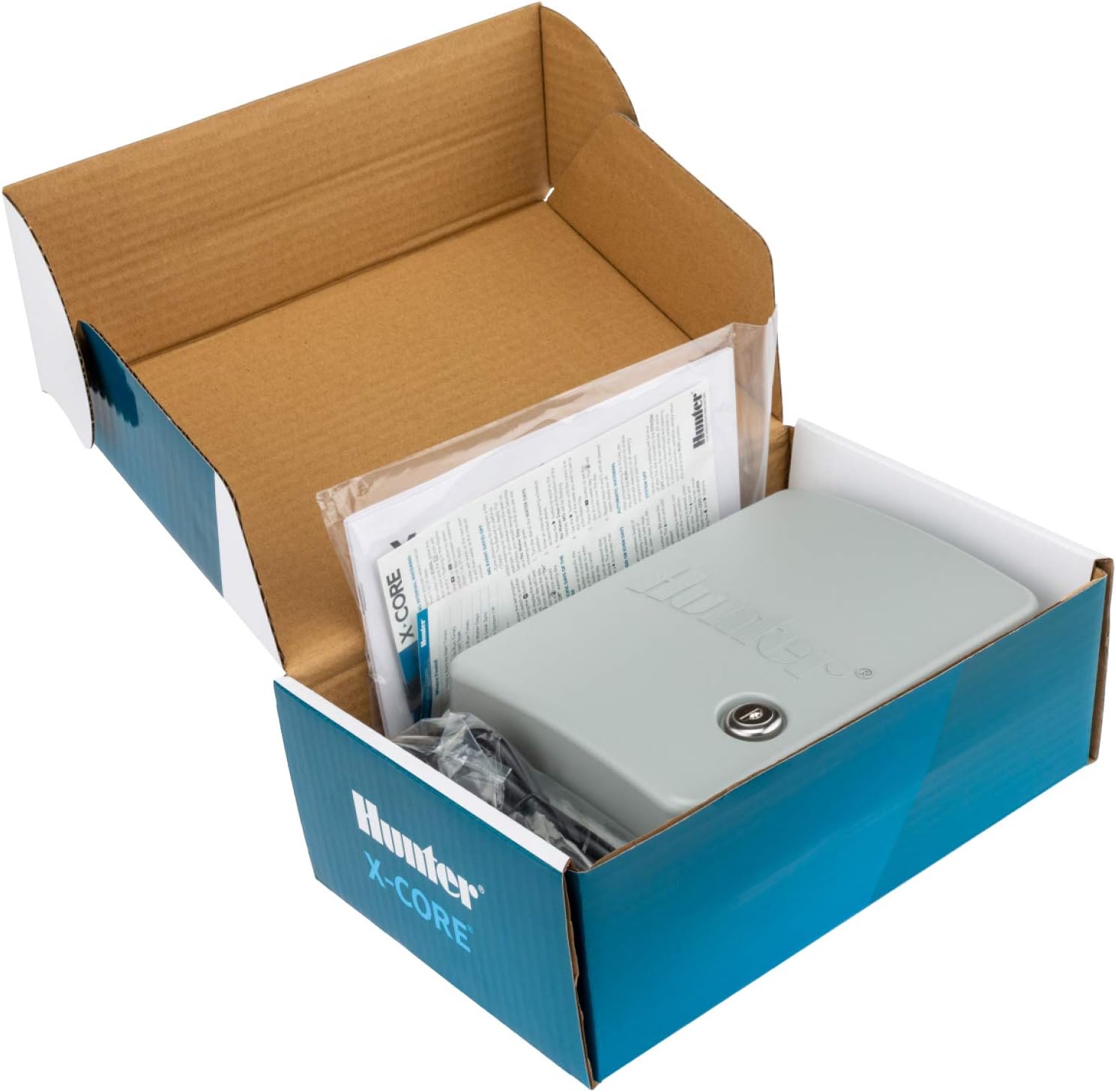
Figure 4: The Hunter X-Core controller shown in its original packaging, which typically includes the user manual and installation guide for reference.
Sorun giderme
The X-Core controller includes a "QuickCheck" feature to assist with troubleshooting wiring issues. If a short circuit is detected on a station, the display will show an "err" message, indicating the specific station number affected. This helps in quickly identifying and resolving field wiring problems.
- Ekran/Güç Yok: Check the power connection and ensure the outlet is functional. Verify the internal transformer is properly seated.
- Station Not Watering: Check the wiring connection for that specific station at the controller and at the valve. Use the QuickCheck feature to identify potential shorts. Ensure the station's run time is set and the program is active.
- Controller Not Watering: Verify the system is not in "System Off" mode or "Rain Delay". Check the main water supply to the irrigation system.
- Incorrect Watering Times: Review your program settings (start times, run times, water days) to ensure they match your desired schedule. Check the Seasonal Adjustment percentage.
Özellikler
| Bağlanmak | Değer |
|---|---|
| Marka | Avcı |
| Model Numarası | XC800 |
| İstasyon Sayısı | 8 |
| Programlar | 3 (A, B, C) |
| Programlara Göre Başlangıç Saatleri | 4 |
| Cilttage | 120 Volt (AC) |
| Çalışma Sıcaklığı | 50 Derece Santigrat |
| Ürün Boyutları | 3.75 x 7 x 8.6 inç |
| Ürün Ağırlığı | 3.25 pound |
| Renk | Gri |
| Üretici | Hunter Endüstrileri |
| Menşei ülke | Çin |
Garanti ve Destek
The Hunter X-Core controller is backed by a two-year factory warranty, ensuring reliability and peace of mind. For technical support, troubleshooting assistance, or warranty claims, please refer to the contact information provided in your product's physical manual or visit the official Hunter Industries webalan.


