giriiş
Thank you for choosing the Technoline WT 745 Radio Controlled Alarm Clock. This digital alarm clock features precise timekeeping, dual alarms with snooze, date and weekday display, and indoor temperature monitoring. Please read this manual carefully to ensure proper setup and operation.
Paket İçeriği
- Technoline WT 745 Radio Controlled Alarm Clock
- Kullanıcı Kılavuzu
Note: 2x AAA batteries are required and not included.
Ürün Bittiview
Familiarize yourself with the main components of your WT 745 alarm clock.
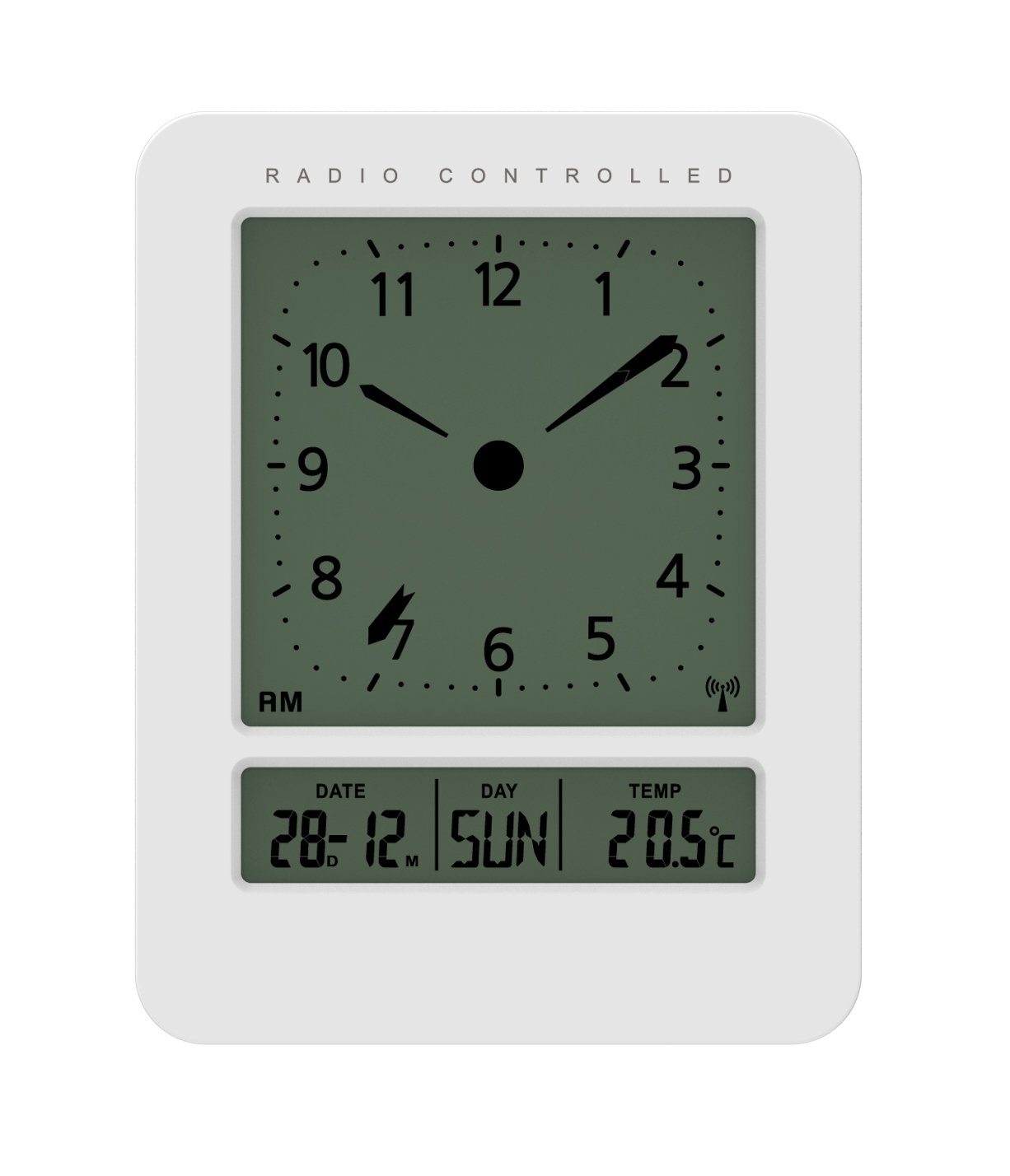
Resim: Ön ve yan view of the Technoline WT 745 Radio Controlled Alarm Clock, showing the digital display with time, date, day, and temperature, and the analog clock face. The clock is white with a light grey display.
- Analog Clock Face: Displays current time with hour, minute, and second hands.
- Dijital gösterge: Shows date, day of the week, and indoor temperature.
- Radio Controlled Indicator: Symbol indicating successful radio signal reception.
- Kontrol Düğmeleri: Buttons for setting time, alarm, and other functions, typically located on the back or side.
- Pil Bölmesi: Arka tarafında 2 adet AAA pil için yer bulunmaktadır.
Kurmak
1. Pillerin Takılması
- Çalar saatin arkasındaki pil bölmesi kapağını açın.
- Insert 2 new AAA batteries, observing the correct polarity (+/-).
- Pil bölmesi kapağını sıkıca kapatın.
Note: The clock will automatically start searching for the radio time signal after battery insertion. This process may take several minutes.
2. İlk Radyo Sinyali Alımı
- Sinyal alımının en iyi olması için saati bir pencere yakınına yerleştirin.
- Parazite neden olabilecek elektronik cihazların yakınına koymaktan kaçının.
- Once the signal is received, the time, date, and day will be automatically set. The radio controlled indicator will appear on the display.
If the signal is not received within 10 minutes, try repositioning the clock or manually setting the time (see "Manual Time Setting").
Kullanım Talimatları
Alarmı Ayarlama
- Basın ALARM KURULDU button (location not specified, assume standard placement). The alarm time will flash.
- Kullanın UP or AŞAĞI Saati ayarlamak için düğmeler.
- Basmak ALARM KURULDU Tekrar saati teyit edip dakikalara geçiyoruz.
- Kullanın UP or AŞAĞI Dakikaları ayarlamak için düğmeler.
- Basmak ALARM KURULDU alarm zamanını kaydetmek için.
- Alarmı etkinleştirmek/devre dışı bırakmak için, ALARM AÇIK / KAPALI düğmesine basın. Ekranda bir alarm simgesi belirecek/kaybolacaktır.
The WT 745 supports two independent alarms. Repeat the steps above to set the second alarm.
Erteleme Fonksiyonu
- Alarm çaldığında, düğmesine basın. UYUKLAMA button (usually a large button on top). The alarm will pause for approximately 5 minutes and then sound again.
- To stop the alarm completely, press any other button (e.g., ALARM ON/OFF) or let it ring for its full duration.
Arka Işık Etkinleştirme
- Basın IŞIK or UYUKLAMA button to temporarily illuminate the display for easy viewdüşük ışık koşullarında.
Viewing Date, Day, and Temperature
- The digital display continuously shows the current date, day of the week, and indoor temperature. No specific action is required to view bunlar.
Manual Time Setting (if radio signal is unavailable)
- Basılı tutun SAAT AYARI button for a few seconds until the hour digits flash.
- Kullanın UP or AŞAĞI Saati ayarlamak için düğmeler.
- Basmak SAAT AYARI Tekrar saati teyit edip dakikalara geçiyoruz.
- Kullanın UP or AŞAĞI Dakikaları ayarlamak için düğmeler.
- Basmaya devam et SAAT AYARI to cycle through and adjust year, month, and day as needed.
- Basmak SAAT AYARI one last time to exit manual setting mode.
Bakım
- Temizlik: Saati yumuşak, kuru bir bezle silin. Aşındırıcı temizleyiciler veya çözücüler kullanmayın.
- Pil Değişimi: Replace batteries when the display dims or functions become erratic. Always replace both batteries simultaneously with new ones.
- Depolamak: Saati uzun süre saklayacaksanız, sızıntıyı önlemek için pilleri çıkarın.
- Çevre: Saati doğrudan güneş ışığından, aşırı sıcaklıklardan ve yüksek nemden uzak tutun.
Sorun giderme
| Sorun | Olası Neden | Çözüm |
|---|---|---|
| Ekran boş veya karanlık. | Piller zayıf veya yanlış takılmış. | Pilleri yeni AAA pillerle değiştirin ve kutupların doğru olmasına dikkat edin. |
| Clock does not receive radio signal. | Interference, poor location, or signal too weak. | Move the clock closer to a window, away from electronic devices. Try manual time setting. |
| Alarm çalmıyor. | Alarm aktif değil veya yanlış ayarlanmış. | Ensure the alarm icon is visible on the display. Recheck alarm time settings. |
| Yanlış saat gösteriliyor. | Radio signal lost or manual time set incorrectly. | Allow the clock to resynchronize with the radio signal. If persistent, manually set the time. |
Özellikler
- Modeli: WT 745
- Marka: Technoline
- Boyutlar: 7.1 x 4.5 x 9.2 cm (U x G x Y)
- Ağırlık: 150 gr
- Malzeme: Plastik
- Görüntüleme Türü: Digital with Analog Clock Face
- Güç Kaynağı: 2 x AAA Piller (dahil değildir)
- Özel Özellikler: Radio Controlled Time, Dual Alarms, Snooze Function, Date Display, Day of Week Display, Indoor Temperature Display, Backlight.
- Kullanım: Kapalı
Garanti ve Destek
For warranty information or technical support, please refer to the warranty card included with your product or visit the official Technoline webSite. Satın alma belgeniz olarak satın alma fişinizi saklayın.
Resmi Webalan: www.technoline.eu