1. Giriş
The VILTROX JY-710-C1 is a 2.4GHz wireless remote shutter timer controller designed for Canon EOS cameras. This device allows for precise control over your camera's shutter, enabling various shooting modes including single shot, continuous shooting, BULB mode, delay shooting, and advanced timer schedule shooting. Its wireless functionality provides flexibility, while the wired option ensures reliability. This manual provides detailed instructions for setup, operation, and maintenance of your JY-710-C1.
2. Paket İçeriği
Lütfen paketinizde aşağıdaki tüm öğelerin bulunduğundan emin olun:
- 1 x JY-710 Transmitter Unit
- 1 x JY-710 Receiver Unit
- 1 x Shutter Connection Cord (C1 type for Canon cameras)
- 1 x Kullanım Kılavuzu
3. Ürün Bileşenleri
3.1 Verici Ünitesi
The transmitter features an LCD display for settings, navigation buttons, and a shutter release button. It is used to configure and initiate shooting sequences.
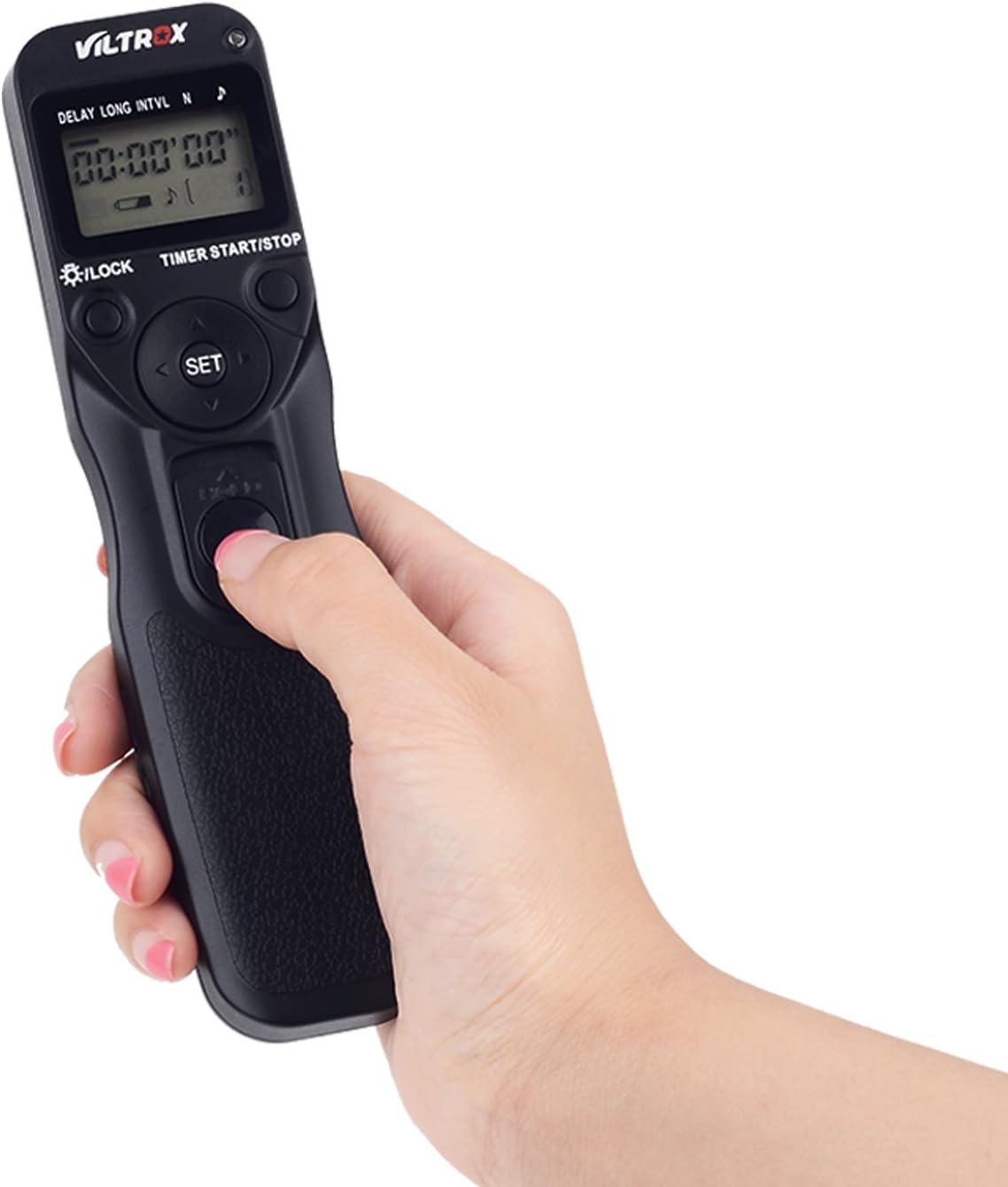
Şekil 3.1: Close-up of the JY-710-C1 Transmitter Unit. This image shows the ergonomic design of the transmitter, with its clear LCD display and accessible control buttons for setting various timer functions.
3.2 Alıcı Birimi
The receiver unit connects to your camera's remote port and receives signals from the transmitter. It features a channel selector switch and a battery compartment.

Şekil 3.2: Close-up of the JY-710-C1 Receiver Unit. This image highlights the receiver's compact size, the FSK 2.4GHz wireless technology indicator, and the channel selection switch (1, 2, 3, 4).
4. Kurulum
4.1 Pil Kurulumu
Both the transmitter and receiver units require two AAA 1.5V LR03 alkaline batteries each. To install:
- Hem vericinin hem de alıcının arkasındaki pil bölmesi kapağını açın.
- İki adet AAA pili, kutupların doğru olmasına dikkat ederek (+/-) takın.
- Pil bölmesi kapağını sıkıca kapatın.
4.2 Connecting to Camera (Wireless Mode)
For wireless operation, the receiver unit connects to your camera.
- Attach the receiver unit to your camera's hot shoe (optional, for secure mounting).
- Connect one end of the provided shutter connection cord to the receiver unit's port.
- Connect the other end of the shutter connection cord to your camera's remote control terminal.
- Ensure both the transmitter and receiver are powered on and set to the same channel (1-4) using the channel selector switch on the receiver.
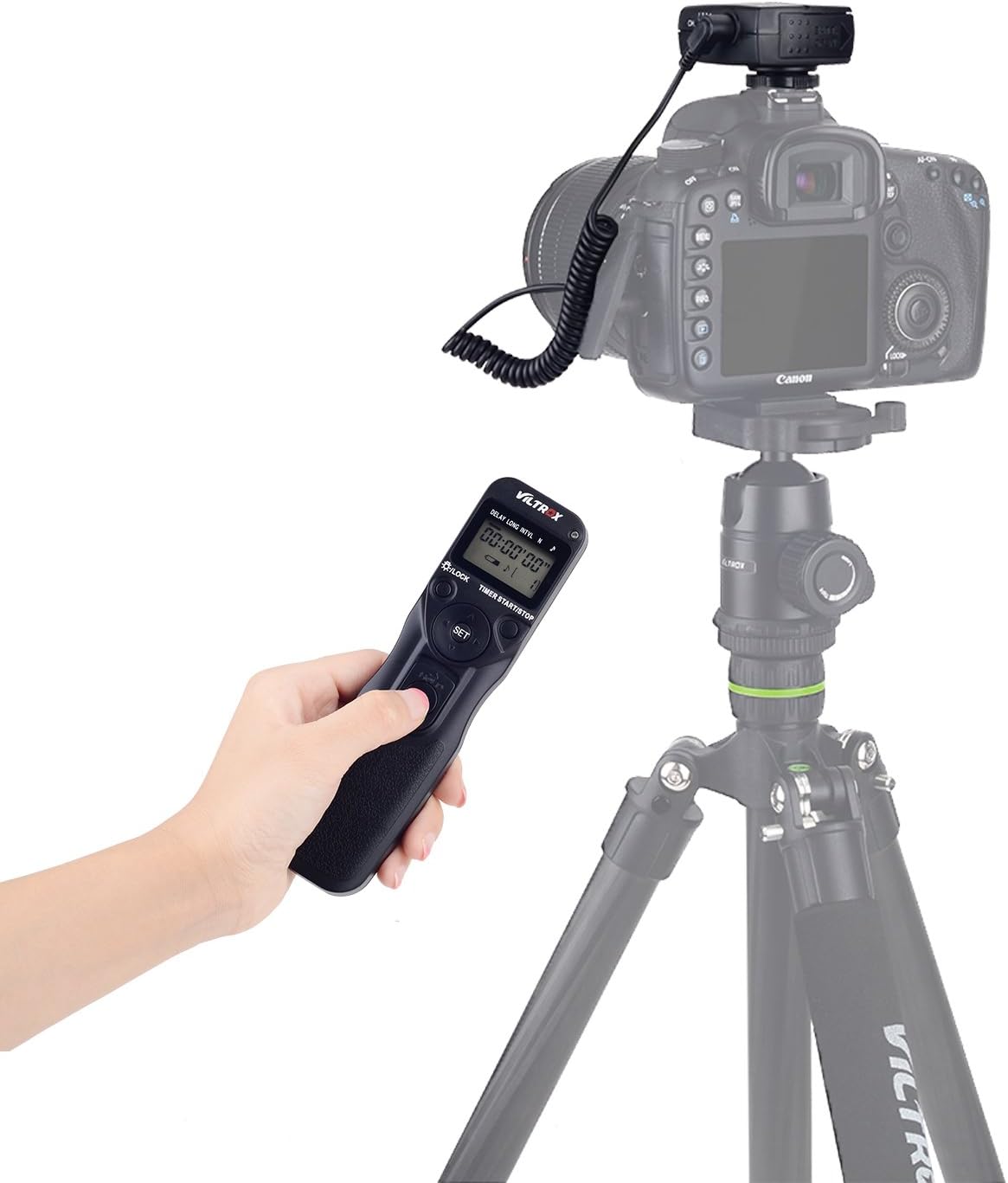
Şekil 4.1: Wireless Setup with Transmitter and Receiver. This image illustrates the complete wireless setup, showing the transmitter in use and the receiver connected to a Canon DSLR camera mounted on a tripod.
4.3 Connecting to Camera (Wired Mode)
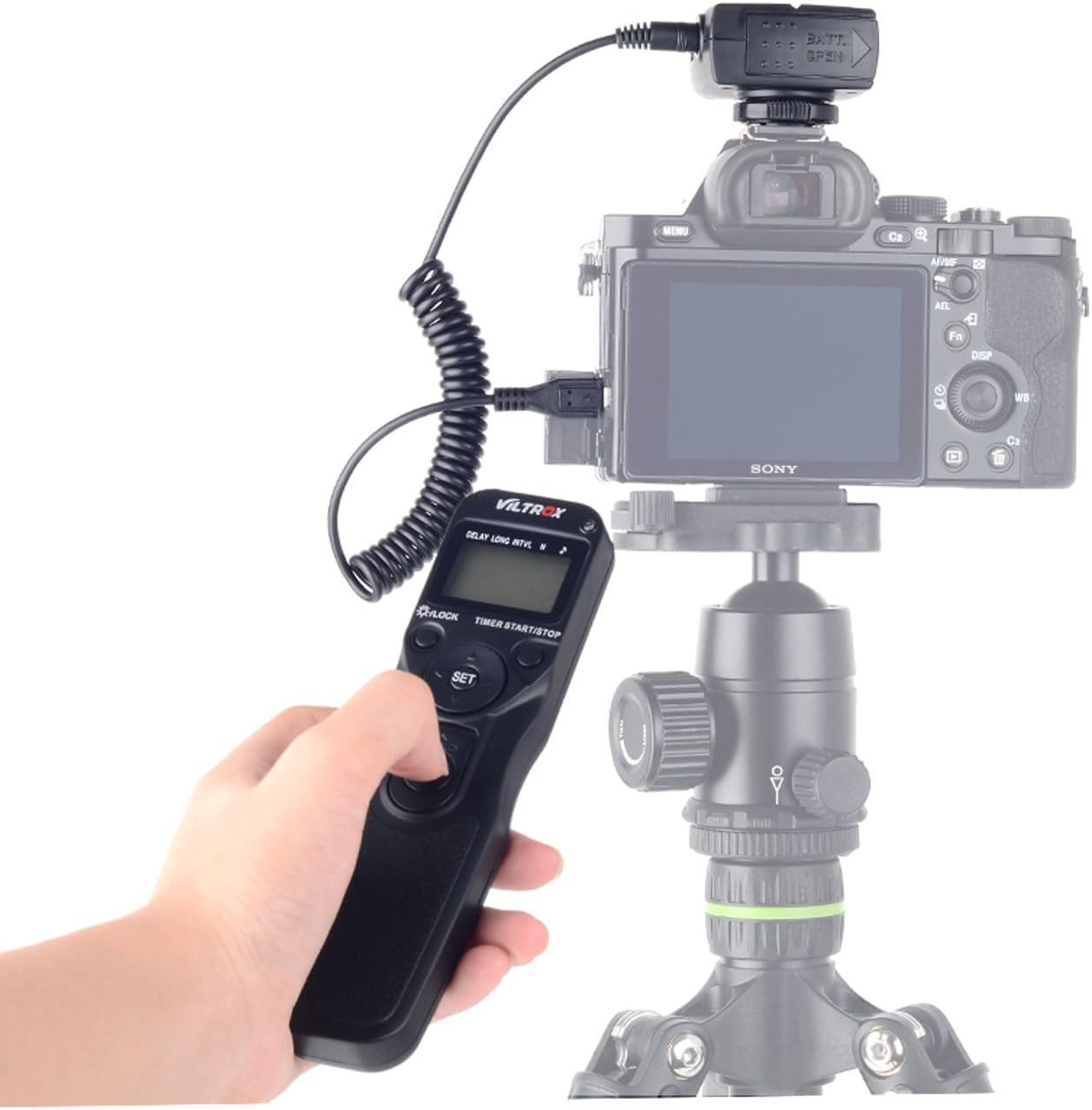
The transmitter can also be used as a wired remote control by connecting it directly to the camera.
- Connect one end of the provided shutter connection cord to the transmitter unit's port.
- Connect the other end of the shutter connection cord to your camera's remote control terminal.
- The receiver unit is not needed for wired operation.

Şekil 4.2: Wired Connection Example. This image shows the receiver unit connected directly to a Canon camera, demonstrating how the unit can function as a wired remote when the transmitter is not used wirelessly.
5. Temel Çalışma Modları
The JY-710-C1 supports several basic shooting modes:
- Tek Çekim: Press the shutter button on the transmitter halfway to focus, then fully to take a single photo.
- 1s Continuous Shooting: Hold the shutter button fully pressed for continuous shots.
- BULB Shooting: For long exposures, press the shutter button fully and release to start the exposure. Press again to end the exposure.
- Delay Shooting: Set a delay time before the shutter is released.
6. Timer Schedule Shooting
The JY-710-C1 offers advanced timer functions for automated shooting sequences. Use the navigation buttons on the transmitter to select and adjust parameters.
6.1 Parametrelerin Ayarlanması
The transmitter's LCD displays various parameters: DELAY, LONG (exposure time), INTNL (interval), and N (number of shots). Use the AYARLAMAK button to enter editing mode and the arrow buttons to adjust values.
- DELAY (Timer Delay): Sets the delay before the first shot. Range: 0s to 99hrs 59min 59s.
- UZUN (Pozlama Süresi): Sets the duration of each exposure. Range: 0s to 99hrs 59min 59s. This is used for BULB exposures.
- INTNL (Interval): Sets the time between each shot. Range: 1s to 99hrs 59min 59s.
- N (Number of Shots): Sets the total number of photos to be taken. Range: 1 to 399, or '--' for unlimited.
Şekil 6.1: Setting Timer Functions on the Transmitter. This image shows the transmitter's display with various timer settings (DELAY, LONG, INTNL, N) being adjusted, demonstrating the user interface for programming shooting sequences.
6.2 Starting a Timer Sequence
After setting your desired parameters, press the TIMER START/STOP button to begin the programmed shooting sequence. Press it again to stop the sequence.
7. Bakım
7.1 Temizlik
Cihazı yumuşak ve kuru bir bezle silin. Aşındırıcı temizleyiciler veya çözücüler kullanmayın.
7.2 Pil Bakımı
Remove batteries if the device will not be used for an extended period to prevent leakage. Replace batteries when the low battery indicator appears on the LCD.
8. Sorun Giderme
- Cihaz açılmıyor: Pillerin montajını kontrol edin ve pillerin yeni olduğundan emin olun.
- Camera not responding (Wireless): Ensure both transmitter and receiver are powered on and set to the same channel. Verify the shutter connection cord is securely attached to both the receiver and camera. Check camera settings for remote control.
- Camera not responding (Wired): Ensure the shutter connection cord is securely attached to both the transmitter and camera. Check camera settings.
- Timer sequence not starting: Ensure all timer parameters (DELAY, LONG, INTNL, N) are correctly set and the TIMER START/STOP düğmeye basıldı.
- Parazit yapmak: Kablosuz bağlantı performansında tutarsızlık yaşıyorsanız, hem verici hem de alıcıdaki kanalı değiştirmeyi deneyin.
9. Özellikler
| Zamanlayıcı Gecikmesi | 0s to 99hrs 59min 59s in one-second increments |
| Maruziyet süresi | 0s to 99hrs 59min 59s in one-second increments |
| Aralık | 1s to 99hrs 59min 59s in one-second increments |
| Atış Sayısı | 1 to 399, or unlimited ('--') |
| Güç Kaynağı | 2 x AAA 1.5V LR03 alkaline batteries (for transmitter) 2 x AAA 1.5V LR03 alkaline batteries (for receiver) |
| Pil Ömrü | Approx. two months of continuous shooting (specific conditions apply) |
| Çalışma Sıcaklığı | -20°C ila +50°C (-4°F ila +122°F) |
| Boyutlar (Verici) | Yaklaşık. 155 x 40 x 18 mm (6.1 x 1.6 x 0.7 inç) |
| Ağırlık (alıcı ile birlikte) | Yaklaşık. 125 g (3.7 oz) |
| Kordon Uzunluğu | Yaklaşık 850 mm (33.5 inç) |
| Kablosuz Frekans | FSK 2.4GHz |
| Kablosuz Kanallar | 4 Kanal |
| kablosuz Menzil | Approx. 50-80m |
10. Uyumluluk
The VILTROX JY-710-C1 is compatible with the following Canon EOS camera models:
- EOS 80D, 77D, 70D, 60D, 60Da
- EOS 800D, 760D, 750D, 700D, 650D, 600D, 550D, 500D, 450D
- EOS 100D, 1300D, 1200D, 1100D, 1000D
- EOS M5, M6
11. Garanti ve Destek
VILTROX products are designed for reliability and performance. For warranty information and technical support, please refer to the official VILTROX webLütfen web sitesini ziyaret edin veya yerel distribütörünüzle iletişime geçin. Garanti talepleri için satın alma belgenizi saklayın.


