giriiş
Thank you for choosing the Altec Lansing iMW475 Mini Life Jacket Bluetooth Speaker. This speaker is designed for portability and durability, featuring a rugged, compact, waterproof, dustproof, and shockproof design. It also floats, making it ideal for outdoor and water-related activities. This manual provides essential information for setting up, operating, and maintaining your speaker.
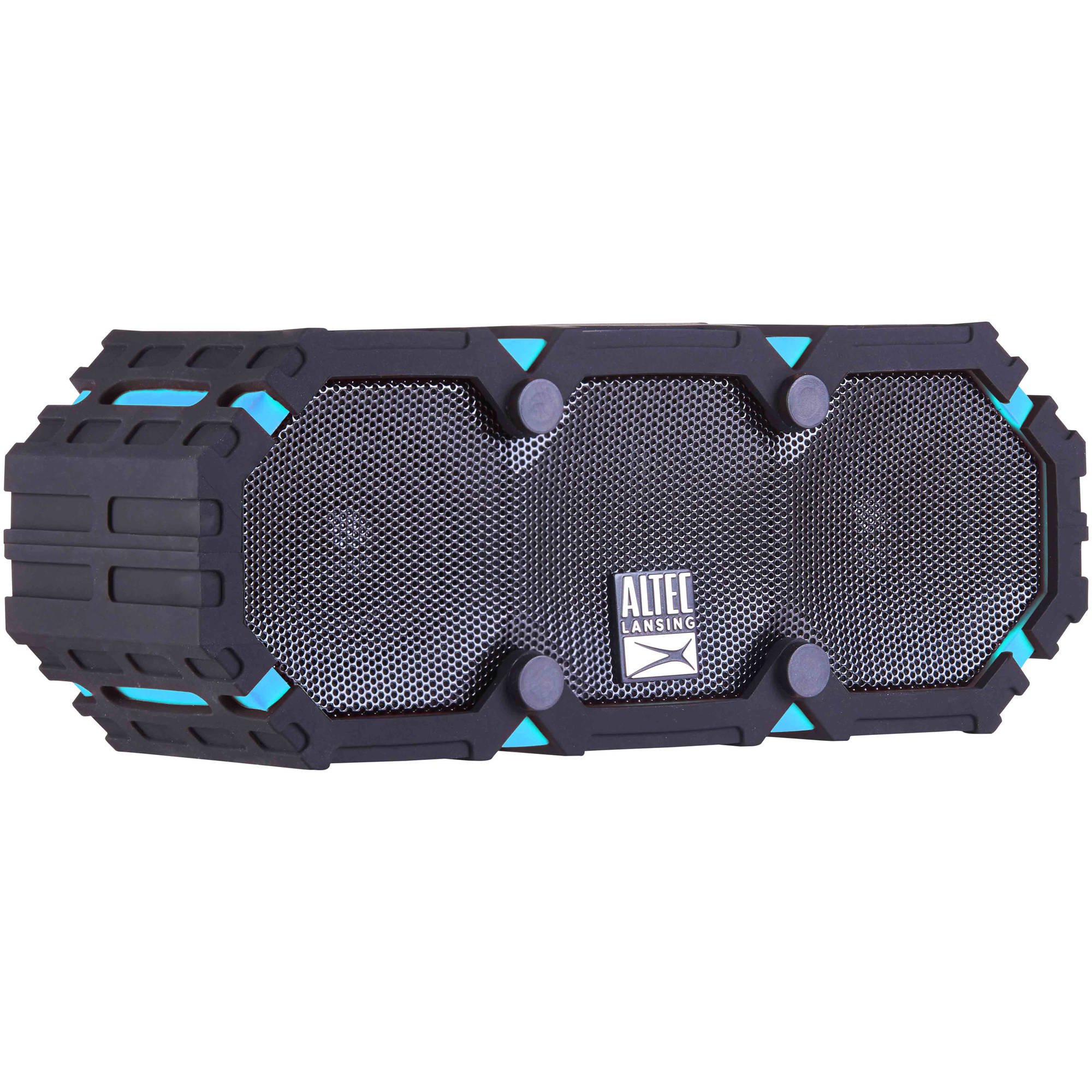
Image: The Altec Lansing iMW475 Mini Life Jacket Bluetooth Speaker, showcasing its compact, rugged design in black and blue.
Paket İçeriği
- Altec Lansing iMW475 Mini Life Jacket Bluetooth Speaker
- Montaj Braketi
- USB Şarj Kablosu (Note: Specific cable type not detailed in product data, typically Micro-USB or USB-C)
- Auxiliary Cable (Note: Not explicitly listed but common for such speakers)
- Hızlı başlangıç Kılavuzu (Not explicitly listed but common)
Kurulum işlemine başlamadan önce lütfen tüm öğelerin eksiksiz olduğundan emin olun.
Kontroller ve Göstergeler
The speaker features intuitive controls for power, volume, and Bluetooth pairing. Specific button layouts may vary slightly, but common functions include:
- Güç Düğmesi: Hoparlörü açmak veya kapatmak için basılı tutun.
- Sesi Aç/Sonraki Parça Düğmesi: Sesi artırmak için basın. Sonraki parçaya geçmek için basılı tutun.
- Sesi Azaltma/Önceki Parça Düğmesi: Sesi azaltmak için basın. Önceki parçaya geçmek için basılı tutun.
- Oynat/Duraklat/Ara Düğmesi: Press to play or pause audio. Press to answer or end a phone call. Hold to activate voice assistant (if supported by your device).
- Bluetooth Eşleştirme Düğmesi: Bluetooth eşleştirme moduna girmek için basılı tutun.
- LED Göstergesi: Displays power status, charging status, and Bluetooth connection status.
Refer to the quick start guide included with your product for a detailed diagram of button placement.
Kurmak
1. Hoparlörü Şarj Etme
Before first use, fully charge your Altec Lansing iMW475 speaker. A full charge provides approximately 10 hours of battery life.
- Locate the charging port, usually protected by a waterproof flap.
- Sağlanan USB şarj kablosunu hoparlörün şarj portuna bağlayın.
- USB kablosunun diğer ucunu bir USB güç adaptörüne (dahil değildir) veya bir bilgisayarın USB portuna bağlayın.
- The LED indicator will show the charging status (e.g., solid red while charging, off or green when fully charged).
- Once fully charged, disconnect the cable and ensure the waterproof flap is securely closed.
2. Bluetooth Eşleştirme
Hoparlörünüzü Bluetooth özellikli bir cihaza bağlamak için:
- Hoparlörün şarjının dolu ve kapalı olduğundan emin olun.
- Hoparlörü açmak için Güç düğmesine basılı tutun. LED göstergesi yanıp sönerek eşleştirme modunda olduğunu gösterecektir.
- Mobil cihazınızda (akıllı telefon, tablet, dizüstü bilgisayar) Bluetooth ayarlarına gidin.
- Arama available devices. You should see "iMW475" or a similar name in the list.
- Select "iMW475" to connect. The LED indicator will turn solid when successfully paired.
- A voice prompt may confirm "You are now connected."
- Once paired, the speaker will automatically connect to the last paired device when turned on, if the device is within range (up to 30 feet or 9.14 meters).
Kullanım Talimatları
Ses Çalınıyor
- After successful Bluetooth pairing, open your preferred music application on your connected device.
- Start playing audio. The sound will be routed through your Altec Lansing iMW475 speaker.
- Use the Volume Up/Down buttons on the speaker or your connected device to adjust the audio level.
- Oynat/Duraklat düğmesine basarak oynatmayı duraklatabilir veya devam ettirebilirsiniz.
- Hold the Volume Up/Down buttons to skip tracks forward or backward.
Eller Serbest Arama
The speaker features an onboard microphone for hands-free communication.
- When a call comes in, the music will pause, and you will hear a ringtone through the speaker.
- Press the Play/Pause/Call button once to answer the incoming call.
- Speak clearly into the speaker's microphone.
- To end the call, press the Play/Pause/Call button once again.
- Gelen aramayı reddetmek için Oynat/Duraklat/Ara düğmesine basılı tutun.
Yardımcı Girişi Kullanma
For devices without Bluetooth, you can connect via the auxiliary input.
- Locate the auxiliary input port, usually protected by a waterproof flap.
- Connect one end of a 3.5mm auxiliary cable (not included) to the speaker's AUX port.
- Diğer ucunu ses cihazınızın kulaklık jakına bağlayın.
- The speaker will automatically switch to AUX mode, or you may need to press the Mode button (if available).
- Bağlı ses cihazınızdan oynatma ve ses seviyesini kontrol edin.
Bakım
- Temizlik: Hoparlörü yumuşak bir bezle silin.amp bezle silin. Aşındırıcı temizleyiciler veya çözücüler kullanmayın.
- Su Geçirmez Bakım: Ensure all port covers are securely closed before exposing the speaker to water to maintain its waterproof integrity. After exposure to saltwater or chlorinated water, rinse the speaker with fresh water and allow it to air dry completely.
- Depolamak: Hoparlörü serin, kuru ve doğrudan güneş ışığından ve aşırı sıcaklıklardan uzak bir yerde saklayın.
- Pil Bakım: Pil ömrünü uzatmak için pili sık sık tamamen boşaltmaktan kaçının. Hoparlörü, uzun süre kullanılmasa bile düzenli olarak şarj edin.
Sorun giderme
| Sorun | Çözüm |
|---|---|
| Hoparlör açılmıyor. | Pilin şarjlı olduğundan emin olun. Hoparlörü USB şarj kablosunu kullanarak bir güç kaynağına bağlayın. |
| Hoparlörden ses gelmiyor. |
|
| Bluetooth eşleştirme başarısız. |
|
| Poor audio quality or distortion. |
|
Özellikler
- Model Adı: iMW475 Mini Life Jacket
- Hoparlör Tipi: Dış mekan
- Özel Özellikler: Waterproof, Dustproof, Shockproof, Floats
- Bağlantı: Bluetooth
- Bluetooth Aralığı: 30 feet'e (9.14 metre) kadar
- Pil Ömrü: 10 saate kadar
- Güç Kaynağı: Battery and AC (via USB charging)
- Ses Çıkış Modu: Stereo
- Hoparlör Maksimum Çıkış Gücü: 10 Watt
- Kontrol Yöntemi: Ses, Düğmeler
- Dahil Bileşenler: Montaj Braketi
- Ürün Ölçüleri: 7 x 3 x 4.5 inç
- Ürün Ağırlığı: 1 pound (16 ons)
- Suya Dayanıklılık Seviyesi: Su geçirmez
- UPC: 021331205841
Garanti ve Destek
Altec Lansing products are designed for reliability and performance. For specific warranty information regarding your iMW475 Mini Life Jacket Bluetooth Speaker, please refer to the warranty card included with your purchase or visit the official Altec Lansing webalan.
For technical support, frequently asked questions, or to register your product, please visit the Altec Lansing support page or contact their customer service directly. Contact details are typically available on the manufacturer's webalan.
Note: Warranty terms and conditions may vary by region and retailer. Keep your proof of purchase for warranty claims.