giriiş
Thank you for choosing the Altec Lansing MZX856-WHT Bluetooth Active Earbuds. These earbuds are designed to provide high-quality audio and durability for an active lifestyle. Featuring IPX67 waterproof protection and a long-lasting battery, they are suitable for various environments and activities. This manual provides detailed instructions on setup, operation, maintenance, and troubleshooting to ensure optimal performance of your earbuds.
Ürün Bittiview
Paket İçeriği
- Altec Lansing MZX856-WHT Bluetooth Active Earbuds
- 3 sets of Freebit ear tips (Small, Medium, Large)
- Flat tangle-free cable
- Taşıma çantası
Temel Özellikler
- IPX67 Waterproof / Everything Proof: Designed to withstand water immersion and other elements, and they float.
- 20 Hours Battery Life: Extended playback time with spoken battery level notifications.
- 33' Wireless Range: Maintain connection from a significant distance.
- 9mm Neodymium Drivers: For clear and powerful audio.
- Freebit Ear Tips: Ensures a comfortable and secure fit for active use.
Bileşen Tanımlaması

Şekil 1: Üzeriview of the Altec Lansing MZX856-WHT Bluetooth Active Earbuds, showing the earbuds, inline remote control, and the battery pack.
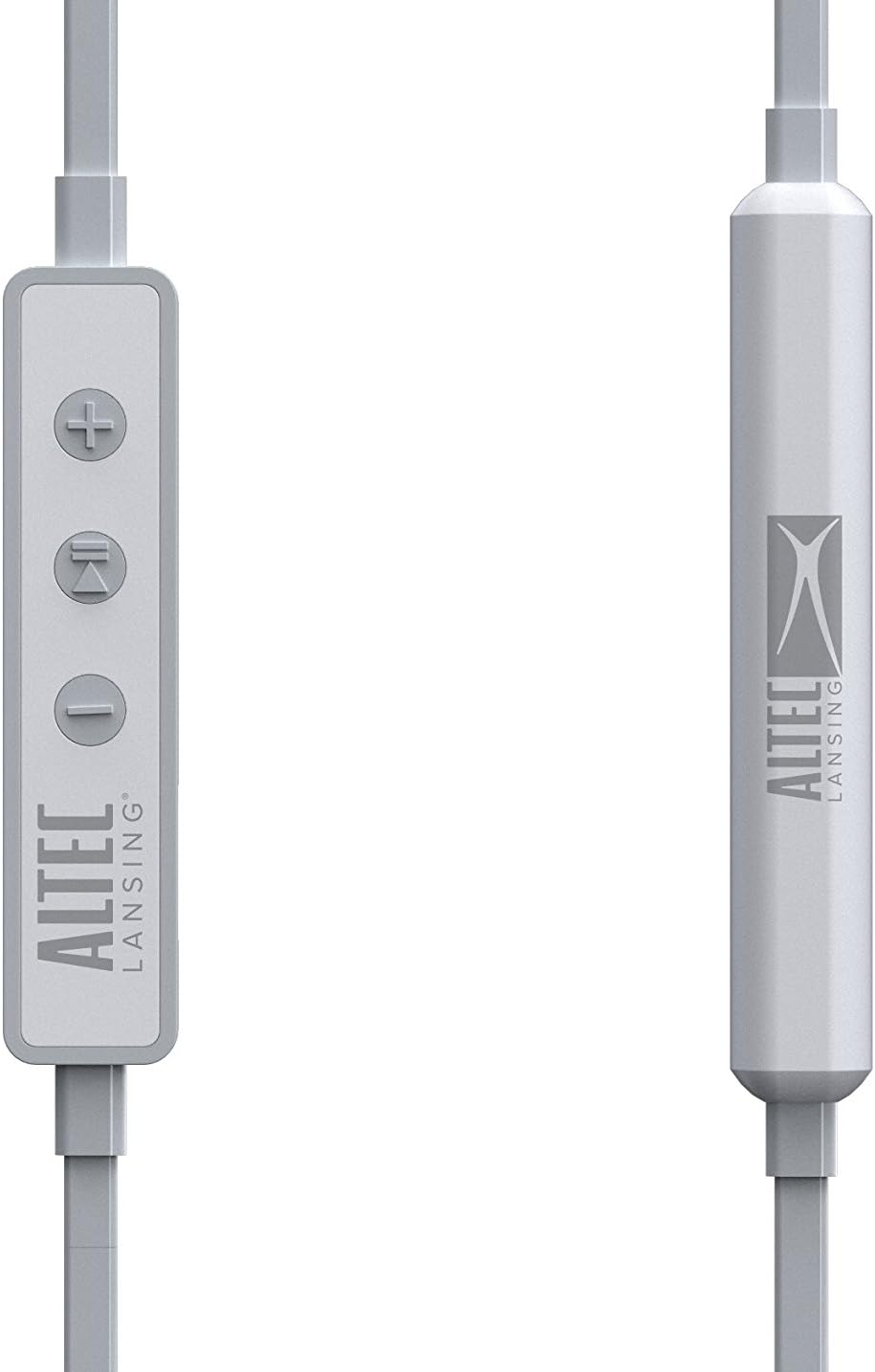
Şekil 2: Ayrıntılı view of the inline remote control, featuring volume up (+), multi-function (play/pause/call), and volume down (-) buttons. The battery pack is also visible.

Figure 3: The three included sizes of Freebit ear tips (Small, Medium, Large) designed for a secure and comfortable fit.

Figure 4: The earbuds with the Freebit ear tips attached, illustrating how they provide stability in the ear.
Kurmak
Kulaklıkları Şarj Etme
Before first use, fully charge your earbuds. Connect the USB charging cable (not explicitly listed as included, but implied by 'USB' headphones jack) to the USB port on the earbuds and to a power source. The charging indicator light will show the charging status. A full charge provides approximately 20 hours of battery life.
Açma/Kapatma
- Açmak İçin: Press and hold the multi-function button (center button on the inline remote) until the indicator light illuminates and you hear an audible prompt.
- Kapatmak İçin: Press and hold the multi-function button until the indicator light turns off and you hear an audible prompt.
Bluetooth Eşleştirme
Kulaklıklarınızı Bluetooth özellikli bir cihaza bağlamak için:
- Kulaklıkların kapalı olduğundan emin olun.
- Press and hold the multi-function button for approximately 5-7 seconds until the indicator light flashes rapidly (usually blue and red), indicating pairing mode.
- Cihazınızda (akıllı telefon, tablet, bilgisayar) Bluetooth'u etkinleştirin ve kullanılabilir cihazları arayın.
- Select "MZX856-WHT" from the list of found devices.
- Once connected, the indicator light on the earbuds will typically flash slowly or turn solid blue, and you will hear a confirmation tone.
- Şifre sorulursa "0000" girin.
Kulaklıklar açıldığında son eşleştirilen cihaza otomatik olarak yeniden bağlanmaya çalışacaktır.
Kullanım Talimatları
Müzik Çalma
- Oynat/Duraklat: Çok işlevli düğmeye bir kez basın.
- Sesi aç: '+' tuşuna basın.
- Sesi kıs: '-' tuşuna basın.
- Sonraki Parça: '+' tuşuna basılı tutun.
- Önceki parça: '-' tuşuna basılı tutun.
Yönetim Çağrı
- Çağrıyı Cevapla/Sonlandır: Press the multi-function button once during an incoming call or during an active call.
- Çağrıyı Reddet: Gelen arama sırasında çok fonksiyonlu düğmeye yaklaşık 2 saniye basılı tutun.
- Sesli Asistan: Cihazınızın sesli asistanını (örneğin Siri, Google Asistan) etkinleştirmek için çok işlevli düğmeye iki kez basın.
Kulaklık Takma
Select the Freebit ear tips that provide the most comfortable and secure fit for your ears. The ear tips are designed to sit snugly within the outer ear to prevent the earbuds from falling out during movement. Experiment with the different sizes (Small, Medium, Large) to find your ideal fit.
Bakım ve Onarım
- Temizlik: Regularly clean the earbuds and ear tips with a soft, dry cloth. For the ear tips, you may use a slightly damp Bir bez ve yumuşak bir sabunla silin ve tekrar takmadan önce tamamen kuruduğundan emin olun.
- Su Geçirmezlik Derecesi: The MZX856-WHT earbuds are IPX67 rated, meaning they are protected from dust ingress and can withstand immersion in water up to 1 meter for 30 minutes. Ensure the USB port cover is securely closed before exposing the earbuds to water.
- Depolamak: When not in use, store the earbuds in the provided carry pouch to protect them from dust and damage. Avoid storing in extreme temperatures.
- Kablo Bakımı: The flat tangle-free cable is designed to resist tangling. Avoid sharp bends or excessive pulling on the cable.
Sorun giderme
| Sorun | Olası Neden | Çözüm |
|---|---|---|
| Kulaklıklar açılmıyor. | Pil şarjı düşük veya hiç yok. | Charge the earbuds fully using the USB cable. |
| Cihazla eşleştirilemiyor. | Kulaklıklar eşleştirme modunda değil; cihazda Bluetooth kapalı; cihaz çok uzakta. | Ensure earbuds are in pairing mode (flashing red/blue). Turn Bluetooth on your device. Move device closer to earbuds (within 33 feet). Forget previous pairings on your device and try again. |
| Ses yok veya ses seviyesi düşük. | Volume too low on earbuds or device; earbuds not properly connected. | Increase volume on both earbuds and connected device. Re-pair the earbuds. Ensure earbuds are securely seated in your ears. |
| Ses girip çıkıyor. | Girişim; cihaz çok uzakta; pil zayıf. | Move closer to the connected device. Avoid environments with strong Wi-Fi or other wireless interference. Charge the earbuds. |
| Ear tips keep coming off. | Incorrect size or improper attachment. | Ensure ear tips are securely attached to the earbuds. Try a different size of Freebit ear tips for a better fit. |
Teknik Özellikler
| Özellik | Şartname |
|---|---|
| Model Adı | MZX856-WHT |
| Bağlantı Teknolojisi | Kablosuz (Bluetooth) |
| kablosuz Menzil | 33 feet (yaklaşık 10 metre) |
| Pil Ömrü | 20 Saate Kadar |
| Su Direnç Seviyesi | IPX67 (Su Geçirmez) |
| Sürücü Boyutu | 9 mm Neodimyum |
| Kontrol Türü | Medya Kontrolü |
| Kulak Yerleşimi | Kulakta |
| Form Faktörü | Kulakta |
| Kulaklık Girişi | USB (şarj için) |
| Malzeme | Plastik |
| Ürün Ağırlığı | 8.8 ons (yaklaşık 249 gram) |
| Ürün Boyutları | 4.5 x 2.3 x 5.8 inç |
| Üretici | Sakar Uluslararası A.Ş. |
Garanti ve Destek
For warranty information and customer support, please refer to the documentation included with your product or visit the official Altec Lansing website. You may also contact Sakar International, Inc., the manufacturer, for assistance. Keep your proof of purchase for any warranty claims.
A digital version of the user guide may be available at: Altec Lansing MZX856 User Guide (PDF)


